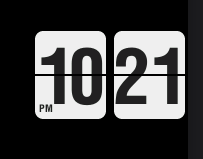
I just added an old school flip clock! It has both a back and white version for different backgrounds. this is the white version.
Hello! I have serious doubts about the release of a PRO version for the ESP32-S3, but a demo for the ESP32-P4 will most likely appear in April, if I manage to finish it. Why is there a problem with the ESP32-S3? First of all, the issue is FLASH and PSRAM memory! Their capacities are too small for a full-fledged firmware capable of managing a bunch of entities dynamically. I could make a dynamic API for Home Assistant for the ESP32-S3, and maybe it would even work, but for 20–30 entities at most… and that’s not guaranteed. I won’t go into technical details for long; I’ve already explained all this multiple times in the Telegram group.
When I have time, I will make a version for the new LVGL 9.5, but more as separate widgets essentially demonstrating capabilities, and the user will construct what they need themselves! But if you want a full-fledged smart home panel, you will need a device based on the ESP32-P4, for example this one (Forum). Now there, you can implement a lot of things, and that’s actually what I’m working on right now. Here are screenshots of test UI versions for the device I linked above:
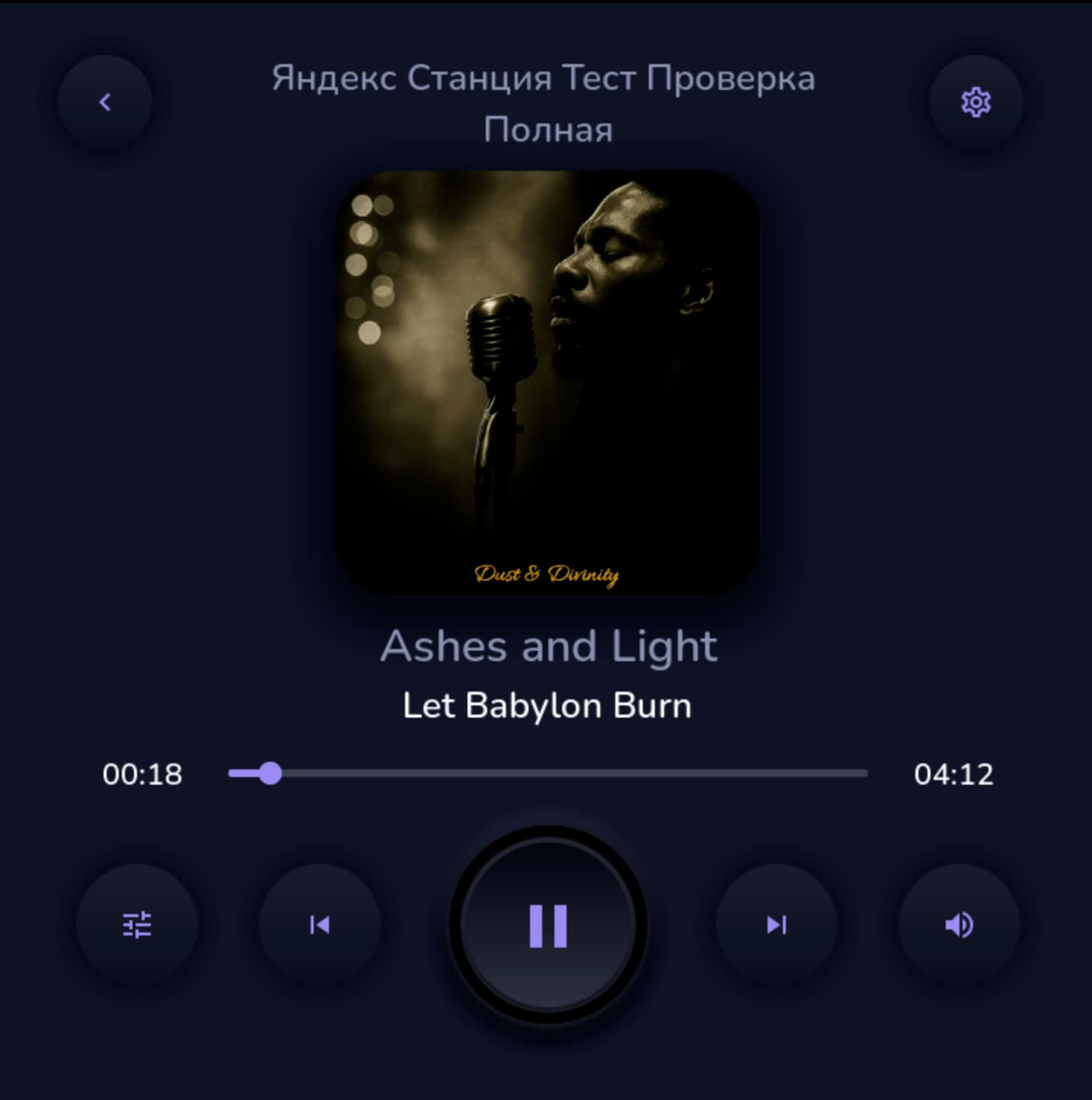

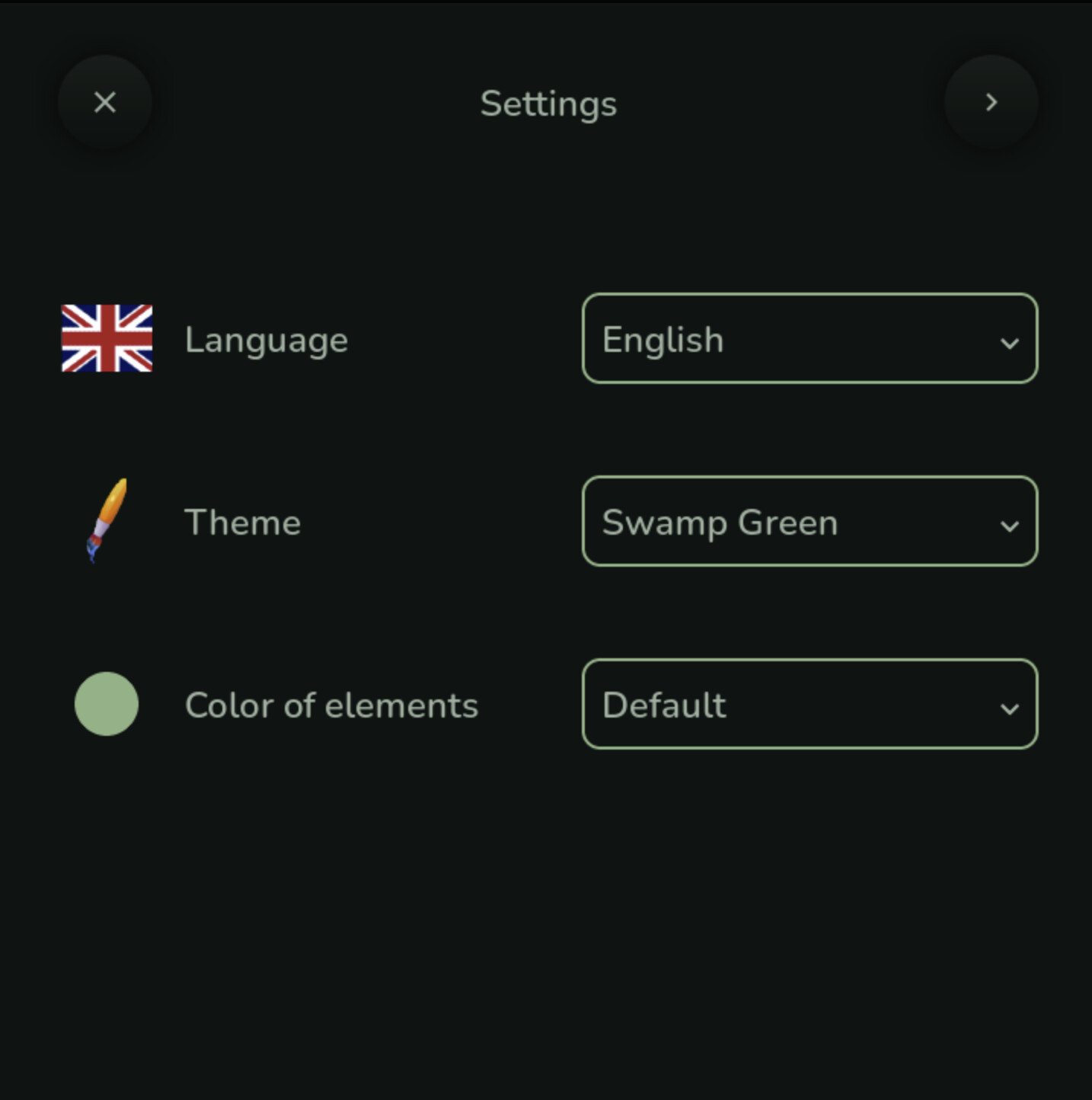
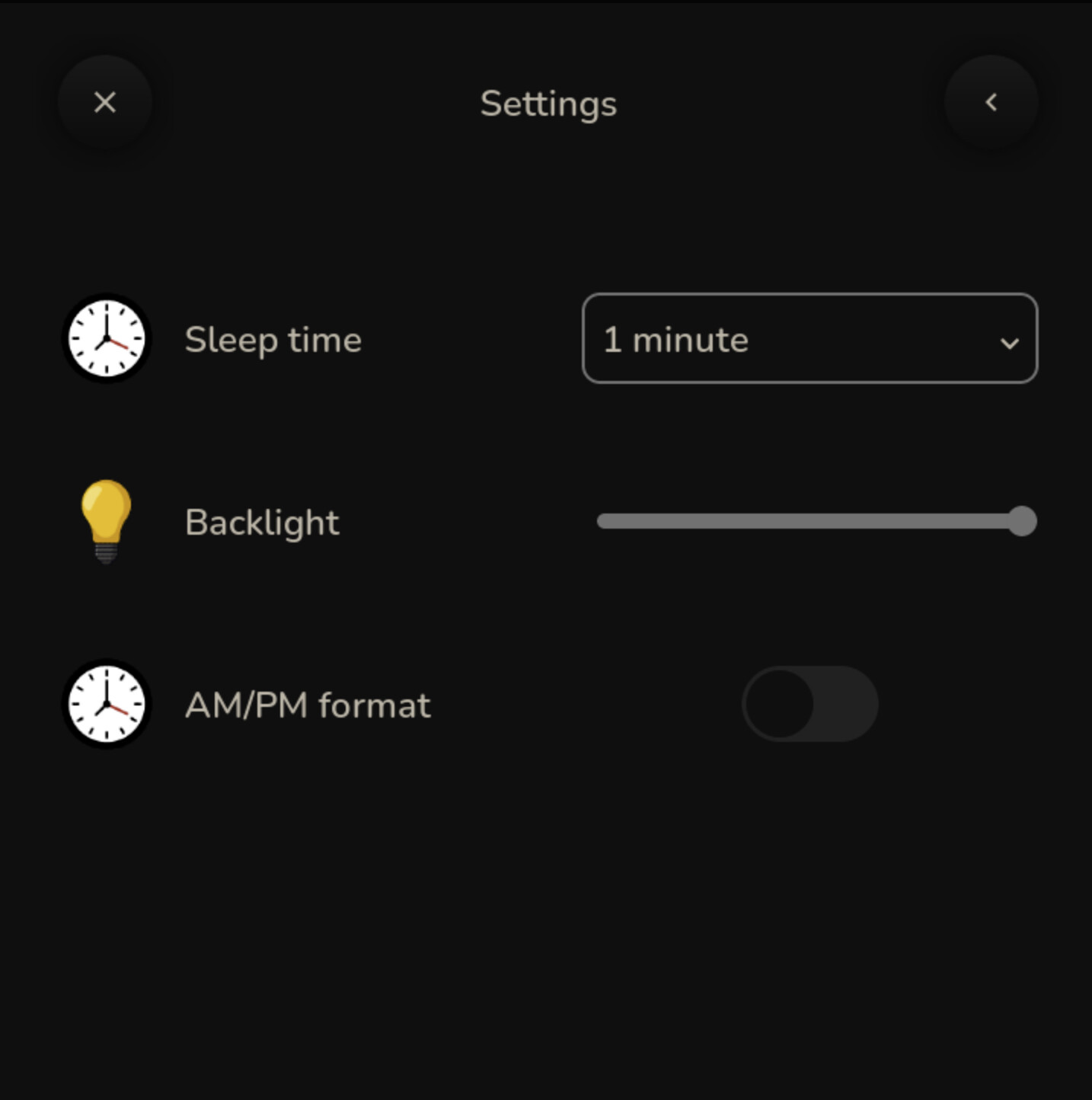
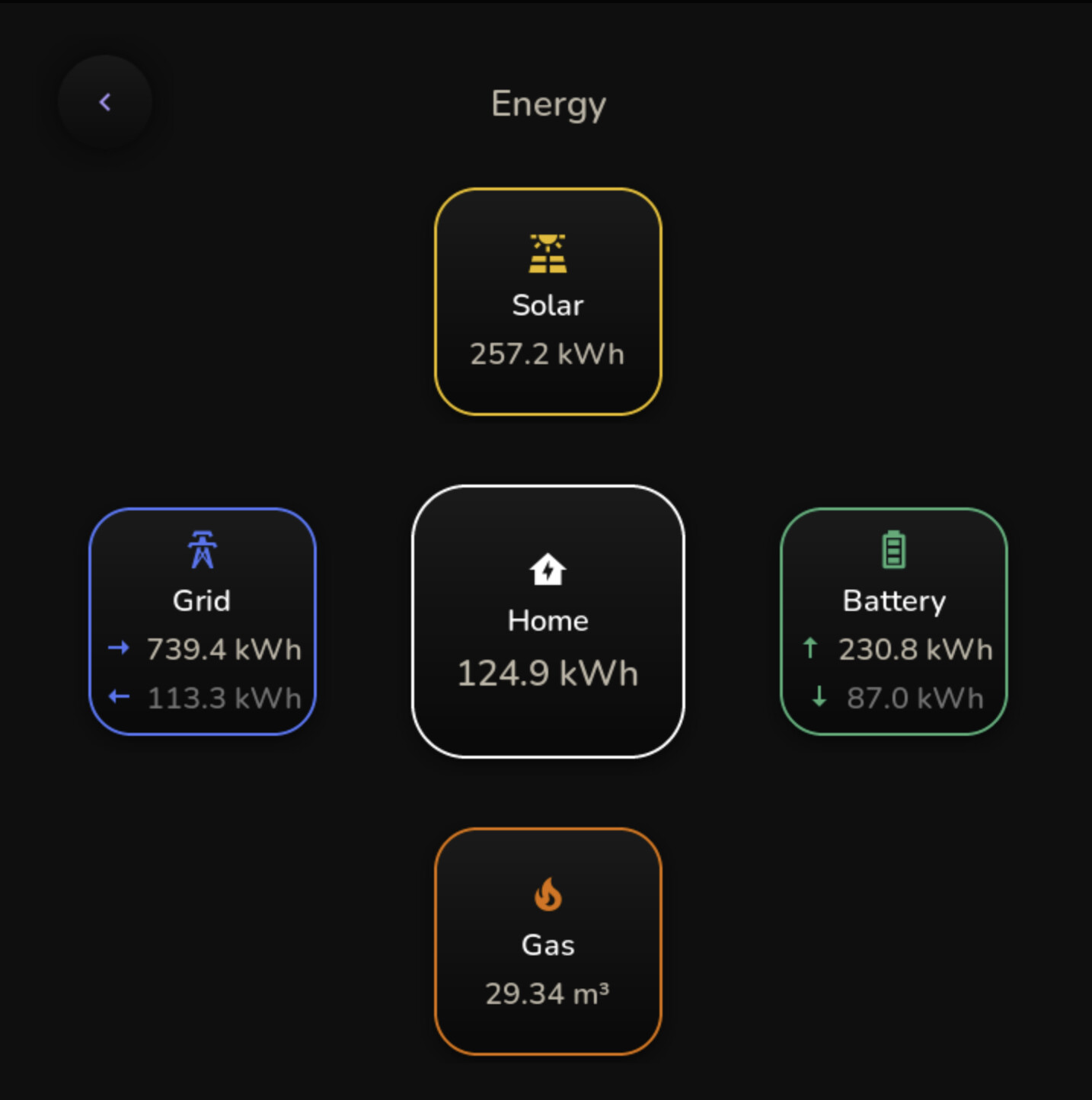
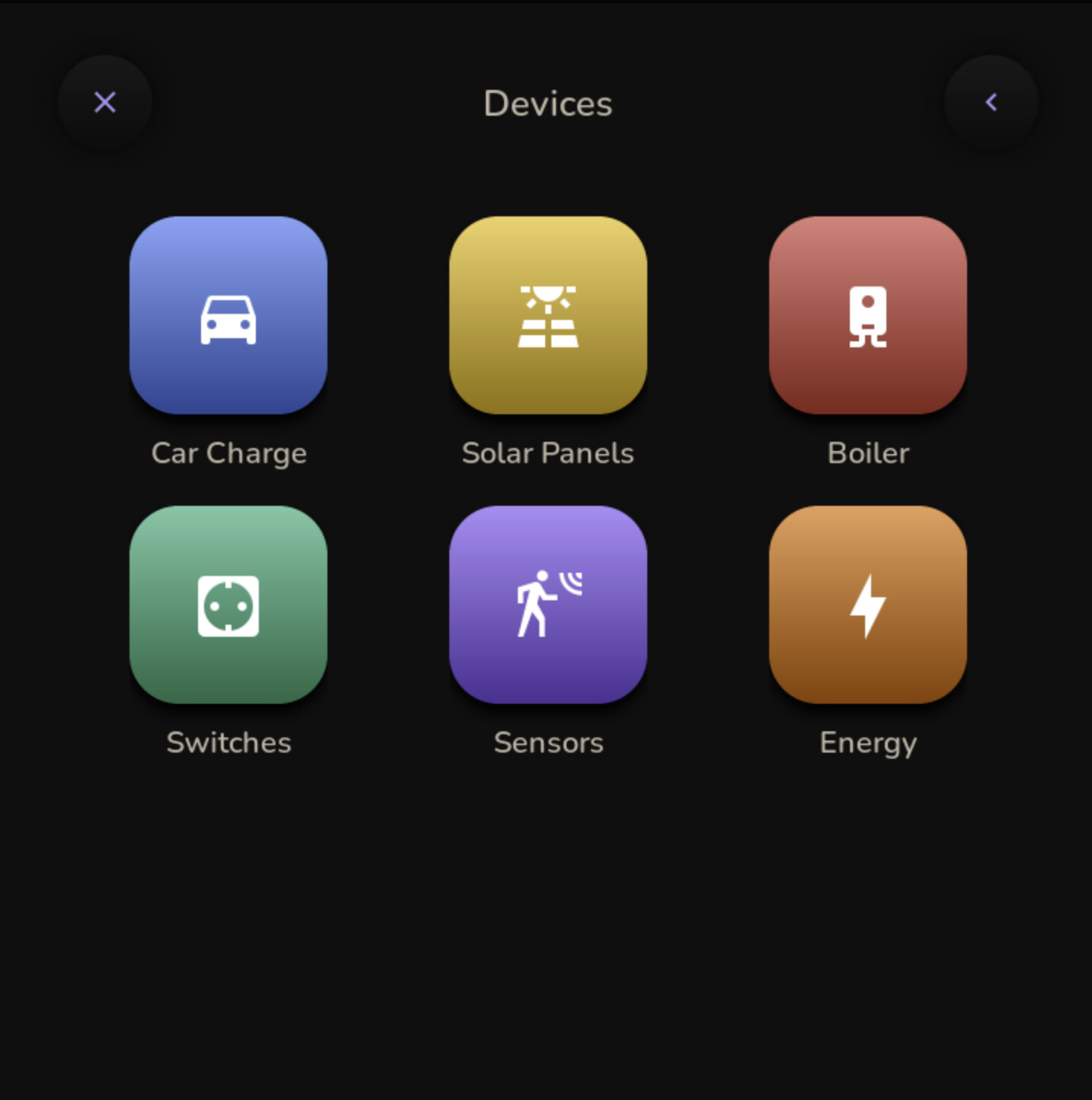
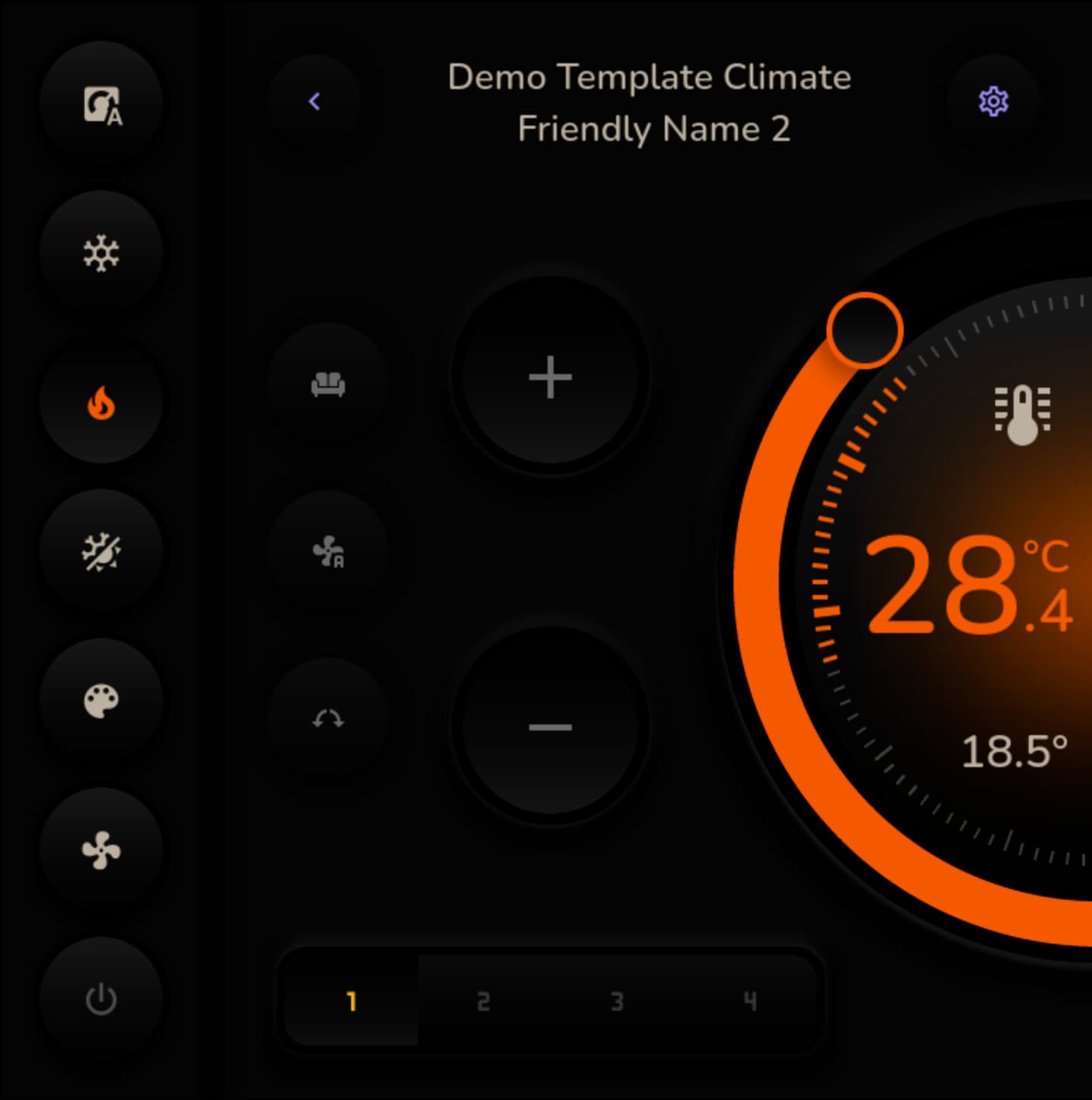
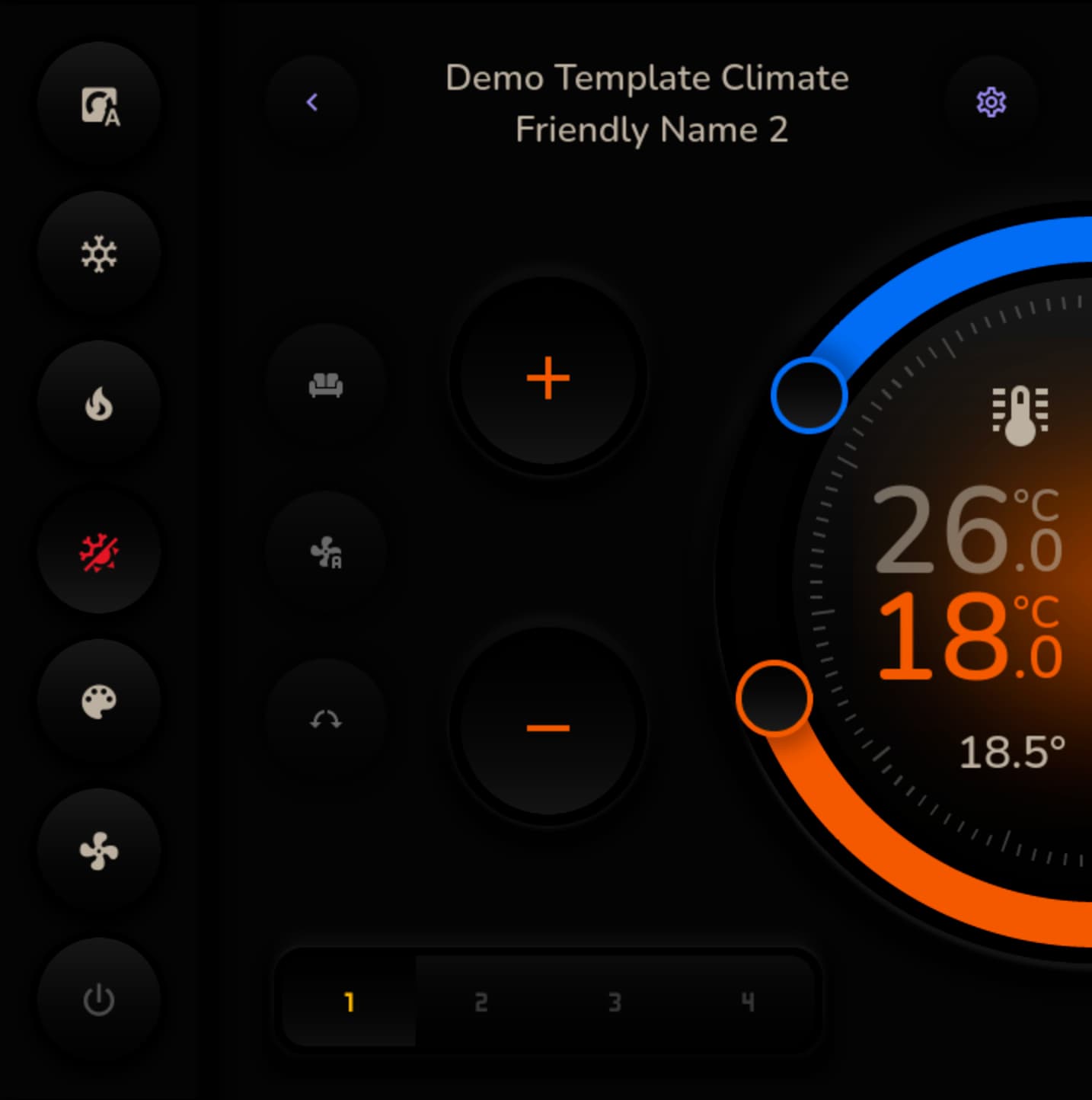
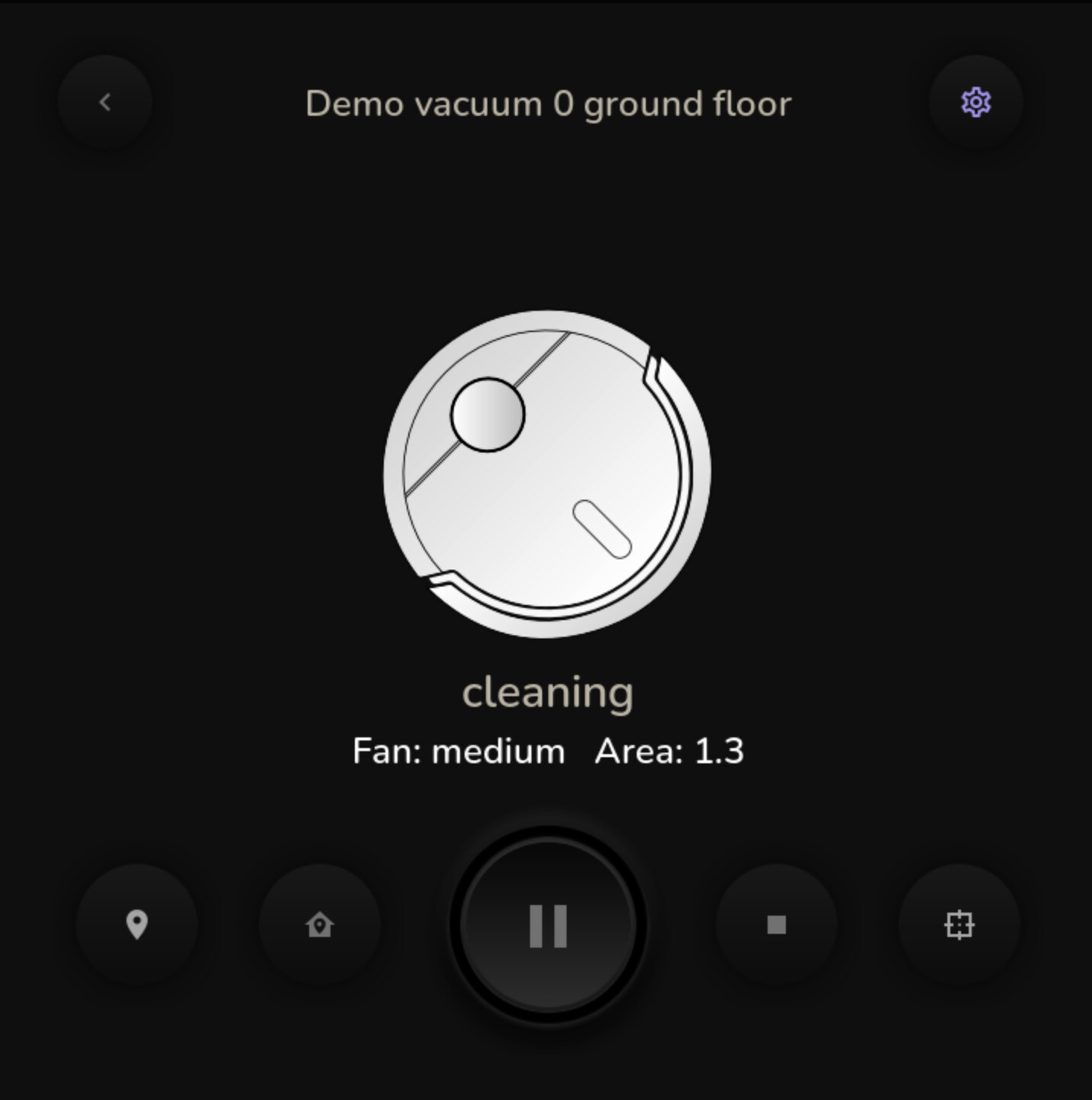
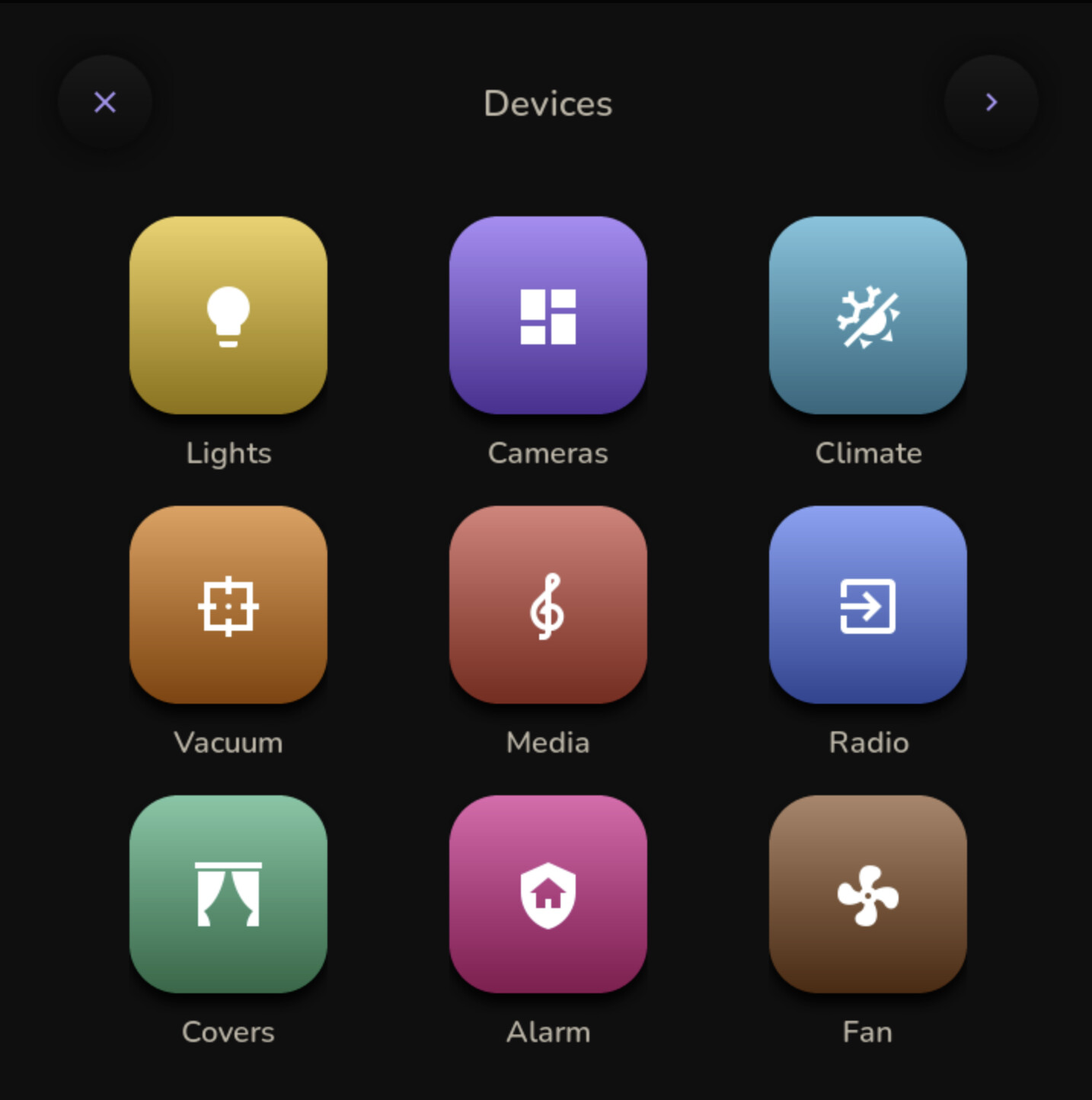
And here are test screenshots of the webserver with device settings (these are just test screenshots and the UI will be improved):
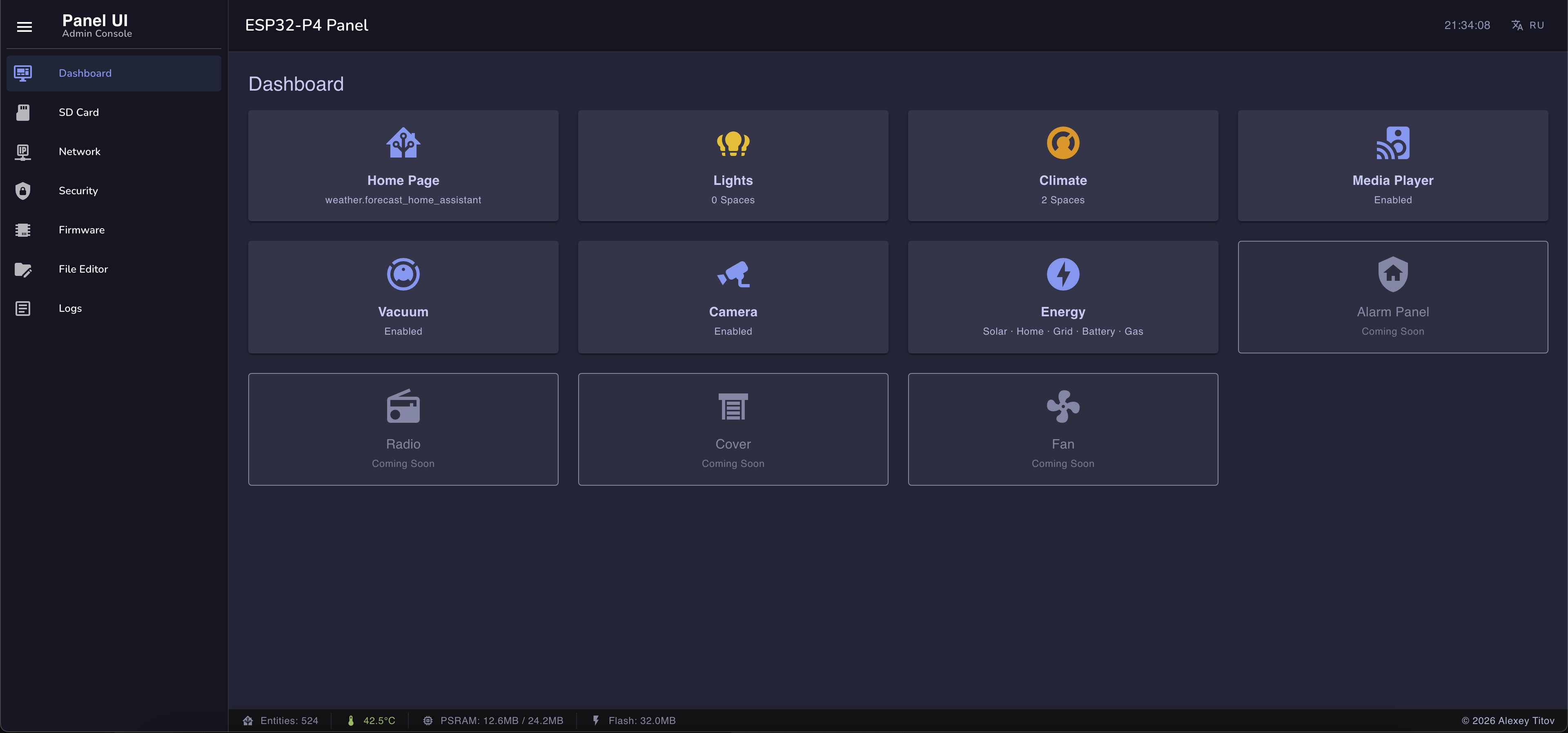
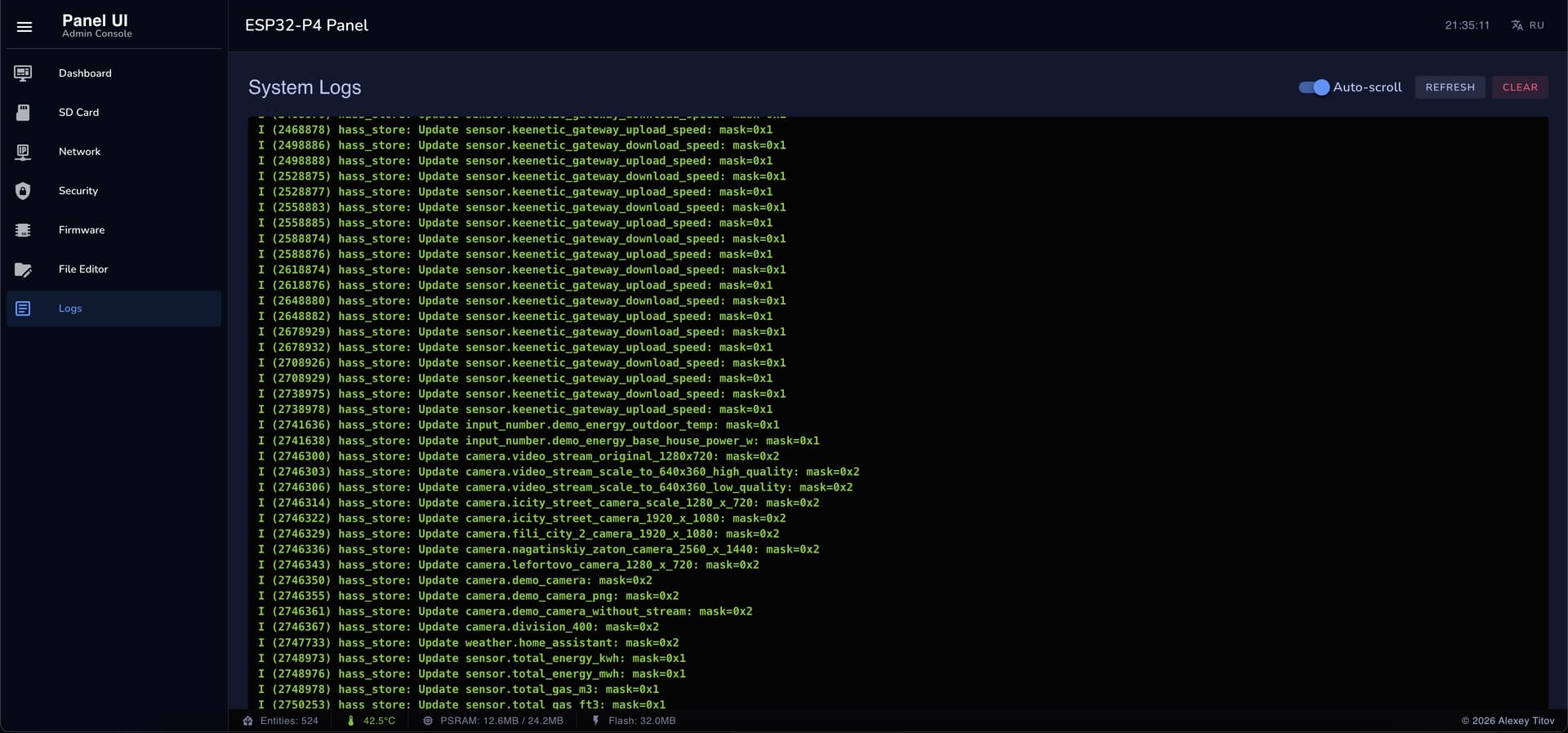
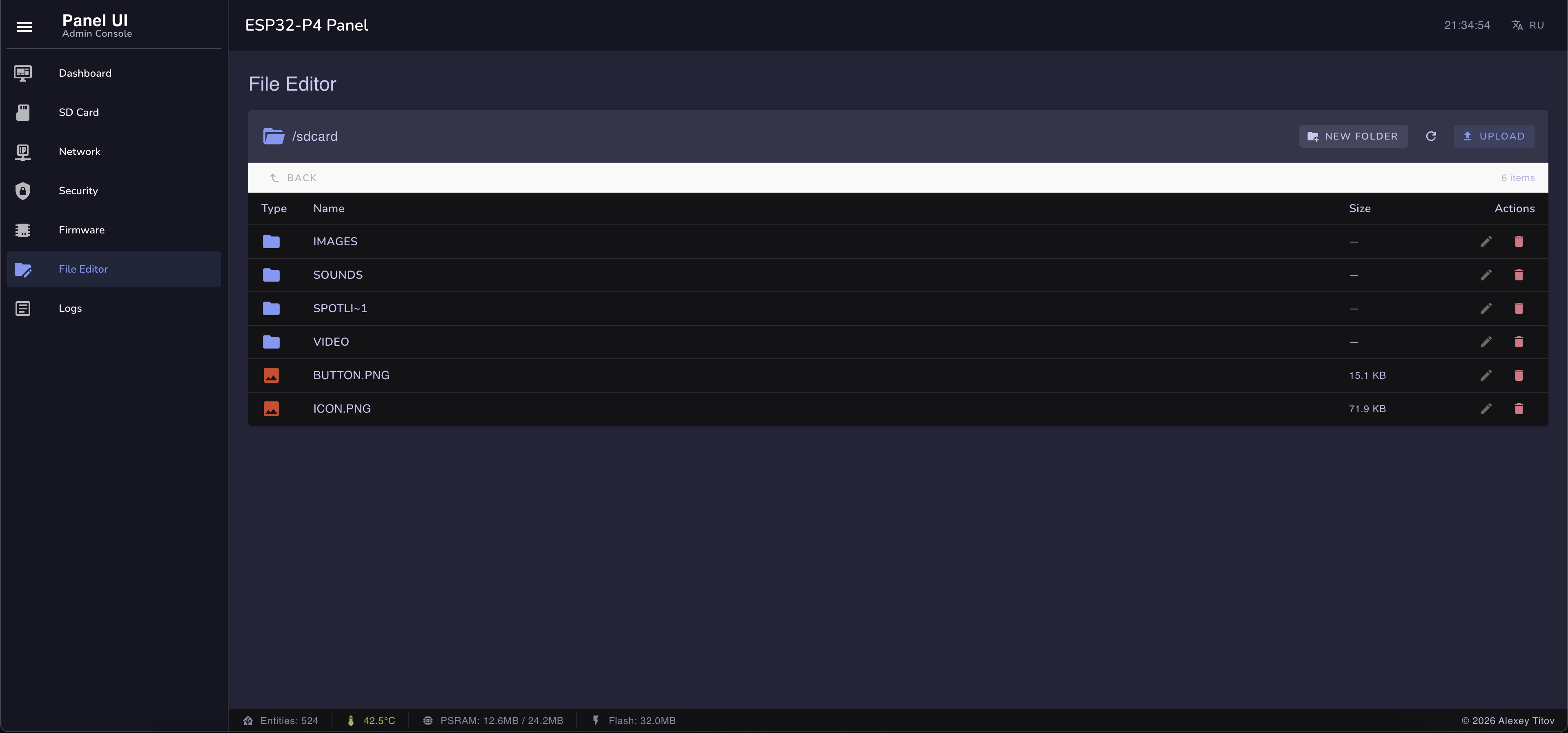

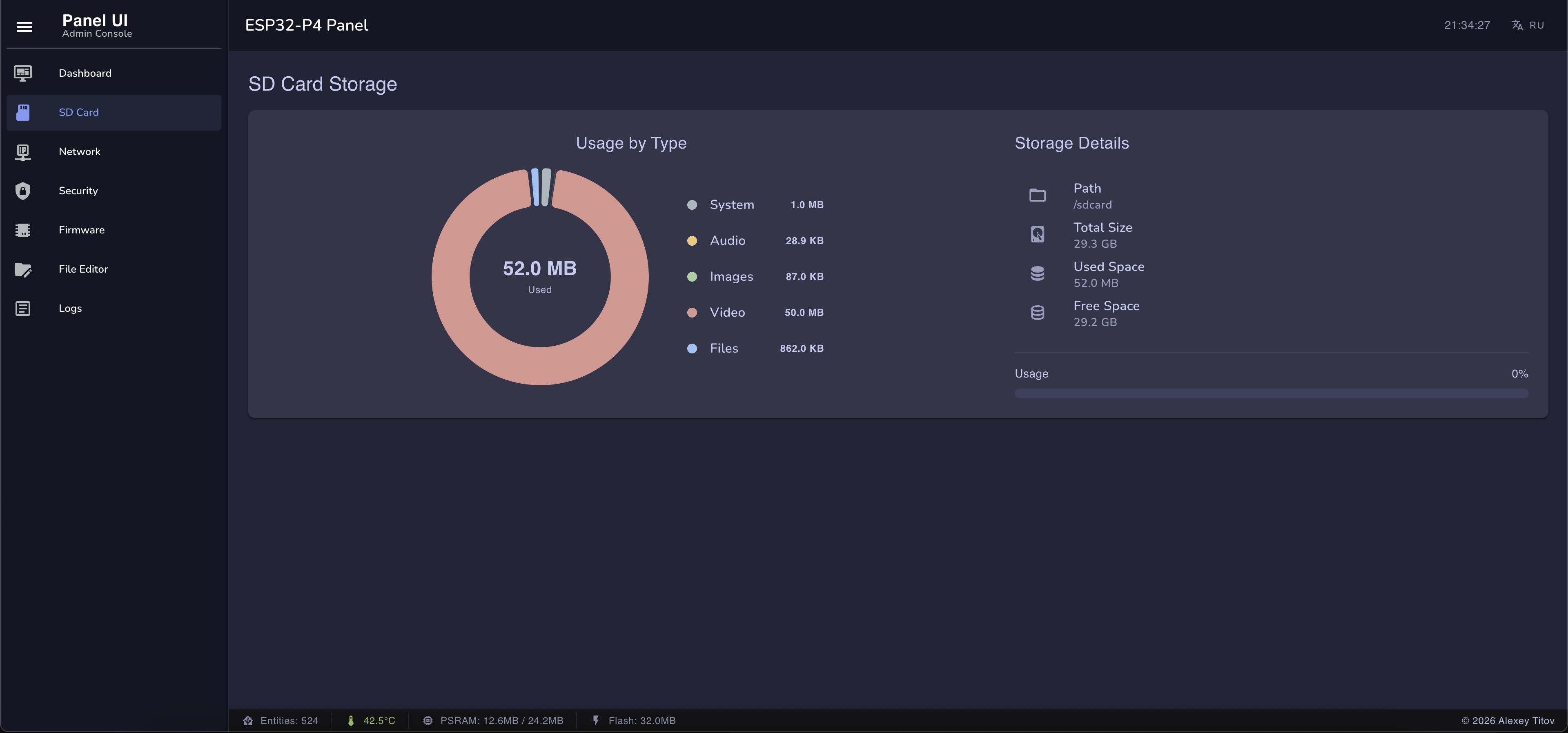
These are not the final screenshots (especially for the webserver), and there is still a lot of work to be done to bring everything into a cohesive look, but the logic is almost fully written and is currently being tested. As for the demo, it will most likely be available for testing at the end of April — you will be able to flash it with a single click via the website, and then configure through a convenient web server whatever you need from all your Home Assistant entities. As you can see from my screenshots, I subscribed to 500+ entities without any issues… meaning I can use any of them for which widgets have been implemented.
P.S. The screenshots were taken directly from the device, not via SDL. Unfortunately, they get darkened and the quality is reduced; in reality, everything looks much nicer. The web server screenshots were obviously taken from a computer browser screen, but this is not a separate application — it’s code running on the ESP32-P4 device that automatically launches your browser when you navigate to the device’s IP address (for those who don’t know what a device web server is).
What beautiful work, lvgl! I have nothing like it. Magnificent! 
Also can use a different kind of plastic or more heat when printing. or just make the clips thicker.
ABS or PET works well for this.
Magnets work too. You screw a frame to the box and attach powerful magnets, and then another frame to the device and magnets there too. Depending on the magnet, it can stick like glue and even be hard to remove.
As an example, look how Philips Hue mounts their removable control dimmer to a wall plate.
I think magnets are the best solution, better than clips, but you’d need to design plates that self-align and have places to glue the magnets.
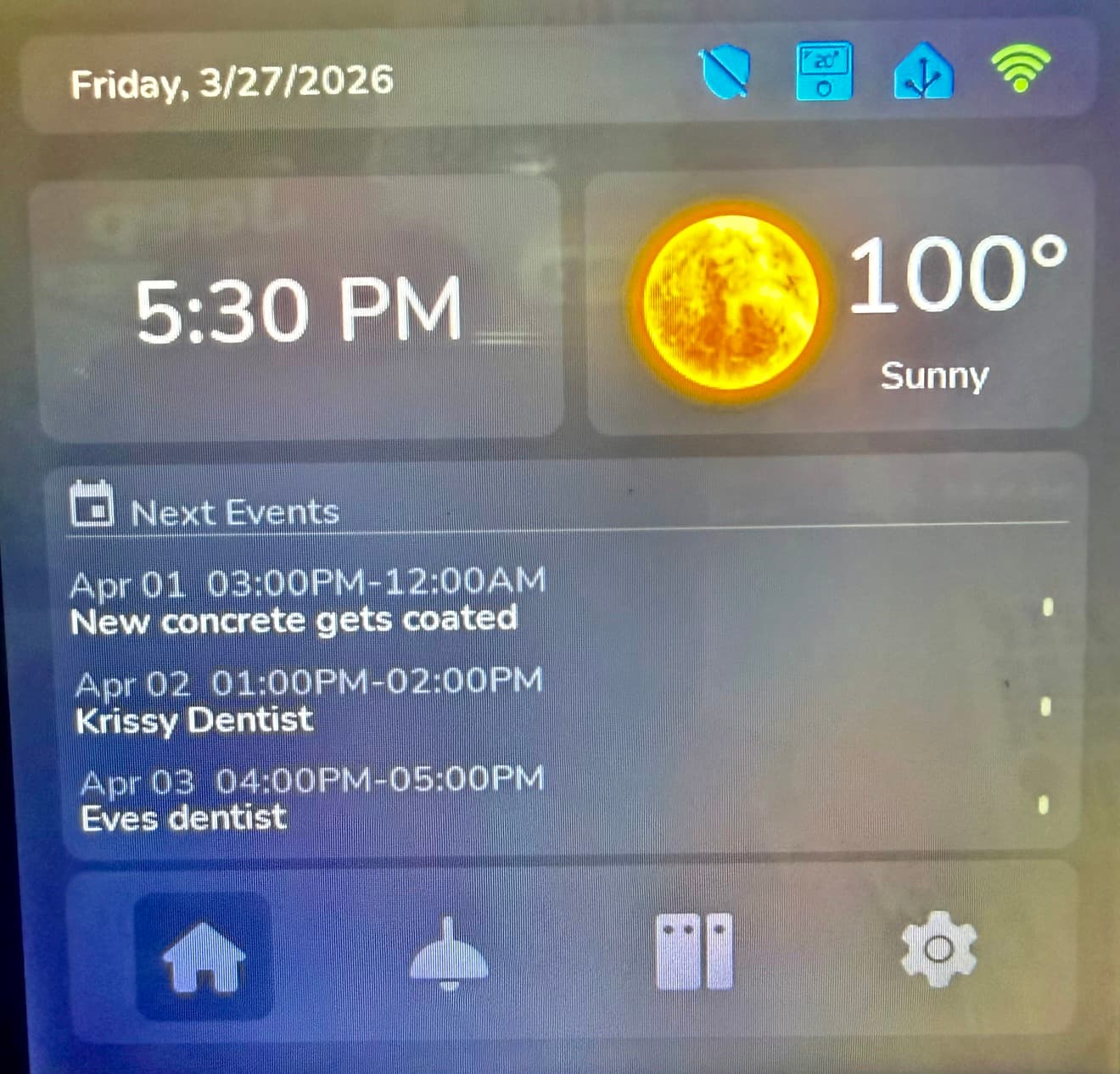
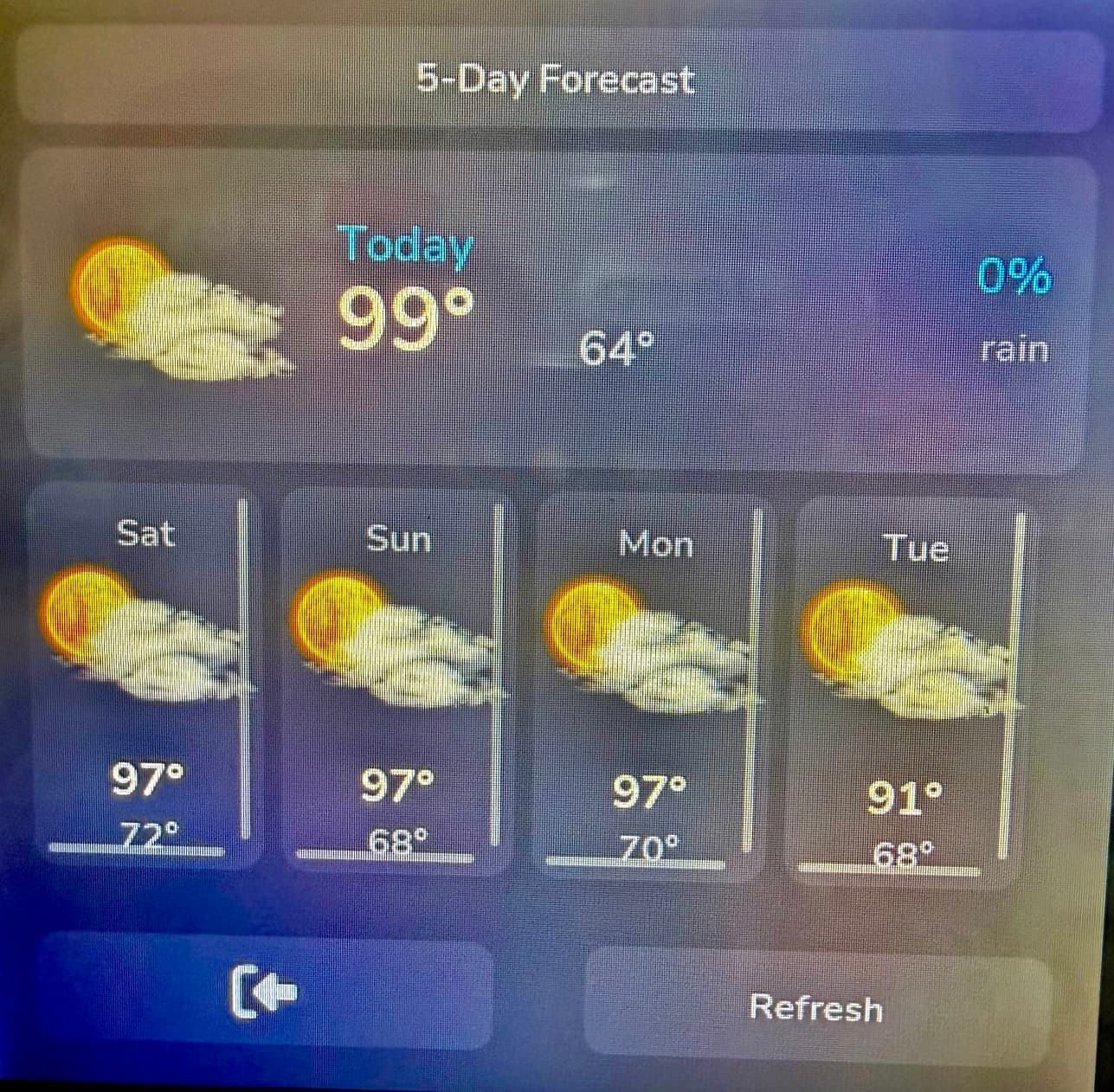
First off…I truly appreciate what @alaltitov has been able to accomplish with the ESP32-S3. I thank him for the inspiration! Over the last 8mos I have been adding more and more to the original base code he created to adapt to my needs. Since his next version eliminates the S3 device due to lack of RAM I wanted to at least share what I have done. Hope this helps others.
BTW I have no idea how to capture a good screenshot of my running image. Any guidance on that would be greatly appreciated. Sorry about the horrible photos.
Features:
- New home screen interface
- 5-day weather forecast
- Upcoming calendar events
- HVAC control (all-in-one)
- Control Fans
- Additional Lighting Control
- Color Themes
- Support for multiple unique devices
- Flexibility for how many Fans/Lights you can control
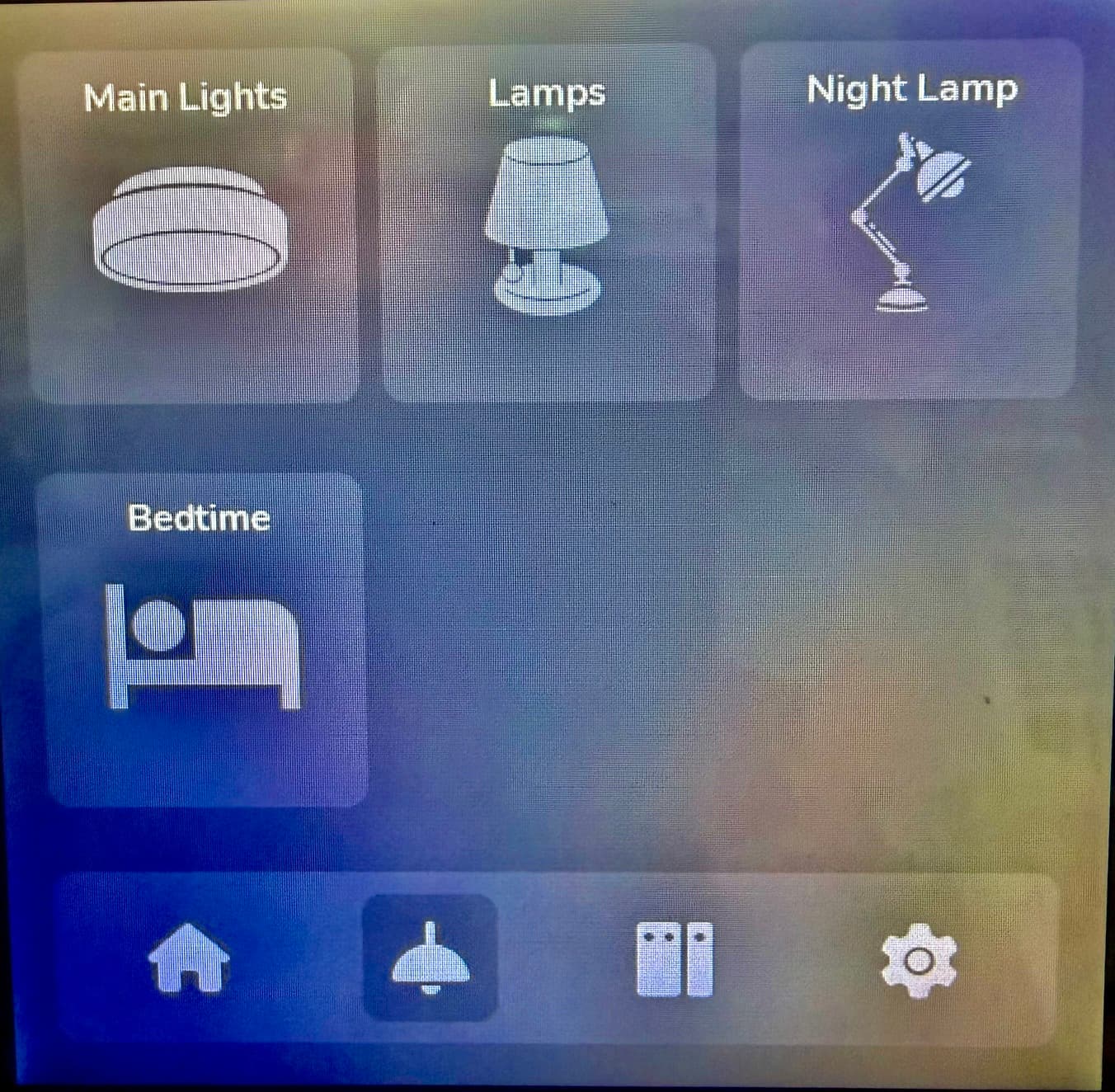
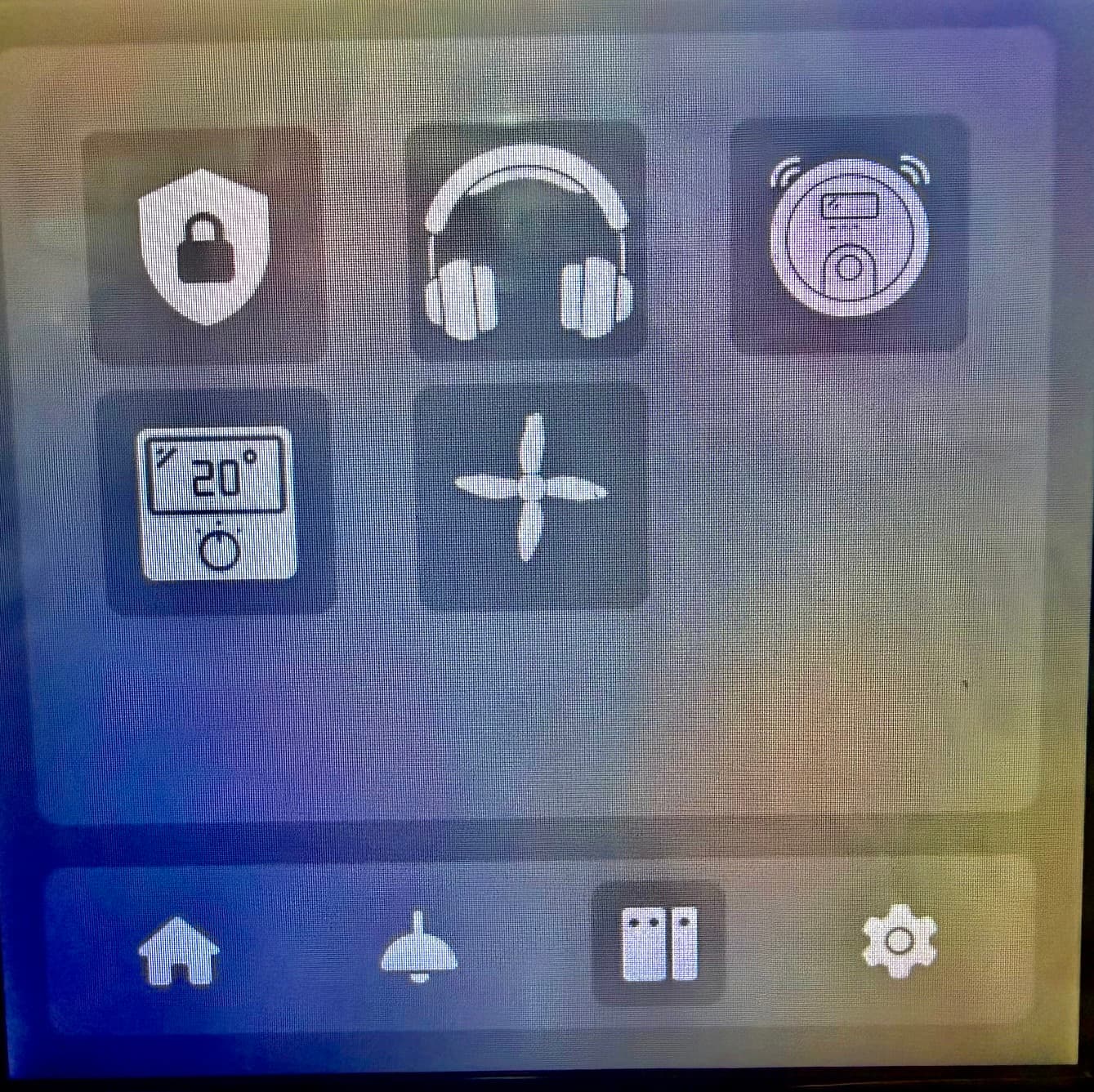
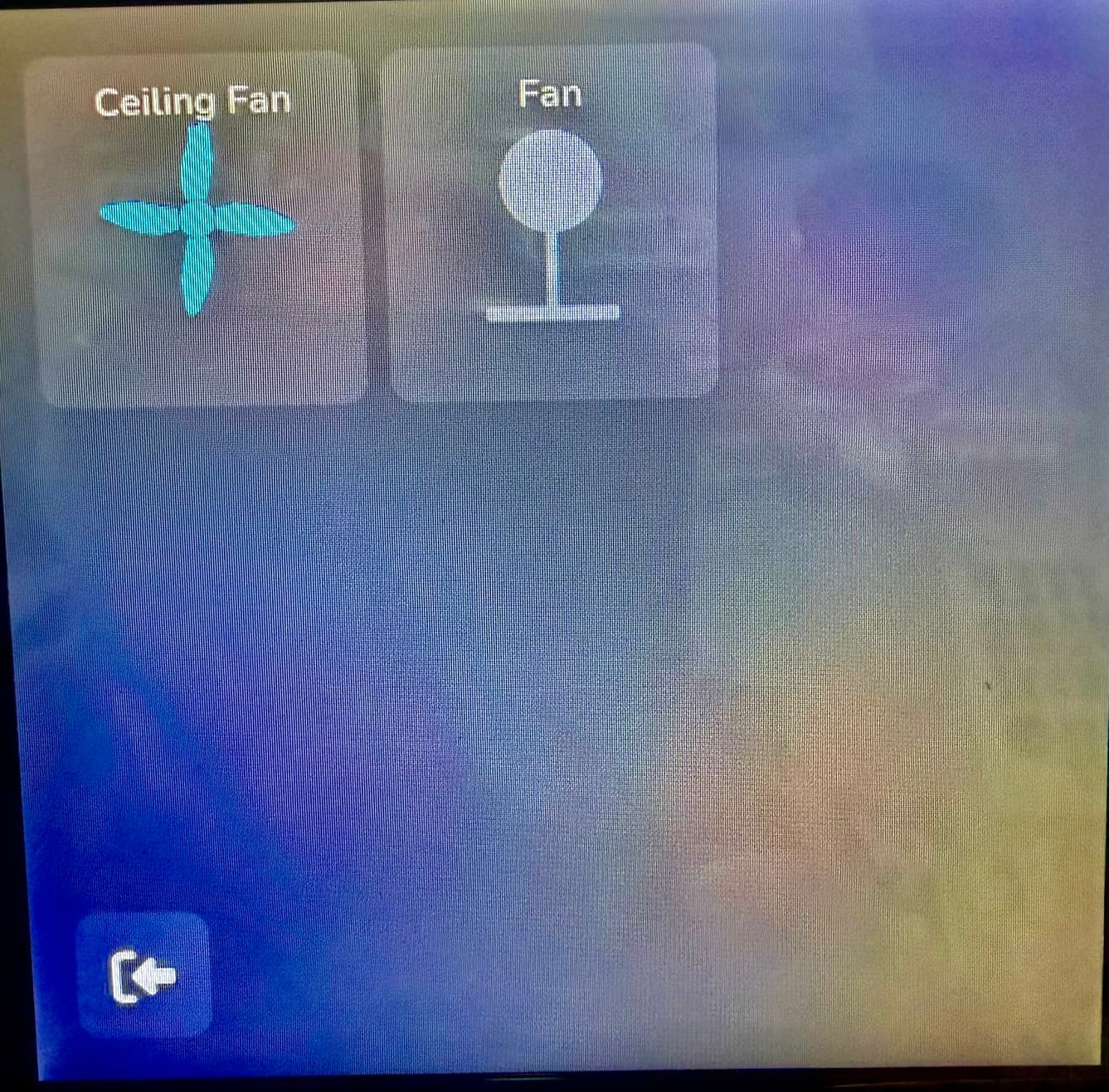
Hello! Have you tried explicitly enabling the memory configuration options for the ESP32-S3? I ran a few tests, and it seems that in many cases malloc /new defaults to using internal memory instead of SPIRAM.
Following settings make it work much stable:
platformio_options:
    board_build.flash_mode: dio
    board_build.arduino.memory_type: qio_opi
    build_flags:- -DBOARD_HAS_PSRAM -DCONFIG_SPIRAM_USE_MALLOC -D CONFIG_SPIRAM_MALLOC_ALWAYSINTERNAL=4
These are good settings I use this that I think is even better
esp32:
  variant: esp32s3
  flash_size: 16MB
  framework:
    type: esp-idf
    sdkconfig_options:
      CONFIG_ESP32S3_DATA_CACHE_64KB: "y"
      CONFIG_SPIRAM_FETCH_INSTRUCTIONS: "y"
      CONFIG_SPIRAM_RODATA: "y"
    advanced:
      execute_from_psram: true
Significant updates to the project.  There are no limitations of what can be used either. Every widget and feature works without sacrifice of functionality. Still a work in progress but a good baseline to start with.
PrayerfulDrop/ESPHome-Guition-ESP32-S3-4848S040: ESPHome Display for Guition ESP32-S3 Devices
Overview
A complete, production-ready smart home dashboard for the Guition ESP32-S3-4848S040 480×480 touch display. Built on top of ESPHome and LVGL, this firmware turns the panel into a rich control centre for Home Assistant — with real-time weather, calendar, HVAC, lights with colour temperature, fans, covers/blinds, media player, vacuum, alarm, scene shortcuts, presence indicators, screensaver, and notification banners.
Original credit: alaltitov.
Features
| Category | Details |
|---|---|
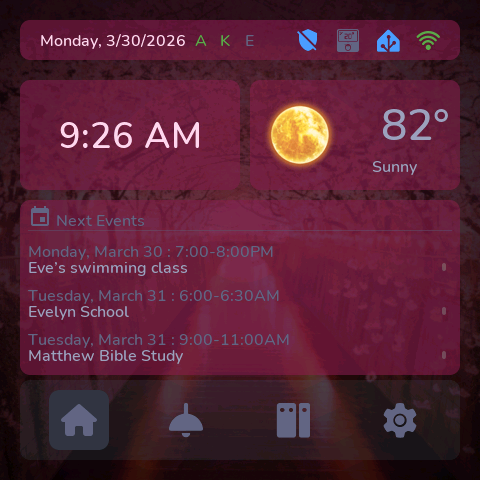
| Home screen | Time (12h/24h), date, indoor temp (°F/°C), weather icon + title-cased condition, up to 4 upcoming calendar events |
| Presence indicators | Up to 4 person entities shown as initials in the top bar — green when home, dim when away; tap to open full People page |
| People page | Card per person showing avatar initials, full name from HA, and home/away status |
| Screensaver | Activates on idle — Digital clock, Flip clock (Gluqlo retro style), Calendar view, or None (screen off); tap anywhere to wake and return to home |
| Notification banner | Write any text to an input_text entity in HA — a toast banner appears for 10 s; tap to dismiss early |
| Weather | Current conditions with title-cased state + 5-day forecast with high/low temps and weather icons |
| Calendar | Up to 4 upcoming events pulled live from Home Assistant via template sensors |
| HVAC | Combined heating + cooling widget with arc temperature control; or separate thermostat / AC widgets |
| Lights | Up to 6 configurable slots (light / switch / input_boolean); brightness slider; auto-detected colour temperature slider |
| Fans | Up to 6 configurable fan slots (fan / switch) with speed control |
| Covers | Up to 6 cover/blind/shutter slots — position bar, Open/Stop/Close buttons, position slider |
| Scene shortcuts | Up to 6 scene/script/automation tiles with configurable labels |
| Media Player | Album art, track info, progress bar, playback controls, volume slider |
| Vacuum | Animated robot body, battery, state, start/pause/dock controls |
| Alarm Panel | Disarm / Home / Away / Night / Vacation modes with PIN entry |
| Devices hub | Navigation to Alarm, Media, Vacuum, HVAC, Fans, Shortcuts, and Covers |
| Settings | Language (9 languages), colour theme, 12h/24h clock, °F/°C unit, backlight brightness, auto-sleep timer, screensaver style |
| Settings defaults | Language: English (US) · Theme: Dark · Backlight: 100% · Sleep: 120 s · Clock: 12h · Temp: °F · Screensaver: Digital clock |
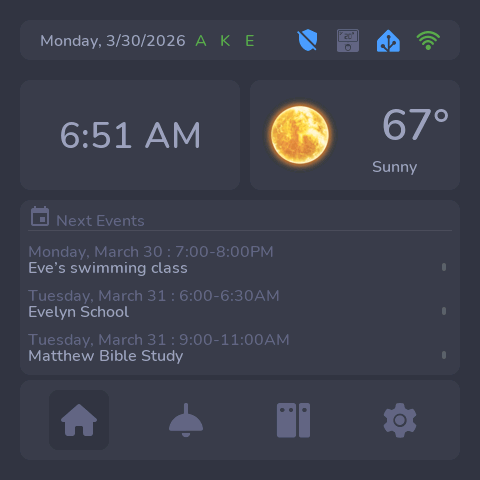
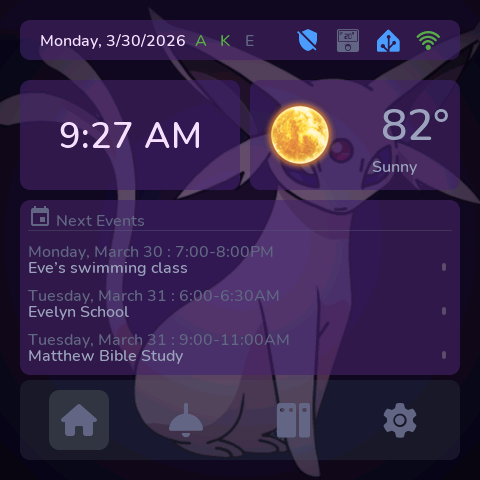
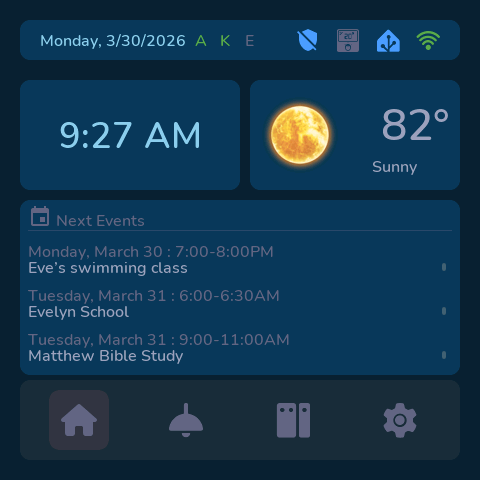
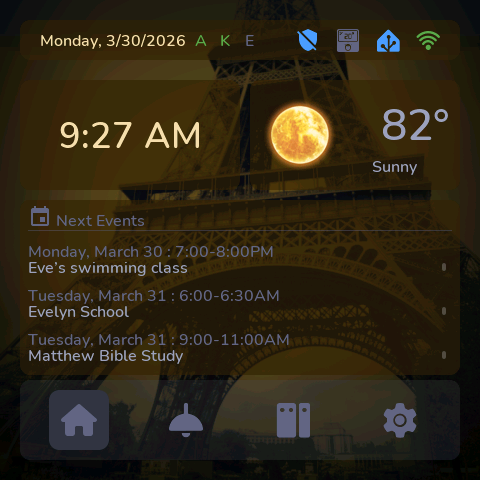
| Themes | 6 built-in themes: Cherry Blossom, Dark, Espeon, Ocean, Paris, Patriotic |
| Navigation | Persistent bottom nav bar (Home / Lights / Devices / Settings); entity detail pages hide the bar and show a back button |
| Multi-device | Copy main.yaml and rename — each file is a fully independent device |
| OTA overlay | Backlight dims smoothly during firmware uploads — no screen corruption or tearing |
| Remote screenshot | HTTP endpoint at http://<device>.local/screenshot returns a live BMP of the current screen; /screenshot/info returns JSON metadata |
| Localisation | Translations fetched live from Home Assistant for weather, HVAC, vacuum, alarm, and cover states |
Widgets
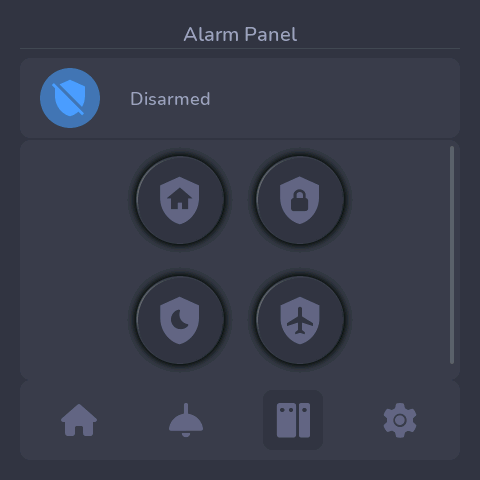
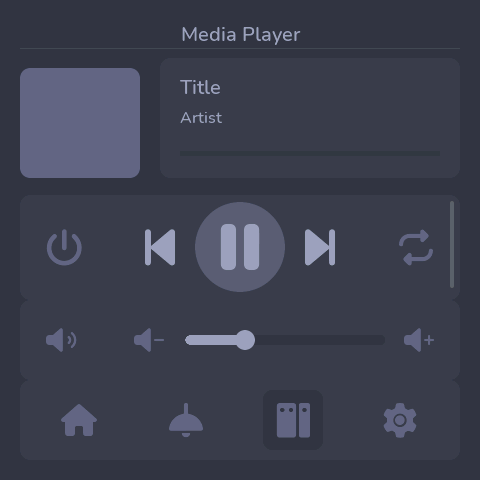
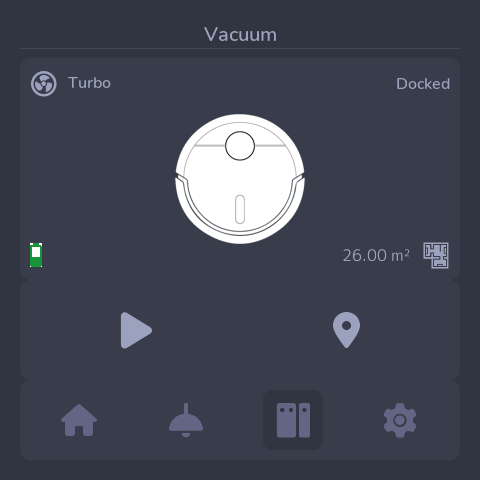
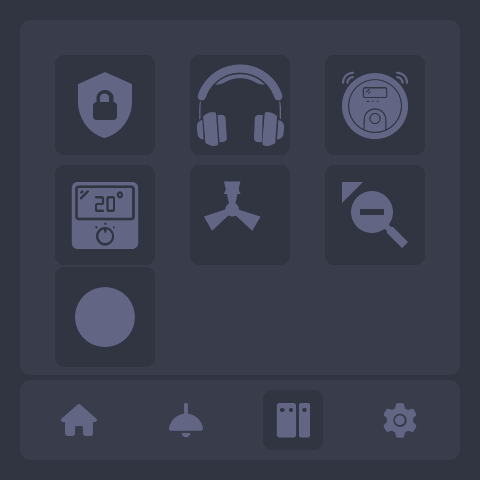
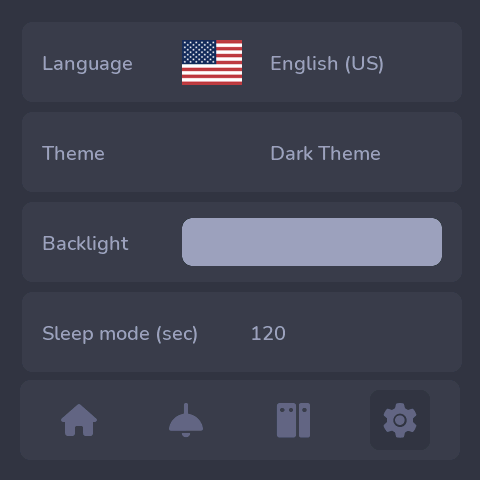
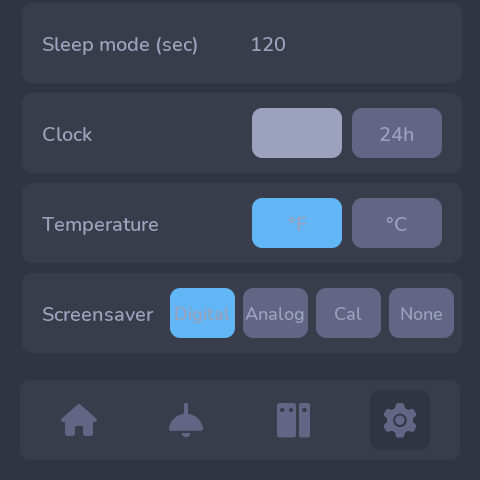
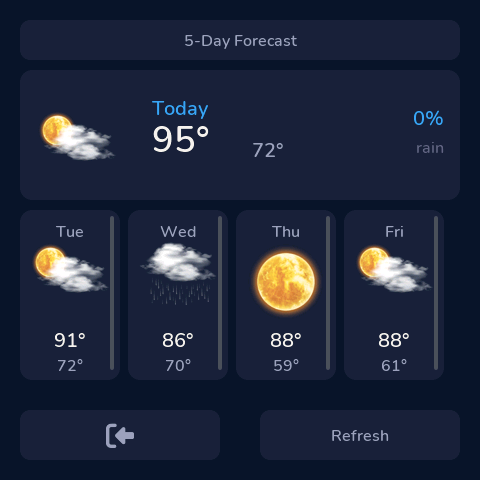
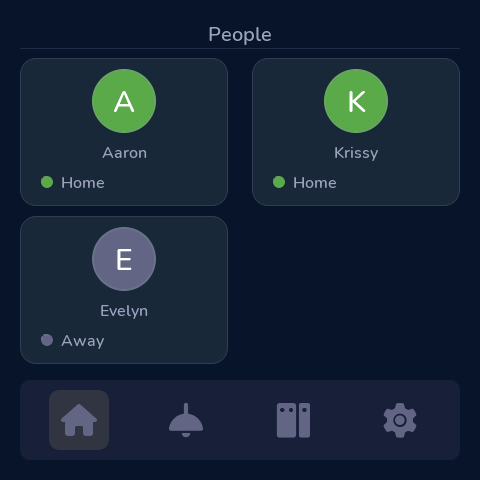
Themes
6 built-in themes selectable from the Settings page:
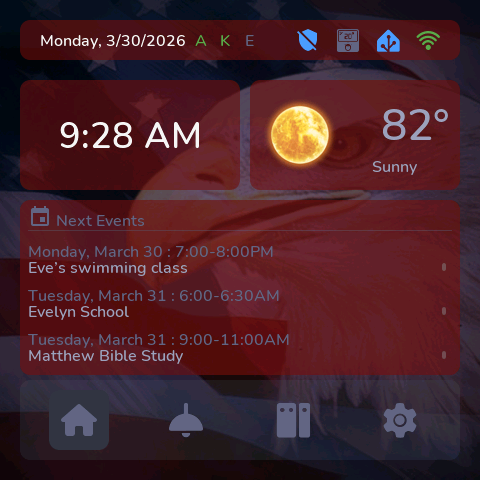
Someone tips on improving the wifi on the P4? My display reboots very often and hangs on the loading screen.
This thread is about the 4848S040 an S3 based screen. Which P4 screen do you have?
The first flag is useless because it’s already enabled via the “psram:” option! It just signals – “hey, I have PSRAM, use it” (esphome/esphome/components/psram/__init__.py at 2449aa75af91ba01b3b812d5fde43d73eb918d5a · esphome/esphome · GitHub).
The second flag enables a mechanism that allows the standard malloc() function to allocate memory not only from internal RAM but also from external PSRAM. However, this is not safe and can break everything because a buffer might be allocated in the wrong memory region and cause a failure.
The third flag is more interesting, and maybe these settings are even the defaults – I can’t say for sure right now. But what does it mean? It specifies that anything above a certain size should be placed in PSRAM. Is this good or bad? I don’t know. On one hand, it can free up internal memory from heavy tasks. On the other hand, those tasks might need fast memory. It all depends on which components are used in the project and what their requirements are.
You’ve mixed everything up… your settings aren’t better, they’re just different and about different options. There are about 3000 settings in total, just so you know. Your settings can be either useful or not, and can even cause errors – it all depends on the specific project… For example, in your first option, you allocate a 64 KB cache in internal memory instead of 32 KB – this will help with LVGL, but if you have a large project, you simply won’t have enough internal memory and your project won’t work… As for the second and third options, they are useful when the project is large and you can offload part of the executable code from flash to PSRAM, but the flip side is that you fill up PSRAM, which may cause it to overflow. The conclusion to all this is that each option must be approached cautiously and you need to understand exactly what it does, because it can either improve or worsen operation depending on the specific project.
Ah my bad, will post in the other topic.
I just pushed a big update to the esphome-modular-lvgl-buttons library. Now all button types work as both local or HA objects. I also updated everything to support ESPHome 2026.4.0. This includes LVGL 9.5 and also now handles screen rotation in LVGL instead of hardware. This also supports rotation using the built in PPA (if you have a ESP32 P4). This rotates the graphics AND the touch screen at the same time.
You can now call your hardware file like this and specify the rotation.
  hardware: !include
    file: esphome-modular-lvgl-buttons/hardware/guition-esp32-s3-4848s040.yaml
    vars:
      rotation: "0"  # set screen rotation 0, 90, 180, 270
You need to be running ESPHome 2026.4.0 to use the library now.
pip3 install esphome==2026.4.0b4
#-------------------------------------------
# SELECT
#-------------------------------------------
select:
  - platform: template
    name: "Rotate Screen"
    id: rotate
    entity_category: config
    options:
     - "0°"
     - "90°"
     - "180°"
     - "270°"
    initial_option: "0°"
    optimistic: true
    icon: mdi:phone-rotate-landscape
    on_value:
      then:
        - if:
            condition:
              select.is:
                id: rotate
                options: [0°]
            then:
              - lvgl.display.set_rotation: 0
        - if:
            condition:
              select.is:
                id: rotate
                options: [90°]
            then:
              - lvgl.display.set_rotation: 90
        - if:
            condition:
              select.is:
                id: rotate
                options: [180°]
            then:
              - lvgl.display.set_rotation: 180
        - if:
            condition:
              select.is:
                id: rotate
                options: [270°]
            then:
              - lvgl.display.set_rotation: 270
Awesome. Looking forward to test it!
work
display:
  - platform: mipi_rgb
    model: GUITION-4848S040
I’ve been playing with your library this weekend and it was a nice way to spin up a quick solar info panel. Thank you. I think your refactoring and migration to LVGL 9.5 may have broken some things like icon colors, and (as is hard to avoid) your examples don’t reflect new folder structures and other updates.