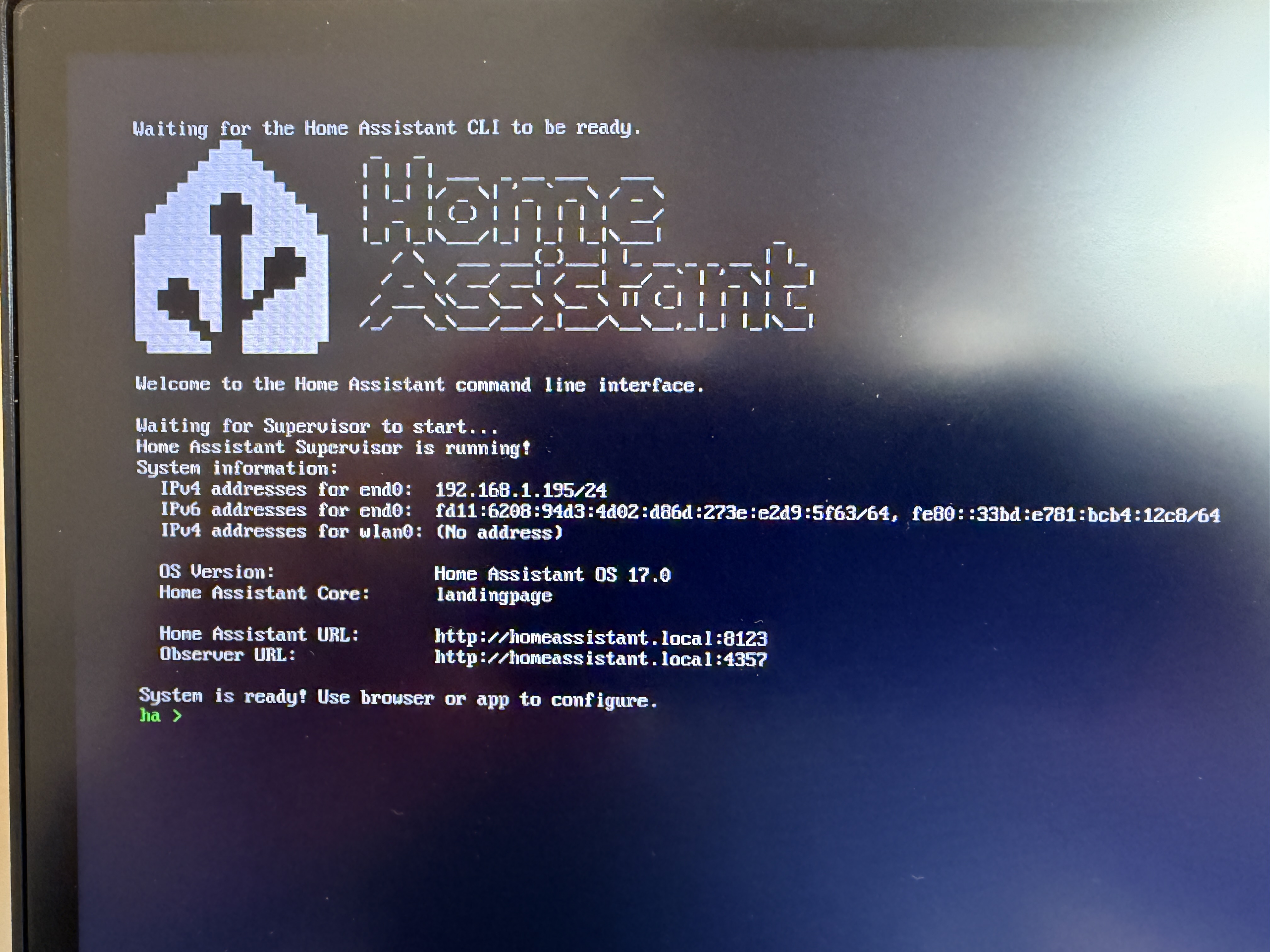
Hello, I got Pi4 B rev 1.4 2GB for purpose of using it with Home Assistant OS.
I got Raspberry Pi 27W USB-C Power Supply and 64GB A1 class SD card (that worked on Pi3 with HAOS) and flashed newest 16.3 OS with RaspberryPi Imager.
But Pi4 doesn’t start HAOS and I can’t get why. It kind of starts booting process (you can see picture attached), but after few seconds screen is black and only red LED is glowing on the board.
Bootloader is newest from 9 Jan 2026.
Additionally, I reflashed SD card for about 7 times now, tried another SD card, too. Pi5 power supply should be fine as it works with pi5 flawlessly. Other power supply’s (from Dell laptop 65w, generic PD 25W) give the same result.
For example Raspberry OS boots just fine with all the power supply and SD card combinations I got. HAOS is the one that halts.
When it starts and shows this red/white GUI boot screen for few seconds, red led is static (as it should) and green light flashes for few times (as it should), but afer this screen (seen in photo), it goes blank and no green led activity.
I have seen this issue when the wrong hardware is selected in the Raspberry Pi Imager. I.e. Raspberry Pi Device defaults to RASPBERRY PI 5 and RASPBERRY PI 4 should be selected.
That’s a hot take, as I would not expect Pi Imager to default to Pi5 or other HAOS image 7 times when trying to reflash SD card(-s) after selecting HAOS for Pi4/400.
Just to be sure, I’ll try downloading Pi4 image from homepage and set up with Balenca Etcher on SD card, to be sure, that this is not the problem.
Sorry. Wish I had other ideas to offer. It is strange that RPi OS boots and runs fine, but HAOS does not. Do you have any other devices (e.g. USB connected devices) connected to the RPi during your testing, other than the microSD memory card and maybe a mouse, keyboard, and monitor?
Just a thought, try creating the image with something other than Pi Imager. Maybe Balena Etcher? I am not using an RPi any longer, but I vaguely remember that I had issues with Pi Imager and Balena was fine.
I have a 4GB RPi 4 in a drawer. I am going to pull it out and trying loading HAOS 17.0 on it using the RPi Imager Tool. I’ll let you know if it boots or not.
So… I’m perplexed.
For almost a week I search for solutions, root of the problem.
I tried various PSU’s, SD cards, I cleaned and checked Pi 4 board, all the connectors.
And it was always the same - Raspberry OS runs stable, memtester don’t give errors, CPU + GPU + RAM stress tests run without hickups.
But HAOS didn’t boot, even from USB 3.1 drive.
For almost a week I couldn’t find a problem or solution. Actually, I still haven’t really found answers, but I guess this thread can be set as resovled?
Solution - I got mad and just smacked the Pi4 board, after that it booted and now runs HAOS just fine.
Man! I had the exact same issue for HOURS. Same RPI 4 has run HA for a year without issue. Recently I ran low on space so I migrated to an attached SD drive (may be a root cause). Anyways I then decided to migrated to an RPI 5 but wanted to use the old RPI4 as a test instance. RPI5 went fine but when I imaged a new SD for the test instance and it failed over and over again dispite trying everything (new SD, Power Supply, etc, etc). It started to boot but within a second or two all activity ceases and then minutes later I see activity again, see it on the network but can’t connect to it. Monitor is blank. Over and over!
Finally I found this post and loaded rpi4-64-16.3, Finally it booted and I could see what was happening. It was running a HAOS swap for several minutes and then downloading a large update. After 15 minutes, everything came up as a new image, what a relief but waste of time and frustrating! Hope this helps others.
Used Pi’s for many different projects in the past and had a spare Pi4 I decided to use for Home Assistant to have a play. It would start to boot, lots of quick writing would start flying up the screen and then the monitor would turn off.
I’m using an Eizo monitor because I do a lot of photography work, on boot at some point the resolution or refresh rate changes and the monitor would simply say it had no signal. Plugging into my regular TV showed it was booting fine.
Having now started to use HAOS, I realise the monitor isn’t needed anyway. Just trust it’s booting up fine, hardwire a network connection and start using the smart device app to set it up. I also found from default the a browser could only observe [port 4357] not configure [port 8123].
I then found after getting it on the WiFi, the app wouldn’t automatically find like it had originally, I had to check what IP it had gone onto and update? Probably just me…