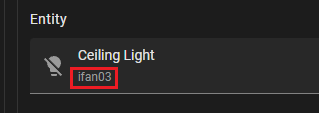
Problems
When a device is swapped due to breakdown, I face these challenges:
- Having to redo my automation
- Energy monitor loses previous data
How do you guys overcome this?
Is there anything like a hardware abstraction layer?
When a device is swapped due to breakdown, I face these challenges:
How do you guys overcome this?
Is there anything like a hardware abstraction layer?
Here you go.
Thanks, I eventually settled on using templates, so all my cards/automations will target AbstractLight
template:
  - light:
      - name: AbstractLight
        state: "{{ is_state('light.actual', 'on') }}"
        turn_on:
          action: light.turn_on
          target:
            entity_id: light.actual
        turn_off:
          action: light.turn_off
          target:
            entity_id: light.actual
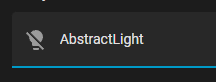
AbstractLight, I was hoping it could show the ID of the actual deviceAny ideas?
Yes, follow the advice I linked to in my previous post.
You ignored the recommended way of dealing with your issue, came up with a convoluted way of dealing with it and marked it as a solution, despite the fact you will still need to rename light.actual if you change devices. Now you want me to help with a problem entirely of your own making?
I’m not willing to provide any further advice since this thread is apparently solved. Maybe someone else will stumble on this thread and help you fix it. In the meantime, you can (and should) do this.
You shared 2 links
1st uses the template similar to what I did, maybe mine is more verbose than his, other than that, I don’t see the difference
2nd link had no code, no idea how it helps
Are you saying there is a way to replace a device without any renaming? Coz I don’t see it.
In my case, yes, I rename only in 1 template aka 1 place to rule them all, all automation and cards rely on the template name/id and not the actual entity/device IDs
Perhaps showing me a counter example to my template will help convince me I’m missing something
No, the first just warns you not to use device IDs in automations and to use entities instead. You don’t need a template for it - you just have to get into the habit of not using device IDs in your automations.
There is no code because you don’t need code. All you need to do is follow those 4 steps. You don’t need the template either. All you have to do when adding a replacement device is to rename it the same as the old one, so it’s still