I use Hass.Agent on multiple PCs. Follow this for release 2.1.1
I had the same thing happen, despite having the new fork installed too.
When I went to delete the old “Lab02” version it gave me a warning about my config existing, and that I should delete it first. I clicked ignore and it still offered to delete the old version. I clicked delete and all appears to be working. Integration is still there. I haven’t had a chance to test yet, but looks correct.
sorry for dumb question but could somebody write down the steps required to migrate to the fork?
that would be very much appreciated. thank you!
:edit so nobody else has to ask dumb questions:
- @windows: backup config of original hass.agent (appdata/roaming/LAB02 Research)
- (optional) uninstall hass.agent (won’t delete config)
- install new hass.agent (will ask if you want to migrate config)
- @HA: add new repo to HACS / install hass.agent2 / restart HA
- (optional) remove old integration
Hi there. I have found a solution. Hass.Agent has a type of command that lets you run a Powershell script. So do that instead of sending keys directly in Hass.Agent, because you won’t be able to use Windows keys correctly this way.
Create this script and adapt it to your needs:
$source = @"
using System;
using System.Threading.Tasks;
using System.Runtime.InteropServices;
using System.Windows.Forms;
namespace KeySends
{
    public class KeySend
    {
        [DllImport("user32.dll")]
        public static extern void keybd_event(byte bVk, byte bScan, int dwFlags, int dwExtraInfo);
        private const int KEYEVENTF_EXTENDEDKEY = 1;
        private const int KEYEVENTF_KEYUP = 2;
        public static void KeyDown(Keys vKey)
        {
            keybd_event((byte)vKey, 0, KEYEVENTF_EXTENDEDKEY, 0);
        }
        public static void KeyUp(Keys vKey)
        {
            keybd_event((byte)vKey, 0, KEYEVENTF_EXTENDEDKEY | KEYEVENTF_KEYUP, 0);
        }
    }
}
"@
Add-Type -TypeDefinition $source -ReferencedAssemblies "System.Windows.Forms"
# see https://learn.microsoft.com/en-us/dotnet/api/system.windows.forms.keys?view=windowsdesktop-9.0 for key names
Function WinKey ($Key)
{
    [KeySends.KeySend]::KeyDown("LWin")
    [KeySends.KeySend]::KeyDown("$Key")
    [KeySends.KeySend]::KeyUp("LWin")
}
Function ControlWinKey ($Key)
{
    [KeySends.KeySend]::KeyDown("LWin")
    [KeySends.KeySend]::KeyDown("ControlKey")
    [KeySends.KeySend]::KeyDown("$Key")
    [KeySends.KeySend]::KeyUp("LWin")
    [KeySends.KeySend]::KeyUp("ControlKey")
}
Function ShiftWinKey ($Key)
{
    [KeySends.KeySend]::KeyDown("LWin")
    [KeySends.KeySend]::KeyDown("ShiftKey")
    [KeySends.KeySend]::KeyDown("$Key")
    [KeySends.KeySend]::KeyUp("LWin")
    [KeySends.KeySend]::KeyUp("ShiftKey")
}
Function AltWinKey ($Key)
{
    [KeySends.KeySend]::KeyDown("LWin")
    [KeySends.KeySend]::KeyDown("Menu")
    [KeySends.KeySend]::KeyDown("$Key")
    [KeySends.KeySend]::KeyUp("LWin")
    [KeySends.KeySend]::KeyUp("Menu")
}
Function ControlShiftWinKey ($Key)
{
    [KeySends.KeySend]::KeyDown("LWin")
    [KeySends.KeySend]::KeyDown("ControlKey")
    [KeySends.KeySend]::KeyDown("ShiftKey")
    [KeySends.KeySend]::KeyDown("$Key")
    [KeySends.KeySend]::KeyUp("LWin")
    [KeySends.KeySend]::KeyUp("ShiftKey")
    [KeySends.KeySend]::KeyUp("ControlKey")
}

ControlWinKey({Left})
This script sends CTRL + left Win key + Left arrow, for example.
And if anyone have problems with Windows Defender detecting a trojan, check out the beta3 release (Release 2.2.0-beta3 · hass-agent/HASS.Agent · GitHub), that will remove some files that trigger Defender. See more info in Hass.Agent2 discord
Since I updated to Home Assistant 2025.11, the integration stopped working. It remained unavailable, and after I re-added the PC, the sensors disappeared.
Works here perfectly…
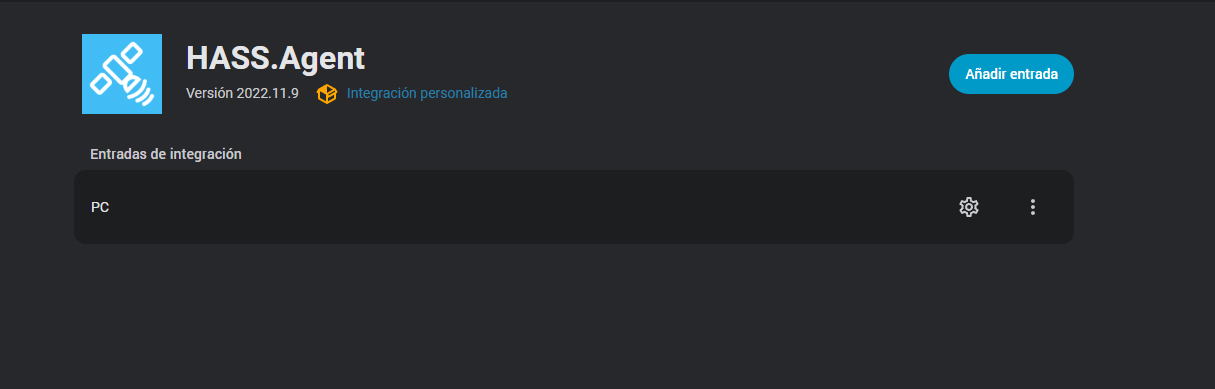
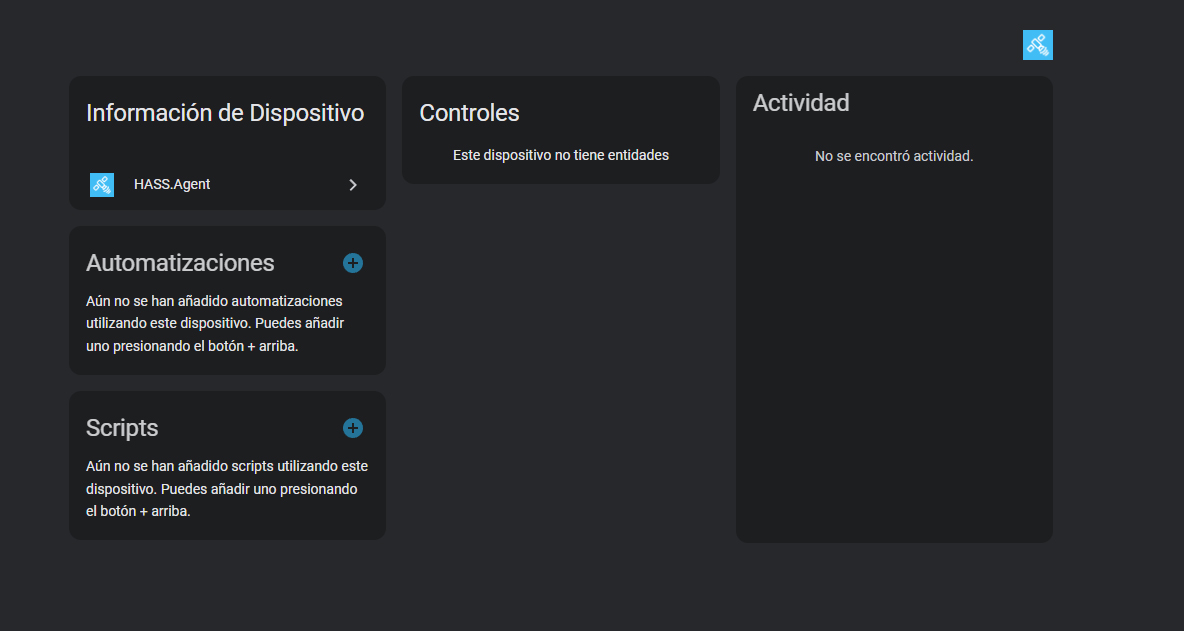
Honestly, I have no idea what’s going on. Since yesterday, after updating Home Assistant, my HASS.Agent stopped working. I managed to get it to detect my PC again, but it doesn’t load any entities—even though I have sensors exposed, and I’ve added more, but nothing shows up. Can anyone help me? I’ve installed and uninstalled both the app on my PC and the integration in Home Assistant, but the issue persists.
Did you restart machine where HA runs? Not just ha restart, but machine - either power cycle pi, or restárt VM where HA runs…
I just restarted the Raspberry Pi and it still has no entities
From this screenshot, it looks you’re using the original HASS.Agent integration (and presumably, the agent as well).
I am using the forked version of the integration and agent, and everything is working fine here with 2025.11.0.
Thanks a lot, it’s working now! Looks like I had an old repository. Appreciate it!
Hey team, could use help…
I installed version 2.1.1 HASS.Agent fork and the three PCs are showing in HA under the integration.
MQTT is all setup
Windows Defender has exceptions for the folder and service… scanning detects no threats.
I added Local sensors and commands, etc… HA is not showing any of them.
Of course I have rebooted all of them a few times.
Only one of the Devices shows anything (screenshot attached) and not sure why, I dont even have the media player selected for it.
All PCs have service is running, and the local sensors are updating locally any ideas?
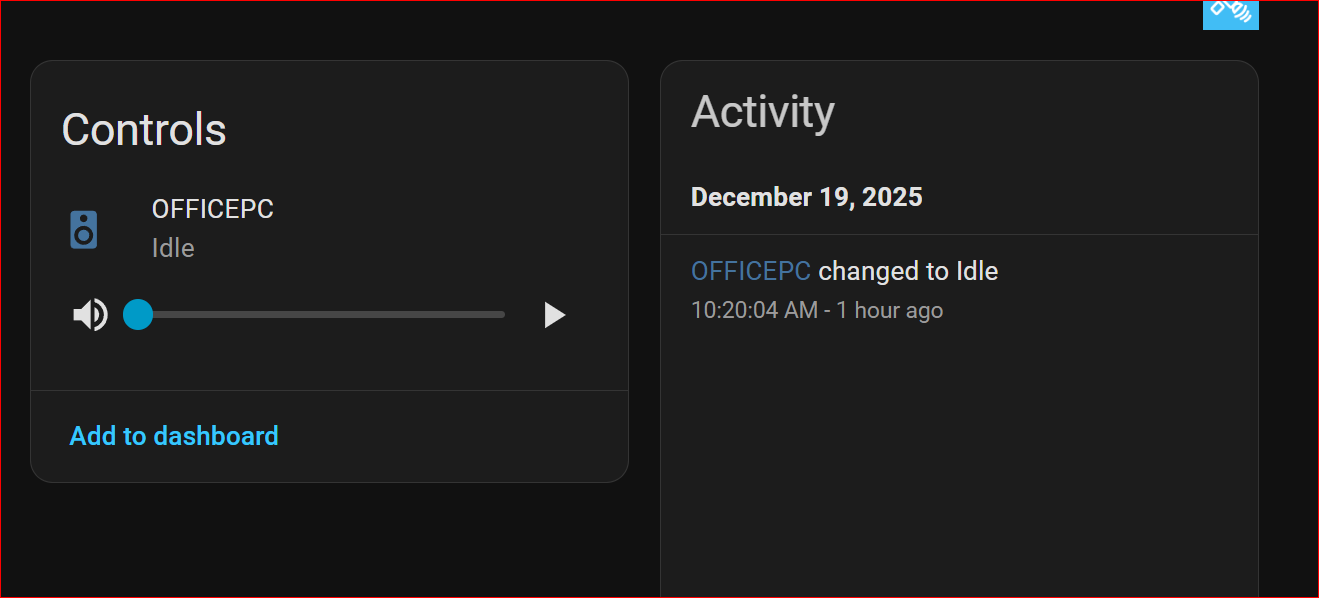
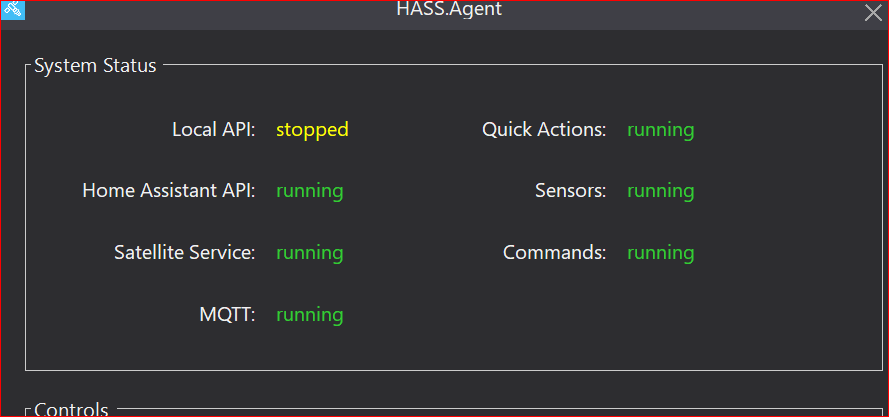
Sensors you add are not in “hass.agent” integration but in mqtt integration. Also set up API, it’s not running
Thanks, I expected those to show in the HASS Agent integration but yes, they are in MQTT.
What I read in the docs it looks like the API is optional, and no needed if you have MQTT? What features require the API?
From hass manual:
To use quick actions, you have to configure your instance’s API
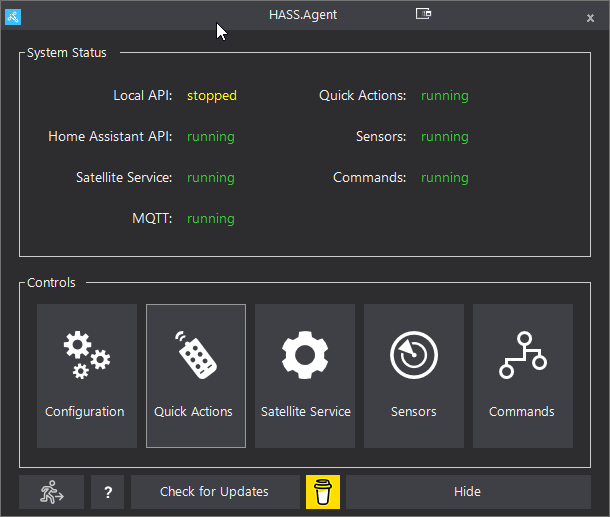
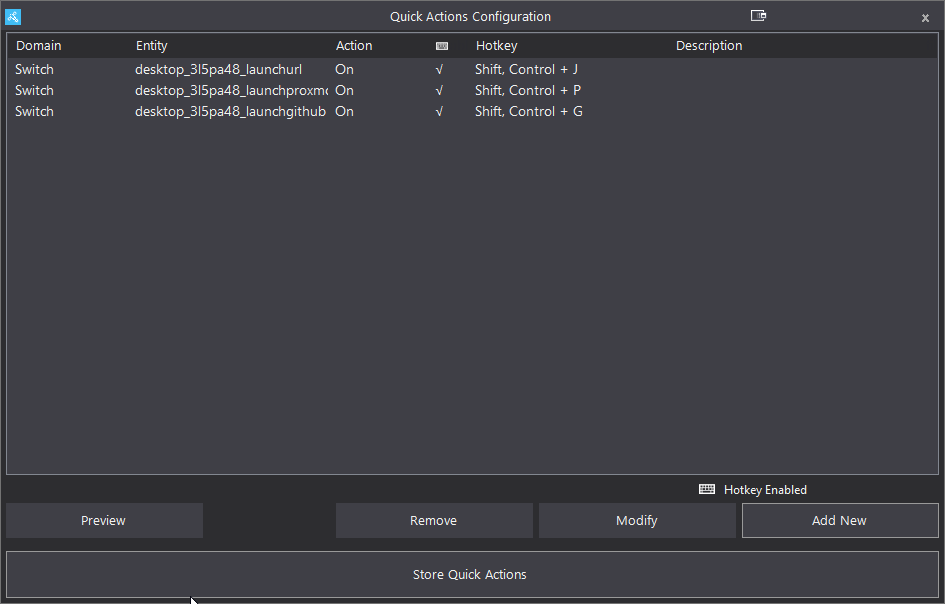
You’re right. Manual does mention local api, too:
The local API is an alternative for receiving notifications and using the mediaplayer functionality, if you don’t use MQTT. It requires a port reservation and a firewall rule, so if you enable it, make sure to click the
Execute Port Reservationbutton afterwards.
Also:
The new integration also uses MQTT by default, but can use the local API as a fallback.
@duceduc: is mediaplayer working for you? Explanation in above “local API” is not very clear about that…
I don’t use the media_player. I opened the media_player entity and click play button and nothing happened. No errors either.
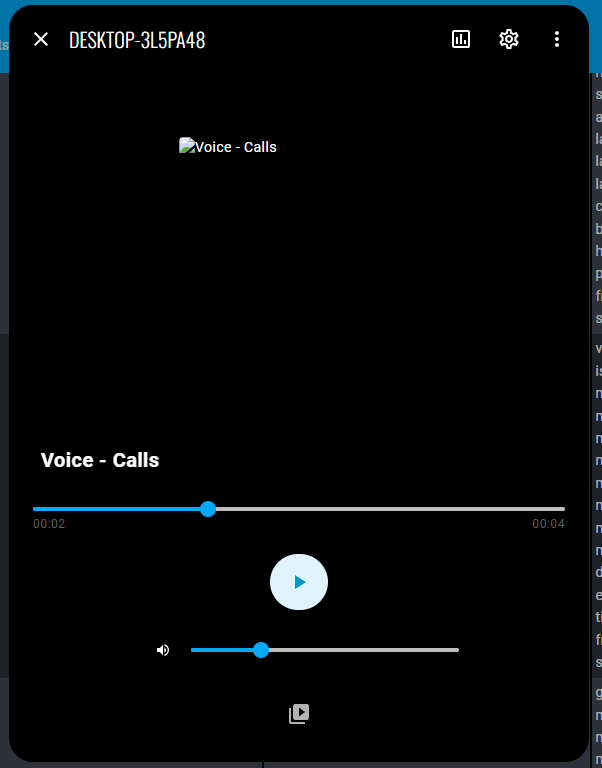
When I click on the play icon below, it opened my media folder and I selected a mp3 file. I can hear the file. Volume adjustment works as well. I don’t know how to stop the music though. Let it played until it finished.