Honeywell T6 Not Updating

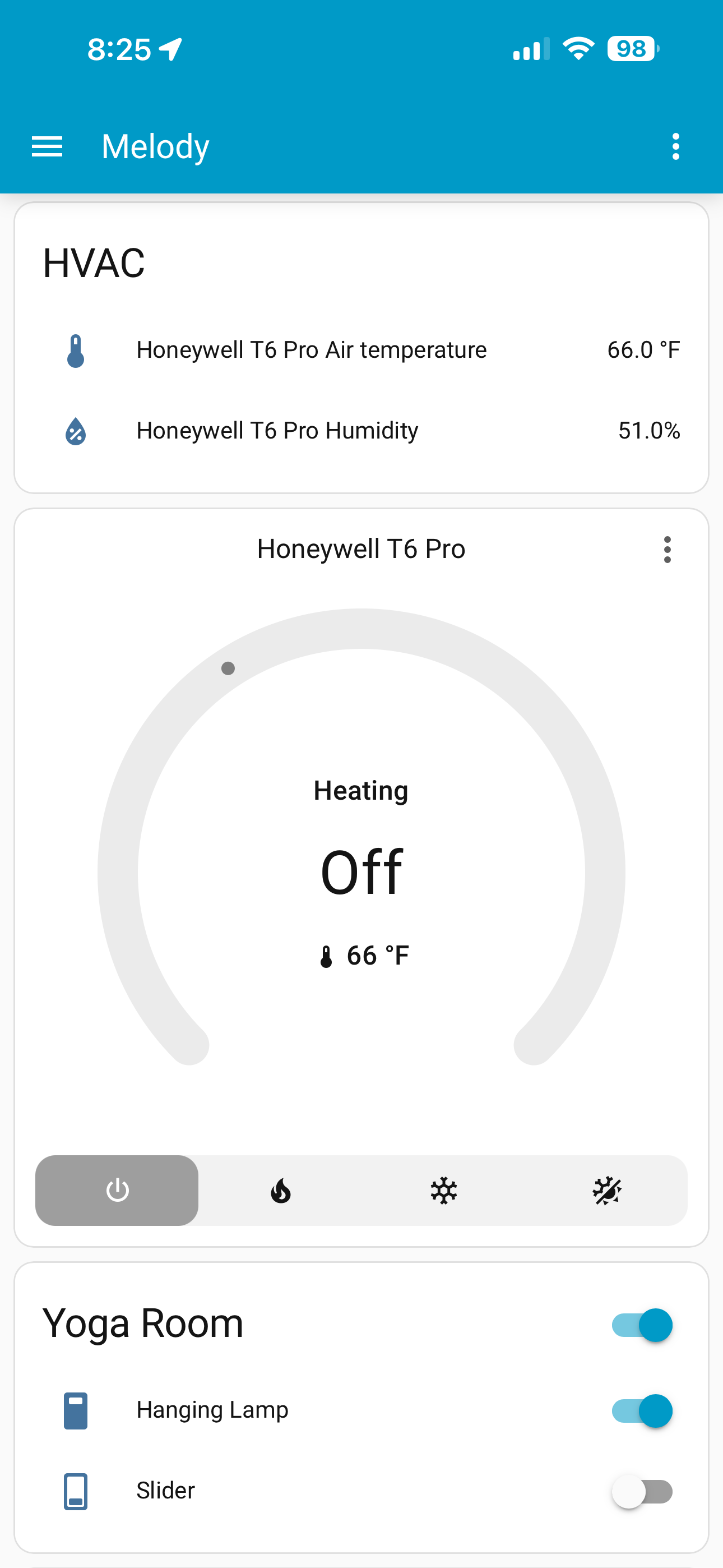
I updated to the latest version of software and the thermostat is not updating the mode when it has been turned on at the panel though it says it’s heating.

I investigated to see if updates the app if I am standing at the panel with the app open, and it does.

It was working fine before the update. Does anybody know what might be the issue?

Search the forum. This is a known issue and there are workarounds.

What software did you update?
What integration are you using to connect the T6 to Home Assistant?

I don’t know if was ever working. I thought it worked but maybe I hadn’t tried the combination of turning it on at the panel and seeing if it updated the ios app which it doesn’t. The heating changes from idle but the mode switch doesn’t move to heat.

I just bought this T6 and the Home Assistant green and I’m just getting this behavior where it says it’s heating but the mode switches off.

You did not answer any of my questions.

I am not sure how to answer you as I feel like I am always saying the wrong thing.

I don’t think the software update affected anything. I am using js wave and the zwa-2 and home assistant green.

Does that help?

Yes.

There are 3 things to consider.

  1. You have to have it set up to run through Zwave. This mode is not enabled out of the box, you have to manually enable it.
  2. If you’re running off battery, the battery will die very quickly. Make sure the batteries haven’t died.
  3. When it’s run off battery, it goes into LSS mode. Meaning it may have it’s own internal polling frequency and it may not update live based on your inputs.

Sorry to be the “works for me!” guy. What does the device show:

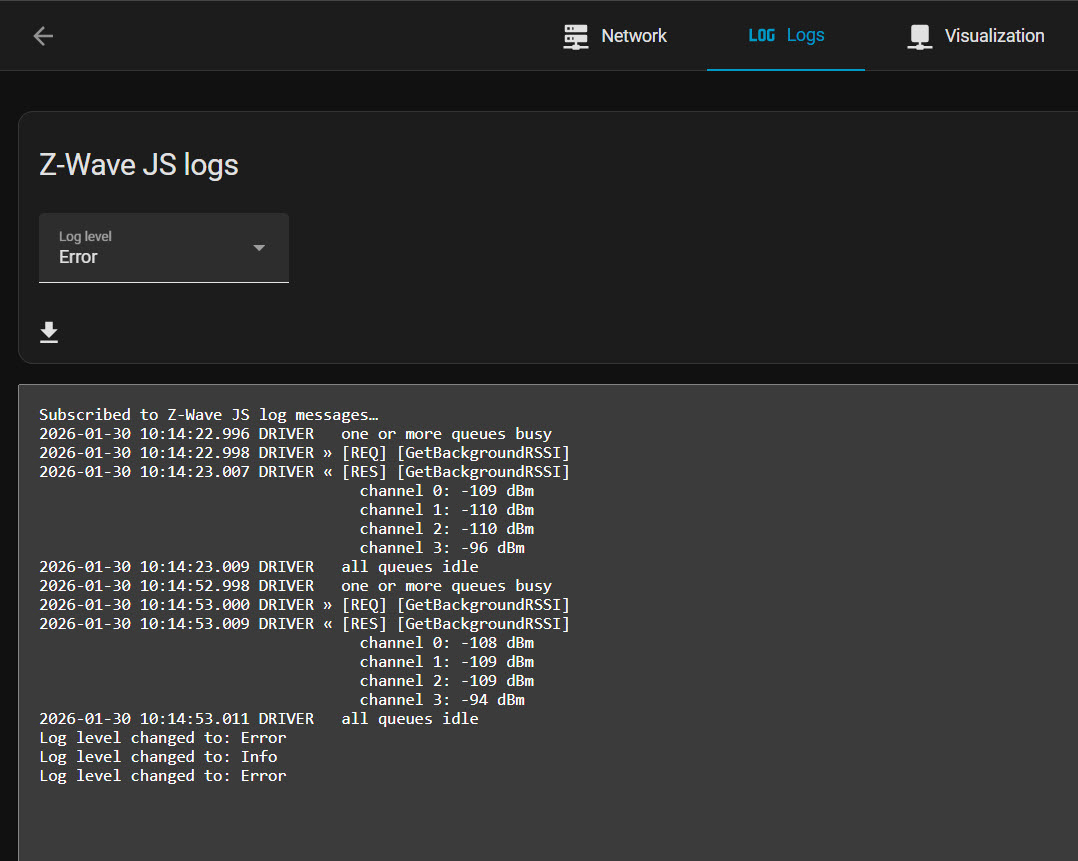
You can also go Settings->Integrations->Z-Wave->Click on the settings cog->Logs

And see if anything shows up:

2026-01-30 09:52:07.543 DRIVER   all queues idle
2026-01-30 09:52:11.966 SERIAL « 0x011d00a8000001002b0f9f03c800452dea8efbb0e2ec829a2400af007f7fe1    (31 bytes)
2026-01-30 09:52:11.973 SERIAL » [ACK]                                                                   (0x06)
2026-01-30 09:52:11.979 CNTRLR   [Node 043] [~] [Thermostat Mode] mode: 1 => 2                     [Endpoint 0]
2026-01-30 09:52:11.986 DRIVER « [Node 043] [REQ] [BridgeApplicationCommand]
                                 │ RSSI: -81 dBm
                                 └─[Security2CCMessageEncapsulation]
                                   │ sequence number: 200
                                   │ security class:  S2_Authenticated
                                   └─[ThermostatModeCCReport]
                                       mode: Cool
2026-01-30 09:52:24.247 SERIAL « 0x011d00a8000001002b0f9f03c900d28ce11cf4b157729cb45100af007f7f2f    (31 bytes)
2026-01-30 09:52:24.252 SERIAL » [ACK]                                                                   (0x06)
2026-01-30 09:52:24.255 CNTRLR   [Node 043] [~] [Thermostat Mode] mode: 2 => 0                     [Endpoint 0]
2026-01-30 09:52:24.261 DRIVER « [Node 043] [REQ] [BridgeApplicationCommand]
                                 │ RSSI: -81 dBm
                                 └─[Security2CCMessageEncapsulation]
                                   │ sequence number: 201
                                   │ security class:  S2_Authenticated
                                   └─[ThermostatModeCCReport]
                                       mode: Off

I’d wager he’s running off battery and it’s behaving different for you, me, and him. I also have this device and it’s working fine. Meaning it has to be his setup. This narrows it down to:

  1. Not included correctly
  2. Zwave isn’t enabled
  3. On battery and OP isn’t waiting for the network to receive pressed updates (which depends on it’s sleep cycle).

It’s the “was working before the update” that makes it interesting. Will be interesting to see what it turns out to be.

Sure wish everyone ran ZUI – would make it a bit easer to debug to see what ZUI is showing for state changes.

  1. You have to have it set up to run through Zwave. This mode is not enabled out of the box, you have to manually enable it.
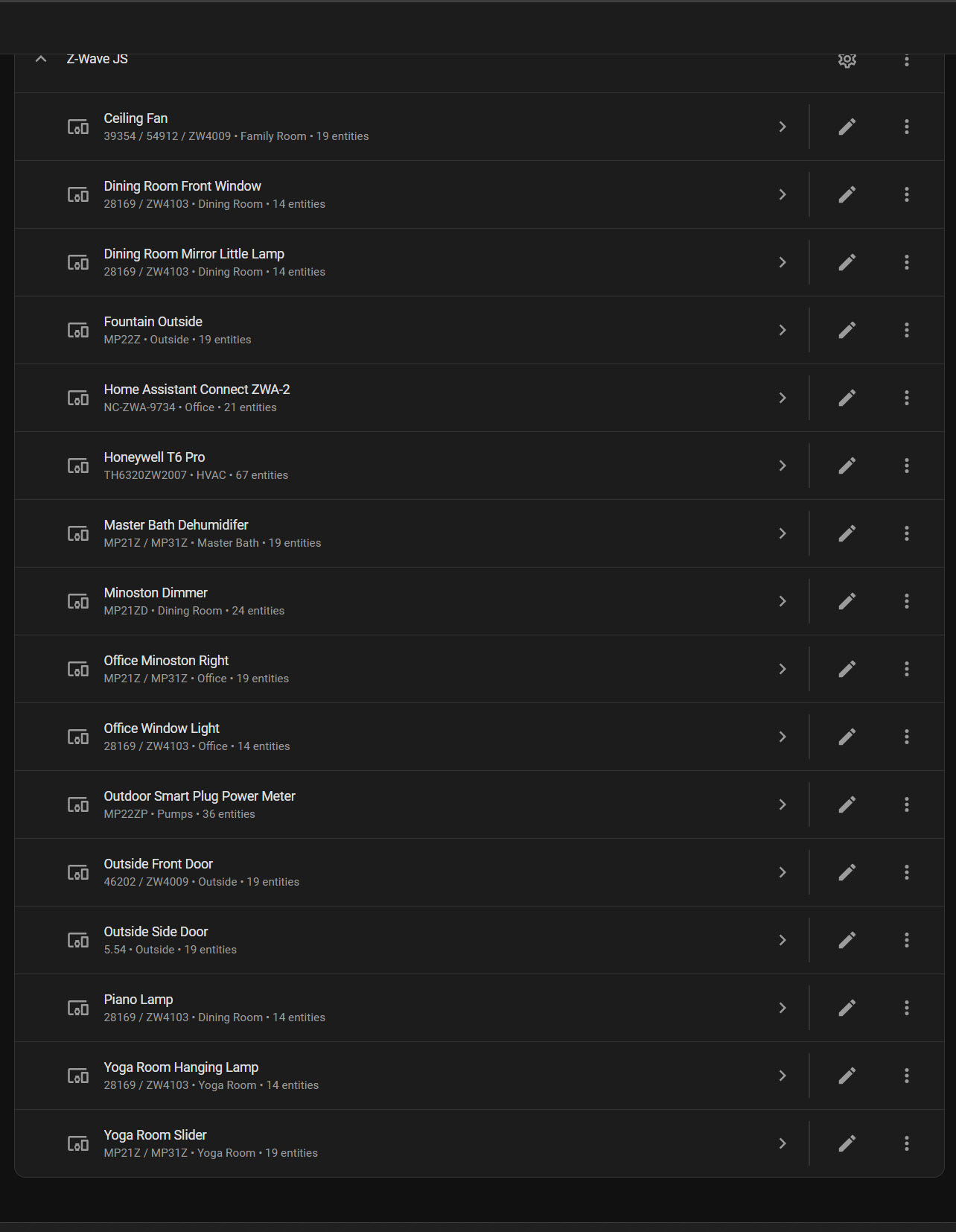
    I have the attached list of devices running fine on zwave. It’s the mode switch does not update on the ios app if I turn the T6 on at the panel.
  2. If you’re running off battery, the battery will die very quickly. Make sure the batteries haven’t died.
    I have a c-wire. It’s not on battery.
  3. When it’s run off battery, it goes into LSS mode. Meaning it may have it’s own internal polling frequency and it may not update live based on your inputs.
    It’s not running on battery.

What level of logging are you using to get the information that you are showing above?

Debug. Then I changed the mode on my T6 and watched the logs.

You are running a newer version than I am. Does the T6 device page show activity at all?

@busman I am not sure that the mode switch was mode switch was properly switching to the correct mode before when turning the furnace on manually at the panel. If we can drop that one and maybe focus on what might be the issue.

Can it be the ZWA-2 adapter not receiving, or maybe receiving it and not doing anything with an update of the mode when operated from the panel?

@busman when you say I am running a newer version than I am, what version are you referring to?

It seems to be working now. I must say it’s intermittent. Weird. I wonder what is causing the system to intermittently report the mode change? I will try and get the debugs when it doesn’t work and post back here. Thanks for the help.

Subscribed to Z-Wave JS log messages…
Log level changed to: Debug
2026-01-30 10:37:13.739 SERIAL « 0x011100a8000001000a0340030100b6007f7fba (19 bytes)
2026-01-30 10:37:13.742 SERIAL » [ACK] (0x06)
2026-01-30 10:37:13.744 CNTRLR [Node 010] [~] [Thermostat Mode] mode: 0 => 1 [Endpoint 0]
2026-01-30 10:37:13.747 DRIVER « [Node 010] [REQ] [BridgeApplicationCommand]
│ RSSI: -74 dBm
└─[ThermostatModeCCReport]
mode: Heat
2026-01-30 10:37:13.770 SERIAL « 0x011100a8000001000a0345030000b6007f7fbe (19 bytes)
2026-01-30 10:37:13.772 SERIAL » [ACK] (0x06)
2026-01-30 10:37:13.775 CNTRLR [Node 010] [~] [Thermostat Fan State] state: 0 => 0 [Endpoint 0]
2026-01-30 10:37:13.777 DRIVER « [Node 010] [REQ] [BridgeApplicationCommand]
│ RSSI: -74 dBm
└─[ThermostatFanStateCCReport]
state: Idle / off
2026-01-30 10:37:14.337 SERIAL « 0x011100a8000001000a0342030100b5007f7fbb (19 bytes)
2026-01-30 10:37:14.340 SERIAL » [ACK] (0x06)
2026-01-30 10:37:14.342 CNTRLR [Node 010] [~] [Thermostat Operating State] state: 0 => 1 [Endpoint 0]
2026-01-30 10:37:14.345 DRIVER « [Node 010] [REQ] [BridgeApplicationCommand]
│ RSSI: -75 dBm
└─[ThermostatOperatingStateCCReport]
state: Heating
2026-01-30 10:37:17.512 SERIAL « 0x011400a8000001000a0631050522023000b5007f7fda (22 bytes)
2026-01-30 10:37:17.515 SERIAL » [ACK] (0x06)
2026-01-30 10:37:17.517 CNTRLR [Node 010] [Multilevel Sensor] Humidity: metadata updated [Endpoint 0]
2026-01-30 10:37:17.520 CNTRLR [Node 010] [~] [Multilevel Sensor] Humidity: 57 => 56 [Endpoint 0]
2026-01-30 10:37:17.522 DRIVER « [Node 010] [REQ] [BridgeApplicationCommand]
│ RSSI: -75 dBm
└─[MultilevelSensorCCReport]
sensor type: Humidity
scale: Percentage value
value: 56
2026-01-30 10:37:21.851 DRIVER one or more queues busy
2026-01-30 10:37:21.853 DRIVER » [Node 010] [REQ] [SendDataBridge]
│ source node id: 1
│ transmit options: 0x25
│ callback id: 109
└─[SupervisionCCGet]
│ session id: 13
│ request updates: true
└─[ThermostatModeCCSet]
mode: Off
2026-01-30 10:37:21.855 SERIAL » 0x011500a90001000a076c018d0340010025000000006da5 (23 bytes)
2026-01-30 10:37:21.862 SERIAL « [ACK] (0x06)
2026-01-30 10:37:21.866 SERIAL « 0x010401a90152 (6 bytes)
2026-01-30 10:37:21.868 SERIAL » [ACK] (0x06)
2026-01-30 10:37:21.870 DRIVER « [RES] [SendDataBridge]
was sent: true
2026-01-30 10:37:21.881 SERIAL « 0x011d00a96d00000100b57f7f7f7f00000300000000030100007f7f7f7f7fec (31 bytes)
2026-01-30 10:37:21.884 SERIAL » [ACK] (0x06)
2026-01-30 10:37:21.886 DRIVER « [REQ] [SendDataBridge]
callback id: 109
transmit status: OK, took 10 ms
routing attempts: 1
protocol & route speed: Z-Wave, 100 kbit/s
routing scheme: LWR
ACK RSSI: -75 dBm
ACK channel no.: 0
TX channel no.: 0
2026-01-30 10:37:21.903 SERIAL « 0x011300a8000001000a056c020dff0000b5007f7f63 (21 bytes)
2026-01-30 10:37:21.906 SERIAL » [ACK] (0x06)
2026-01-30 10:37:21.908 DRIVER « [Node 010] [REQ] [BridgeApplicationCommand]
│ RSSI: -75 dBm
└─[SupervisionCCReport]
session id: 13
more updates follow: false
status: Success
duration: 0s
2026-01-30 10:37:21.912 DRIVER all queues idle
2026-01-30 10:37:21.916 SERIAL « 0x011100a8000001000a0345030000b5007f7fbd (19 bytes)
2026-01-30 10:37:21.918 SERIAL » [ACK] (0x06)
2026-01-30 10:37:21.920 CNTRLR [Node 010] [~] [Thermostat Fan State] state: 0 => 0 [Endpoint 0]
2026-01-30 10:37:21.922 DRIVER « [Node 010] [REQ] [BridgeApplicationCommand]
│ RSSI: -75 dBm
└─[ThermostatFanStateCCReport]
state: Idle / off
2026-01-30 10:37:22.495 SERIAL « 0x011100a8000001000a0342030000b5007f7fba (19 bytes)
2026-01-30 10:37:22.497 SERIAL » [ACK] (0x06)
2026-01-30 10:37:22.500 CNTRLR [Node 010] [~] [Thermostat Operating State] state: 1 => 0 [Endpoint 0]
2026-01-30 10:37:22.502 DRIVER « [Node 010] [REQ] [BridgeApplicationCommand]
│ RSSI: -75 dBm
└─[ThermostatOperatingStateCCReport]
state: Idle
2026-01-30 10:37:26.915 DRIVER one or more queues busy
2026-01-30 10:37:26.916 DRIVER » [REQ] [GetBackgroundRSSI]
2026-01-30 10:37:26.918 SERIAL » 0x0103003bc7 (5 bytes)
2026-01-30 10:37:26.925 SERIAL « [ACK] (0x06)
2026-01-30 10:37:26.926 SERIAL « 0x0107013b949393a0f6 (9 bytes)
2026-01-30 10:37:26.929 SERIAL » [ACK] (0x06)
2026-01-30 10:37:26.931 DRIVER « [RES] [GetBackgroundRSSI]
channel 0: -108 dBm
channel 1: -109 dBm
channel 2: -109 dBm
channel 3: -96 dBm
2026-01-30 10:37:26.933 DRIVER all queues idle
2026-01-30 10:37:56.914 DRIVER one or more queues busy
2026-01-30 10:37:56.916 DRIVER » [REQ] [GetBackgroundRSSI]
2026-01-30 10:37:56.917 SERIAL » 0x0103003bc7 (5 bytes)
2026-01-30 10:37:56.923 SERIAL « [ACK] (0x06)
2026-01-30 10:37:56.925 SERIAL « 0x0107013b959494a1f6 (9 bytes)
2026-01-30 10:37:56.928 SERIAL » [ACK] (0x06)
2026-01-30 10:37:56.929 DRIVER « [RES] [GetBackgroundRSSI]
channel 0: -107 dBm
channel 1: -108 dBm
channel 2: -108 dBm
channel 3: -95 dBm
2026-01-30 10:37:56.932 DRIVER all queues idle
2026-01-30 10:37:57.572 SERIAL « 0x011400a8000001000a0631050522023a00b6007f7fd3 (22 bytes)
2026-01-30 10:37:57.574 SERIAL » [ACK] (0x06)
2026-01-30 10:37:57.577 CNTRLR [Node 010] [Multilevel Sensor] Humidity: metadata updated [Endpoint 0]
2026-01-30 10:37:57.579 CNTRLR [Node 010] [~] [Multilevel Sensor] Humidity: 56 => 57 [Endpoint 0]
2026-01-30 10:37:57.581 DRIVER « [Node 010] [REQ] [BridgeApplicationCommand]
│ RSSI: -74 dBm
└─[MultilevelSensorCCReport]
sensor type: Humidity
scale: Percentage value
value: 57

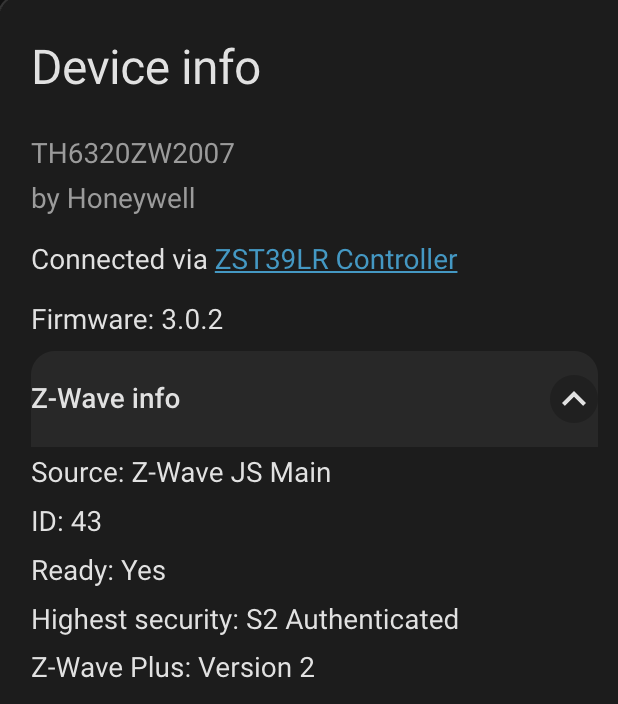
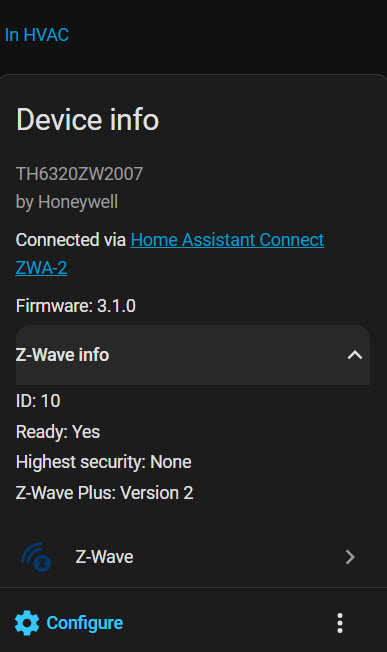
The versions in the images above: 3.0.2 vs 3.1.0 for yours.

Yours didn’t update to the latest firmware? Hmmm

I would watch those Z wave logs. See if there’s an error when you press the button on the thermostat. If nothing shows up, I’d be tempted to exclude it and re-include it.