Honeywell T6 Not Updating

Ok, I need some help with this. In a DM @Paddy707 shared debug logs. Note that the following is in the HA core logs after enabling z-wave debugging.

The logs are written a bit out of order because some are z-wave js logs that HA shows in debug mode.

But what is clear is z-wave js received the mode change from the T6 at 15:07:19.450.

Then at 15:07:19.453 the z-wave integration logs the WSMessage showing the command class 66 update (the operating mode) with the new value of 1 (“Heating”).

2026-02-15 15:07:19.453 DEBUG (MainThread) [zwave_js_server.server] 2026-02-15 15:07:19.448:
2026-02-15 15:07:19.448 CNTRLR   [Node 010] [~] [Thermostat Operating State] state: 0 => 1         [Endpoint 0]
2026-02-15 15:07:19.453 DEBUG (MainThread) [zwave_js_server] Received message:
WSMessage(type=<WSMsgType.TEXT: 1>, data='{"type":"event","event":{"source":"node","event":"value updated","nodeId":10,"args":{"commandClassName":"Thermostat Operating State","commandClass":66,"endpoint":0,"property":"state","newValue":1,"prevValue":0,"propertyName":"state"}}}', extra='')

2026-02-15 15:07:19.454 DEBUG (MainThread) [homeassistant.components.zwave_js] [climate.t6_pro_z_wave_programmable_thermostat_with_smartstart] Value state/None changed to: 1
2026-02-15 15:07:19.463 DEBUG (MainThread) [zwave_js_server.server] 2026-02-15 15:07:19.450:
2026-02-15 15:07:19.450 DRIVER « [Node 010] [REQ] [BridgeApplicationCommand]
                                 │ RSSI: -72 dBm
                                 └─[ThermostatOperatingStateCCReport]
                                     state: Heating

(no errors are in the logs that follow this)

UPDATE: Wait a minute. This is reporting command class 66. Shouldn’t that be command class 64?

That is,

  1. the T6’s mode was manually updated on the thermostat
  2. the T6 sent the update to z-wave-js
  3. z-wave js sent and the integration received the state change over the websocket.

But the Entity still shows off:
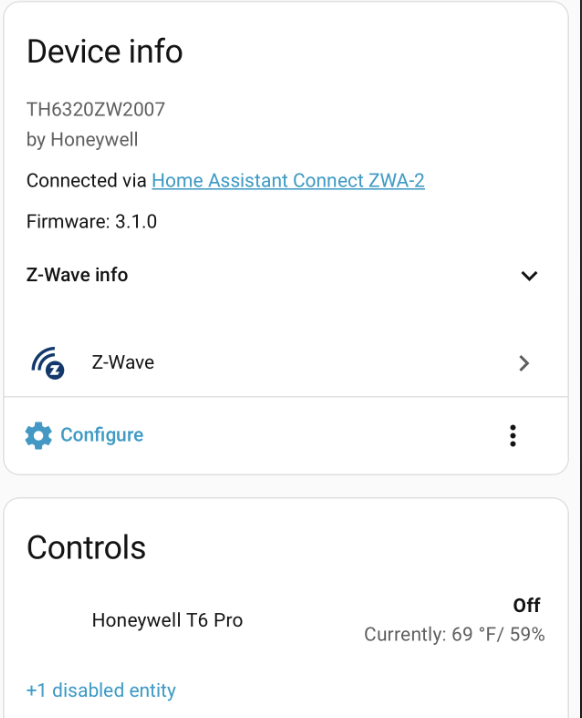
And if you look at the Activity for that entity there’s no state change to “Heating” around 3:07pm:
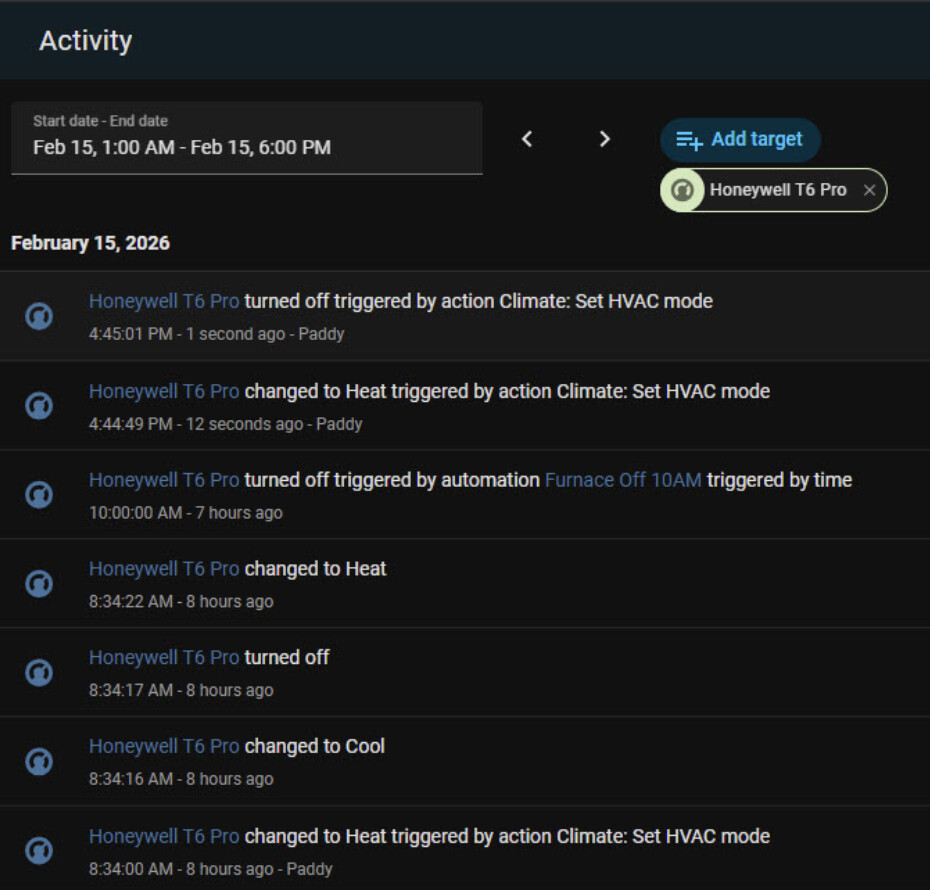
The state change at 4:44:49pm was done by updating the mode on Home Assistant.

Doesn’t it look like the z-wave integration received the state change but for some reason the entity’s state didn’t get updated (and didn’t update the states table in the DB, either)?

@Paddy707, is that all accurate?

Is there a situation where the integraton would log the state change but not update the entity?
The log message shows the operating state changing, not the mode. The operating state is the climate entity’s hvac_action attribute.

Right, I just noticed when I change mine it shows CC 64:

2026-02-15 17:30:50.099 CNTRLR   [Node 043] [~] [Thermostat Mode] mode: 0 => 1                     [Endpoint 0]
2026-02-15 17:30:50.107 DEBUG (MainThread) [zwave_js_server] Received message:
WSMessage(type=<WSMsgType.TEXT: 1>, data='{"type":"event","event":{"source":"node","event":"value updated","nodeId":43,"args":{"commandClassName":"Thermostat Mode","commandClass":64,"endpoint":0,"property":"mode","newValue":1,"prevValue":0,"propertyName":"mode"}}}', extra='')

2026-02-15 17:30:50.107 DEBUG (MainThread) [homeassistant.components.zwave_js] [climate.hall_thermostat] Value mode/None changed to: 1
2026-02-15 17:30:50.110 DEBUG (MainThread) [zwave_js_server.server] 2026-02-15 17:30:50.104:
2026-02-15 17:30:50.104 DRIVER « [Node 043] [REQ] [BridgeApplicationCommand]
                                 │ RSSI: -84 dBm
                                 └─[Security2CCMessageEncapsulation]
                                   │ sequence number: 227
                                   │ security class:  S2_Authenticated
                                   └─[ThermostatModeCCReport]
                                       mode: Heat

@Paddy707 Are you pressing this mode button?

What firmware version do you have? Mine is 3.10

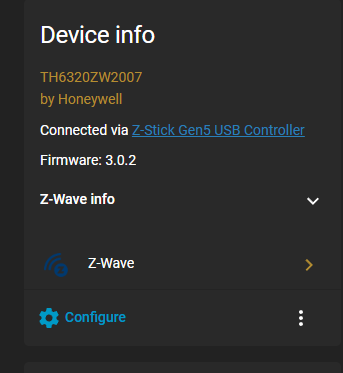
I have 3.0.2.

Thanks! I am wondering what @PeteRage is using too.

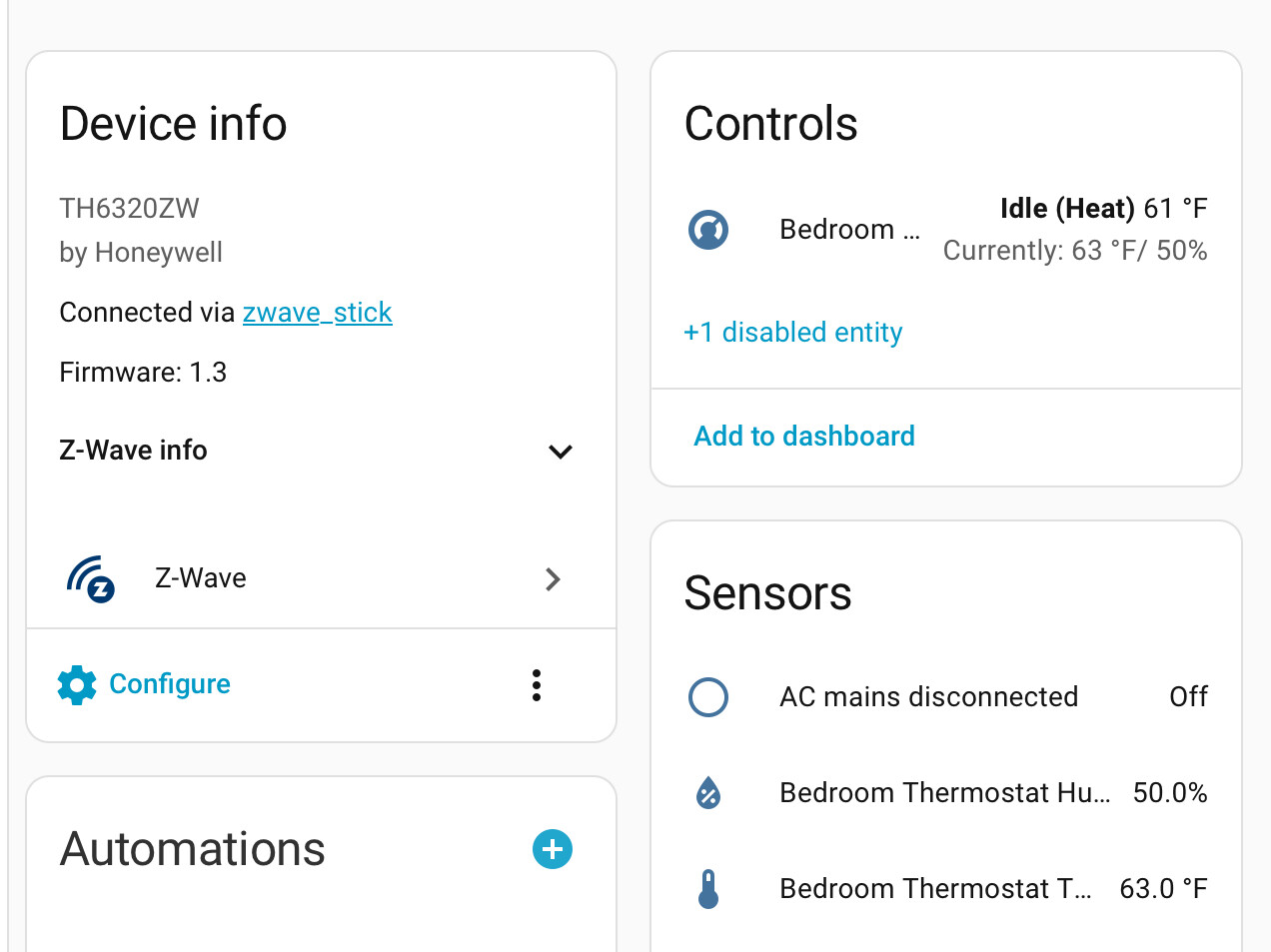
Version 1.3

Do you mean 3.1? Do you have the 2007 version?

1.3

They both have the same prefix but one is a 2003 and the newer one is a 2007. Based upon your firmware, I’d guess it’s a 2003.

If it helps I have the 2007 version with FW 3.0.2 and I’m pretty sure mine is working

When I hit the mode button from the thermostat itself and switch between off and cool it’s reflected in the HA state for the climate entity.

1 Like

Ok. Thanks!

Where does this configuration get added to?

I only need to refresh the operating state

Here’s the automation I use.

The initial 90 second delay is to offset this automation from others that run every 10 minutes. It’s best to spread polling over time rather that trying to update all thermostats simultaneously.

- id: "T6 studio_thermostat Poll Temperatures"
  alias: T6 studio_thermostat Poll Temperatures 90
  description: "Workaround issue with T6 not always reporting temperatures"
  mode: single
  max_exceeded: silent
  trigger:
    - platform: time_pattern
      minutes: "/10"
    - platform: homeassistant
      event: start
  action:
    - delay: 90
    # Refreshes the temperature
    - service: zwave_js.refresh_value
      continue_on_error: true
      data:
        entity_id: sensor.studio_thermostat_temperature
        refresh_all_values: false
    - delay:
        seconds: 2
    # https://zwave-js.github.io/node-zwave-js/#/api/CCs/ThermostatOperatingState
    - service: zwave_js.invoke_cc_api
      continue_on_error: true
      data:
        entity_id: climate.studio_thermostat
        command_class: "66"
        endpoint: "0"
        method_name: get
        parameters: []
    - delay:
        seconds: 2
    # https://zwave-js.github.io/node-zwave-js/#/api/CCs/ThermostatSetpoint
    # 1 = heat setpoint
    - service: zwave_js.invoke_cc_api
      continue_on_error: true
      data:
        command_class: "67"
        endpoint: "0"
        method_name: get
        parameters:
          - 1
        entity_id: climate.studio_thermostat
    - delay:
        seconds: 2
    # https://zwave-js.github.io/node-zwave-js/#/api/CCs/ThermostatMode
    - service: zwave_js.invoke_cc_api
      continue_on_error: true
      data:
        command_class: "64"
        endpoint: "0"
        method_name: get
        parameters: []
        entity_id: climate.studio_thermostat

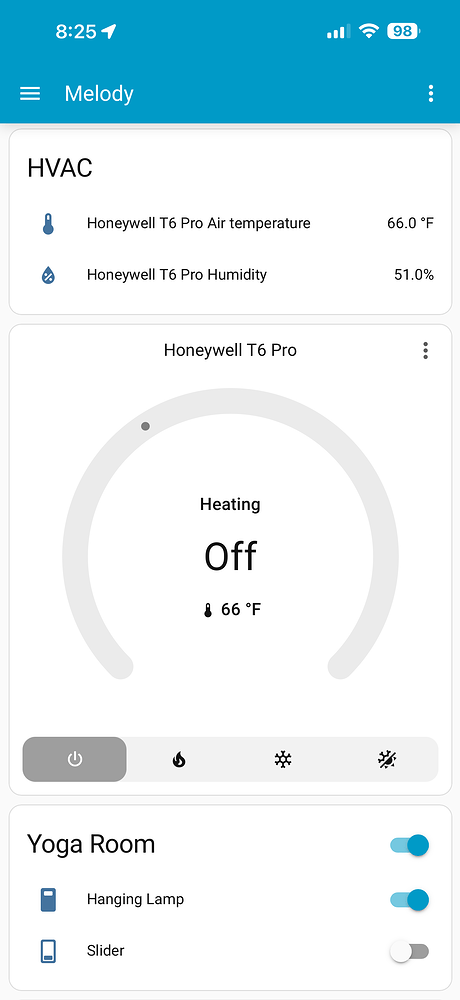
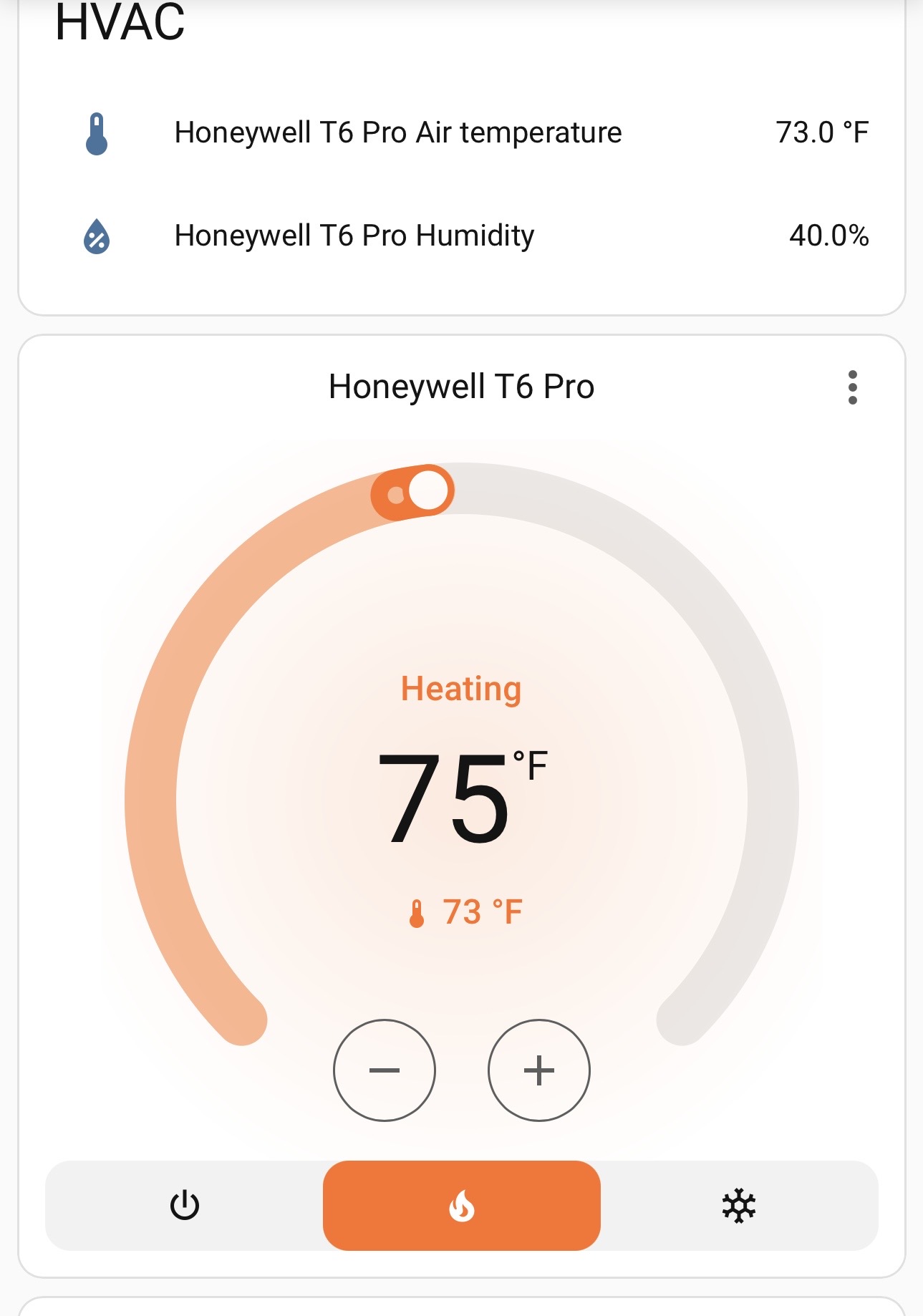
Does this update the mode? As I have mentioned, mine says Heating/Off and it should be Heating with the red fire icon.


# https://zwave-js.github.io/node-zwave-js/#/api/CCs/ThermostatOperatingState
    - service: zwave_js.invoke_cc_api
      continue_on_error: true
      data:
        entity_id: climate.studio_thermostat
        command_class: "66"
        endpoint: "0"
        method_name: get
        parameters: []
    - delay:
        seconds: 2

No, 66 is the operating state. 64 is the mode. That asks z-wave js over the websocket to ask the node to report its state, based on the command class. The T6’s state in HA is the mode - off, cool, heat, auto. It’s “updating” in that it’s asking the T6 to send out its state.

(Well, The HA UI probably briefly shows your intended state but resets if a state update isn’t received. Otherwise the UI would feel unresponsive.)

Here is z-wave js sending out the “ThermostatModeCCGet” request.

2026-04-23 14:35:34.179 DRIVER » [Node 043] [REQ] [SendDataBridge]
                                 │ source node id:   1
                                 │ transmit options: 0x25
                                 │ callback id:      114
                                 └─[Security2CCMessageEncapsulation]
                                   │ sequence number: 154
                                   └─[ThermostatModeCCGet]

The node then responds what its state is:

2026-04-23 14:35:34.234 DRIVER « [Node 043] [REQ] [BridgeApplicationCommand]
                                 │ RSSI: -84 dBm
                                 └─[Security2CCMessageEncapsulation]
                                   │ sequence number: 223
                                   │ security class:  S2_Authenticated
                                   └─[ThermostatModeCCReport]
                                       mode: Off

Then that mode is then sent back from z-wave js to Home Assistant.

The only way I see this automation helping you is if you push the mode button on the T6 LCD screen and that change does NOT generate that message from the node to z-wave.

Here’s me pushing the button on the T6’s screen:

2026-04-23 14:40:09.103 DRIVER « [Node 043] [REQ] [BridgeApplicationCommand]
                                 │ RSSI: -86 dBm
                                 └─[Security2CCMessageEncapsulation]
                                   │ sequence number: 227
                                   │ security class:  S2_Authenticated
                                   └─[ThermostatModeCCReport]
                                       mode: Auto

See? It’s the same thing.

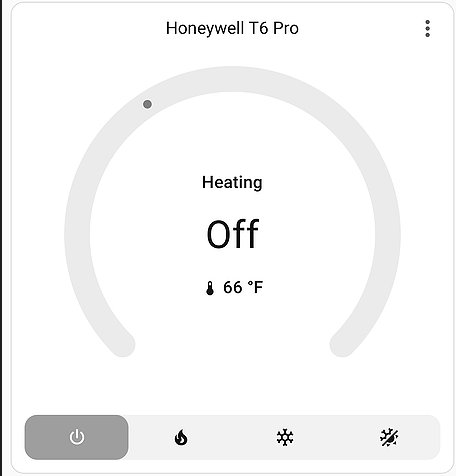
But, I do find this odd from your image above:

I cannot make my thermostat in HA display the mode Off and yet Heating at the same time. For example, I turned on the heat and it said Heating and was red, then manually set the T6’s state in Developer Tools to off and it goes to Idle.

Maybe the operating mode (hvac_action) isn’t getting updated? Once again, it’s the z-wave and HA logs that will tell you if the T6 is sending the expected state changes. Then you watch Developer Tools to see if the entity reflects those states. Otherwise, it’s just guessing.

It kind of seems like updates from the T6 are not making it to HA. Again, the logs would show that.

Have you found anyone else with this issue? Does your T6 Device statistics show a lot of dropped commands? Considered trying another T6?

I’d like to update whatever parameters that would make the above picture look like this when it’s heating.

I think it’s this one:


    # https://zwave-js.github.io/node-zwave-js/#/api/CCs/ThermostatMode
    - service: zwave_js.invoke_cc_api
      continue_on_error: true
      data:
        command_class: "64"
        endpoint: "0"
        method_name: get
        parameters: []
        entity_id: climate.studio_thermostat

It looks like you’re setting up a manual Command Class (CC) API call to poll the current mode of your thermostat. Based on the node-zwave-js documentation for Thermostat Mode CC (0x40), your syntax for the service call is technically correct for a standard GET request.
However, there are a few things to keep in mind to ensure this works smoothly within Home Assistant:

1. Parameter Verification

The get method for the Thermostat Mode CC typically doesn’t require parameters, so your empty list is correct. This will trigger the device to report its current functional state (e.g., Heat, Cool, Off).

2. Potential Schema Adjustments

Depending on your specific Z-Wave integration version, you might find that using the command_class name is more readable and less prone to typos than the decimal string. Both usually work, but names are often preferred:

- service: zwave_js.invoke_cc_api
  data:
    command_class: "Thermostat Mode" # Or "64"
    endpoint: "0"
    method_name: get
    parameters: []
    entity_id: climate.studio_thermostat

3. Why Use This Service?

In most cases, Home Assistant handles polling and state updates automatically. You usually only need to invoke the CC API directly if:

  • The device isn’t updating its state correctly in the UI.
  • You are building a complex automation that needs a “fresh” value immediately before the next action.
  • The standard climate service calls aren’t exposing a specific manufacturer-specific feature.

You could also just use the automation as is and see if it solves the problem, in my experience there are other parameters that get out of sync, it’s possible you haven’t noticed those yet.

@PeteRage

Is that what I use is an automation?

do i add how often it’s supposed to refresh or will this do it without a time like

climate.studio_thermostat
    - delay: seconds: 2

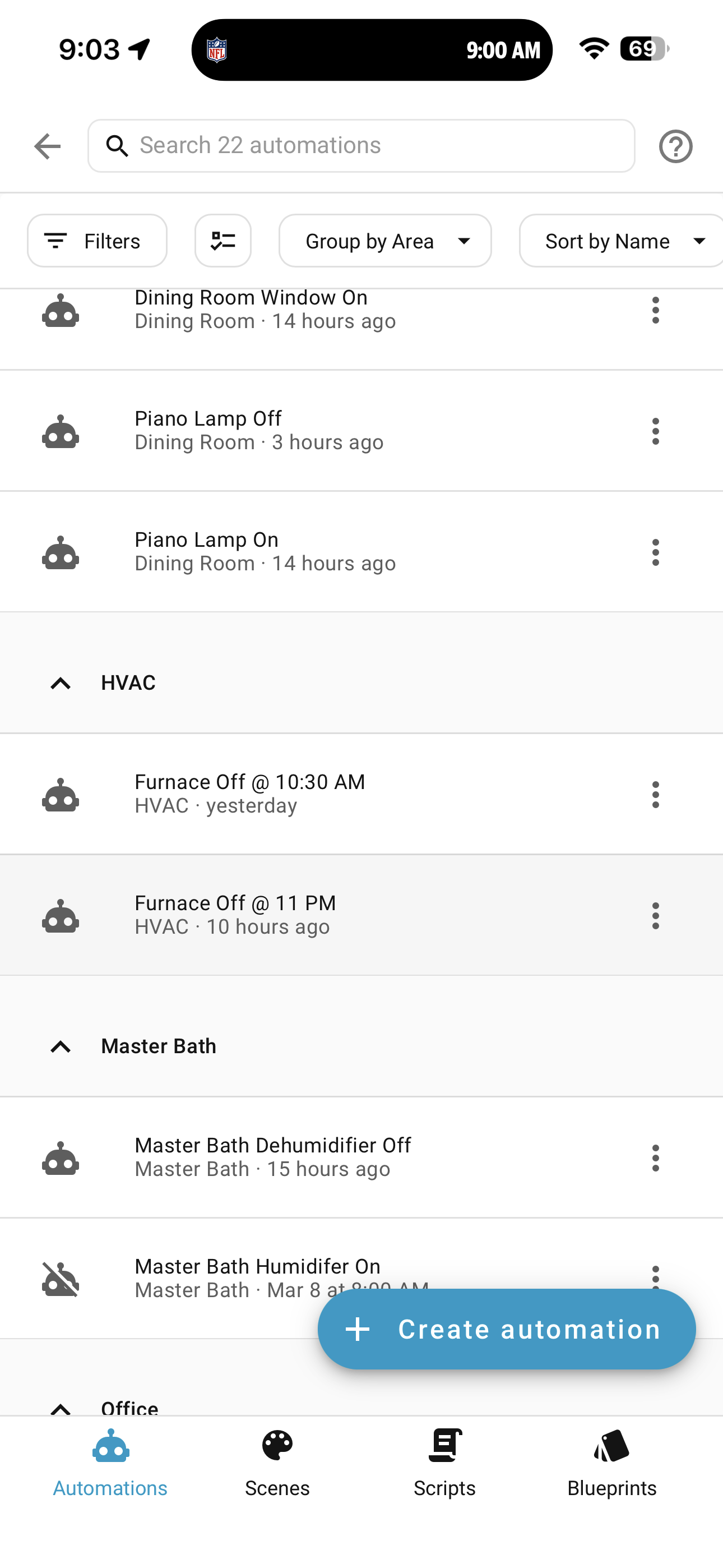
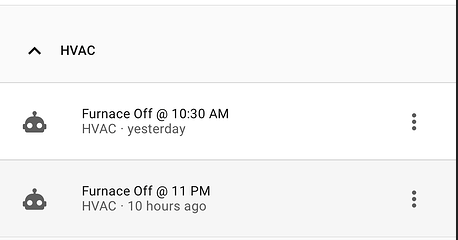
Why are you turning the T6 off twice a day?

Not to be “Doctor, it hurts when I do this thing.” but maybe don’t turn it off so that you don’t have to figure out why it’s not turning back on? Just lower the temp.

I have no clue what is happening as it seems you haven’t been able to debug it. @PeteRage 's automation was written years ago for a different model of the T6. It might help in your case, but it’s also updating every 10 minutes. Of course it should update the moment you push the button.

Anyway, if you want to just test that, you can go to System->Dev Tools->Actions and paste in this (in YAML mode)

action: zwave_js.invoke_cc_api
data:
  command_class: "64"
  endpoint: "0"
  method_name: get
  parameters: []
  entity_id: climate.<put your climate entity here>

and then click:

And see if your entity updates its state in Dev Tools.

But, again, maybe just lower the temp to “turn if otf” in an automation. I never change the mode on my T6 I just have an automation that changes the temp based on time of day or people home/doors open, etc.