I’m in Australia, I used to have a static price electricity price setup on my HA setup. But I just moved to a plan (OVO “3 free”) that contains peak & off peak costs that are different. Most of the problem now is 3 hours of the day are also free.
3pm to 9pm everyday is peak pricing.
11am to 2pm everyday is free electricity.
Peak:
38.17c/kWh
Off-peak:
23.65c/kWh
How do I set this in the energy setup? I want to keep track of costs in peak/offpeak /savings/how much I used for “free” in those hours but separate from my own solar panels?
My smart meter has “energy consumed”/energy produced” entities I pull data off.
Solar inverter gives me the data for how much I use/send back to grid.
I am no good at understanding how to code. But willing to learn.
I don’t think there is a way to have three costs in the energy setup. You could set up a sensor template that would calculate the cost of electricity for any time of the day like this.
#--------------------------------------------------------------------------------------------------
# Current Cost of Electricity
#--------------------------------------------------------------------------------------------------
- sensor:
  - name: "coe"
    unique_id: "coe"
    state: >-
      {% set time = now() | as_timestamp | timestamp_custom('%H:%M') %}
      {% if '15:00' <= time < '21:00' %}
        0.3817
      {% elif '23:00' <= time < '24:00' %}
        0.0000
      {% elif '00:00' <= time < '02:00' %}
        0.0000
      {% else %}
        0.2365
      {% endif %}
You would then need to set up other template sensors with similar divisions to do the calculations on the cost for the energy consumed during those time periods.
Hi, also on Ovo. It was a while ago I set mine up so may be sketchy with the details.
First step is to get meters tracking consumption at different times of day. That is included below. I will add a follow up post on calculating costs.
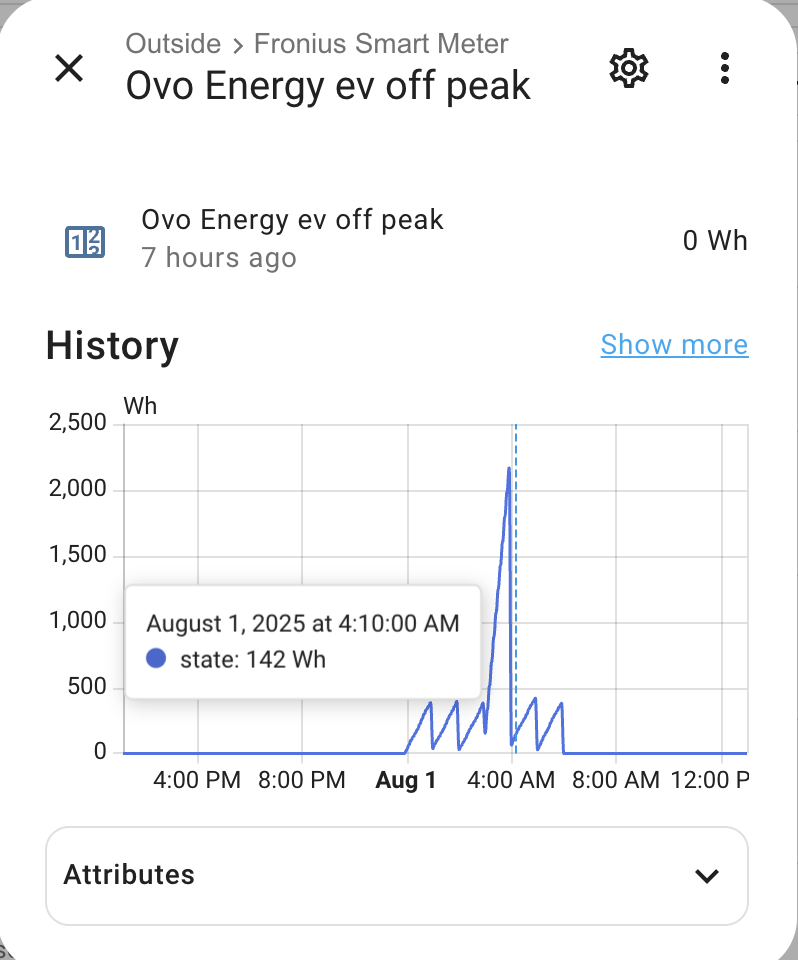
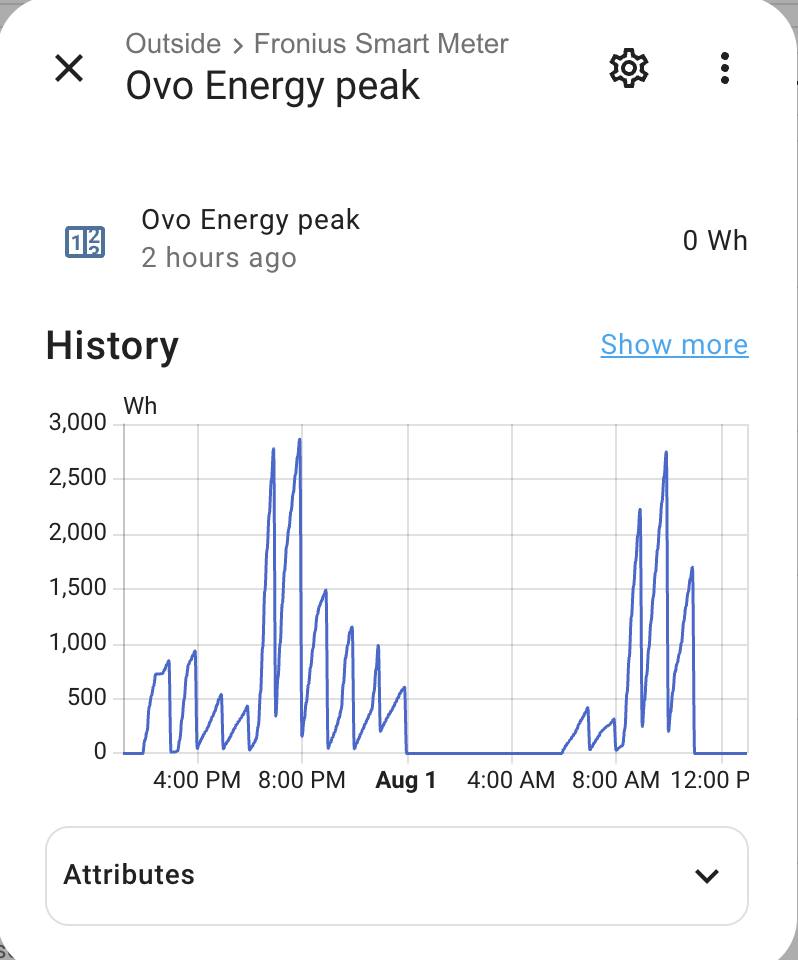
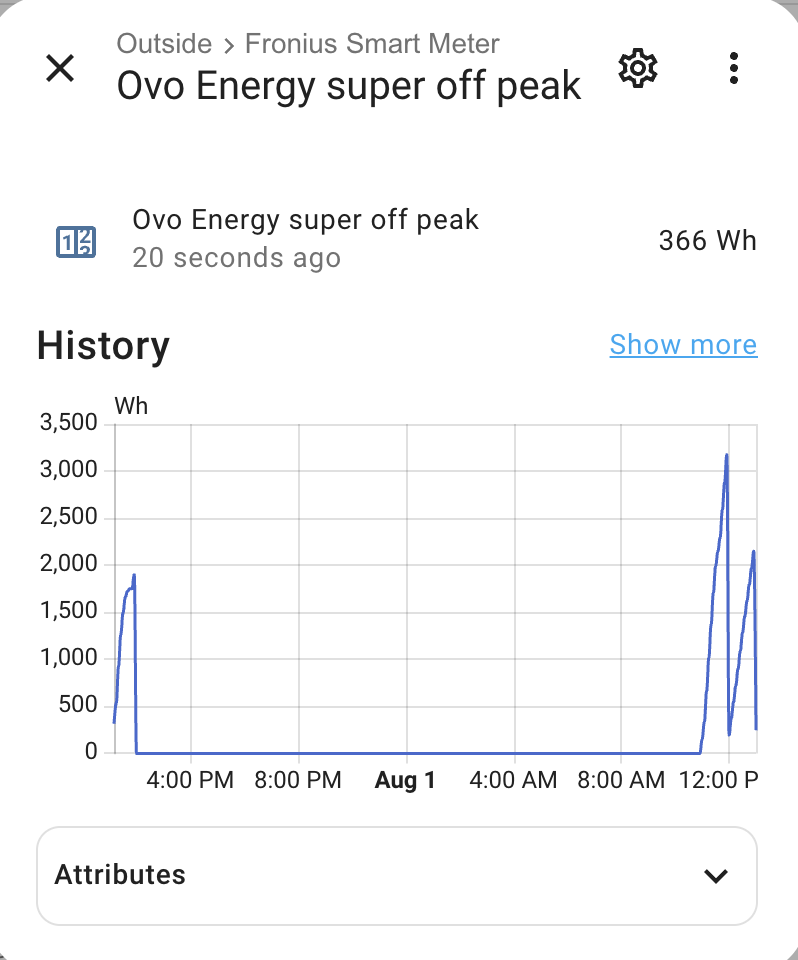
Set up a helper utility meter based on your consumed power. For ‘Support tariffs’ set your desired tariff names. I used ‘peak’, ‘ev off peak’ and ‘super off peak’ as I am on an EV plan. These can be whatever and will be used to create sub meters. So in the end you have your main utility helper which will be a select, and then the sub meters which will track comsumption based on the selection of the utility meter select. EDIT: IMPORTANT. Set up the utility meter to reset hourly - if you don’t do this at the start you don’t get another chance.
You then need some schedules and an hourly automation to change the main utility meter select. I used two schedules for ‘ev off peak’ and ‘super off peak’. My automation to adjust the utility meter is below (though I also have charges changed in this automation, I have excluded so you get the idea that you build up from meters first).
alias: Ovo Energy
description: ""
mode: single
triggers:
  - hours: /1
    trigger: time_pattern
  - event: start
    trigger: homeassistant
conditions: []
actions:
  - choose:
      - conditions:
          - condition: state
            entity_id: schedule.ovo_super_off_peak
            state: "on"
        sequence:
          - target:
              entity_id: select.ovo_energy
            data:
              option: super off peak
            action: select.select_option
      - conditions:
          - condition: state
            entity_id: schedule.ovo_ev_off_peak
            state: "on"
        sequence:
          - metadata: {}
            data:
              option: ev off peak
            target:
              entity_id: select.ovo_energy
            action: select.select_option
    default:
      - metadata: {}
        data:
          option: peak
        target:
          entity_id: select.ovo_energy
        action: select.select_option
If you want to track individual item consumption, say a car charger, you can set up its own utility meter tracking the consumption, with the same tariff names and add the utlity select to the automation. I do this for my car charger but excluded from including to keep this simple.
My way of automating the utility meter select is just one way. You may work out another. The important thing is that you need to change the utility meter select when the tariff changes - nothing else does this for you. This was the hardest part for me to understand when I first set this up.
Create input number helpers for each of tariff. I have input_number.ovo_energy_super_off_peak_rate, input_number.ovo_energy_peak_rate and input_number.ovo_energy_ev_off_peak_rate. I set the icon to be mdi:currency-usd (best $ sign icon I could find), display mode as input field (not slider), step as 0.001 and unit as AUD/kWh
Also create an input number helper for the current rate. I have input_number.ovo_energy_current_rate with settings as per above.
Add in setting the current rate in your automation. As in my post about meters, I use one automation for this which is included below with steps for changing current rate.
This allows you to track a current rate. I also have a template sensor. Not sure why . I think because I was going one method but that changed to the method below which works well.
I use a template sensor to calculate hourly costs from which I then use three more utility meters to sum up costs for daily, monthly and yearly.
yaml for template sensor value. This works nicely to calculate hourly costs as the consumption meters are reset hourly (my EDIT to my first post was once I remembered this).
Happy to help further if you need. As per above, now I have reviewed my setup, the current rate is not used in the calculations but I think I had it for an earlier method before I settled on having the main utility meter reset hourly and then calculating hourly costs.
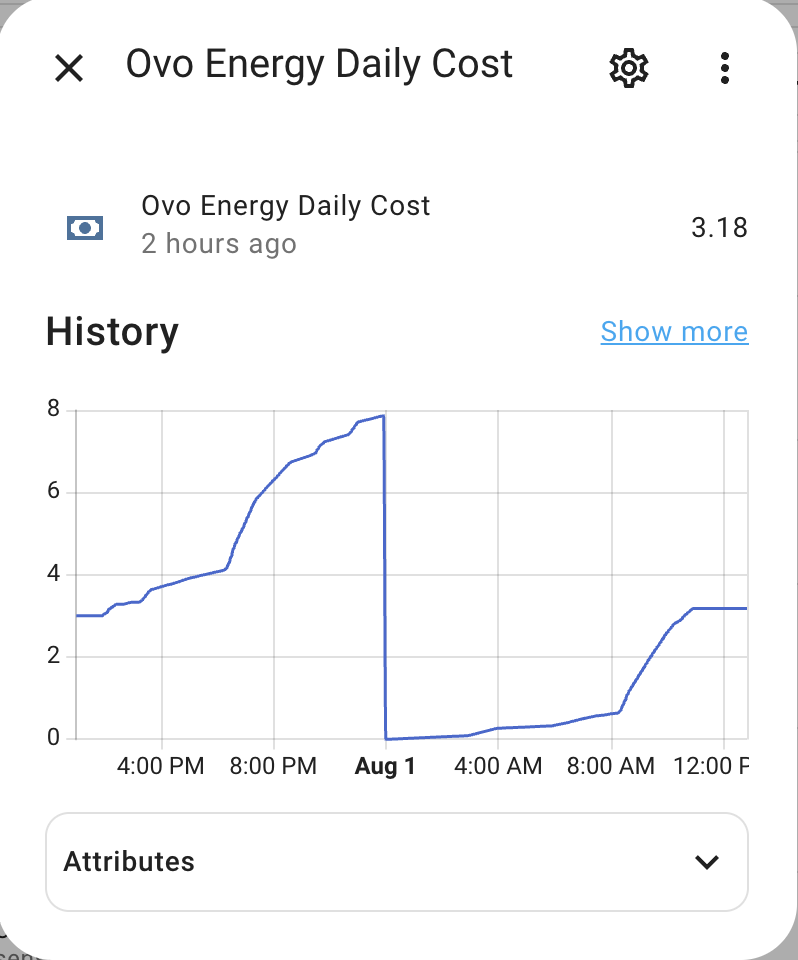
For interest, my current daily cost for last 24 hours. Very cold days here in Sydney so a bit of AC in morning and evening. Mid early morning bump (3am) is a boost to hot water heat pump before morning. It then turns off and does its main heat at 11am on 3 hours of free power.
 . I think because I was going one method but that changed to the method below which works well.