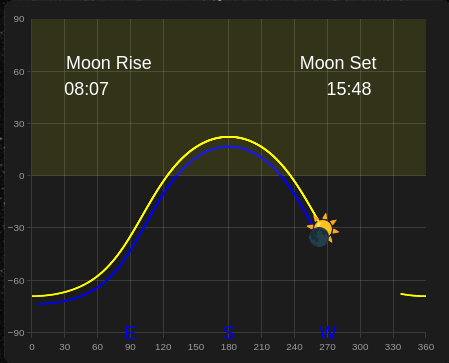
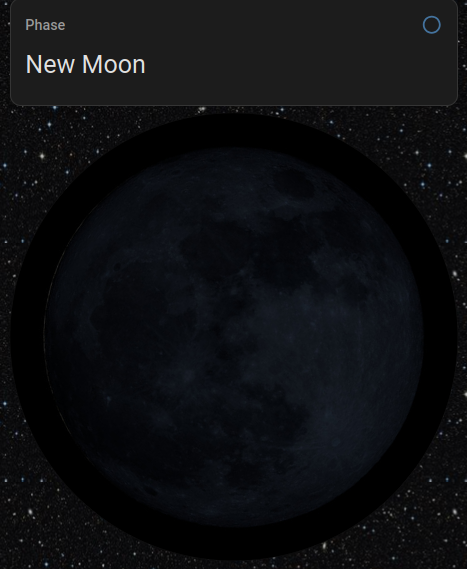
To calculate the Age of the Moon in days from the last New Moon.
It takes about 29.5 days for the Moon to go through a full cycle. Or, exactly 29.530588853 days, or 12.190749117535045° per day.
We can use the difference between the RA of the Moon and Sun (adjusted to range from 0° to 360°), divided by 29.530588853 days.
Example Moon-Sun Right Ascension Separation Angle Template Number Helper
{% set as = float(state_attr('sensor.planet_moon','RA'),0) - float(state_attr('sensor.planet_sun','RA'),0) %}
{% if as < 0 %}
{% set as = as + 360 %}
{% endif %}
{{ as }}
This gives us a simple formula for calculating the Age of the moon:
Example Calculation of Age of Moon in a Template Helper
{{ (float(states('sensor.moon_sun_separation')) / 12.190749117535045) | int(0) }}
Daily Moon Image
E.g. Place 30 daily images (named from Moon0 to Moon29) in your www/MoonPhaseImages folder on your Home Assistant server, and reference them as follows:
Example Daily Image Template Image in configuration.yaml
template:
  - image:
      - name: Moon Phase Daily Image
        unique_id: moon_phase_daily_image
        url: "http://homeassistant.local/local/MoonPhaseImages/Moon{{ states('number.age_of_moon') | int(0) | string }}.jpg"
        verify_ssl: False
And finally the parallactic angle and the rotating daily moon image. (You need your latitude and longitude for this formula - you can get it from zone.home if you have that defined:
{% set my_lat = state_attr('zone.home', 'latitude') %}
{% set my_long = state_attr('zone.home', 'longitude') %}
Moon Parallactic Angle
The Moon Parallactic Angle is the angle of the moon measured clockwise from the zenith (celestial North).
This is why you see the moon tilted in the sky, and it moves between moonrise and moonset.
The formula for the moon parallactic angle is:
Moon Parallactic Angle Formula
Q = atan(sinH/(tanphi * cosdelta - sindelta * cosH))

where:
    Q is the parallactic angle of the moon
    H is the Moon Hour Angle (in radians) at the observer longitude
    phi is the observer latitude (in radians)
    delta is the declination of the Moon (in radians)
As a Template Number:
Example definition of moon parallactic angle in a Template Number Helper
{% set daySs = 60*60*24 %}
{% set J1970 = 2440588 %}
{% set J2000 = 2451545 %}
{% set my_latitude = 44.2307 %}
{% set my_longitude = -76.4813 %}

{% set julian_date = ( as_timestamp(now()) / daySs )  - 0.5 + J1970 %}
{% set gmst_deg = (280.46061837 + 360.98564736629 * (jd - J2000)) % 360 %}
{% set GMST = (gmst_deg / 15) %}
{% set longitude_hrs = my_longitude / 15 %}
{% set latitude_radians = my_latitude * pi/180 %}
{% set LST = (GMST + longitude_hrs)  %}
{% set MLH = float(state_attr('sensor.planet_moon','RA'),0) / 15 %}
{% set H = (((LST - MLH) )/24) * 360 %}
{% set sinH = sin(H*pi/180) %}
{% set tanphi = tan(latitude_radians) %}
{% set Dm = float(state_attr('sensor.planet_moon','Dec'),0) * pi/180 %}
{% set cosdelta = cos(Dm) %}
{% set sindelta = sin(Dm) %}
{% set cosH = cos(H*pi/180) %}
{% set Q = atan(sinH/(tanphi * cosdelta - sindelta * cosH)) %}
{{ ( Q * 180/pi) | round(2) }}
Card-mod image rotation
Card-mod can be used to modify a picture entity card to rotate the image.
Card-mod example to rotate an image in a picture entity card configuration
    - type: picture-entity
      entity: image.moon_phase_daily_image
      card_mod:
        style: |
          ha-card {
            {% set angle = states('number.moon_parallactic_angle')|string + "deg" %}
            transform: rotate({{angle}});
            border: none
          }