Hi all,
I finally decided to upgrade to an RPi5 with HA OS and a SONOFF ZigBee 3.0 USB Dongle Plus, EFR32MG21 Coordinator and for a time, it was all working fine.
But this morning, my Zigbee network was completely unresponsive. I could not load a network map in Zigbee2MQTT and it looked like, although sensors were providing updates, routers were completely unresponsive. I restarted both HA and the Pi several times, unplugged the USB extension cable but nothing worked until a flashed the firmware of my Sonoff dongle to Revision: 8.0.2 [GA] and changed the serial adapter from ezsp to ember.
I really hope this holds in the coming days.
I still have 2 questions though:
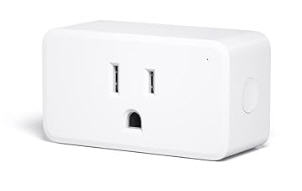
I have 18 devices, 5 of which are routers but they are not spaced well. ChatGPT is telling me I should add a few Zigbee smart plugs (Aqara or Hue) or wall outlets to have a stronger network, including one router close to my dongle, such that i have a router every 6 to 8 meters. What do you think of this ?
I still have loads of these errors on the HA OS console: ha cp210x ttyyUSB0: failed set request 0x12 status: -110
What’s causing this ? Should I be concerned or can I safely ignore it ?
Thank you both for your replies. I think I already knew that routers were important but placement is the issue here I think. Also, it looks like the coordinator shouldn’t be used as a router, and that’s new to me. Hence the necessity to have a router close to the coordinator.
I guess what I’m asking then is “What are known reliable and good quality Zigbee routers ?” Are Hue smart plugs and Aqara smart plug (SP – EUC 01) good options ? What about the Aqara Wall Outlet H2 EU, for a more discrete look ?
Also, regarding the USB error, could it be due to my extension cable which is 2m long ? I wanted to make sure I didn’t have interference from the USB3 port, Wi-Fi, wireless keyboard/mouse/headphones dongles, NVME, etc. But maybe I went too long ? I’ve read that 30cm is better ?
Yes, anything mains powered. Sticking with quality brands like Philips Hue and Aqara will help.
Do you have any PoE capable switches? If so, going with a PoE coordinator gets away from the potential USB issues and gives an extra level of redundancy since the coordinator doesn’t go down if your Pi5 does. I’m using the SMLight SLZB-06Mg26.
Slight correction to the above. Should be:
Anything mains powered and has a neutral wire plugged in.
There are quite a few mains powered devices with no neutral required or neutral optional. They are all end devices.
Some of them (like the Aqara H2 light switch) will flip from end device to router once you wire in a neutral.
Others will remain as end devices no matter if the neutral is wired in or not. (I’m looking at you, Z1 & Z1 Pro).
A few router items I have that have nicely spaced out in my home, and had other uses that were great.
#1. Third Reality Nightlights. I got a bundle of 2 at Black Friday cheap, but these things are awesome. I turn them red when I’m working in my office, they function as a nightlight, and they are a hard plugged router. Ultra useful.
#2. Smart plugs. IMO, Third Reality again here. A powered plug is going to give you pretty good routing, brand is probably not an issue here.
#3. INNR bulbs on amazon. There are bulbs that are routers if you have wifi bulbs you could replace them with. Beware, they are a router, but not a great router. Plugs and/or the nightlights would be a better choice.
Given your map, a few of those nightlights would really improve the network and you could find functions for them, that’s what I would look at.
I run 2 Zigbee networks in parallel because I prefer to keep all my Hue lights on a Hue Bridge Pro. I know running everything out of my Sonoff dongle would probably solve my routing issues since all bulbs would act as routers, but my family is used to the Hue app and I have to say that I also like it a lot. I use many of its more advanced features that are either not available or would be hard to implement in HA. I run them on channel 11 and 25 to keep them as separate as possible.
I’m about 97% sure that ttyyUSB0 is incorrect. Unless you edited the error, it should be ttyUSB0. You seem to have an extra “y” in your device path for some strange reason.
Paste your Z2M config here (hide the network key & any passwords).
Note that it is safer to use the long serial/by-id instead of the device path (ttyUSB0) for the port: config, since the latter is subject to change if you unplug the dongle.
The below is from the ZHA docs, but it applies equally well to any integration which uses a USB dongle, including Z2M
You really don’t have enough routers and need to add more.
You have massive interference, judging by the fact your keyboard is also suffering from it.
Either way, read the interference topic linked above. You didn’t say how long Z2M was working fine for you before this happened, so it could be either of those things.
I have bought 6 routers (one for each room), hopefully that will solve my issues !
As for my desk, it’s quite a hotspot of 2.4 GHz signals interfering with each other ! I have a wireless keyboard, mouse, headphones, 1 Hue bulb, 1 Hue lightstrip behind my monitors, a wired Raspberry Pi 5 with an NVME drive and the Sonoff dongle on an extension cable, a wired desktop computer with an external USB3 drive and a laptop on Wi-Fi. And on top of all that I live in an apartment complex with dozens of WiFi APs. I’m not sure I’ll ever be able to fully solve all interferences !
Lightweight. I have 62 ESP devices on my LAN and 46 Zigbee. I started to count the number of WiFi connections just in my workspace and I stopped counting at 20. WiFi “interference” is largely a myth. Your Zigbee problem is simply not enough routers.
USB3 Zigbee interference is a real thing. USB3.0 data produces RF energy inside the WiFi/Zigbee 2.4 GHz band. This makes the port an unintentional transmitter. The interference is broadband and continuous which raises the noise floor and can be strong enough to overwhelm Zigbee’s Clear Channel Assessment. The Zigbee radio in your coordinator thinks the channel is busy and refuses to transmit. Normal Zigbee and WiFi data transmissions are brief and the Zigbee protocol only has to wait a few milliseconds for the channel to be clear to transmit. This is why a shielded extension cable for the Zigbee coordinator is recommended.
So, everyone in the apartment is on the same router? The problem with this is that routers and APs have a limit to how many clients can be connected.