Aqara has released new firmware for the FP300 when used in Zigbee mode. However, if you are using this with Home Assistant and Zigbee2MQTT, there’s no automatic OTA update available inside of Home Assistant.
I wrote a blog post on how to use the Aqara app to update your FP300 to the latest firmware. It retains all Z2M and HA settings. Just takes a few minutes per device.
To my knowledge Aqara does not release the download URLs for their firmware. In addition, prior methods to root Android and intercept download URLs is now no longer viable due to changes in the Aqara app OS requirements, from what I’ve been told.
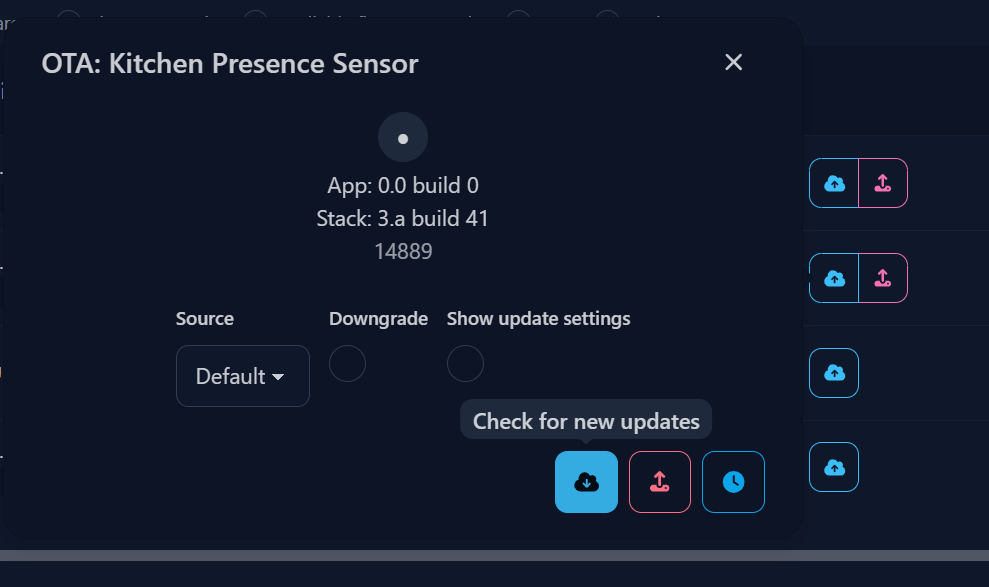
For anyone reading this in the future, OTA firmware update for the FP300 was made available via Z2M in the beginning of February.
Fair warning though, unless you’re experiencing issues, don’t rush to upgrade to Stack: 3.a build 41.
I had finally figured out the right combination of settings to get the FP300 working with no false positives or negatives on both the PIR & the MMWave side using the previous firmware.
On the new firmware, the PIR constantly reports false positives on any sensitivity setting, while the MMWave reports false negatives on low (which it was set to on the previous firmware).
I was wondering but had not really researched it yet why all of a sudden my FP300 PIR was constantly reporting false positives. It is happening every 1 minute. Driving me crazy. I had switched to Matter to try something and then switched back to Zigbee a few days ago. That’s what I get for messing with something that was working pretty well.
Have you ever figure how to fix the false positives on PIR on Stack 3.a build 41 ?
Do you have any clue if there is a way to downgrade from 0.0.0_5841 to
0.0.0_5234 ? I tried to find a copy of the firmware but can’t find it anywhwe.
I have 2 of those I bought in november running 0.0.0_5234 wich runs perfectly well for me but just received 2 new ones with 0.0.0_5841 wich creates false positive every now and then.,
0% success for me. "z2m: Failed to check if OTA update available for 'Master Bedroom Closet Presence' (Device didn't respond to OTA request)" no matter what I do.
Follow my steps above. If that doesn't work, flip steps 3 & 4. You'll know if the device has woken up when you press the button, because the blue LED will blink a couple of times.