Hi Community Users,
We’ve heard many of you requesting Remote Test, Remote Mute, and Siren features that were previously only available on the newer HS1SA-E Plus model. To best support our users and extend the life of your current hardware, we are releasing an optional firmware update for the original HS1SA-E.
If you would like to plug and play, please try to buy HS1SA-E Plus, this post is only for who already had HS1SA-E.
This update bridges the gap between models by enabling several highly requested features.
What’s New
Once updated, your HS1SA-E will support:
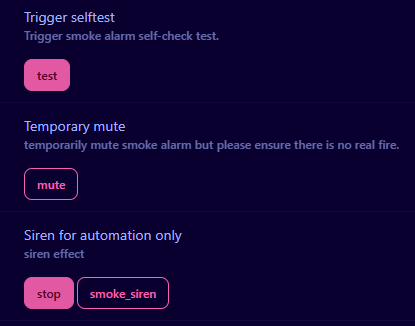
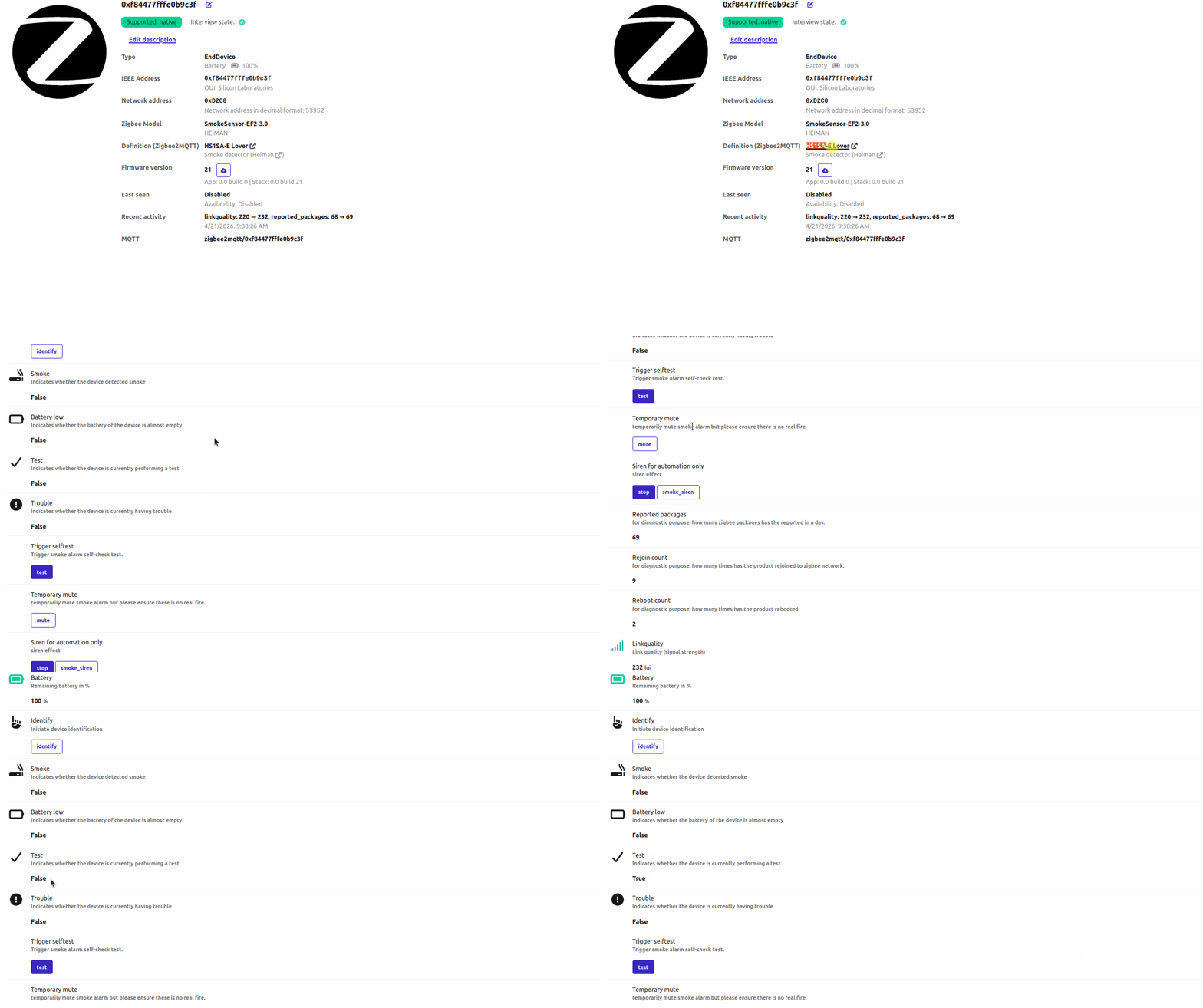
- Remote Test: Trigger a self-test via Home Assistant without needing physical access to the device.
- Remote Temporary Mute: Silence the alarm remotely during false triggers.
- Smoke Siren Activation: Manually trigger the siren for use in automations (e.g., as part of a home security system).
- Identify Device: Easily locate a specific sensor via visual/audible feedback.
Compatibility & Requirements
- Manufacturing Date: This firmware is intended for units manufactured in 2022 or later.
- Recommendation: For the best stability, we strongly recommend testing this on devices manufactured after 2024.
- Battery Impact: Please note that enabling these remote features will increase battery consumption. While the device remains energy-efficient and should still last for years, the battery life will be shorter than the original “low-power” factory state.
Note: Please ensure you have a stable Zigbee/network connection before initiating the update to prevent any interruptions.
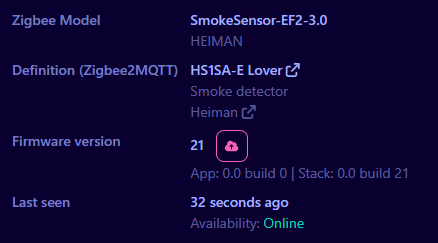
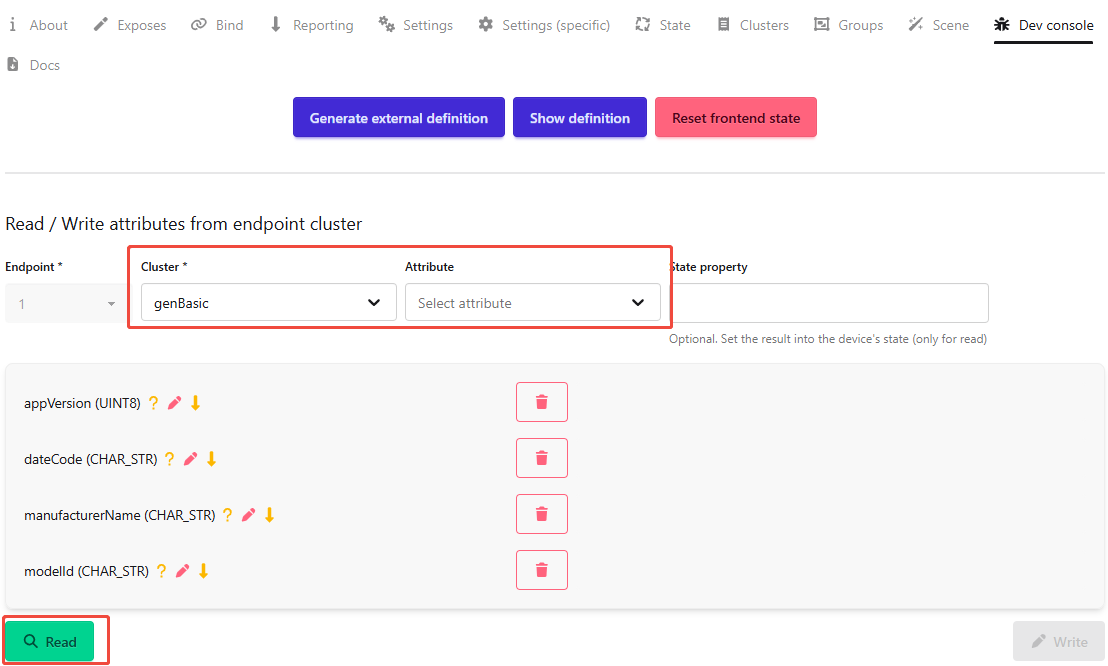
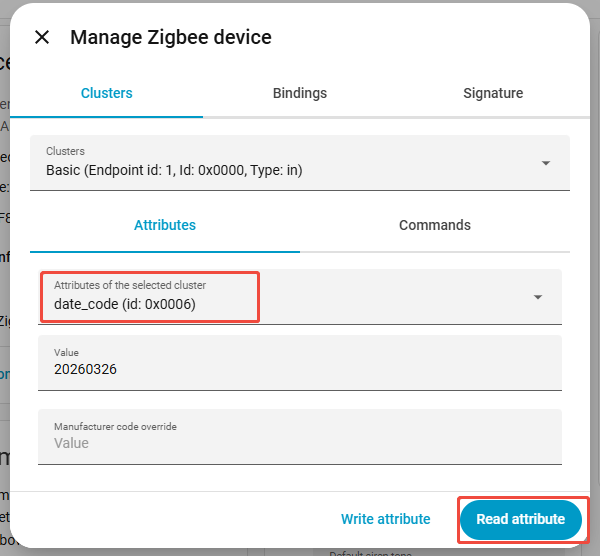
How to check the datecode, version and models?
with Z2M:
with ZHA:
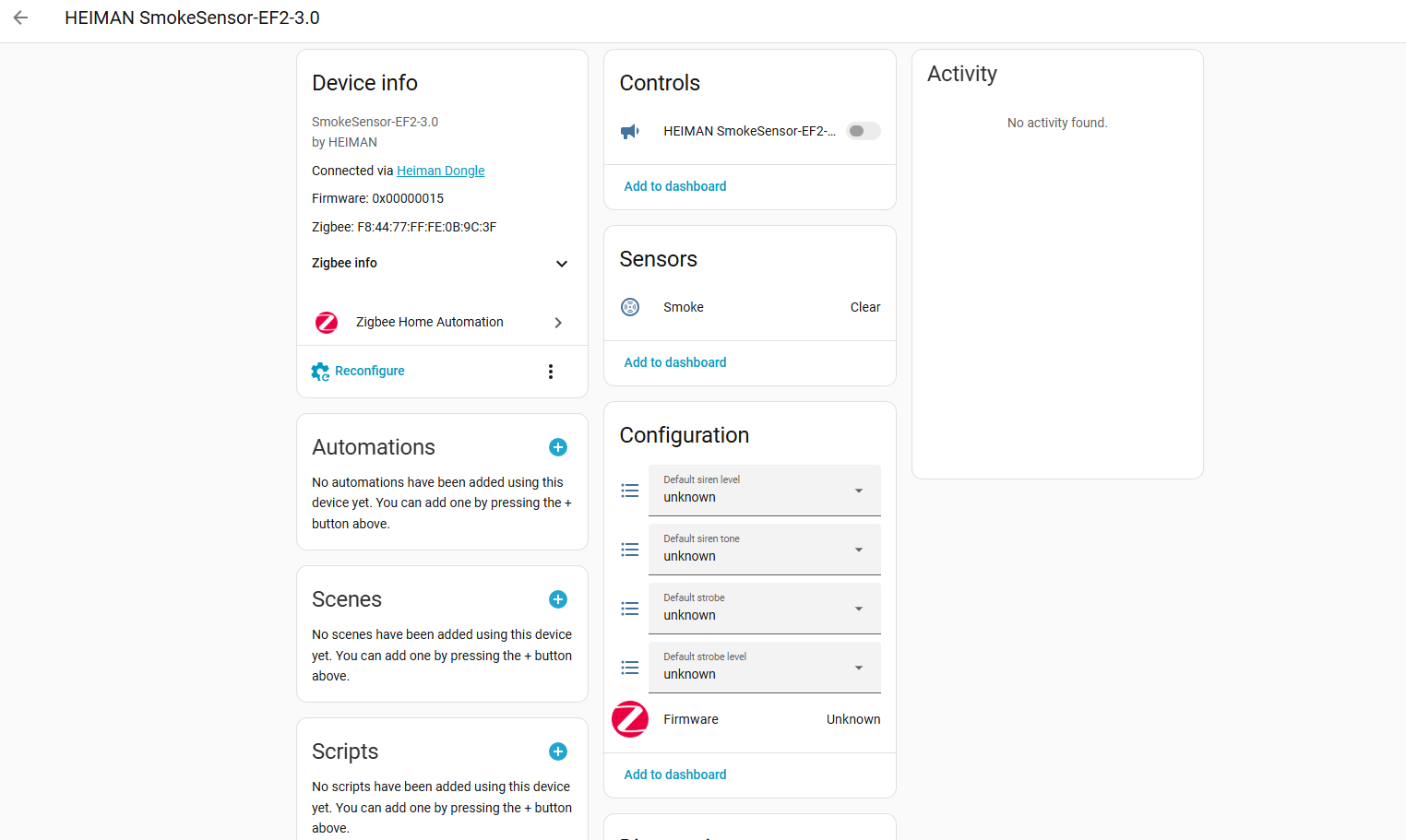
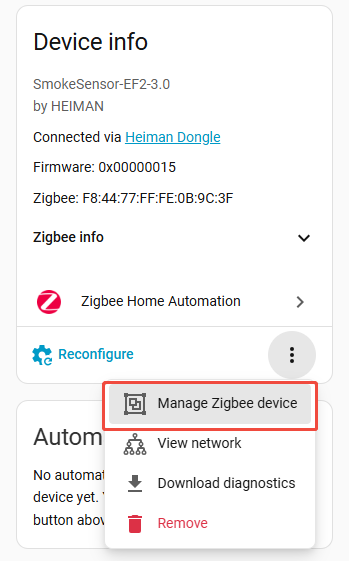
Please read the Datecode, version, manufacture name and model separately:
How to update your HS1SA-E?
once your HS1SA-E satisfy the prerequisite, you can try to update it in Z2M or ZHA.
Note: currently, we only provide the firmware locally, so that will not affect others products, you need to update it in your local setup.
Z2M:
ZHA:
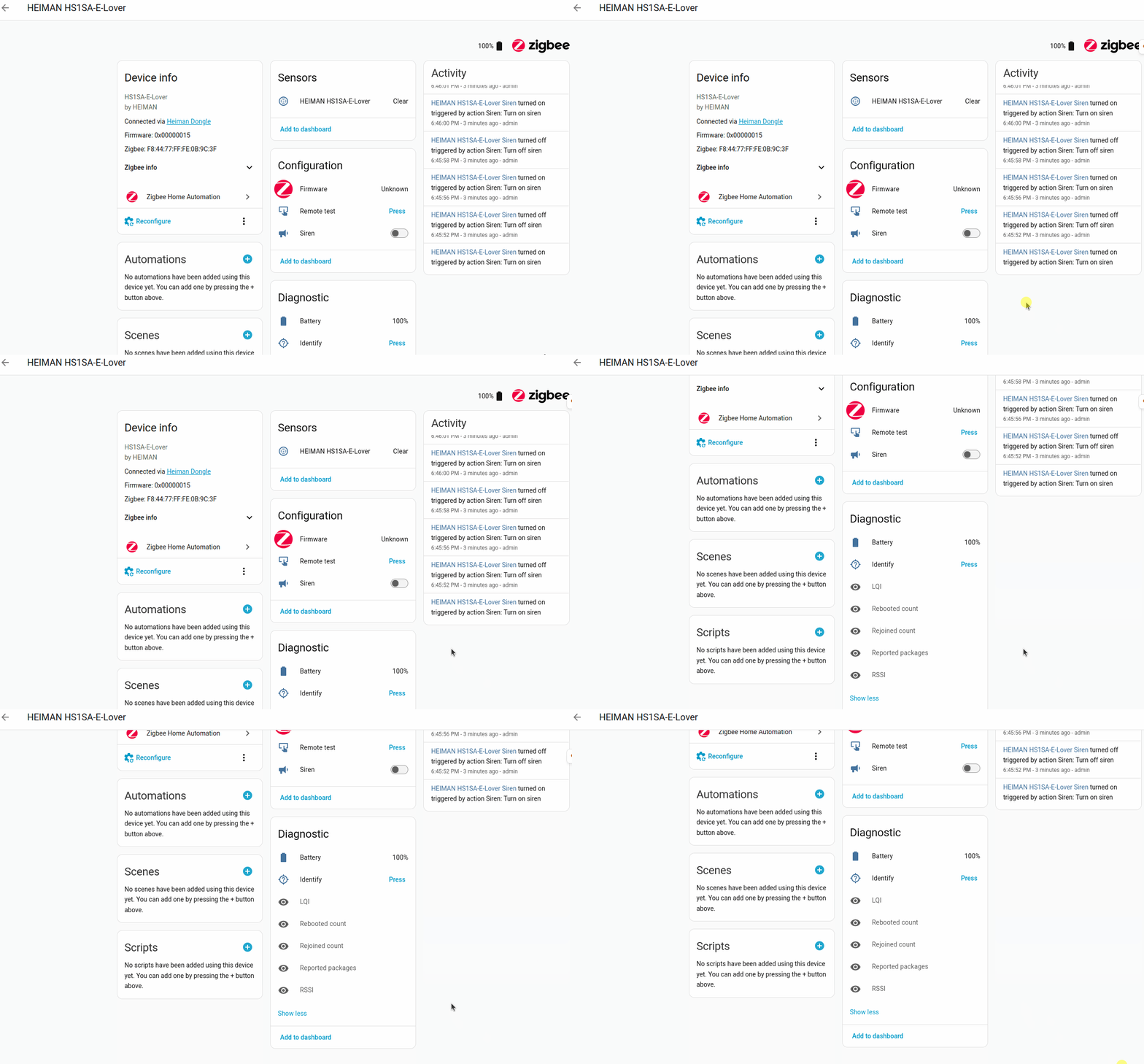
How to use it?
Z2M:
ZHA:
It has supported with HAOS 2026.7, please update your HA and you are all set.
How to download the ota firmware
Since many users are interested in this update and the firmware has been working well for those who have tried it, we’ve made it available on Google Drive and GitHub.
You can now download the firmware directly without having to request it from us.
Google Drive download link:
GitHub download link:
if you are interesting it, please leave you comments below.