For some time now, tokens have been expiring every two days. Is this the case for you too? How can I fix this?
Hey there!
New feature added, you can now reset triggered areas using the provided alarm_reset service.
Feedbacks are welcome!
Good morning,
I always get this error.
- Unable to prepare setup for platform inim_smartliving_alarm.alarm_control_panel: Platform not found (cannot import name ‘AlarmControlPanelState’ from ‘homeassistant.components.alarm_control_panel’ (/usr/src/homeassistant/homeassistant/components/alarm_control_panel/init.py)).
I have a 1050 with SmartLAN/SI.
Can you help me?
Thanks.
Did you rename the folder where you downloaded the component files?
Hi all,
I am considering purchasing an INIM system (I think the Prime model).
Has anyone managed to integrate it with Home Assistant to view the entities with the status of the control panel and sensors?
I read that “Inim Ethernet and Wi-Fi cards offer the possibility to connect intrusion detection control panels to the LAN/Internet network, integrating and managing home automation and KNX Building Management System functions, both locally and remotely” furthermore, “In addition to real-time notifications of control panel events, including via email, when connected to monitoring stations, SmartLAN and PrimeLAN cards also provide access to advanced features such as ONVIF video surveillance system management and the use of interactive graphic maps of the security and building automation system with customizable buttons and icons.”
Home Assistant offers native KNX integration, has anyone tried it?
Thanks in advance to anyone who can answer.
it can be obtained from INIM directly, but requires signing an NDA.
I went that path and and got to the point of receiving the actual NDA to sign…
I wanted to have REAL TIME sensors via modbus. Before that I even tried scanning all addresses to try to reverse engineer somethign there. I did find a random sensor and it was consistent and fast. but it became to weird and aborted.
but, in the end, I got info from @thekoma of an integration called MINIM.
I’m using it. sensors are too slow (not for real time detection / actions such as turn light on etc), but it works really well for the arming / disarming.
now, alarms are armed automatically whenever there’s nobody home.
I managed to configure the Minim addon, but I had some trouble because I had to retrieve the client ID. Contrary to what is stated in the addon tutorial, at least in my case, it can’t be just a random name.
I am using a SmartLANg.
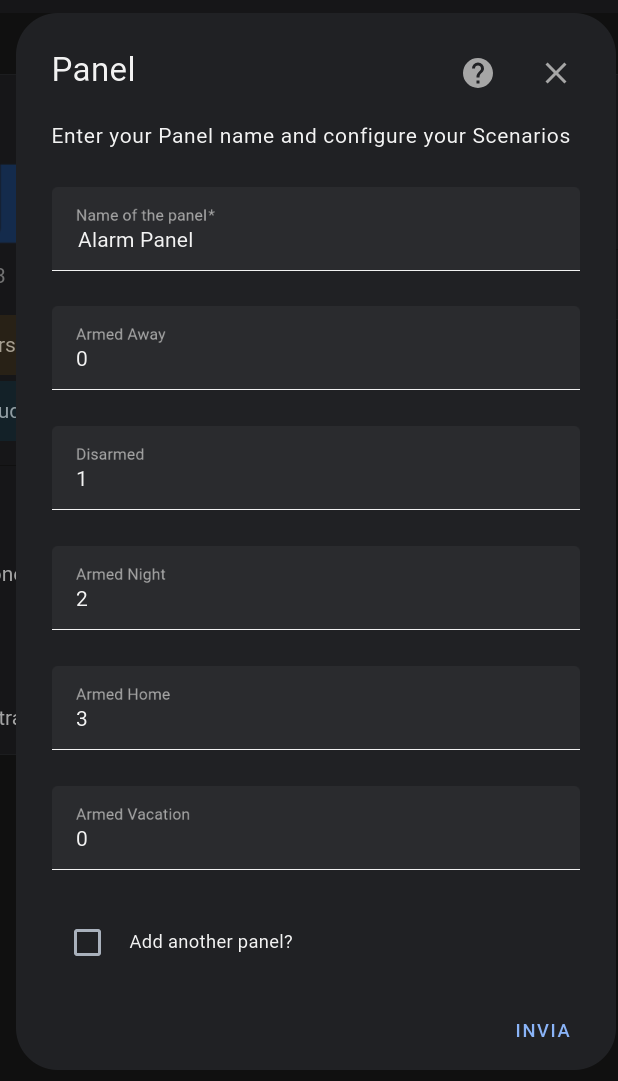
I am missing the step on how to add scenarios; for now, I have only managed to retrieve all the sensors. Maybe it’s because I can’t understand what is required in the second panel of the configuration, which I am attaching to this post.
Can anyone help me understand how to configure and activate scenarios using this addon? I am still using the REST system, but it isn’t very user-friendly.
P.S I answer to my own question . The numbers on the “panel” window rappresent teh scenarios number in the inim lan card. I retrived it sniffing the traffic from smartlan G , another option will be simple go go by trial and error
I can privately share the modbus list
How i can get the DeviceID? Following the instrucion I get an error. Obvously username and password are ok.
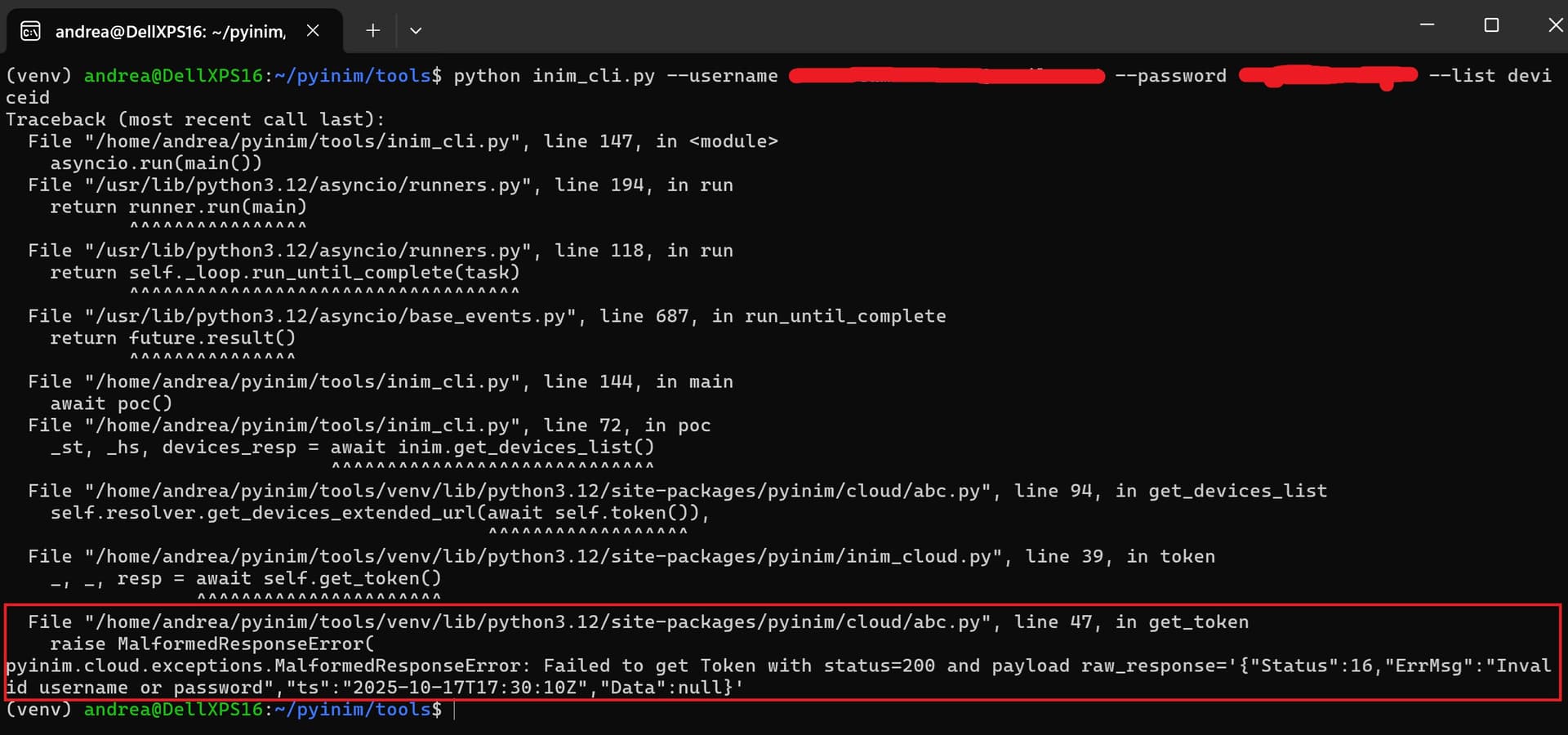
Have you tried following these steps?"
Inim Alarm - #62 by Nikitarex?
Yes, following the steps suggested by Nikitarex, the DeviceID results a six-digit number, while the ClientID results similar to thisd one: unknown-1a234bcd5e67f89g-0-free. Using these parameters minim alarm does not works. The error is: “Invalid username/password or clientId”.
Any suggestions?
Searching for “client ID” returned the following information:
The term “inim clientid” refers to the unique code that identifies an authorized installer in Inim’s cloud system. This ID is used to access the InimTech Security app and manage clients and installations remotely, as described on Inim Electronics. It is a personal identifier for the installer and can be associated with a profile picture, as indicated on Inim Electronics.
What it is: A unique identification code for installers in the Inim cloud system.
What it’s used for: To access the InimTech Security app and manage clients and installations remotely.
Where it can be found: In the installer’s profile within the InimTech Security app.
Associated functionalities: Using this ID allows the installer to view alarms and faults, manage installations, and utilize geolocation for maintenance interventions, as shown on Inim Electronics.
I also tried to find out whether installer information is provided via SmartLeague software. Minim’s creator stated that any name could be used as a client ID, but this was not the case for me.
Ciao, sto cercando di importare il tuo script, ma mi da questo errore
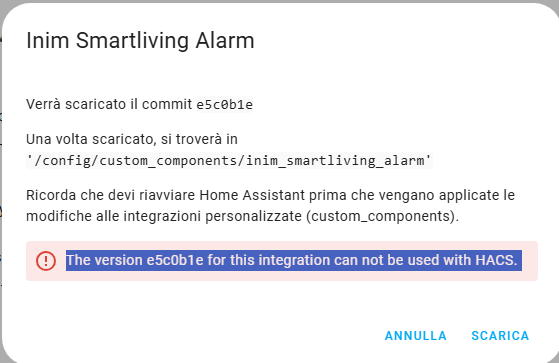
With the new 2025.11 update, the Minim integration broke. I think I managed to fix it. I’ve submitted a pull request in the meantime — feel free to check it out here:
You have to download and install the integration manually.
from the readme:
- Download the latest release inim_smartliving_alarm folder (or clone the repository) into your config/custom_components folder.
- Restart Home Assistant.
P.S. This is an English forum. If you want to have a better chance of getting help, please write in English. You can use a translator if needed.
Questo è un forum Inglese se vuoi avere maggiori chance di avere una risposta dovresti scirvere in Inglese se necessario facendo ricorso a un traduttore
Problem solved, the malfunctionig was generate by the symbol “&” in my password. I changed the password, and the login now it’s correctly working.
The remaining issue is that I have a INIM Prime and seem that this is not supported.
Good Evening, I’ve managed to install the integration and to connect it to my Smartliving 515 and read all the zones, areas, …
I receive an error when trying to activate various Scenarios via HA: Failed to disarm (w-) for ‘Inim Smartliving’. Check panel.
What panel should I check? Any hint how to solve it?
Hi @claustro
I have a sicurit alarm, it’s a rebrand of inim alarm.
Have you a trick to modify yaml code (https://intrusion.sicuritcloud.it/ instead https://my.inimcloud.com/)?
Thk a lot
Thanks for the valuable information. I tried this method and it works. The only problem is that it doesn’t force the thermostat temperature update. I have a JOY MAX and it would be helpful to know the command to update the thermostat as well. With the call “https://api.inimcloud.com/?req={“Params”:{“DeviceId”:<id_of_alarm_system>,“Type”:5},“Node”:”“,“Name”:“Inim Home”,“ClientIP”:”“,“Method”:“RequestPoll”,“Token”:,“ClientId”:,“Context”:“intrusion”}” everything is updated except the peripheral voltages and the thermostat temperature.