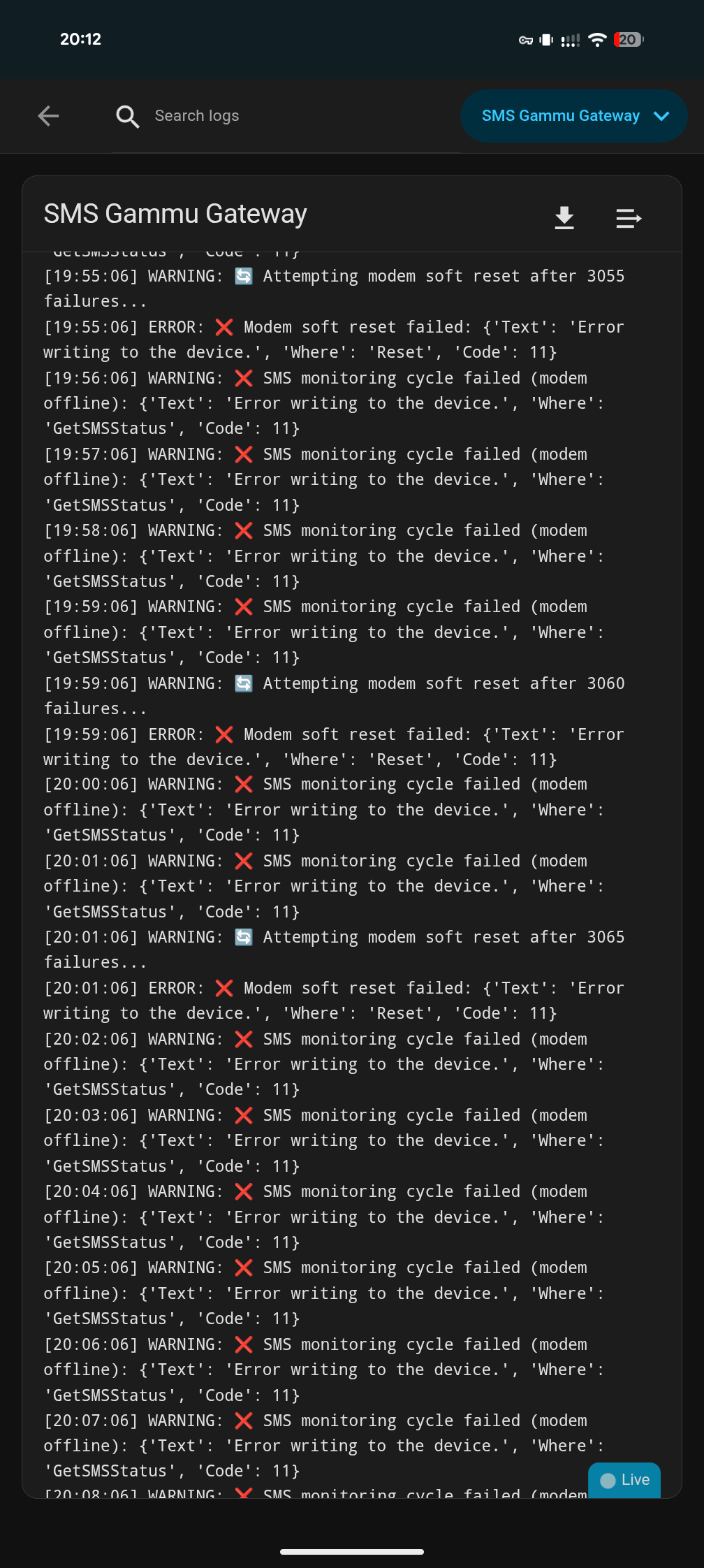
Hi, this addon was working perfectly for me for a few weeks (thanks, it,'s great)! Then yesterday lunchtime, it just went offline and no amount of prodding, poking restarting etc. has sorted me out. Can anyone help?
Hi,
Hard to say why it suddenly stopped working — if it was running fine for weeks, something in the setup likely changed.
It could be that the USB interface changed after a reboot, or the SIM card storage filled up and the modem failed. Try fully powering off and on the hardware where Home Assistant is running (not just restarting the add-on, or HA).
Once it comes back online, send the startup log of the add-on — that will help more.
I use the Docker version of Home Assistant. These solutions seem like add-ons. Is there a viable alternative that can be used as an integration with the Docker version?
Hi,
It did it again… It runs for a good few days and then the modem just goes offline and needs a system reboot to bring it back.
Startup log below.
Thanks
[13:25:32] INFO: Starting SMS Gammu Gateway…
[13:25:32] INFO: Device path: /dev/serial/by-id/usb-SIMCom_Wireless_Solution_A76XX_Series_LTE_Module_200806006809080000-if04-port0
[13:25:32] INFO: Port: 5000
[13:25:32] INFO: Starting SMS Gateway on port 5000…
[13:25:33] INFO:  Loaded SMS counter from file: 60
[13:25:33] INFO: MQTT: Client ID: sms_gateway_06c5e726-sms-gammu-gateway, Using authentication with username: ‘abc1’
[13:25:33] INFO:  MQTT Last Will set: all entities will be unavailable if connection lost
[13:25:33] INFO: Connecting to MQTT broker: core-mosquitto:1883
[13:25:33] INFO: Connected to MQTT broker
[13:25:33] INFO: Published availability: online
[13:25:33] INFO: Published MQTT discovery configurations including SMS send button
[13:25:33] INFO: Published initial text field states: cleared both phone and message fields
[13:25:33] INFO: Published initial status states (send_status: ready, delete_status: idle)
[13:25:34] INFO: Subscribed to SMS send topic: homeassistant/sensor/sms_gateway/send
[13:25:34] INFO: Subscribed to SMS button topic: homeassistant/sensor/sms_gateway/send_button
[13:25:34] INFO: Subscribed to reset counter topic: homeassistant/sensor/sms_gateway/reset_counter_button
[13:25:34] INFO: Subscribed to delete all SMS topic: homeassistant/sensor/sms_gateway/delete_all_sms_button
[13:25:34] INFO: Subscribed to text input topics: homeassistant/sensor/sms_gateway/phone_number/set, homeassistant/sensor/sms_gateway/message_text/set, homeassistant/sensor/sms_gateway/phone_number/state, homeassistant/sensor/sms_gateway/message_text/state
[13:25:34] INFO: Received MQTT message on topic homeassistant/sensor/sms_gateway/message_text/state:
[13:25:34] INFO: Message text synced from HA state:
[13:25:37] INFO: Gammu machine set for MQTT SMS sending
[13:25:39] INFO: Published initial modem status: offline (waiting for first successful communication)
[13:25:39] INFO:  Modem: ONLINE (after 0 failures)
[13:25:39] INFO: Published signal strength to MQTT: 45%
[13:25:39] INFO: Published network info to MQTT: T-Mobile UK
[13:25:39] INFO: Skipping empty SMS state publish (preserves last SMS across restarts)
[13:25:40] INFO: Published modem info to MQTT: INCORPORATED (‘unknown’, ‘A7670E-FASE’)
[13:25:41] INFO: Published SIM info to MQTT: IMSI=234405564125548
[13:25:41] INFO: Published SMS capacity to MQTT: 0/20
[13:25:41] INFO: Published initial states to MQTT
[13:25:41] INFO: Started MQTT periodic publishing (interval: 300s)
[13:25:41] INFO:  Started SMS monitoring (check every 60s)
[13:25:42] INFO: Published signal strength to MQTT: 45%
[13:25:43] INFO:  SMS monitoring cycle OK: 0 messages on SIM
[13:25:43] INFO: Initial SMS check: 0 total SMS on SIM
[13:25:43] INFO: No unread SMS messages to publish
[13:25:43] INFO: Published network info to MQTT: T-Mobile UK
[13:26:43] INFO: SMS monitoring cycle OK: 0 messages on SIM
[13:27:44] INFO: SMS monitoring cycle OK: 0 messages on SIM
[13:28:45] INFO: SMS monitoring cycle OK: 0 messages on SIM
I didn’t make a dedicated Docker version of this. As an alternative, you could try running pajikos/sms-gammu-gateway directly in Docker. It provides a standalone SMS gateway with a REST API and MQTT, which you can then integrate with Home Assistant (Docker) yourself.
Thanks for the detailed analysis — this is very likely pointing to the root cause.
One important thing that stands out is the USB interface you’re currently using:
/dev/serial/by-id/usb-SIMCom_...-if04-port0
On SIMCom A76xx / A7670 modems, the device exposes multiple USB serial interfaces, each with a different purpose:
- if00 / if01 / if02 / if03 → AT command & modem control ports
- if04 → GNSS / NMEA / diagnostic port
The if04 interface is not intended for AT command traffic or SMS handling and is known to be less stable for continuous polling. Using it for Gammu (especially with regular GetSMSStatus checks) can lead to exactly the behavior you’re seeing: the modem appears offline and eventually stops responding to writes.
Recommendation
I would strongly suggest trying a different interface, ideally one of the AT ports:
/dev/serial/by-id/usb-SIMCom_...-if02-port0
or
/dev/serial/by-id/usb-SIMCom_...-if03-port0
You can list all available interfaces with:
ls -la /dev/serial/by-id/*A76XX*
Then update the configuration to use one of the AT ports instead of if04.
Why this matters
- The GNSS/NMEA interface (
if04) may suspend or stop responding - AT ports are designed for stable, long-running command sessions
- Switching to the correct port often resolves random “modem offline” and write errors without any other changes
If the issue persists after switching ports, the next thing to look at would be USB power management (autosuspend), but based on the device path alone, the port selection is already a likely cause.
You read my mind. I found sms-gammu-gateway and created a small Home Assistant integration (which I hope to upload to GitHub soon) that allows you to interact with sms-gammu-gateway without writing code to send and receive text messages. It’s working well so far; I’m just finishing testing it.
Thanks so much for the assistance.
I have available:
/dev/serial/by-id/usb-SIMCom_Wireless_Solution_A76XX_Series_LTE_Module_200806006809080000-if02-port0
/dev/serial/by-id/usb-SIMCom_Wireless_Solution_A76XX_Series_LTE_Module_200806006809080000-if03-port0
/dev/serial/by-id/usb-SIMCom_Wireless_Solution_A76XX_Series_LTE_Module_200806006809080000-if04-port0
/dev/serial/by-id/usb-SIMCom_Wireless_Solution_A76XX_Series_LTE_Module_200806006809080000-if05-port0
I get a bad gateway error when I use if02 and if03. if04 was obviously working (but not very well).
I am now connected on if05 and it appears to be working. As a bonus, I also appear to be able to receive SMS messages now (it wasn’t working when I was connected to IF04, but I didn’t need it to work, so thought nothing of it).
Is there a way to be sure if05 is the correct port - or should I just wait and see?
Again, many thanks for your assistance and this great addon!
if you got anything, please share 
Here’s a simple integration that allows you to use pajikos/sms-gammu-gateway from Home Assistant, managing it directly from the GUI:
https://github.com/array81/gammu-gateway
You can both send and receive SMS. It seems to work, but if you find any bugs, please report them. Obviously, for it to work, you need to first install pajikos/sms-gammu-gateway (also via Docker).
Thanks for the detailed feedback, and I’m glad to hear you’re using and enjoying the add-on 
I’m not sure there’s a simple, universal way to definitively identify the “correct” port, as this can vary depending on the hardware and firmware. The best reference is usually the hardware or modem manual from SIMCom, where the purpose of each interface should be clearly documented.
That said, based on your experience, if if05 is more stable and also enables SMS functionality, it does sound like a better choice than if04. In practice, sticking with the port that behaves reliably is often the best approach.
Thanks, I will keep an eye on it. The documentation for the modem doesn’t seem to make it clear!
Ok, still plagued by failures (modem going offline)
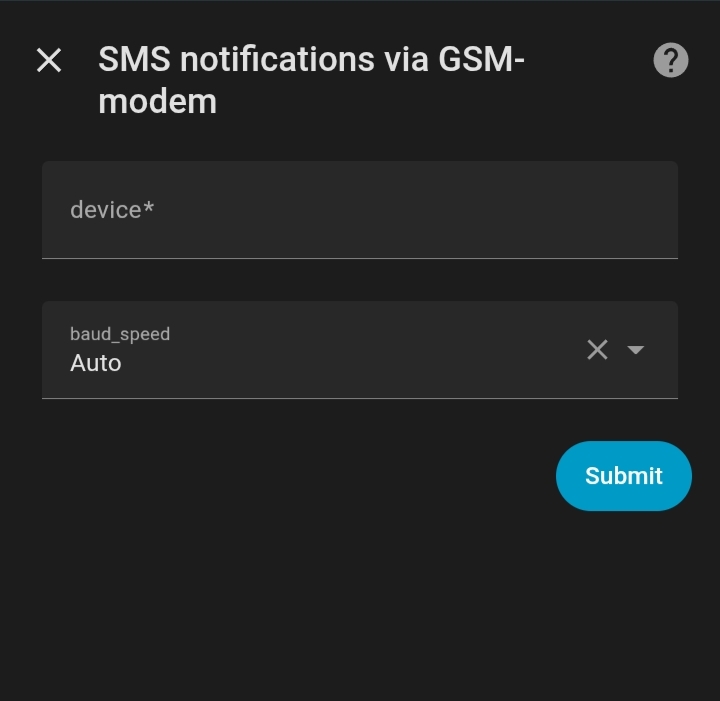
I eventually found in the documentation that I should be connecting to if02 which is the stable AT command port. My HA system sees the if02 port, but when I try and connect to it, I get the below. Only suggestion from internet searching is an incompatible baud rate (think it should be 115200). Don’t know if that’s setable?
Very annoying!!
[07:48:53] INFO: Starting SMS Gammu Gateway…
[07:48:53] INFO: Device path: /dev/serial/by-id/usb-SIMCom_Wireless_Solution_A76XX_Series_LTE_Module_200766006809080000-if02-port0
[07:48:53] INFO: Port: 5000
[07:48:53] INFO: Starting SMS Gateway on port 5000…
[07:48:53] INFO: Loaded SMS counter from file: 83
[07:48:53] INFO: MQTT: Client ID: sms_gateway_06c5e726-sms-gammu-gateway, Using authentication with username: ‘xxx’
[07:48:53] INFO: MQTT Last Will set: all entities will be unavailable if connection lost
[07:48:53] INFO: Connecting to MQTT broker: core-mosquitto:1883
[07:48:53] INFO: Connected to MQTT broker
[07:48:53] INFO: Published availability: online
[07:48:53] INFO: Published MQTT discovery configurations including SMS send button
[07:48:53] INFO: Published initial text field states: cleared both phone and message fields
[07:48:53] INFO: Published initial status states (send_status: ready, delete_status: idle)
[07:48:54] INFO: Subscribed to SMS send topic: homeassistant/sensor/sms_gateway/send
[07:48:54] INFO: Subscribed to SMS button topic: homeassistant/sensor/sms_gateway/send_button
[07:48:54] INFO: Subscribed to Flash SMS button topic: homeassistant/sensor/sms_gateway/send_flash_button
[07:48:54] INFO: Subscribed to reset counter topic: homeassistant/sensor/sms_gateway/reset_counter_button
[07:48:54] INFO: Subscribed to delete all SMS topic: homeassistant/sensor/sms_gateway/delete_all_sms_button
[07:48:54] INFO: Subscribed to text input topics: homeassistant/sensor/sms_gateway/phone_number/set, homeassistant/sensor/sms_gateway/message_text/set, homeassistant/sensor/sms_gateway/phone_number/state, homeassistant/sensor/sms_gateway/message_text/state
[07:48:54] INFO: Received MQTT message on topic homeassistant/sensor/sms_gateway/phone_number/state:
[07:48:54] INFO: Phone number synced from HA state:
[07:48:54] INFO: Received MQTT message on topic homeassistant/sensor/sms_gateway/message_text/state:
[07:48:54] INFO: Message text synced from HA state:
Error initializing device: {‘Text’: ‘No response in specified timeout. Probably the phone is not connected.’, ‘Where’: ‘Init’, ‘Code’: 14}
Available devices:
/dev/tty
/dev/tty0
Traceback (most recent call last):
File “/app/run.py”, line 130, in
/dev/tty1
/dev/tty10
/dev/tty11
/dev/tty12
/dev/tty13
/dev/tty14
/dev/tty15
/dev/tty16
/dev/tty17
/dev/tty18
/dev/tty19
/dev/tty2
/dev/tty20
/dev/tty21
/dev/tty22
/dev/tty23
/dev/tty24
/dev/tty25
/dev/tty26
/dev/tty27
/dev/tty28
/dev/tty29
/dev/tty3
/dev/tty30
/dev/tty31
/dev/tty32
/dev/tty33
/dev/tty34
/dev/tty35
/dev/tty36
/dev/tty37
/dev/tty38
/dev/tty39
/dev/tty4
/dev/tty40
/dev/tty41
/dev/tty42
/dev/tty43
/dev/tty44
/dev/tty45
/dev/tty46
/dev/tty47
/dev/tty48
/dev/tty49
/dev/tty5
/dev/tty50
/dev/tty51
/dev/tty52
/dev/tty53
/dev/tty54
/dev/tty55
/dev/tty56
/dev/tty57
/dev/tty58
/dev/tty59
/dev/tty6
/dev/tty60
/dev/tty61
/dev/tty62
/dev/tty63
/dev/tty7
/dev/tty8
/dev/tty9
/dev/ttyAMA10
/dev/ttyUSB0
/dev/ttyUSB1
/dev/ttyUSB2
/dev/ttyUSB3
/dev/ttyUSB5
/dev/ttyprintk
machine = init_state_machine(pin, device_path)
^^^^^^^^^^^^^^^^^^^^^^^^^^^^^^^^^^^^
File “/app/support.py”, line 33, in init_state_machine
sm.Init()
gammu.ERR_TIMEOUT: {‘Text’: ‘No response in specified timeout. Probably the phone is not connected.’, ‘Where’: ‘Init’, ‘Code’: 14}
install python-gammu

Thanks Pavel for the add-on, working fine with my Huawei E3272.
@pavelve :
After changing from version 1.5.6 to 1.5.7 everything is PERFECT!!! No more constant restarts triggered from my automation when status =“offline” and no more errors in logs!!! Many restarts of HA since the version switch and many hours of constant “online” state Thank you very much!!!
 ANNOUNCEMENT
Instant SMS delivery  and real-time incoming call
  detection are here! No waiting, no polling — events arrive the moment they happen.
Maybe a stupid question, but the information above looks like really difficult.
My question: i run Home Assistant OS on a raspberry pi 5.
What do i need to do for just receiving sms texts triggered from a node red flow? I don’t have a usb dongle etc, and i’m not fimular with editing codes etc.
You could try my APP (former called add-on) SMS_GATEWAY
I just delivered a new 2026 up to date version