Dear team,
I am new to home assistant world, and I want to en large my home automation.
I have a KNX automation, with 1home bridge, connected to my AppleTV as a hub, and all my automation and commands are done through the Home application from Apple.
I purchased a raspberry Pi and installed Home assistant. The issue now is on the setup and configuration, I have tried many guides and tutorials but unsuccessful.
I have a Unifi Setup also, and my network devices are on Vlans.
The 1home bridge is on Vlan 20, and my Raspberry Pi on main Vlan 1. I still can’t integrate KNX to home assistant, I have also tried to change Raspberry Pi IP to Vlan 20, but still same issue. I don’t know from where to start and what is going wrong.
Thanks and best regards
Soulimane
Start by looking into logs and sharing those details. If something fails during setup it should show why in the logs. If you don’t have full oversight and control of your vlan setup it’s going to be an issue too, HA is designed for a flat home network.
Dear Sir, thanks for the quick reply.
I will try to setup again, make screenshots and share logs and errors, definitely it will help to guide.
Best regards
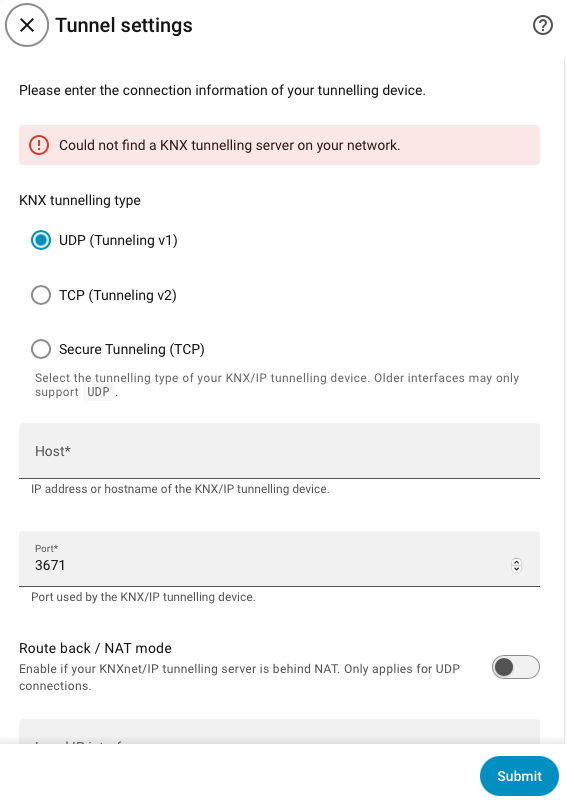
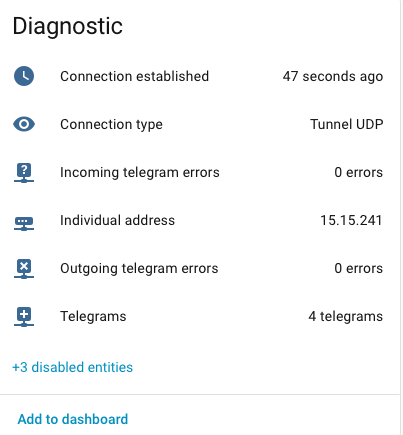
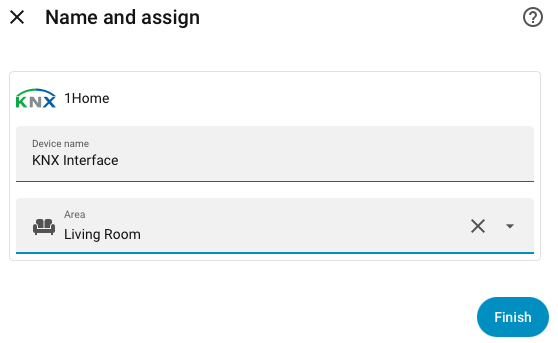
What’s the issue? To me it seems the integration set up correctly.
I have seen in guides and tutorials, I should see the KNX on left bar, and get pop up window to upload my ETS project. Now, should I add each device separately? or once connected to KNX, I can see my devices?
Hi, welcome to the forum!
I would advice you to start with the basics and VLAN’s and HA require that you know what you are doing.
To be able to control your KNX from HA, you need a way to connect them.
Does your KNX have it’s own IP interface or is the 1home bridge fully responsible for access to your setup over the network?
Have you seen this: KNX - Home Assistant
Are those recent guides/tutorials?
Use the official documentation that I linked to.
No, KNX does not appear in the sidebar.
It lives under sidebar → Settings → Connectivity

Hi Nick, many thanks for the support.
I found the KNX where you have mentioned, and tried to add an entity, light, and it works great., I was completely lost at the beginning, now it is clear.
I highly appreciate your efforts, guides and suggestions guys, many thanks.
I am still trying to configure more and do some scenario, I will not hesitate to ask again.
Best regards
You were right, configuration was ok, I was lost and don’t know how and where to check if it is set properly, many thanks.
Good you got it solved!
Please take the time to mark the post that holds the solution.
You do that by selecting the three dots under the post:

Then select the check box:

By doing so:
- this thread can be useful to other users as well (this thread comes up as solution when starting a thread which is similar to yours).
- this prevents that someone else steps in trying to help
Thanks for giving back to the community! 