I am running the below
LocalTuya - Version 2025.10.0
Installation method -Home Assistant OS
Core -2025.10.3
Supervisor - 2025.10.0
Operating System - 16.2
Frontend - 20251001.4
No problems here, what do your logs say?LocalTuya
Version 2025.10.0
I am running the below
LocalTuya - Version 2025.10.0
Installation method -Home Assistant OS
Core -2025.10.3
Supervisor - 2025.10.0
Operating System - 16.2
Frontend - 20251001.4
No problems here, what do your logs say?LocalTuya
Version 2025.10.0
logs, i would guess a enpoint not connecting or crapping out. Log will tell you more
Logger: homeassistant.helpers.translation
Source: helpers/translation.py:226
First occurred: 9:54:33 AM (1 occurrence)
Last logged: 9:54:33 AM
Failed to load integration for translation: Integration ‘localtuya’ not found.
/config/custom_components/localtuya/manifest.json with "domain": "localtuya".localtuya-homeassistant or nested incorrectly.Hi,
I just figure out a weird issue don’t ask me how I did that … I have 2 version of local Tuya installed 2025.10 and 5.2.2.
I know that my device are setup with 2025.10 since when I go to my integration I can see the version where all my Tuya device are
My issue is if I delete the 5.2.2 all my device stop working.
Do you guys have an idea of what I can do ?
This is how I originally installed this fork. I recommend delete rospogrigio and ensure the xZetsubou fork is installed. Ignore the HACS Warning and restart.
I reinstalled now local tuya starts up but I get
Logger: custom_components.localtuya.core.cloud_api
Source: custom_components/localtuya/core/cloud_api.py:350
integration: LocalTuya (documentation, issues)
First occurred: 11:38:13 AM (1 occurrence)
Last logged: 11:38:13 AM
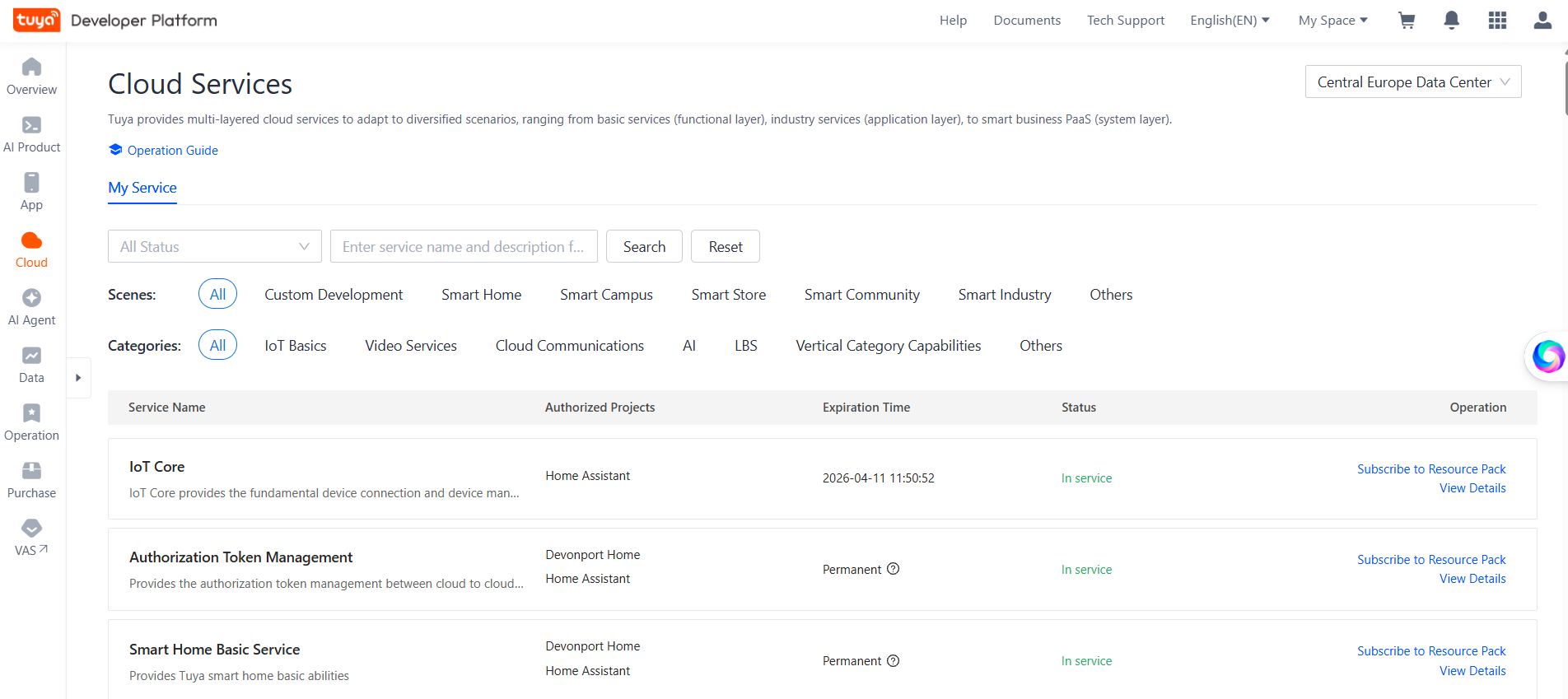
[az1…Fhp] Cloud API connection failed: Error 28841002: No permissions. Your subscription to cloud development plan has expired.
Except when I go to the tuya developer site everything seems fine.
Cloud> Cloud Services>
Check for expired subscriptions, there should be an extend for free option there somewhere.
If not maybe try re-enter your Authorisation Key.
Cloud> Project Management> Open Project> Overview or Authorization.
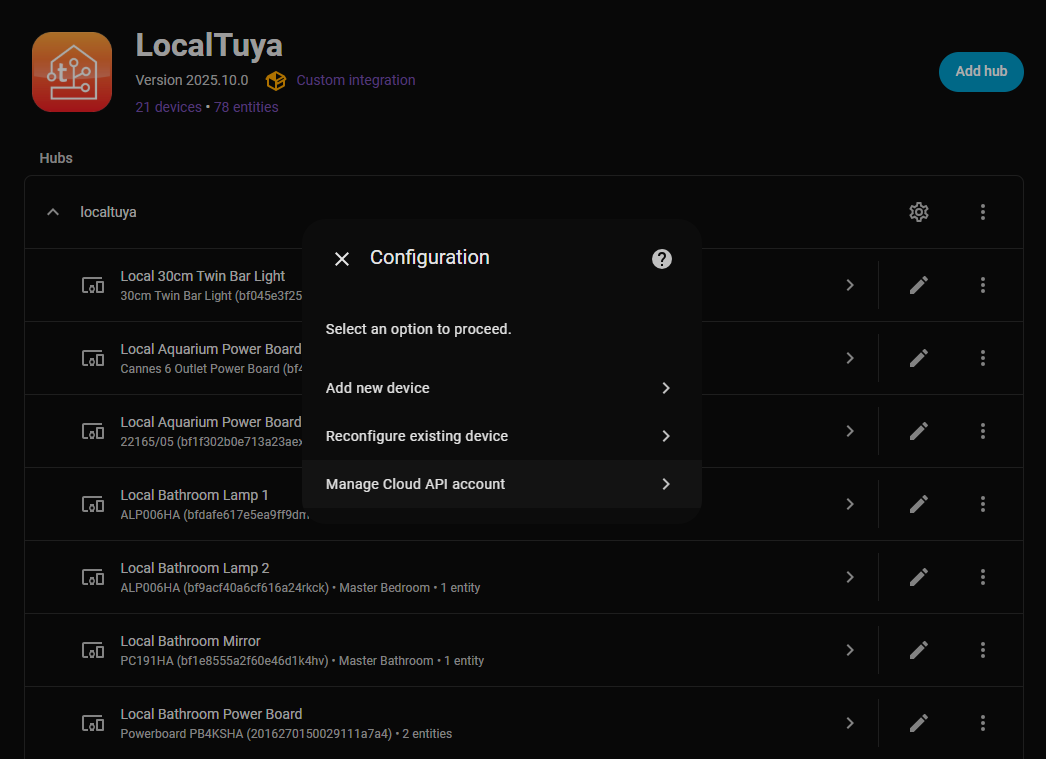
Re-Enter these details into the Local Tuya Integration. Manage Cloud API account
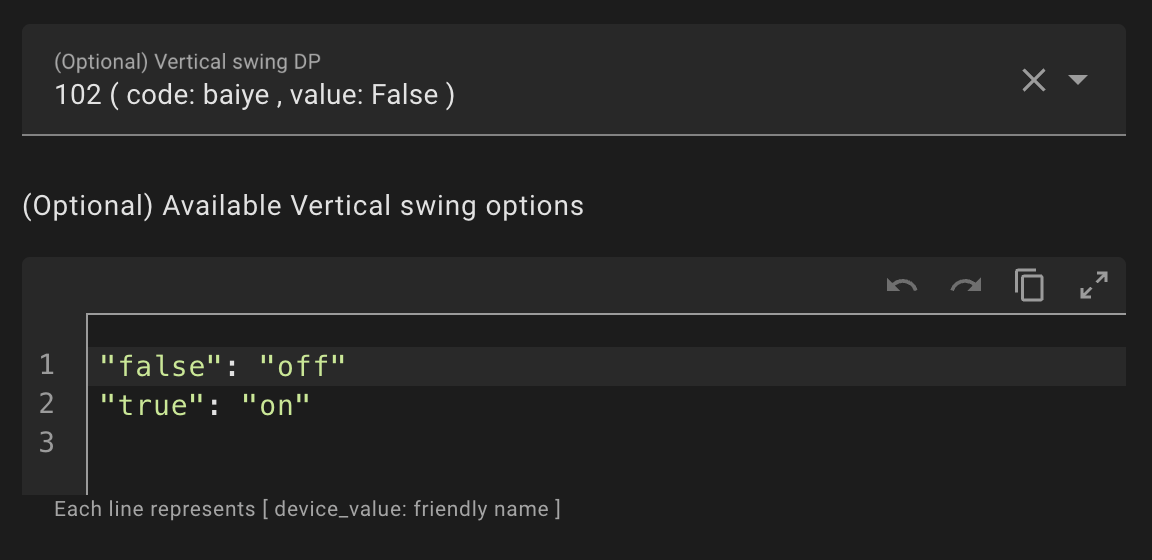
Hi, I’m trying to add the vertical swing control into the climate entity of the wall mounted heater, but the configuration device_name:friendly_name of the (Optional) Vertical swing options didn’t work for my device
As you can see, the DP wants a boolean value, but when i try to set the integration, it automatically changed the config in this way
And the control doesn’t work, how can I resolve this?
Also, is it possible to have the turn on/turn off with a DP and the modes in another DP, but all of this into the climate entity?
What is the best way to go about creating a new device type to create a single device with multiple entities assigned to it of different types. I have a towel warmer that doesn’t quite fit the climate aspect because it needs a time and start command as well the on/off switch.
I have the output from IOT platform showing all possible DP IDs and values accepted, unsure the best way to map this into a new device. Should it be through a yaml template config? If so, is there an example from say a dehumidifier that has multiple entities? The light ones seem like they’re drastically different than what this setup would be.
Here’s the IOT platform output.
{
  "result": {
    "category": "mjj",
    "functions": [
      {
        "code": "switch",
        "dp_id": 1,
        "type": "Boolean",
        "values": "{}"
      },
      {
        "code": "temp_unit_convert",
        "dp_id": 9,
        "type": "Enum",
        "values": "{\"range\":[\"c\",\"f\"]}"
      }
    ],
    "lang_config": {},
    "status": [
      {
        "code": "switch",
        "dp_id": 1,
        "type": "Boolean",
        "values": "{}"
      },
      {
        "code": "temp_current",
        "dp_id": 3,
        "type": "Integer",
        "values": "{\"unit\":\"℃\",\"min\":0,\"max\":255,\"scale\":0,\"step\":1}"
      },
      {
        "code": "temp_unit_convert",
        "dp_id": 9,
        "type": "Enum",
        "values": "{\"range\":[\"c\",\"f\"]}"
      },
      {
        "code": "temp_current_f",
        "dp_id": 11,
        "type": "Integer",
        "values": "{\"unit\":\"℉\",\"min\":0,\"max\":500,\"scale\":0,\"step\":1}"
      },
      {
        "code": "countdown_left",
        "dp_id": 13,
        "type": "Integer",
        "values": "{\"unit\":\"min\",\"min\":0,\"max\":60,\"scale\":0,\"step\":1}"
      },
      {
        "code": "work_state",
        "dp_id": 14,
        "type": "Enum",
        "values": "{\"range\":[\"standby\",\"heating\"]}"
      }
    ]
  },
  "success": true,
  "t": 1766020881715,
  "tid": "dcb08b6bdbaf11f08abb3a48fff754fc"
}
For anyone else having the issue here is a yaml config for the necessary configuration to control a SereneLife towel warmer. You can save it in the templates folder and select use template to configure. Should allow for power on/off, setting time on, start/stop, current temp, current status, and time remaining within entity.
- switch:
    friendly_name: Power
    entity_category: config
    restore_on_reconnect: false
    is_passive_entity: false
    device_class: switch
    id: '1'
    platform: switch
    icon: ''
- switch:
    friendly_name: Start
    entity_category: config
    restore_on_reconnect: false
    is_passive_entity: false
    device_class: switch
    id: '103'
    platform: switch
    icon: ''
- sensor:
    friendly_name: Time Remaining
    entity_category: diagnostic
    unit_of_measurement: min
    device_class: duration
    state_class: measurement
    id: '13'
    platform: sensor
    icon: ''
- sensor:
    friendly_name: Status
    entity_category: diagnostic
    device_class: enum
    state_class: measurement
    id: '14'
    platform: sensor
    icon: ''
- sensor:
    friendly_name: Current Temperature
    entity_category: diagnostic
    unit_of_measurement: F
    device_class: temperature
    state_class: measurement
    id: '11'
    platform: sensor
    icon: ''
- select:
    entity_category: config
    select_options:
      20min: 20min
      40min: 40min
      60min: 60min
    restore_on_reconnect: false
    is_passive_entity: false
    friendly_name: ''
    id: '12'
    platform: select
    icon: ''
Thanks for the work!
I configure it but only show my power meter and not the 3 sensors of temp and humidity.
The power meter btw only show the switch trigger, not all the info about power consumtion, voltage, current etc…any chance to get them?
I’m trying to set device’s DP directly using localtuya.set_dp. When I tested it using Developer tools, it always produce error
Failed to perform the action localtuya.set_dp. unknown device id
This is the yaml
action: localtuya.set_dp
data:
device_id: light.lt_lampu_pintu
dp: 4
value: 1000
I get the device id by typing the first word and then chose from the choices. I use the same id on other script and it work. No luck when using it with localtuya.set_dp.
Anyone can help?
Device is needs to be the tuya ID. It’s real.pain, as it makes automation marked as wrong , because of nonexistent device id from HA perspective. But it seems to work anyway
Sample for a eurom.heater:
data:
  device_id: a1482d193c57c6f98ee301dbcf1b4df9
  dp: 1
  value: false
action: localtuya.set_dp
Yes it works now, after using TUYA id.
Hmm; Is there a reason of using set_dp action instead of entity state action?
Question for the community. Have had LocalTuya running for string lights without issue. Had to update network and subnet therefore lights now have new IP. However when I click on Edit Device in the LocalTuya UI it doesn’t work, errors out.
Therefore, is there a way to manually edit a JSON file (where I believe the IP is stored) and update just the IP of the lights there ?
If so, please let me know the location of the file. Thanks so much
the configs are stored in .storage/core.config_entries
Its a heating thermostat and for DP mapping inthe config, it refuses to map ‘off’ to any thermostat card i’ve tried. So this was the only thing that i got working and happy with it.
I’d like to share my template for HTW Water Heater if anyone needs.
I wanted to put this on the repo, but I did not find any appropriate location…so for now, I will share it here for those who come after…
Supported models
Reference
Template
- water_heater:
    current_temperature_dp: '10'
    entity_category: None
    friendly_name: Water Heater
    icon: ''
    id: '1'
    max_temperature: 75.0
    min_temperature: 35.0
    mode_dp: '2'
    modes:
      eco: ECO
      highwarm: Anti-Bacteria
      jiheat: Instant Heating
      manmenu: Smart
    platform: water_heater
    precision: '1'
    target_precision: '1'
    target_temperature_dp: '9'
    temperature_unit: celsius
- switch:
    device_class: switch
    entity_category: None
    friendly_name: Power
    icon: ''
    id: '1'
    is_passive_entity: false
    platform: switch
    restore_on_reconnect: false
- sensor:
    device_class: energy
    entity_category: None
    friendly_name: Energy Today
    icon: ''
    id: '12'
    platform: sensor
    state_class: total_increasing
    unit_of_measurement: kWh
- select:
    dps_default_value: Instant Heating
    entity_category: None
    friendly_name: Mode
    icon: ''
    id: '2'
    is_passive_entity: false
    platform: select
    restore_on_reconnect: false
    select_options:
      eco: ECO
      highwarm: Anti-Bacteria
      jiheat: Instant Heating
      manmenu: Smart
- sensor:
    device_class: temperature
    entity_category: None
    friendly_name: Current Temperature
    icon: ''
    id: '10'
    platform: sensor
    unit_of_measurement: ºC
- sensor:
    device_class: temperature
    entity_category: None
    friendly_name: Target Temperature
    icon: ''
    id: '9'
    platform: sensor
    state_class: measurement
    unit_of_measurement: ºC
- sensor:
    device_class: water
    entity_category: None
    friendly_name: Surplus Water
    icon: ''
    id: '14'
    platform: sensor
    state_class: measurement
    unit_of_measurement: '%'
- sensor:
    device_class: enum
    entity_category: None
    friendly_name: Status
    icon: ''
    id: '13'
    platform: sensor
- sensor:
    entity_category: None
    friendly_name: Countdown Left
    icon: ''
    id: '19'
    platform: sensor
    unit_of_measurement: Hours
- binary_sensor:
    device_class: problem
    entity_category: diagnostic
    friendly_name: Fault
    icon: ''
    id: '20'
    platform: binary_sensor
    reset_timer: 0.0
    state_on: true,1,pir,on
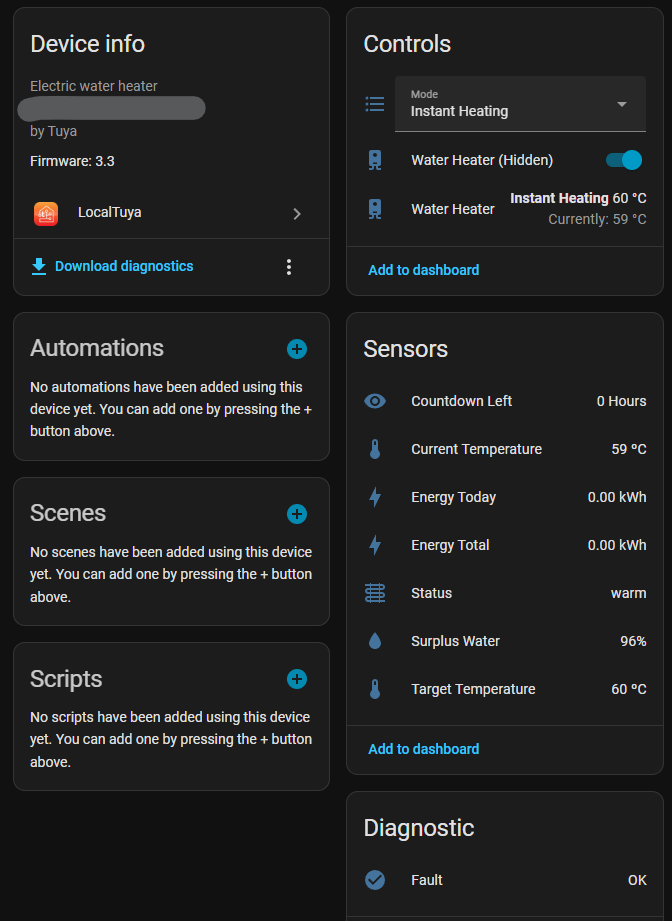
Homeassistant
With this template, you’ll end up with something like this: