Great! I’m pretty happy with the dutch translation after all. No need for other languages from my side. 
Terrific card, Bedankt!
How can I switch between multiple people or show multiple people-paths? Or do I need to create a dashboard for each person? Thanks
The latest released version of the card supports multiple people. Have a look at the repo for documentation
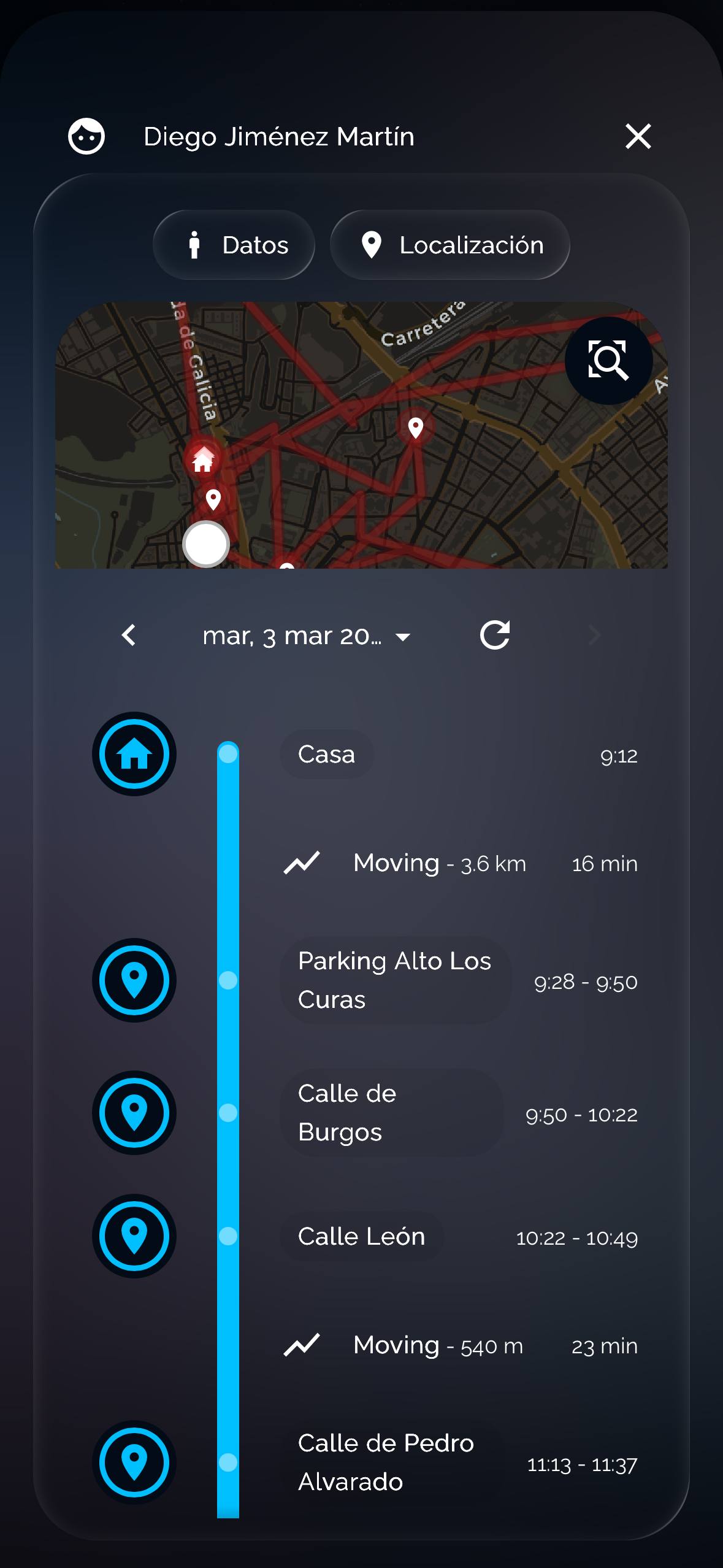
Fantastic card and very easy to implement. First, thank you for your great work. Second, I’d like to ask if any changes could be made through a card mod or some other modification. Here’s a list of suggestions: 1. In the date picker, could the date type be modified? For example, March 3, 2026 would be perfect; there would be no need to specify the day (Tuesday). 2. Is it possible to change its size? As you can see in the image, it doesn’t cover the entire space, and the three dots are visible. 3. Is it possible to change the color and size of the icons in the timeline? 4. Similarly, is it possible to change the blue color of the timeline bar? 5. The text size in the locations is very good, but perhaps it could be made smaller. 6. Translation: I have no problem with it being “moving” as it’s perfectly understandable, but if it could be changed to other languages (including Spanish) that would be fantastic. Thank you very much in advance. I look forward to your reply.
I love this! Is there any way to change the map view to a hybrid or satellite view?
Thanks all for you comments and remarks!
On a general note: for the next few weeks, I won’t be able to work much on this, but I love to receive your suggestions. In case you have feature requests, please submit them on the Issues tab of the Github repo so I can keep track of all the requests. You’re always welcome to submit pull requests with additional features
Specifically:
@SPESINO could you submit point 1 as a feature request in Github?
Points 2 to 5 I am not planning on implementing, I would suggest using the card-mod module and change the CSS.
Point 6, you are more than welcome to submit a PR on Github with the Spanish translations.
@gschiff I like the suggestion, could you submit it on Github?
1 Like
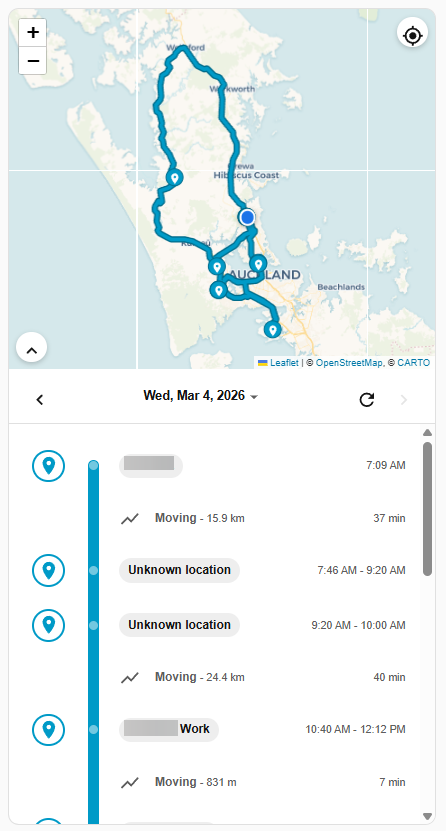
thanks for the work, i really like it!
One thing that struck me, every now and then my HA map card locates at Amsterdam and when it does it isn’t showing the persons anymore at all. The person tracked in your timeline card does still appear as well as on the correct location (not Amsterdam), it just disappears on my “normal” HA map. This happens randomly it seems, at first I noticed it and there was an update available and that solved it. Also its happening more often on my phone compared to the laptop.
1 Like
Thanks @marcadriaanse, could you raise this as an issue in the Github repository, that way I can keep track. It will have something to do with the rendering of the card that is not executed at the right moment, as Amsterdam is the default location (taken from the native HA map card).
done! Thanks for your dedication, keepup the good work!
1 Like
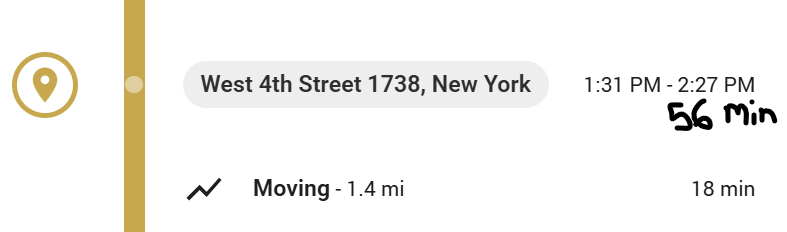
Yes! And:
- use 24 hour home assistant user settings time format;
- reduce the height of the horizontal lines to standard height of HA, the text is breathing to much right now and takes up too much height.
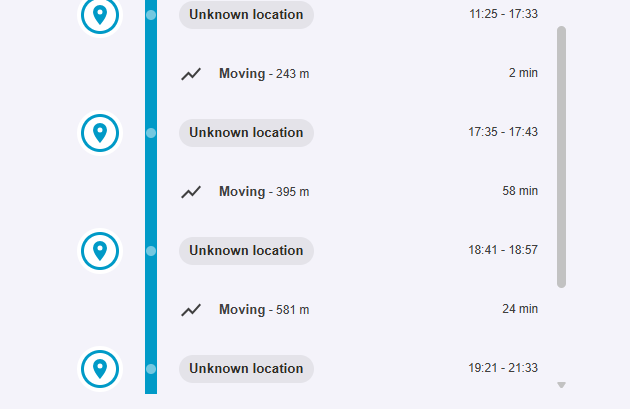
- I’m not sure if it’s my install, but translations do not seem to work. I still get “Moving” instead of the Dutch translation.
@chintito4ever could you add this as a feature request in the Issues tab on the repo? That way I can keep track! Would you want both time range and duration? I can imagine it gets a bit crowded then
@stefan1982 weird what you’re describing, both 24 hour time format and translations should work out of the box. Are you on the latest version? Maybe redownload and hard refresh?
Otherwise, could you open developer tools in Chrome, open the console, and run localStorage.getItem('selectedLanguage'). What do you get back? And if you’re in Developer Tools anyway, could you select the <home-assistant style=...> tag in Elements (it’s at the top, immediately inside the <body>, and then go to console and run $0.hass.locale. What do you get back then?
As for the line height, I would suggest manually altering that using card-mod.
Need a little help, “places” integration are not showing in the location card.
Location Card configuration:
type: custom:location-timeline-card
entity:
  - person.tristan
distance_unit: metric
map_appearance: auto
map_height_px: 400
collapse_timeline: true
places_entity:
  - sensor.tristan_places
Where the location card is showing “unknow Location”
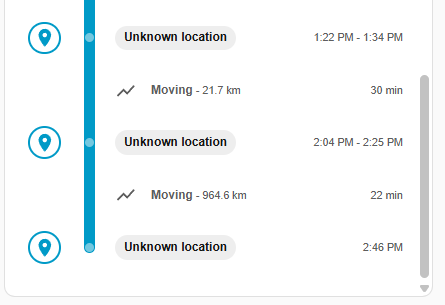
While “Places Integration” is showing the location
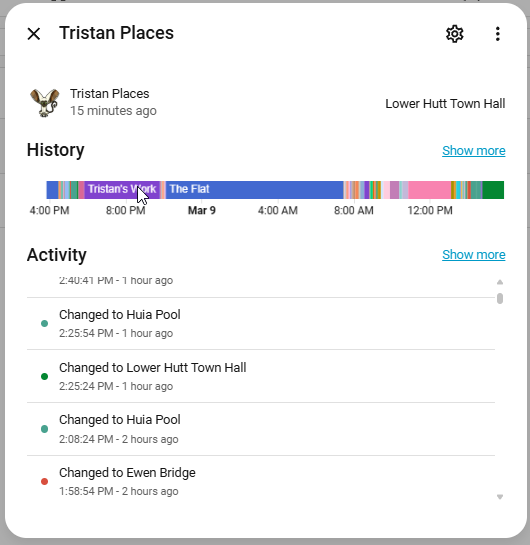
Would have expected location to be Huia Pool
The places-integration is outdated imo and not uptodate with the latest HA versions unfortunatly. The UI of the places integration seems not to work and full of quirks.
On my installation I don’t know if the places-integration is doing anything at all, but I don’t think it does anything at the moment.
@BambamNZ @stefan1982 Hmm, hadn’t experienced this myself. If it’s not working for you, you can always revert back to using the OSM API by providing your email address as the API key. That way it will skip the places integration altogether and just load from the API
1 Like
localStorage.getItem('selectedLanguage')
Gives me:
'null'
The console output of the home-assistant style=...> tag, results in:
{
    "language": "nl",
    "number_format": "decimal_comma",
    "time_format": "24",
    "date_format": "language",
    "time_zone": "server",
    "first_weekday": "monday"
}
Installed version of Home Assistant is 2026.3.1, and installed version of the location-timeline-card is 1.8.1.
And the result is still an untranslated text of “Moving”:
1 Like
Got it! I released v1.8.2, this should fix it
I’ve gone with the OSM API and it works as expected.
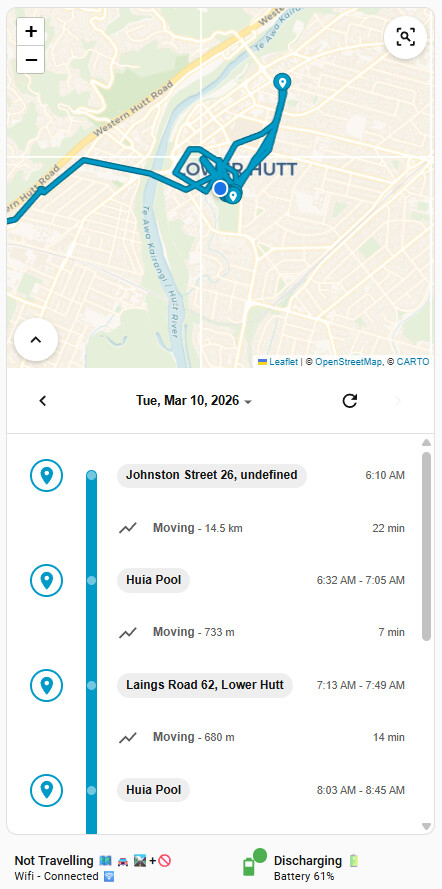
Will most likely drop the places integration as it is not adding anything
This is still the same in v1.8.2 and translations are not being respected.