@DerPicknicker to get what working?
@HappyCadaver Yep.

The Voice thing - it shows me voice integration is not found.
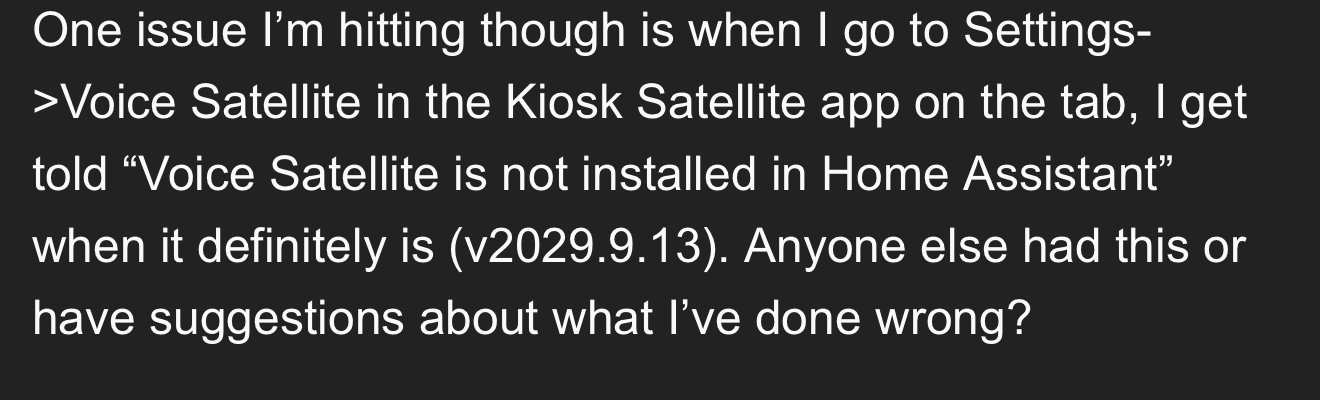
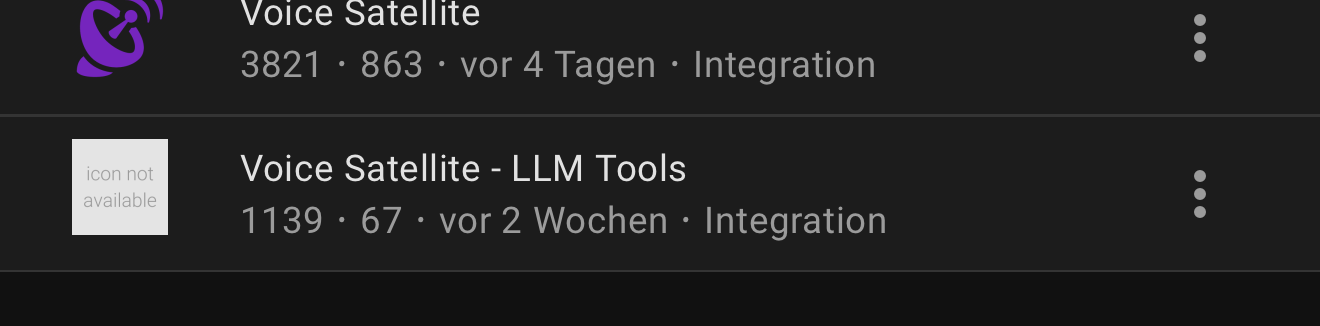
But it’s installed.. I tested the APK from kiosksatellite.com
That warning doesn’t exist in the latest version as Kiosk Satellite no longer needs the integration installed.
Hmm.. Then I did something wrong:
App Version: 2026.9.92
Still showing me the warning.
I removed the whole integration, restarted HA. What should I do then?
@jxlarrea - I saw on XDA that you made some fixes for AEC on the Echo Show devices, luckily I have a bunch of these laying around so I am tempted to try these out and see how it compares to the FB Portal! 
I noticed that Roger also released a new ROM in the past few days which has AEC support, is this different to the patch you mentioned you tested on XDA?
I noticed that Roger also released a new ROM in the past few days which has AEC support, is this different to the patch you mentioned you tested on XDA?
First time I’m hearing this. I will give it a try!
I am tempted to try these out and see how it compares to the FB Portal!
The only advantage that Echo Shows have versus Meta Portals is the fact that you can get rid of the OEM ROM and install LineageOS. But other than that, the hardware on the Meta Portals are MASSIVELY better than those on the Echo Show devices where you can install LineageOS.
I purchased a Meta Portal Go to test Kiosk Satellite on but it works so much better in it that I just purchased 2 more to replace both of my Echo Show 8.
Yeah the hardware on the portals is really good, I haven’t noticed any lag with them at all. The only issue I have with them is the one I mentioned previously where the mic seems to be killed by the AEC when music is being played.
Thanks for this great app, it actually made me buy more android screens because it works so well, so mixed feelings about that
How do I actually enter fullscreen now playing mode? For me it always shows on the right side with the left side being the (Immich) screensaver. Or is it only available for specific screensavers?
Oh and while we’re on topic of now playing: somehow re-starting a track after now playing has timed out does not update the track progress bar - it’s stuck on 100% of track length. Not sure if it’s a Kiosk Satellite or Sendspin protocol thing though.
Disable “Show alongside screensaver”.
Oh and while we’re on topic of now playing: somehow re-starting a track after now playing has timed out does not update the track progress bar - it’s stuck on 100% of track length. Not sure if it’s a Kiosk Satellite or Sendspin protocol thing though.
If this happens consistently then please open an issue on GitHub with all the requested logs.
Ah. I’d prefer to have an option to toggle that by i.e. tapping or swiping left on the now playing UI
Yes, reported here: Resuming music playback after timeout does not show correct track progress on the progress bar · Issue #764 · jxlarrea/kiosk-satellite · GitHub
Until today, I had been using the Voice Assistant Companion App (VACA) on my Echo devices, all of which are running LineageOS.
Today, however, I installed Kiosk Satellite on one of my Echo Show 8 devices, and I have to say, I’m absolutely blown away by how user friendly and feature-rich it is.
Getting VACA up and running was quite a pain during the first few days. In contrast, Kiosk Satellite was installed and fully set up in less than 15 minutes.
I can only say: very well done, @jxlarrea! 
There are, however, a few improvements that I think could make Kiosk Satellite the ultimate app for tablets and similar devices.
1. Visual Timer
For example, as you can see in the footage below, my Echo Show 8 running VACA allows me to set a timer using Voice Assist (and a blueprint which is installed automatically via VACA), and the Echo then displays a nice visual timer on the screen.
Would something similar be possible with Kiosk Satellite?
2. Microphone control
It would also be great to have a microphone icon on the screen that could be used to quickly mute and unmute the device microphone.
3. Interactive “At a glance entities”
The “At a glance entities” on the screensaver are another great feature, but it looks like they aren’t currently clickable. It would be really useful if they were interactive. For example, you could add a smart lock or some important lights and have one-click access to control them directly from the screensaver.
It would be even better if we could position the “At a glance entities” vertically along the right hand side of the display or horizontally at the top right hand side of the display.
4. Rotating background images on the dashboard
Another feature I’d love to see is the ability to have rotating background images on the main dashboard, similar to the screensaver.
Something like this:
But what a fantastic project! I’m really impressed with how polished and easy to use it is. Thank you for creating it!
This is briljant! Kiosk Satellite has saved my Thinksmart running lineageOS, it is running so smooth without any wifi dropouts, I love it!
I now don’t have anymore excuses to not buy more wall tablets, so thank you 
I saw in the newest version there is a way to to set an alarm section with a sunrise effect and a music ease in, with is briljant!
The only thing to make that part even better and a reason for me to try it out if I had a possibility to use the music that I have in Music Assistant.
I have one tablet using Periscope just to display my cameras. For some reason, Periscope works a lot better for me than MJPEG, WebRTC, or any of the other options I’ve tried. I’d like to have more actions available, or at least make it easier to interact with other APK apps. Right now I have to launch the APK and bring it to the foreground, but I think I’ve mostly figured that part out. Also, on my main satellite it usually takes 3–4 tries before it responds to the wake word. I’m using VSwakeword. The funny thing is that if I use the wake-word tester, it works every single time, even if I’m almost whispering. That makes me wonder if it could be related to microphone permissions, audio routing, or something similar rather than the wake-word model itself. I haven’t put much effort into troubleshooting it yet, but I’m curious if anyone else has seen the same behavior.
Coming from View Assist, there are a few nice blueprints that do a good job joining voice elements of assist with a visual confirmation such as list control, where I could say “add bread to my shopping list” and my lists view would pop up showing it had indeed been added. Or when I “ask where is (wife’s name)” it shows her location on the map. Does Kiosk Satellite have a similar mechanism for associating views with sentences from assist? Really great work by the way so far it has been a huge upgrade in displaying my dashboards how I intend, the scroll lock toggle alone is a game changer!
You can, Music Assistant is using the Sendspin protocol Kiosk Satellite supports. My Echo Show 8 are now used as a digital picture frame and speaker mostly instead of collecting dust.
Does anyone know if it’s possible to see the timers that KS creates from HA ? - I have a dashboard that I’d like to display the timer countdown on rather than using the native KS pills and I’d also like to trigger some automations when the timers finish.
I have the expose ESPHome entities turned on, but don’t see anything related to timers..
Big fan of your app, i was thinking…
Could we imagine a lightweight version that would run instead of the Android Companion app, while still listening for the wake word?
So if i understand you correct it is possible to select music in home assistant and use that as my alarm clock.
In the section alarms i can only use built-in sound or upload one, but no option to select for example a playlist in home assistant.