There has been another fork mentioned above. I have gone this route for now just to get rid of the annoying errors and warnings in HA.
Thanks
1 Like
Hi there,
I have been using the original Bar-Card for both vertical and horizontal bars. All good until the depreciation warnings in HA.
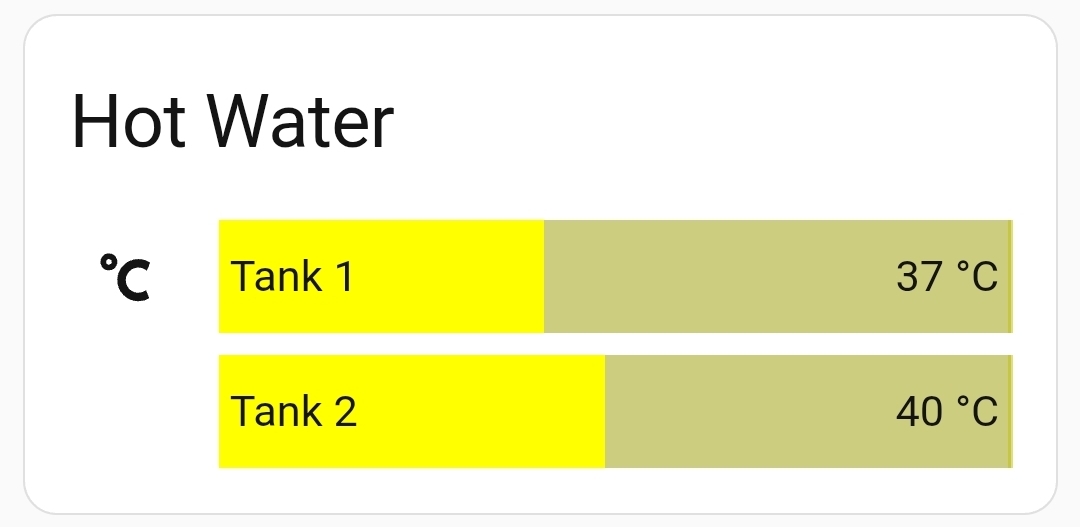
So I came here looking for a solution, I then deleted the original hacs card and installed this fork mentioned above. Now all my bar colour has disappeared and no mater what I have tried, even starting a new card completly from the documentation example still cannot get the bar fill colour back. All the other config for the bar card forked version works, just not the colour…amy ideas?
Here is my dual hot water tank card config that worked on the original bar-card
type: vertical-stack
cards:
  - type: custom:bar-card
    entities:
      - entity: sensor.myenergi_ustou_eddi_temp_tank_1
        name: Tank 1
      - entity: sensor.myenergi_ustou_eddi_temp_tank_2
        name: Tank 2
        severity:
          - {}
          - {}
        icon: none
        color: none
    min: "21"
    target: "60"
    unit_of_measurement: °C
    title: Hot Water
    severity:
      - from: "0"
        to: "25"
        color: blue
        icon: temp
      - from: "26"
        to: "49"
        color: yellow
      - from: "50"
        color: red
        to: "61"
    icon: mdi:temperature-celsius
    style: |-
      bar-card-value {
        font-size: 20px;
        font-weight: bold;
        text-shadow: 1px 1px #0005;
      }
    max: "60"
Here is my other horizontal bar code also not filing with any colour
: vertical-stack
cards:
  - type: custom:bar-card
    entities:
      - entity: sensor.envoy_121732111111_current_power_production
    title: Solar Panel Total Output
    max: "4.080"
    decimal: "3"
    unit_of_measurement: kW
    positions:
      name: "off"
      indicator: inside
      icon: "off"
    animation:
      speed: "5"
    style: |
      bar-card-currentbar, bar-card-backgroundbar { border-radius:10px; }
Did you manage to fix the no color issue? It have similar problem, colors are very dark and difficult to see
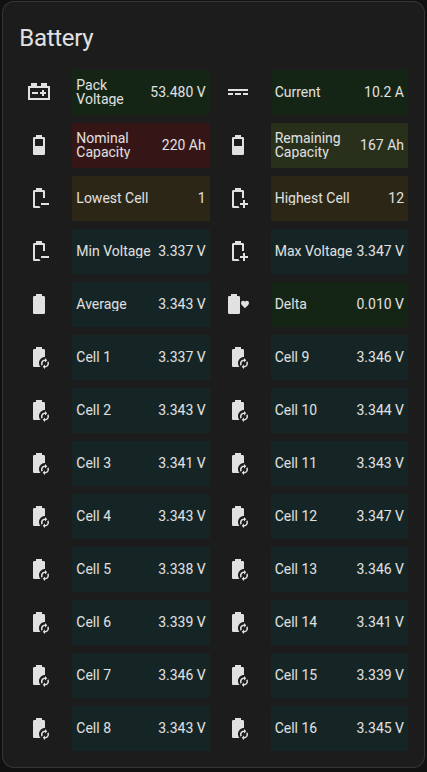
Hi @Sk3wby
I was refering to the bar card, no I did not manage to get the fill colour in the maitained verdion. So i reverted back to the original so I still have the Logs warning but at least my bars are filling correctly:
Thanks for the feedback, i have reverted too! At least it works for now…
1 Like
I have just installed this but then HA told me that the repository was getting removed from HACS because it is no longer maintained. I see now that it hasn’t been maintained since 2020.
Is there a update/replacement for this or are users happy because it just works?
1 Like
Thank you.
Thank you to all who have contributed here…
Heres my version based on the code above… thought it might be useful to someone who is looking for something similar

          - type: custom:bar-card
            columns: 1
            decimal: 0
            min: 3000
            max: 40000
            positions:
              icon: "off"
              name: inside
              minmax: "off"
              indicator: "off"
            direction: right
            height: 28px
            entities:
              - entity: sensor.brewery_power_brewery_power_power_consumption
                name: BREWERY POWER
            card_mod:
              style: >
                ha-card {
                  background: transparent !important;
                  color: #FFFFFF;
                  --ha-card-header-color: white;
                  border-radius: 0px;
                }

                bar-card-background bar-card-backgroundbar {
                  background: linear-gradient(
                    90deg,
                    #619B2A 0%,   /* LightBlue at min (0%) */
                    #54C23E 37%,  /* Lighter blue */
                    #31B543 50%,  /* Gold/yellow at mid-point */
                    #FF9021 75%,  /* Dark orange near top end */
                    #FF0000 100%  /* Firebrick red at max */
                  );
                  mask-image: repeating-linear-gradient(90deg, rgba(0, 0, 0, 1) 0.9%, black 1.5%, rgba(0, 0, 0, 0.01) 2%, black 2%, black 2%);
                  border-radius: 5px;
                  filter: brightness(0.95);
                  opacity: 0.15;  /* slightly increased visibility */
                }

                bar-card-background bar-card-currentbar {
                  background: linear-gradient(
                    90deg,
                     #619B2A 0%,   /* LightBlue at min (0%) */
                    #54C23E 37%,  /* Lighter blue */
                    #31B543 50%,  /* Gold/yellow at mid-point */
                    #FF9021 75%,  /* Dark orange near top end */
                    #FF0000 100%  /* Firebrick red at max */
                  );
                  mask-image: repeating-linear-gradient(90deg, rgba(0, 0, 0, 1) 0.9%, black 1.5%, rgba(0, 0, 0, 0.01) 2%, black 2%, black 2%);
                  clip-path: polygon(0 0, var(--bar-percent) 0, var(--bar-percent) 100%, 0 100%);
                  border-radius: 0px;
                }

                bar-card-value {
                  margin: 20px;
                  font-size: 2rem;
                  font-weight: 800;
                  color: #FFFFFF;
                }

                bar-card-name {
                  margin: 20px;
                  font-size: 1.25rem;
                  font-weight: 800;
                  color: #FFFFFF;
                }

                #states > bar-card-row:nth-child(9) > bar-card-card >
                bar-card-background > bar-card-contentbar > bar-card-value {
                  display: none;
                }

                #states > bar-card-row:nth-child(9) > bar-card-card >
                bar-card-background > bar-card-contentbar > bar-card-name {
                  display: none;
                }

                #states > bar-card-row:nth-child(9) > bar-card-card >
                bar-card-iconbar {
                  display: none;
                }

                #states > bar-card-row:nth-child(9) > bar-card-card >
                bar-card-background {
                  background-color: white;
                  height: 1px !important;
                }

                #states > bar-card-row:nth-child(9) {
                  margin-top: 1px;
                }
6 Likes
Only one minor error in logs that is not spamming out of control
Logger: frontend.js.modern.202505314
Source: components/system_log/__init__.py:331
First occurred: 15:51:53 (4 occurrences)
Last logged: 15:59:35

Uncaught error from Chrome 137.0.0.0 on Windows 10 TypeError: Cannot read properties of undefined (reading 'includes') getValueFromEntityId (src/panels/lovelace/common/validate-condition.ts:97:26) conditions.every( (src/panels/lovelace/common/validate-condition.ts:181:17) conditions (src/panels/lovelace/common/validate-condition.ts:167:20) checkOrCondition (src/panels/lovelace/common/validate-condition.ts:154:42) checkOrCondition (src/panels
If anyone is running into this problem I finally found the root cause. I had a conditional card where I was missing the state value in my yaml. Must have cut it off during a copy and paste.
Hi, I wanted to install this card, but it has been removed from HACS. However, some forks still work. Is it possible to install the card “manually” somehow?
Thanks
Although the original card was removed from HACS, it still works fine. Try adding in HACS via “add custom repo” menu.
Unfortunately, that doesn’t work.
What “that” does not work?
This installation method
If you are interested to solve your problem, you should have been less laconic and describe what exactly you did, what exactly you got. Looks like I am forcing you to be helped.
☐ Adding the custom repo does not work
☐ Adding the custom repo works but installing the card does not work.
☐ I’m getting an error message but don’t want to post it here.
☐ …
Sorry, i tried adding /hacsfiles/bar-card/bar-card.js using the UI, but the card does not appear after refreshing. I couldn’t find the ui-lovelace.yaml file in HA
to which I could add
resources:
- url: /hacsfiles/bar-card/bar-card.js
type: module
There are 2 ways of installing a custom card:
- Manual: download a corresponding JS file, place it in “www” folder, then open any dashboard, select “resources”, add a line “/local/xxxx.js”.
- Automatic with HACS - then HACS itself downloads the JS file, creates a corresponding “xxx” folder in a “www/community” (stands for “hacsfiles”), places the JS file into that folder, registers the new added resource. Means - you do not need to bother about it.
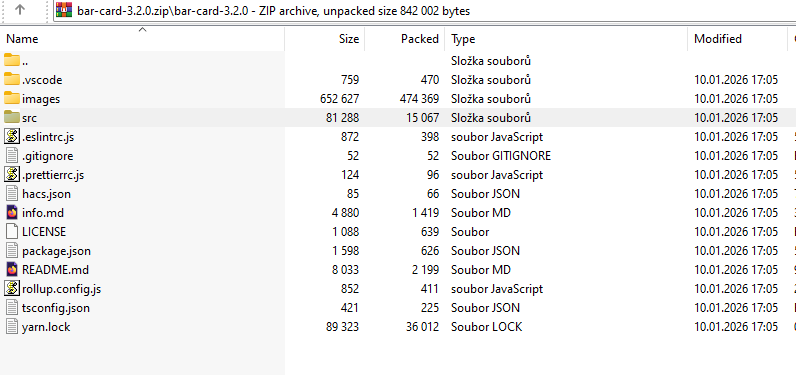
- I downloaded source code.zip from there github, but there is no file named bar-card.js.
- This repo does not offer automatic installation, and manually adding the source in the UI does not work.