That got me trying again. I don’t know what changed, but now it works. Without that message, I’d probably leave it sit there turned off, so really thank you for that message. This was the last step for going off nabu casa cloud, so I’m super happy. Not that I’d not like it, but it just acts as a middle man - either between HA and Alexa, or HA and Azure TTS, which kinda goes against the philosophy of having everything local, or when cloud, then direct, no middleman… And as a bonus, Alexa now controls the home a bit faster. So thank you again.
One thing I noticed in the matter hub if anyone struggles with it. If you have the devices added via HA label, and add that label to another entity in HA, it will not show in matter hub despite it saying it’s refreshing every 10 seconds. You need to restart matter hub to load the new entities. And if you start both dockers (HA and matter hub) at similar times, matter hub will fail on initialization, and does not recover from it automatically. Start matter hub only after HA is fully started (docker depends_on doesn’t help here).
@crust - Did you manage to resolve this? I am in the same situation. I must admit I have my HA (and all IoT devices) and my Google Nest speaker in different VLANs.I have now moved my Nest speaker into the same VLAN as HA and my IoT devices but still no luck.
Here’s what I have done so far.
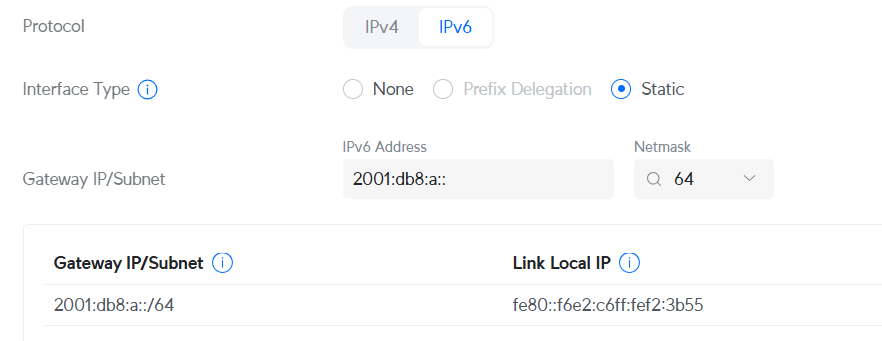
Enabled IPV6. Checked that HA and the Google speakers all get IPV6 addresses
Ensure mDNS configuration
Enabled “Multicast Enhancement” on the respective WiFi networks (I run a Unifi UDM-Pro).
Ensure “Multicast and Broadcast Control” is off on the WiFi networks
I was able to commission the matter bridge using the Google Home app but the test device and the bridge always show offline.
HA is running as a VM in a proxmox server that is hardwired into ethernet.
@r4nd0mbr1ck Yes! I did. I thought I posted about it. What I found is that in my case the pfsense router (8 port) was not routing ipv6 across ports. I did make some changes to the router but also got all my devices onto the same physical lan.
I do have devices on a vlan but I am hesitant to suggest that they are working. I’m pretty sure all the devices I have on the iot vlan also have some setup in HA (virtual switches and so on) and that’s what I exposed. They do work though through the switch
@crust Thanks for getting back mate. In your case, was the routing blocked by firewall rules or something else. Just trying to see if I can get a sense of what to look for based on the pfsense changes you made.
I also use Unifi so I checked my settings, maybe it will help you. Not sure if you run in HA in docker, that may be a difference, as I do. Anyway:
You can have IOT devices on separate VLAN (IOT - disable internet access), it doesn’t matter. Matter Hub don’t access them directly, but via HA.
I have Alexa speakers and HA (the server on which HA and matter-hub docker runs) on the same VLAN (LAN - allow internet access)
Docker server has IPv6, and as matter-hub docker runs in host mode, it takes that address
Alexa speakers don’t have IPv6. Tbh I’m not sure why it doesn’t have it, as all other devices on LAN network do have it, maybe Echo speakers just don’t support it. Anyway, it shows the IPv6 is only needed on matter-hub side.
There are no special rules in firewall for this
In Unifi settings:
Wifi - LAN (wifi Echo/Alexa connects to) - both Multicast Enhancement and Multicast and Broadcast Control are off
Networks - IoT Auto-Discovery mDNS: LAN, IOT, Cameras (not sure if it’s required for this to work, but it’s needed for HA in LAN to see discover devices in IOT)
Oh wow, I just found this and it is definitely a game changer!
I use Google Assistant is my main voice assistant as I have a bunch of google homes and hubs around the house and our family uses android phones so it is a seamless experience everywhere.
With this add on I was able to add my devices to Google Home and disable the Cloud integration. Devices respond a lot faster and communication is local, so much better than the Google Assistant Integration which requires access to your HA from the cloud.
Thanks a lot Tobias! awesome work.
BTW, like some here I was having trouble getting the bridge to see any device using a label, after trying everything I deleted and recreated the label and it worked beautiful. I think it may be the fact I changed the label name after creating it and that may have cause it to not work.
This thread was a super good find for me!
Just wanted to add my 2 cents to the ring.
I tried pairing this with my Aqara M3 Hub and had ALOT of issues, just before i was about to give up i restarted my phone… and boom. Connected.
However in the Aqara app all device names are lost, only model name is passed throught. Weird thing is that if i pass the matter hub along to homekit all device names are there.
Also Aqara app will not receive any cover devices nor sensor devices, and yet again, homekit just gobbles them up.
hi every one!
is this working with google home mini and voice control?
I can setup and view my devices on my google app, turn in on and off etc, but with voice via ok google its not working.
Hi! Somewhat new to Home Assistant, comfortable with Matter in general. I’ve found this fantastic tool, installed it, the Matter bridge works, Google Home detected it without problem. Wonderful!
I mainly wish to use the bridge to share input booleans, so I can use Google Home to activate or deactivate automations quickly.
I created several input booleans, gave them a label (“Helper”) and also a category of the same name. When creating the Matter Bridge, I excluded all areas (so that I don’t have duplicates of all my already-connected devices) and included items with the label “Helper”. However, in Google Home I see the “room” which I had to create when performing the integration, but no device which would represent the several input booleans with the “Helper” tag.
The fact that Google Home asked for a room suggests it assumes I shared only one item (which would be different than when I connected a Dirigera Hub via Matter), but I’m not sure exactly what I’m doing wrong. I’ll be happy for anyone’s help!
Hi,
maybe a dumb question:
When I add a switch via the voice assistant tab Google home automatically recognises the room it is in.
But when I add the same switch via the Matter hub, I have to manually assign it to the room.
I get a message on my Phone that a new device has been added. But it is categorized under “In meinem Zuhause” “In my home”
My free cloud subscription ends this march so I was looking forward to switch to matter hub but I habe 200+ Sensors and actors to manually assign to the rooms then.
I have the Home Assistant Green. I’m on iPhone and it works fine with Apple Home. My husband prefers Android. I want to avoid subscribing to a cloud service just for him to be able to turn on lights with Google Assistant/Gemini/Google Home.
This seems interesting, but do I still need to buy a Google speaker or Google Hub for this to work with Android’s voice assistant without a cloud service?
I tried many times to connect the Matter bridge I created to Google Home, but without success. Finally I bought a Google Nest Mini 2 (which acts as a Matter hub) and after connecting it to my Google Home I was able to connect the Matter bridge I created to Google Home without any problems.
Hi All, had high hopes for this Integration, and was stoked that the matter hub was configured in from the Amazon app very seamlessly - however, I’m seeing lots of issues. Sometimes none of the devices are controllable (I included only pattern of 2 lights.*) and each device in the App shows a banner across the top “There was a problem” and it doesn’t reflect the status of the light and can’t control it. The Matter integration seems to bounce from Echo to Echo, causing a lot of extra traffic/churn on HA. Same thing happens if Alexa integrates via another assistant – the discovered devices keep disappearing and reappearing in the Alexa App. Logs don’t show anything really standing out.
Google Home seems to work much better (debug logs are relatively quiet) but the 2 discovered devices can’t be moved into rooms, they have to remain in “In Your Home” room.
Leaving Alexa off this integration for now.
I am running HAMH version 3.0.0-alpha.83 installed via add integration on Hass version 2025.5.1
I’m experiencing the same issue as the previous post. I have successfully created and added a bridge to Google Home. It includes a few test entities (lights and smart plugs). My test entities appear in the Google Home app, however I cannot assign rooms to the entities individually. The Bridge and test lights/smart-plugs all appear in a device grouping called “In your home”. The settings of each of those entities shows a grayed out “Home” section with the name of my bridge device (also grayed out). So, it seems that I cannot edit the location of each test entity.
Is anyone else experiencing this issue and/or having a solution?
I’m running the following latest versions:
Home-Assistant-Matter-Hub 3.0.0-alpha.83
Zigbee2MQTT 2.3.0-1
Core 2025.5.1
Supervisor 2025.05.1
Operating System 15.2
Frontend 20250509.0
I had the same issue its Google home daft interface. You need to edit the room in google home then you can add the devices, not the logical way round of clicking the device and adding to the room.
Goto settings, rooms and devices select the room , then pick the device !