Is there anything ‘extra’ I need to do to have the lyrics displayed?
I have checked by using the api manually that my tags and duration are correct but never do I get any option to display the lyrics
What do you mean you used the API manually? Where have you stored the lyrics? Where do you expect to see them?
I mean if I do an api call from my browser it returns the lyrics. e.g.
lrclib.net/api/get?artist_name=Bruce+Springsteen&track_name=Born+to+Run&album_name=Born+To+Run&duration=271
Here:
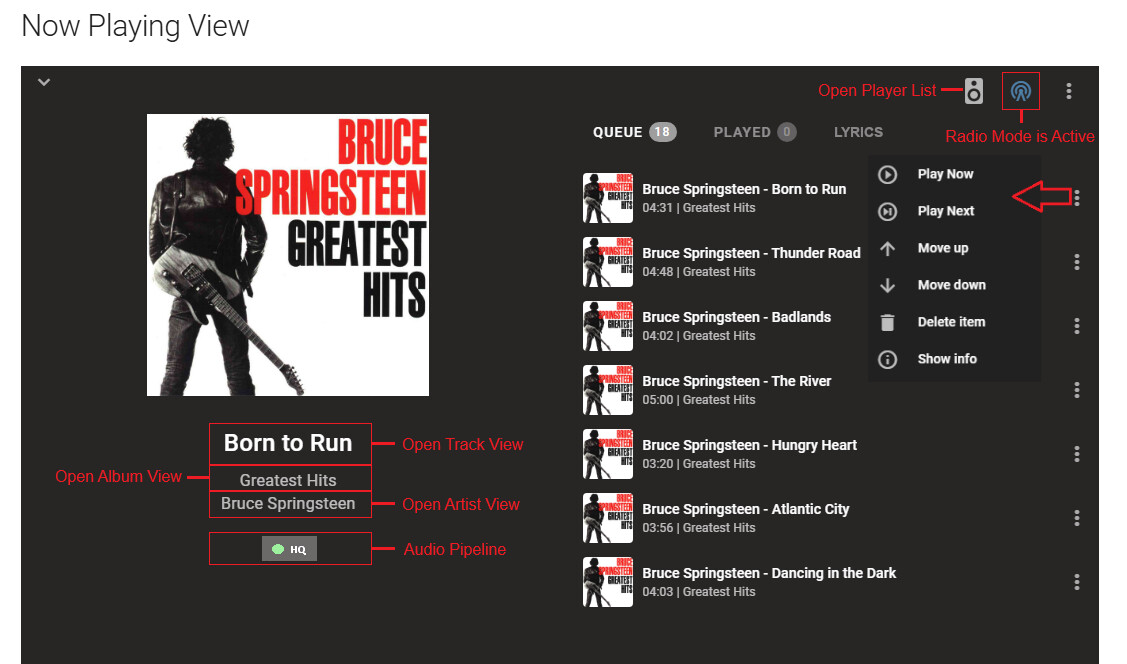
The Docs say:
When lyrics are available for the track being played then the LYRICS selectable label will be shown. Upon selection, the queue will be replaced by the lyrics which will be in sync with the music when timing information is available. Accurate lyric selection is contingent upon the metadata providers and may not be accurate for alternate versions of a song.
But this makes me think I have misunderstood. I thought it fetched lyrics dynamically but your reply seems to say otherwise. Is this documented somehwere that I missed?
It wasn’t clear from your first post what you were talking about. If you have the plugin installed then yes the lyrics are pulled dynamically but this is done in a lazy fashion so as to not overwhelm their API. You can speed it up by refreshing the metadata of the track. Note they have a matching algorithm that requires, amongst other things, that the duration matches within 2 seconds. Also you should be be running the latest version of MA for best results as we just made some enhancements to this.
1 Like
Thanks, I’ll give it another try and be a bit more patient!
I’m sorry but I still can’t get this to work.
(I have MA version 2.6.0)
My tags and track length are set correctly:

Calling the api directly with:
lrclib.net/api/get?artist_name=Bruce+Springsteen&track_name=Born+To+Run&album_name=Born+To+Run&duration=272
returns:
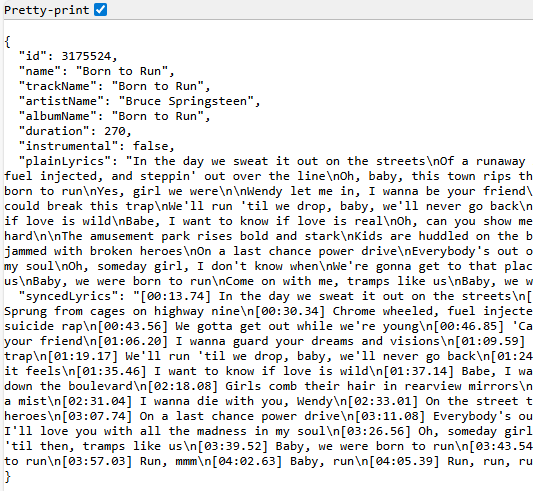
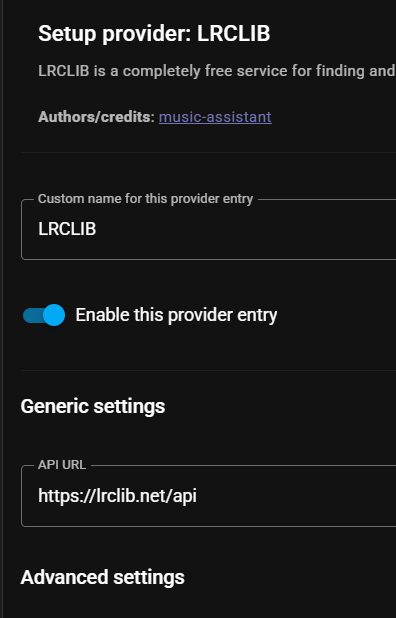
The plugin is installed and enabled:
And I have manually refreshed the metadata for the album - I can’t see a way to refresh just an individual track.
But still no lyrics?
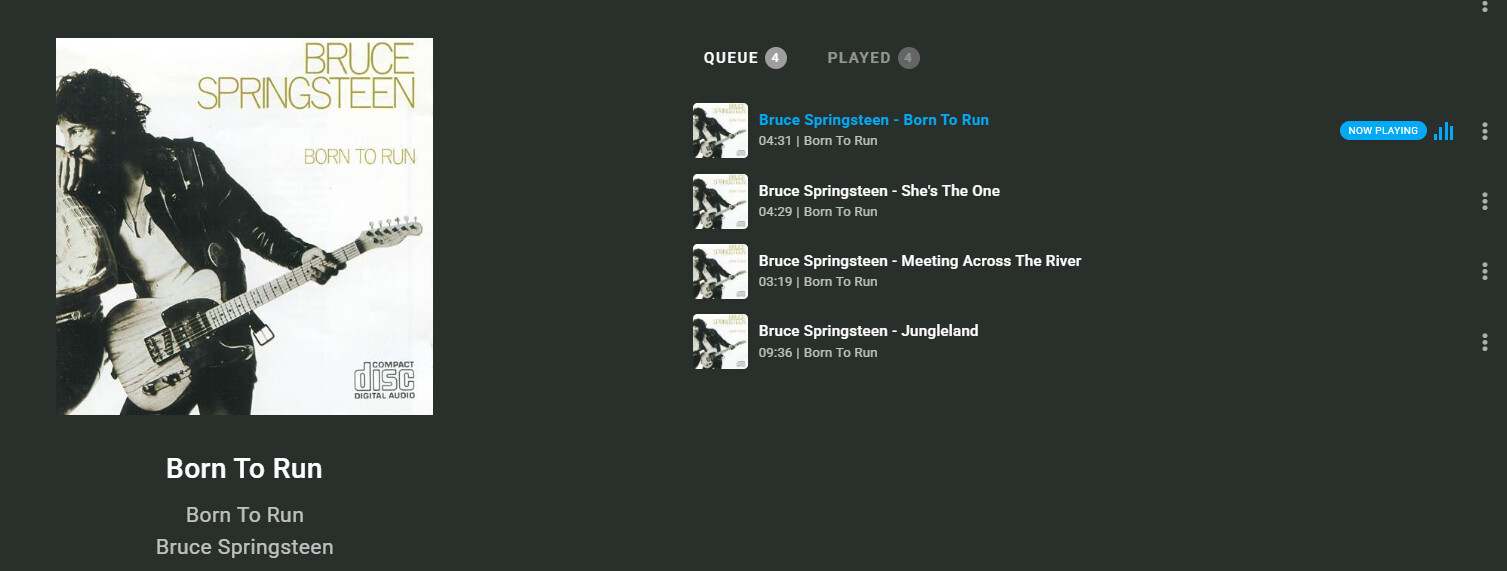
The only thing I can think of is to check that MA uses the mp3tag Title tag rather than Filename (I’m sure it probably does)
If your LLM is allowed to control the house, it’s advised to use the Full LLM script. This will give you a lot more freedom in the sentences you can use to start the music.
1 Like
Added a podcast URL for a music show. How can I make a script to play the latest episode in the podcast so I can call this from my frontend? AI got me this far, but it throws errors and doesn’t work;
alias: Play latest ASOT on speakers
mode: restart
description: ""
sequence:
  - action: music_assistant.get_library
    data:
      config_entry_id: 01K6CDFT120AX7D19NKNC5P25A  # <- add yours if required by your setup
      media_type: podcast_track
      search: "A State Of Trance"
      limit: 1
    response_variable: latest

  - action: media_player.volume_set
    target:
      entity_id: media_player.home_assistant_voice_09266c_media_player_2
    data:
      volume_level: 0.5

  - action: music_assistant.play_media
    target:
      entity_id: media_player.home_assistant_voice_09266c_media_player_2
    data:
      media_id: "{{ latest['items'][0]['uri'] }}"
      media_type: podcast_track
      enqueue: replace
      start_now: true
That isn’t currently possible
Music Assistant 2.7.0 BETA 0 Release Notes 
 IMPORTANT: Beta Release Notice
This marks the beginning of a new beta cycle for Music Assistant 2.7.0, featuring significant architectural changes, refactoring, and new functionality. Please ensure you have a complete backup of your Music Assistant data before updating.
Due to the extensive changes in this release, we strongly recommend testing in a non-production environment first or at least have a backup ready of your previous version before updating (so you can easily restore to a working situation if something may break for your situation). If you encounter any issues, please report them on our GitHub Issues or join the discussion on Discord.
New Providers and Features
New Providers
• Radio Paradise - High-quality commercial-free radio with excellent curation by @OzGav in #2295
• Genius Lyrics - Enhanced lyrics metadata provider by @robert-alfaro in #2337
• Podcast Index - Access to the comprehensive Podcast Index directory by @OzGav in #2350
• ARD Audiothek - German public radio’s podcast and audio content by @jfeil in #2229
• Resonate - Initial support for the Resonate (working title) streaming protocol by @maximmaxim345 in #2348
• Internet Archive - Access to audio content from the Internet Archive by @OzGav in #2411
• Media Assistant (Roku) - Support for Roku devices via Media Assistant by @MedievalApple in #2332
• Digitally Incorporated Network - Support for DI.fm and related stations by @benklop in #2419
Major New Features
• DSP Presets - Save and apply custom DSP configurations by @math625f in #2309
• Smart Fades - Initial implementation of the Smart Fades feature: Intelligent crossfading between tracks by @MarvinSchenkel in #2407 with improvements by @marcelveldt in #2433
• Enhanced Spotify Support - Added podcast and audiobook support by @OzGav in #2349 and #2410
• Customizable Announcement Chimes - Configure custom chime URLs for announcements by @marcelveldt in #2403
• Library Sync Controls - New config options to control how library items are synced by @marcelveldt in #2405
Full details here because it is HUGE, Release 2.7.0 BETA 0 · music-assistant/server · GitHub
Beta documentation is here https://beta.music-assistant.io
9 Likes
Not sure if this is the place to ask. Trying to setup soundcloud in music assistant via the documentation here. Assume this is still the current method.
I eventually found the client_id and oauth_token, but I received a 401 error message. I also put OAuth in front of the character string I extracted from the browser.
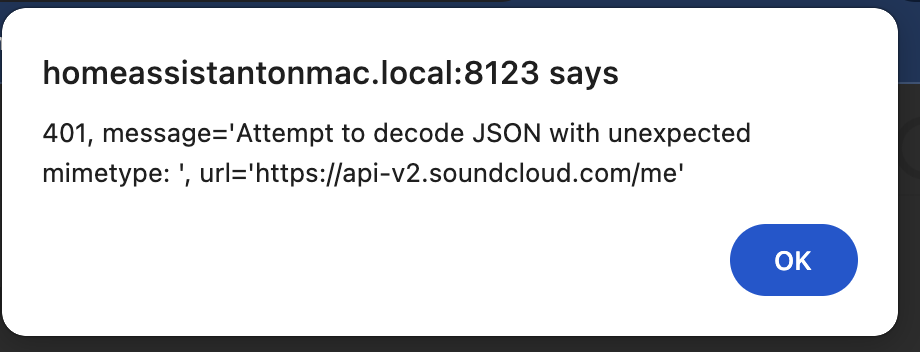
I tried to repeat the process but now I find myself blocked from soundcloud… illegal bot activity or something like it.
Anyone else experienced this? Is there a way to unblock my account so I can try again. Any tips on which browser works best.
Thanks.
I just switched over to this beta and it looks awesome! Thank you team for the great work!
1 Like
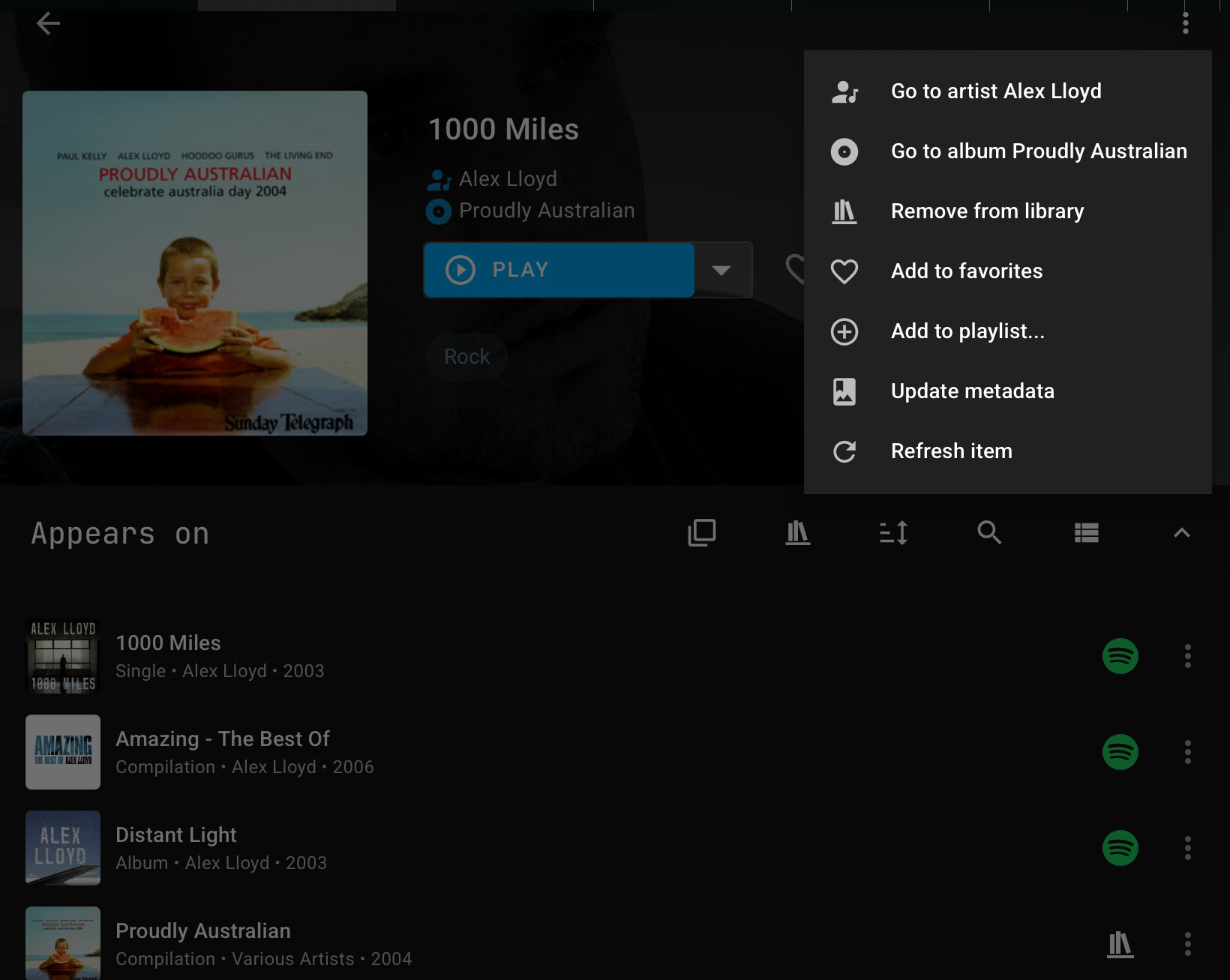
I’m using MA with LLM script, for full control. But I have a problem if I just want to start the music/player from where I paused. If I say play music in the kitchen, it will run the LLM script, and is forced to use media-id, which will cause MA to start a song/playlist which might not even be in the queue.
Anyone else dealing with this?
I installed MA 2.7.0 Beta 4 and configured it to use my remote SMB music share. Everything works but MA does only show a couple of artist pics. LMS shows almost all of them. Album covers are OK. Whats wrong?
I’m assuming you don’t have any local artwork. If that is the case then artwork is grabbed from the metadata providers very slowly in the background.
Yes, I realized that also. But grabbing artist artwork is extremely slow. It might take weeks or even months for my music collection to finish.
I also realized that when clicking at an artist the data for that artist is fetched pretty quickly. But that is not workaround for hundreds of artists.
I still wonder why this is so slow compared to other music servers like LMS.
Because we have tens of thousands of users any were getting cease and desist letters due to all the API calls. You can google artwork downloaders and fetch artwork to put in your folders and that will be picked up quickly.
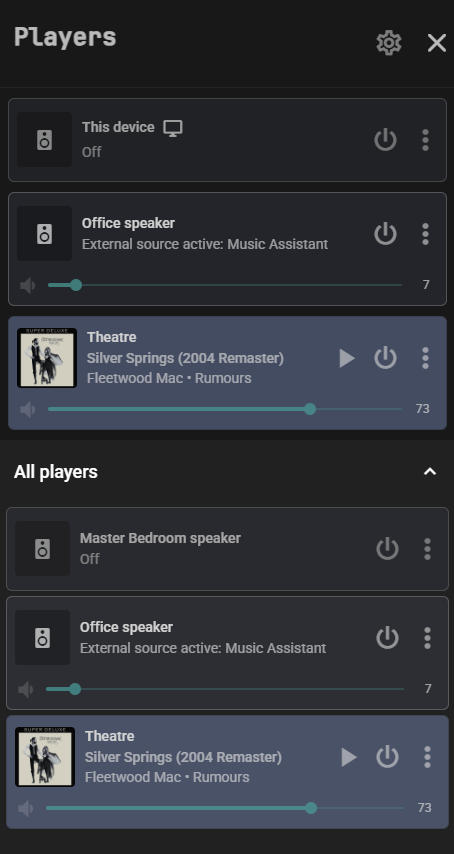
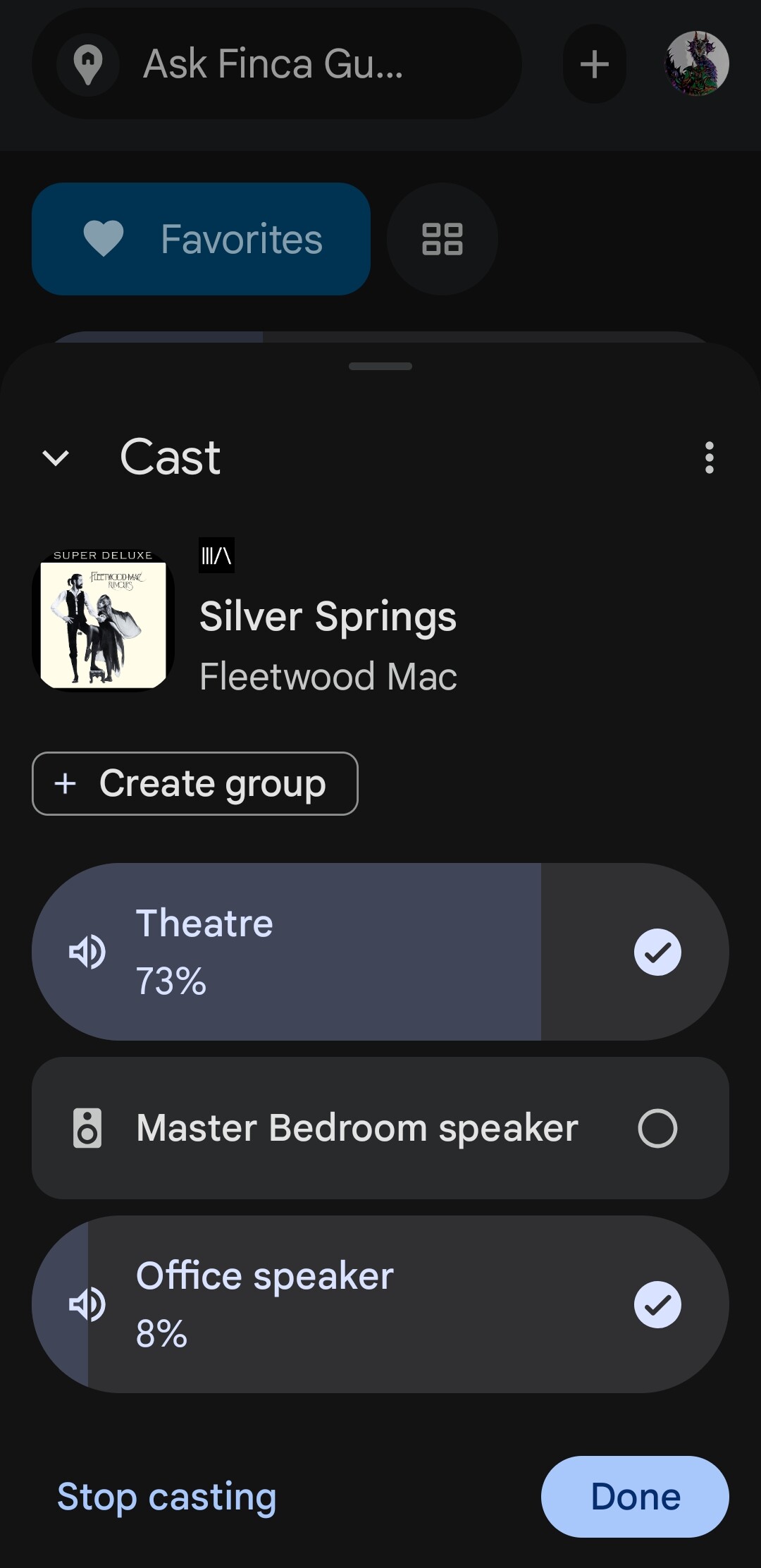
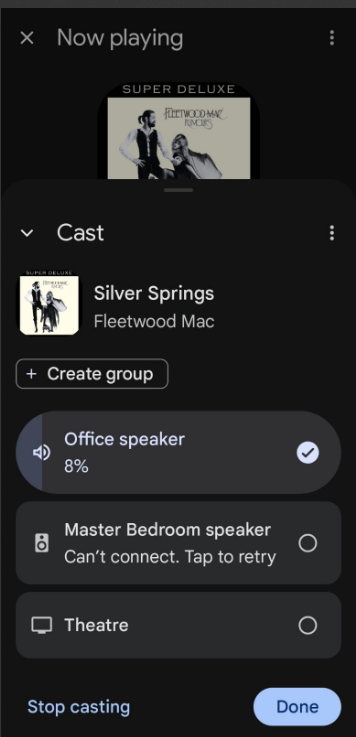
Those using Chromecast for MA music. Did Google remove the ability to group Chromecast devices again? I see no check boxes in MA and in Home I can only group them to sync music if I start a cast to my ShieldTV. If I start a cast from my Nest Mini or my Chromecast Audio it will not let me group them together and gives a “Can’t Connect” error as show in screenshot. Once I do get them to group and play in sync they will disconnect often. Anyone else seeing these issues?
1759 responses?  How about a dedicated forum category like for esphome?
But anyway: my current HA setup is a Pi4 with 2GB of RAM. So giving MA a short tryout is not an option if i read the documentation right. I do however have a thin client with debian minimal in the same LAN, so I guess firing up a docker container will give me a good enough impression of the cababilities, right? I am considering upgrading to a pi4 with 8gb for a while now, but would like to try MA first. (Side note: no, i dont want to switch to a Pi5  )
)
5 Likes