My Custom Cards for Minimalist UI

I have the same problem …

my home file is in config/ui_lovelace_minimalist/dashboard/adaptive-dash/adaptive-ui.yaml

my custom cards are in

config/custom_components/ui_lovelace_minimalist/ui_minimalist/ulm_templates/custom_cards

so what hast to be the link for me ?

hi put the cards in /config/ui_lovelace_minimalist/custom_cards thats where they belong, then restart minimalist UI, and reload the dashboard.

Is there a way to add these card from UI? Or do I have to create a yaml dashboard?

The color is already grey. So I tried a “return green”, but it didn’t change anything. The custom template is placed here : /homeassistant/ui_lovelace_minimalist/custom_cards/custom_color_icon.yaml
However I don’t think the location is an issue, as I would have errors in the view.
Actually even a simple code as below does not change the color. It is like it is not possible to override the button color…
I am also trying to change “custom_1” to amber in case the climate entity is actually in heat mode. But one step at the time…

custom_color_temp_icon:
  styles:
    icon:
      - color: 'green'

@andyblac

Hi Thank you very much for the great work. I only discovered it today and am currently testing it a bit.

Apparently I don’t get any colors. not even when I turn on the lamps. Can someone take a look at what’s going wrong here?

your templates (in their folders) are stored here:
config/custom_components/ui_lovelace_minimalist/__ui_minimalist__/ulm_templates/custom_cards

so for the room template: config/custom_components/ui_lovelace_minimalist/__ui_minimalist__/ulm_templates/custom_cards/custom_card_andyblac_room/custom_card_andyblac_room.yaml

ui-lovelace.yaml:

---
button_card_templates: !include_dir_merge_named "../../custom_components/ui_lovelace_minimalist/__ui_minimalist__/ulm_templates/"

title: "UI Lovelace Minimalist"
theme: "minimalist-desktop"
background: "var(--background-image)"
# views: !include_dir_merge_list "views/"
views:
  - !include home/main.yaml

Edit: Ok, got the sensors and entities in color, but the room card itself not. :frowning:

here the actual code I am using →
home/main.yaml:

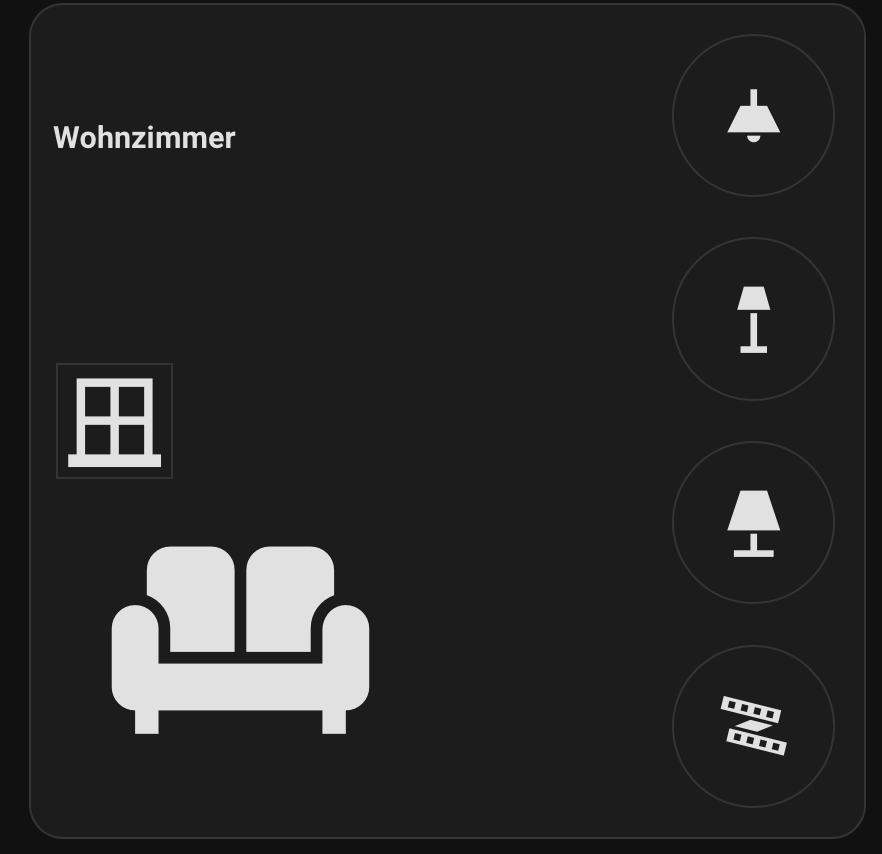
  # Wohnzimmer Card
  - type: custom:button-card
    #view_layout:
    #  grid-area: room1
    template:
      - custom_card_andyblac_room
    name: Wohnzimmer
    icon: mdi:sofa
    tap_action:
      action: navigate
      navigation_path: living
    variables:
      ulm_custom_card_andyblac_room_color: red
      ulm_custom_card_andyblac_room_color_on: true
      #sensor_label_1: sensor.shelly_ht_temperature
      sensor_1:
        entity_id: binary_sensor.mk_wohnzimmer
        icon: mdi:window-closed-variant
        ulm_custom_card_andyblac_room_sensor_color_on: red
      entity_1:
        entity_id: light.shelly_wohnzimmer
        ulm_custom_card_andyblac_room_use_light_color: true
        ulm_custom_card_andyblac_room_icon_color_on: yellow
        icon: mdi:ceiling-light
      entity_2:
        entity_id: light.plugs_01_switch_0
        ulm_custom_card_andyblac_room_use_light_color: true
        ulm_custom_card_andyblac_room_icon_color_on: yellow
        icon: mdi:floor-lamp
      entity_3:
        entity_id: light.plugs_02_switch_0
        ulm_custom_card_andyblac_room_use_light_color: true
        ulm_custom_card_andyblac_room_icon_color_on: yellow
        icon: mdi:lamp
      entity_4:
        entity_id: light.steckdose_02
        ulm_custom_card_andyblac_room_icon_color_on: yellow
        icon: mdi:led-strip-variant

I tried to play around with these lines:

ulm_custom_card_andyblac_room_color: red
ulm_custom_card_andyblac_room_color_on: true

but cannot get it work.

Edit: ok, got it. Needed to set the theme in my user profile in the frontend of HA.

1 Like

Hi, thank you for sharing this huge work !

I’ve installed everything and I’m trying to have an icon which change on state for my sensor.

I tried many solutions found on internet, but none of them worked.

Here is the actual (non-working) code :

  - type: custom:button-card
    template:
      - custom_card_andyblac_room
    name: "Ch Alice"
    icon: mdi:bed
    tap_action:
      action: none
    variables:
      ulm_custom_card_andyblac_room_color: blue
      ulm_custom_card_andyblac_room_use_small_label_font: true
      sensor_label_1: sensor.0x08ddebfffef0f06d_temperature
      sensor_label_2: sensor.0x08ddebfffef0f06d_humidity
      sensor_label_3: sensor.rad_ch_alice_d_power
      sensor_1:
        entity_id: select.rad_ch_alice_d_pilot_wire_mode
        tap_action: none
        icon: >-
          {% if is_state("select.rad_ch_alice_d_pilot_wire_mode", "comfort_-2") %}
            mdi:lock-outline
          {% else %}
            mdi:lock-open-variant-outline
          {% endif %}
...

For my test, I only check for one of the 6 modes. And this does not display any icon.
If I set a “regular” icon like icon: mdi:lock-outline , it works.

Any help would be appreciate.

Thanks

Button-card uses JavaScript templates not Jinja templates.

As said by dcapslock above, it needs to be done in JS. You can use entity states or attributes or a mix of them like I do for a thermostat
i.e:

      custom_2:
        entity_id: climate.thermostat_kitchen
        icon: >
          [[[
            const preset = states['climate.thermostat_kitchen'].attributes.preset_mode;
            const hvac = states['climate.thermostat_kitchen'].attributes.hvac_action;
        
            if (preset === 'none' && hvac === 'heating') return 'mdi:radiator';
            if (preset === 'none' && hvac === 'idle') return 'mdi:radiator-disabled';
            if (preset === 'Energy heat') return 'mdi:leaf-circle';
            return 'mdi:help-circle';
          ]]]

The same can be done with the icon color:

        ulm_custom_card_andyblac_room_sensor_color_on: > 
            [[[
            const attr = states['climate.thermostat_kitchen'].attributes.hvac_action; 
            if (attr === "heating") return "rgb(255, 80, 0)";
            if (attr === "idle") return "rgb(221, 221, 221)"; 
            return "rgb(221, 221, 221)";
            ]]]
1 Like

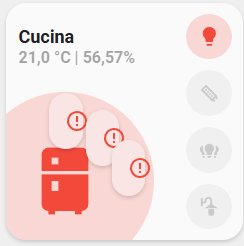
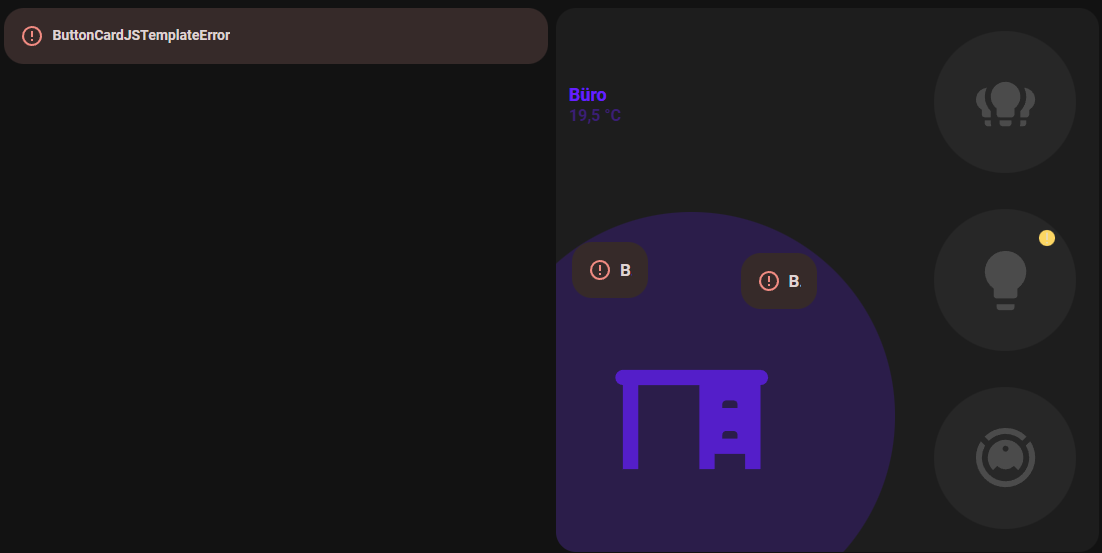
With the latest updates, I got this error. Why?

Hello @andyblac

The latest update of the button-card (v 7…) no longer seems to be compatible with your custom cards.

As I would like to continue using your dashboard, I hope you might have a solution to fix this issue.

Thank you very much for your efforts and your great work.

Hi,

For the issue with the latest buttton-card, @andyblac posted a workaround here 7.0.0 Dev4 onwards breaks one of my cards. · Issue #1114 · custom-cards/button-card · GitHub , it worked for me.

Great, thanks. Do I only need to make this adjustment in custom_card_andyblac_room?

just pushed the fix to latest dev version here: GitHub - andyblac/UI-Minimalist-Custom-Cards at dev

Hey there,

just tried your latest push from the GitHub dev repository. But then I got a “missconfigured” error

edit:
nevermind… failed to saved the file correctly. my fault.

Hi there,

Since the last update of “UI-Lovelace-Minimalist” to 1.3.19, no card is working with the error “Configuration error”.

It seems it comes from the template “custom_card_andyblac_room”. If I remove the template, the card is displayed (but without all the stuff coming with the andyblac card of course, the error is just gone).

Does anyone has found a way to solve this ?

Thanks

There was an issue thread in button-card repo where the author of that template provided an update.

I made the only available update (UI-Lovelace-Minimalist), but the issue is still there despite the reboot of HA.

I saw a bug report for button-card, but which is now closed without any patch.

So, did I miss something ? Thanks

Did you see this? My Custom Cards for Minimalist UI - #299 by andyblac

Yes I did when it was because of the button-card update. I already applied this fix since many days.

This time, it’s because of the “UI-Lovelace-minimalist” update (to version 1.3.19). Since my first message about this issue, there was new updates of this addon, but none of them fixed this issue.

Hi Andy, just dropping in to say thx. Had to make some quick changes to night to keep the wife-approve factor at top level. your work made this so easy. thank you for saving my marriage. kidding but really thanks cause i heard her talking to her cleaning lady this morning, thinking …
Cheers mate!