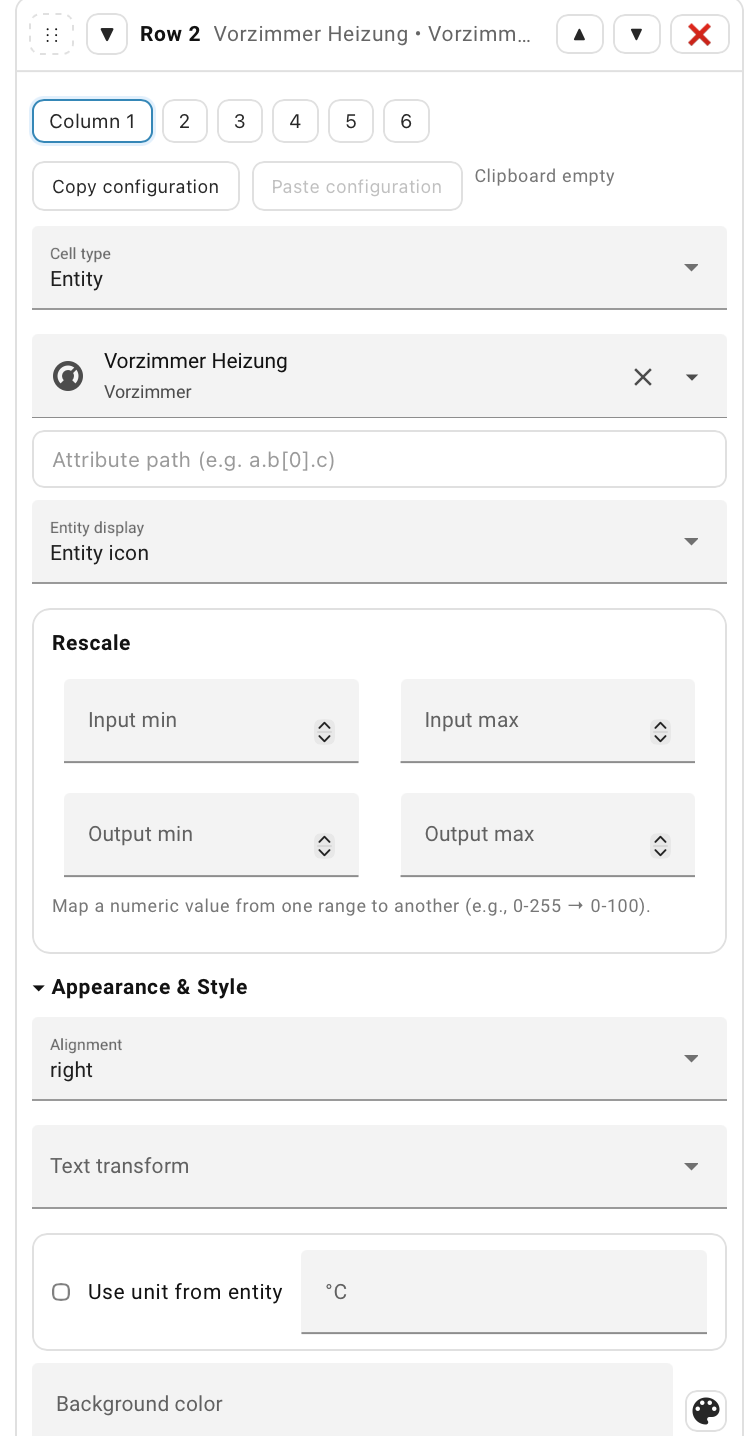
That’s brilliant! Works perfectly - thanks for the very quick update 
1 Like
Hi,
When selecting the icon to display in the cell, is it possible to use the icon that is already associated with an entity, rather than having to manually redefine it again in the visual editor?
This is a great new card – thanks a lot for creating it, Łukasz!
Here’s how I’m using it (please ignore the actual values, it’s still too warm for the heating season). If you have any tips on improving my setup, I’d be glad to hear them.
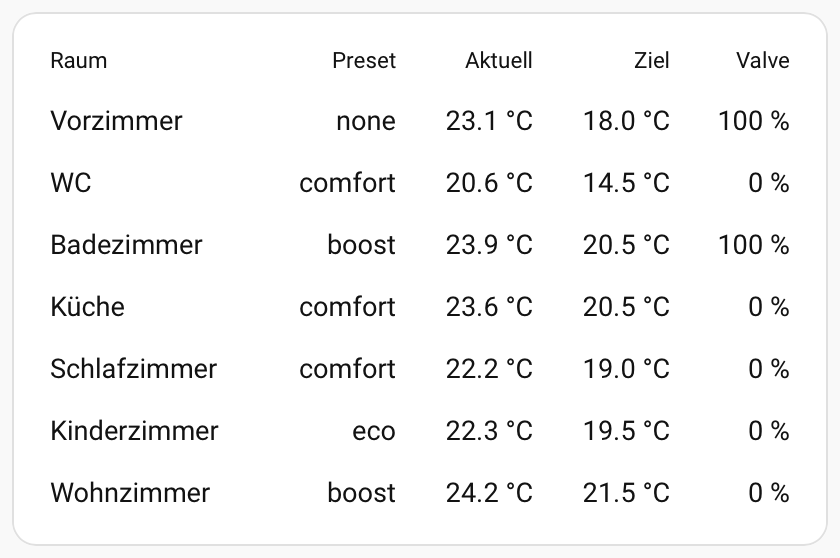
A few ideas for future releases:
- Option to link a text to a
tap_actionfor showing more info on an entity (or to allow custom text instead of the entity name). That way I could tap the room name in my example to open the climate pane. (I knowfriendly_nameexists, but in my case it always carries a suffix that would be redundant here.) - When using a custom unit for an entity (e.g. my climate entities’
temperatureattribute doesn’t display “°C”, so I added it manually), the unit should not appear if the entity is unavailable/unknown – otherwise you get “Unknown °C”. - Option to add horizontal dividers, e.g. a thin grey line.
- Default “underline” style: I had to disable it repeatedly, it would be nicer if underline was off by default.
- Option to show the icon of an entity, including dynamic colors (e.g. climate entities turn orange when heating, blue when off).
Thanks for all your work on this project!
1 Like
Hi Aleco! Thank you for the screenshot, I encourage others to post theirs.
You can have it right now. Instead of text, use an entity, and by default, you’ll have ‘more-info’ on click. Then, override this with a single rule for any text. You can use a trick where you don’t select an entity in the rule, but only the “not equal” operator. Then the rule will always be met:

Another method, as I mentioned earlier, is templates. But for the reasons mentioned above, you don’t have to use them.
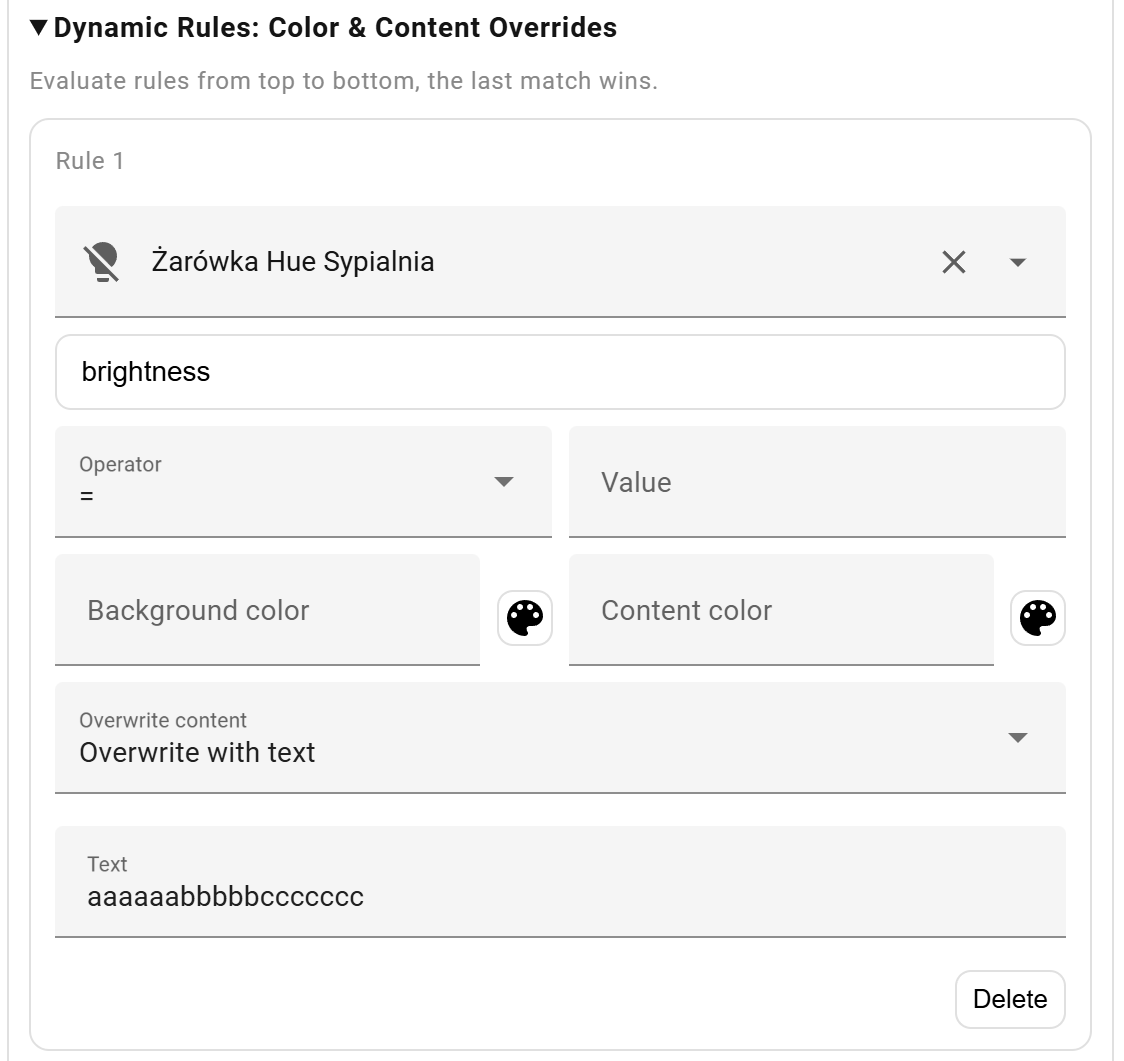
You can do that now too. Set dynamic rule value to “Unknown” if you’re actually getting this value (you can check this in developer tools). If you see “null”, use an empty field like in the example below, where attribute brightness equals null for a turned-off light bulb.
Good idea, I’ll think about it in the future.
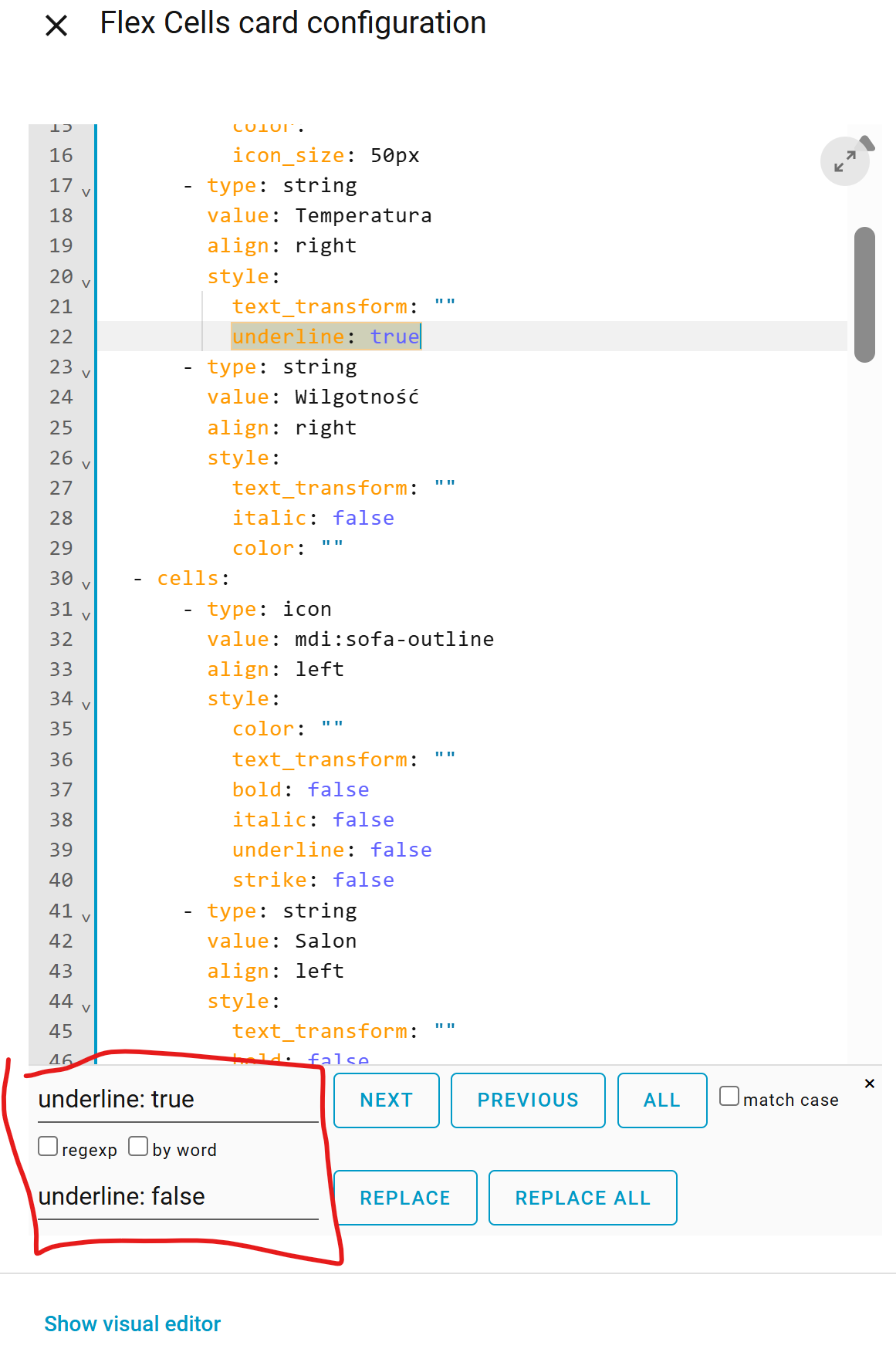
Entities are clickable by default, so that’s why they’re underlined by default. I don’t think I’ll change that. However, you don’t have to change it everywhere with the mouse. You can do it with a single search&replace in code editing mode:
Similarly, you can set colors in dynamic rules, and you can have any number of these rules for each cell. I don’t know how satisfied you’ll be, but you can also override everything with an icon in dynamic rules.
News regarding the card:
Today I came up with the idea of sorting rows by any column (one or several). I already have a preliminary version and it works quite well. I’ll test it in a couple of days and then push out a new version.
Sorting would be great! For example, by attribute last changed or last updated.
Btw: thank you for your work and this great card.
1 Like
Oh, thanks, that’s a smart trick. Maybe too smart for most of the users. While setting up all my rows, I encountered the following display issue in multiple rows, the visual area is cut off and I cannot scroll to select the drop down item:
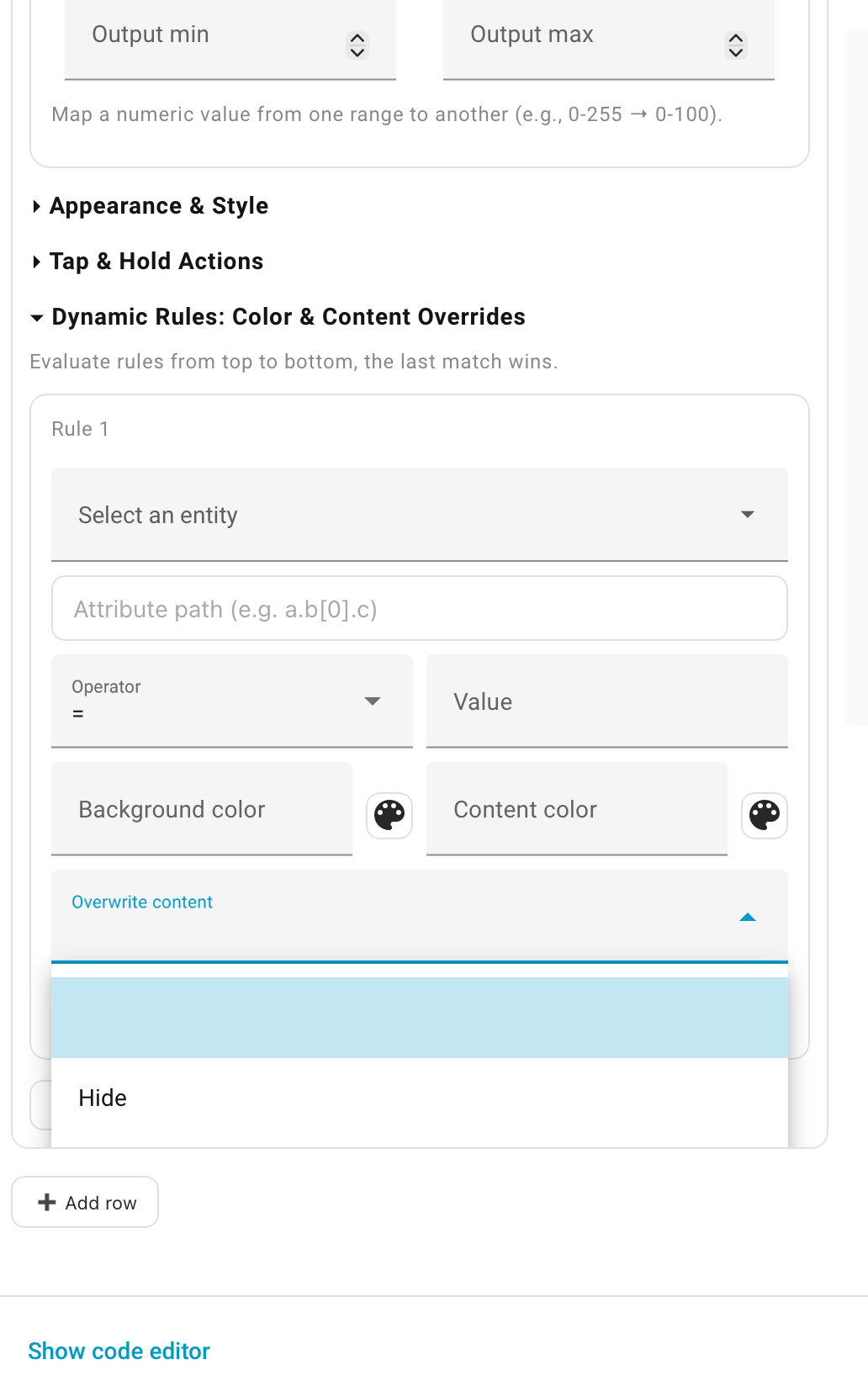
While this is a workaround, I strongly suggest to not display the custom suffix for unavailable/unknown entities. I cannot think of an example where keeping the suffix in such a case would be helpful.
I grew up with blue, underlined links in Internet Explorer. But the modern web has moved away from underlined links, the Home Assistant UI doesn’t underline anything at all. I think the default for a lovelace card should be to match the look & feel of the surrounding.
I understand. But as Home Assistant already provides a dynamic icon with dynamic color depending on the state, why can’t flex cells card display that dynamic icon without having to write your own rules? Motion sensors, climate entities, locked doors, open windows, lights etc. – they all have dynamic icons and I would like to easily use them in this card too.
Oh, and one more issue (more a bug than a suggestion): The decimal separator does seem to use “.” hardcoded instead of using the separator defined by the system. All other HA cards properly show temperatures as “23,5 °C”, but Flex Cells as “23.5 °C”.
I don’t want to create documentation, but a few such tricks will have to be written down.
For me, this list overwhelms the parent element, so all elements are available → CompanionApp + Android 14/15, the same on Win11 + Chrome. Either way, it’s probably an overflow issue - I’ve already changed it and it looks correct on my devices. It will appear in the next release (probably this weekend). I’m curious what device/app you’re using.
Workaround? No, it’s a feature! Don’t be lazy and set a dynamic rule in 3 seconds.
@ian_p you mean entity not icon right?
Which one will you upvote?
I’ve only encountered the issue in the rows > approx. 8. I’m using Safari on macOS 26.0.
So there is a use case for keeping a suffix when an entity is “Unavailable” or “Unknown”? And no, a dynamic rule for either of these states for a dozen rows isn’t 3 seconds, it’s rather 10 minutes – for a workaround of something that feels like a bug to me. But obviously use cases are different, so that’s a very personal view.
Regarding github, thanks for adding everything there!
Search & replace
I might come back to this topic, but for now, other tasks seem more important.
Thanks!
- v0.10.0 —
- Added dynamic sorting by single or multiple columns.
- Added a “tips & tricks” section to the readme.md.
- Fixed the dropdown list display in dynamic rules.
@aleco Please check if the dropdown is now working correctly.
Two new ideas:
@michalowskil will you be adding rules for Entities so we dont need to select each and every one manually?
A few examples…
Batteries: I have ~60 battery devices but some of them I would not want to display in a card (like tablets, mobile phones, laptops, etc.) that still leaves me with about 50 batteries to show status on. I dont want to select 50 entities.
or even something with fewer devices but I want them to automatically add as I get more of them…
The below is created by me using a card with embedded template code. It will scan the system and automatically add new devices that match the criteria. Its nice to simply add another device and not need to update a card (or more than one card) everytime.
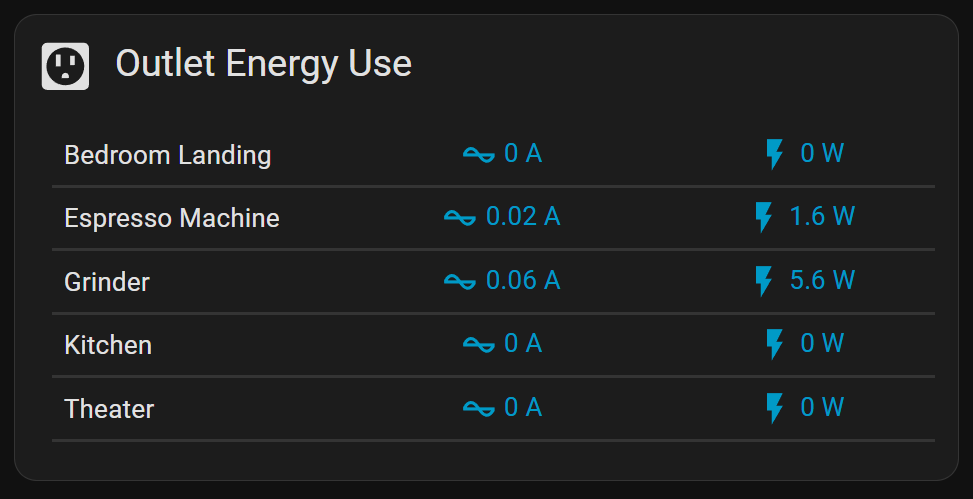
type: custom:button-card
styles:
  card:
    - height: auto
    - padding: 12px
    - margin: 0
    - width: 100%
custom_fields:
  outlets: |
    [[[
      try {
        // Collect power and current sensors
        const powerSensors = Object.keys(states).filter(e => e.startsWith('sensor.outlet_power_'));
        const currentSensors = Object.keys(states).filter(e => e.startsWith('sensor.outlet_current_'));
        const locations = new Set([
          ...powerSensors.map(e => e.replace('sensor.outlet_power_', '')),
          ...currentSensors.map(e => e.replace('sensor.outlet_current_', ''))
        ]);
        // Debug: Log sensor counts and locations
        console.log('Power Sensors:', powerSensors);
        console.log('Current Sensors:', currentSensors);
        console.log('Locations:', Array.from(locations));
        // Initialize output as a single string
        let output = '<div style="margin:0 0 8px 0; padding:0; text-align:left; width:100%; font-size:20px;">' +
                     '<ha-icon icon="mdi:power-socket-us" style="margin-right:6px; --mdc-icon-size:30px;"></ha-icon> Outlet Energy Use</div>' +
                     '<div style="width:100%; margin:0; padding:8px;">' +
                     '<table style="width:100%; border-collapse: collapse; font-size:14px; table-layout: fixed;">';
        // Iterate over sorted locations
        Array.from(locations).sort().forEach(loc => {
          const powerEntity = `sensor.outlet_power_${loc}`;
          const currentEntity = `sensor.outlet_current_${loc}`;
          const cleanName = loc.replace(/_/g, ' ').replace(/\b\w/g, l => l.toUpperCase());
          output += '<tr style="border-bottom:2px solid var(--divider-color); width:100%;">';
          // Name column (no bold)
          output += `<td style="padding:6px; text-align:left; width:33%;">${cleanName}</td>`;
          // Current column - now clickable
          if (states[currentEntity]) {
            const s = states[currentEntity];
            output += `<td style="padding:6px; text-align:center; cursor:pointer; color:var(--primary-color); width:33%; transition: background-color 0.2s;"
                       onclick="window.dispatchEvent(new CustomEvent('hass-more-info', {detail: {entityId: '${currentEntity}'}}))"
                       onmouseover="this.style.backgroundColor='var(--divider-color)'"
                       onmouseout="this.style.backgroundColor='transparent'">
                       <ha-icon icon="mdi:current-ac" style="--mdc-icon-size:20px;"></ha-icon> ${s.state} ${s.attributes.unit_of_measurement || ''}
                     </td>`;
          } else {
            output += `<td style="padding:6px; text-align:center; color:var(--disabled-text-color); width:33%;">n/a</td>`;
          }
          // Power column - now clickable
          if (states[powerEntity]) {
            const s = states[powerEntity];
            output += `<td style="padding:6px; text-align:center; cursor:pointer; color:var(--primary-color); width:33%; transition: background-color 0.2s;"
                       onclick="window.dispatchEvent(new CustomEvent('hass-more-info', {detail: {entityId: '${powerEntity}'}}))"
                       onmouseover="this.style.backgroundColor='var(--divider-color)'"
                       onmouseout="this.style.backgroundColor='transparent'">
                       <ha-icon icon="mdi:flash" style="--mdc-icon-size:20px;"></ha-icon> ${s.state} ${s.attributes.unit_of_measurement || ''}
                     </td>`;
          } else {
            output += `<td style="padding:6px; text-align:center; color:var(--disabled-text-color); width:33%;">n/a</td>`;
          }
          output += '</tr>';
        });
        output += '</table></div>';
        // Debug: Log rendered HTML
        console.log('Rendered HTML:', output);
        return output;
      } catch (e) {
        // Return error message for debugging
        return `<div style="color:red; padding:12px;">Error: ${e.message}</div>`;
      }
    ]]]
1 Like
How would this work with the current interface? I can’t imagine it.
I suspect there are many ways to make it work… one that comes to mind is that if the user selects to make an “Selector Rule” (Device, Entity, etc) the card limits the UI so the user could not add Entities manually. But the visual and conditional rules could still apply just the same as they do now.
Selector Rules could look like this…
Column 1 // Device Name = motion
Column 2 always uses Column 1’s device // Sensor Name = temp
Column 1 secondary info // Sensor Name = battery
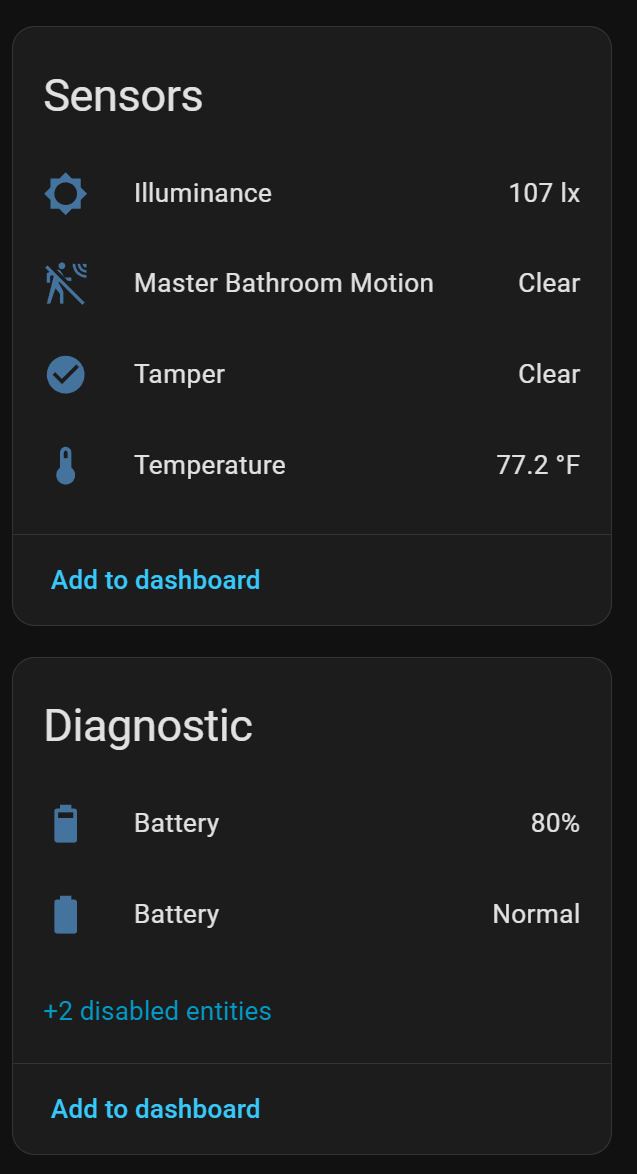
@Ltek I more or less understand the functionality you’d like to achieve. However, I don’t see how it can be reconciled with the functionality that already exists and that I don’t want to change or remove.
@everyone The separator has the most votes, so it’s the next change:
https://github.com/michalowskil/flex-cells-card/discussions/categories/ideas
Have you already voted for your favorite idea? Have you clicked the star in the Flex Cells Card project yet?
Which features would -not- work? I suspect there are some features that would not be possible in a ‘auto-entities’ style card but most UI and general formatting should, yes? control style, thresholds, colors, etc
- v0.11.0 —
- Added use of system-assigned icons and colors for entities.
- Changed the decimal separator to use the system settings.
- Disabled the default underline for entities.
For all of the following, no dynamic rules were used. No manual color settings were used. Except for the first row, which was a test. The brightness of the bulb affects the icon’s brightness, even if you overwrite it with a different icon or color!

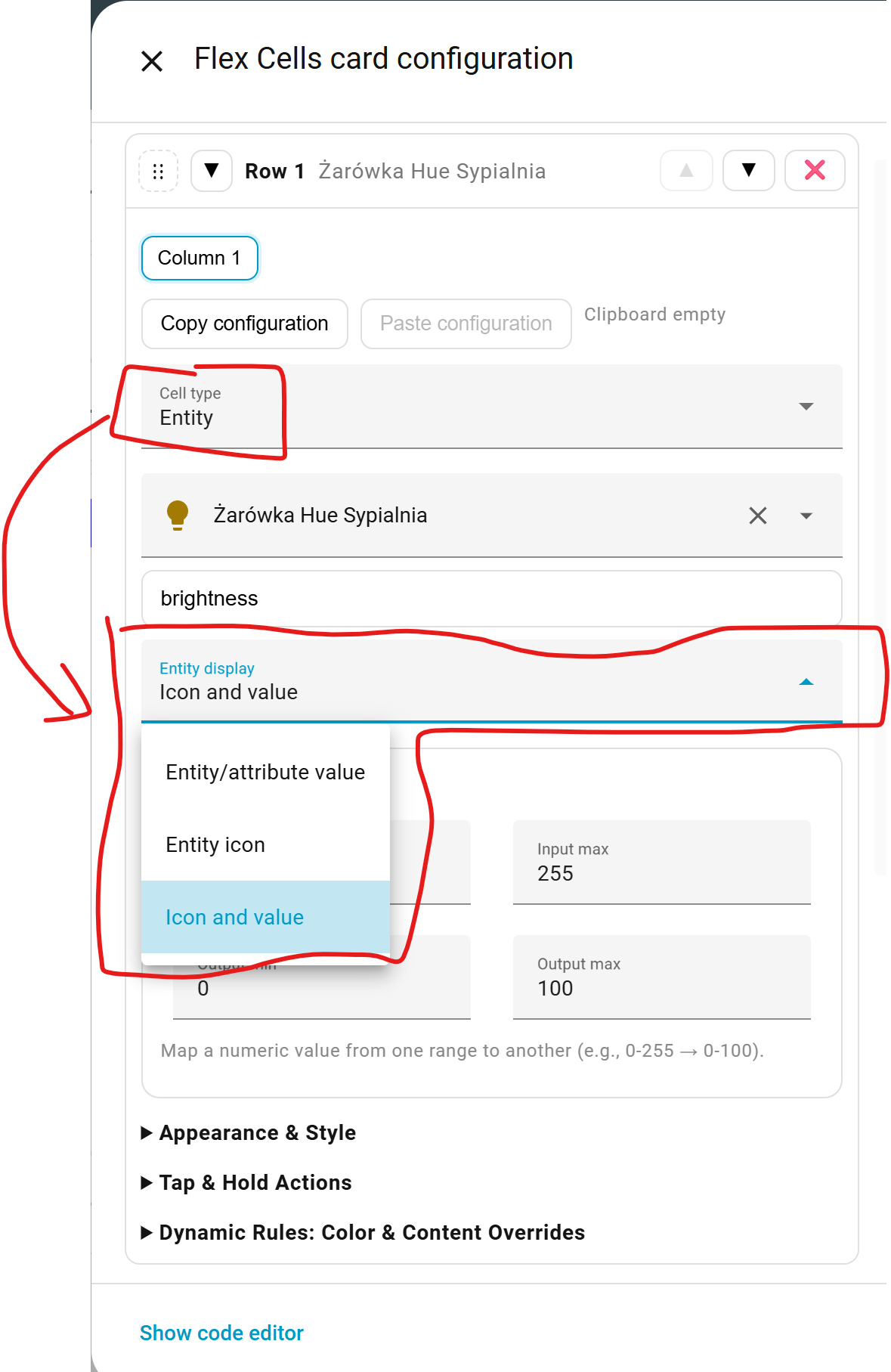
1 Like
For some reason the icons are huge, much larger than I’d want them. I can’t see a way to configure their size and would like them at “normal” size, whatever that is in HA in other cards.
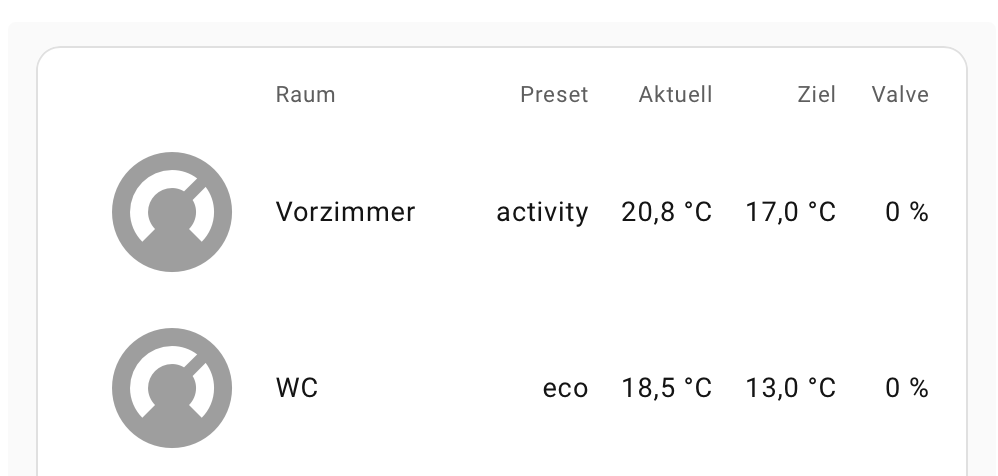
Here is a single row:
- cells:
      - type: entity
        value: climate.vorzimmer_heizung
        align: right
        style:
          text_transform: ""
        use_entity_unit: false
        entity_display: icon
      - type: entity
        value: climate.vorzimmer_heizung
        align: left
        style:
          text_transform: ""
          underline: false
        dyn_color:
          - entity: ""
            attr: ""
            op: "!="
            val: ""
            bg: ""
            fg: ""
            overwrite: text
            text: Vorzimmer
        use_entity_unit: true
        attribute: friendly_name
      - type: entity
        value: climate.vorzimmer_heizung
        align: right
        style:
          text_transform: ""
          underline: false
          italic: false
        dyn_color:
          - entity: binary_sensor.vorzimmer_presence
            attr: ""
            op: "="
            val: "on"
            bg: ""
            fg: "#ff9999"
            overwrite: ""
            icon: mdi:alarm-light
        use_entity_unit: true
        attribute: preset_mode
      - type: entity
        value: sensor.vorzimmer_aqara_temperatursensor_temperature
        align: right
        use_entity_unit: true
        precision: 1
        style:
          underline: false
      - type: entity
        value: climate.vorzimmer_heizung
        align: right
        use_entity_unit: false
        attribute: temperature
        precision: 1
        style:
          underline: false
        unit: °C
      - type: entity
        value: number.vorzimmer_sonoff_trvzb_valve_opening_degree
        align: right
        use_entity_unit: true
        style:
          underline: false
This is how your example looks like in my case:

In the second column, you have a rule that is always true. It overwrites the cell with the text “Vorzimmer.” If we remove this rule, we’ll see “friendly_name”:

Then we can select “Entity display: Icon and value” and see this:

It looks like that large icon isn’t from the configuration you pasted. Check if it looks the same in an incognito mode. Did you edit the configuration manually? You might have messed something up. Try again with the visual editor.
If you select the “icon” cell type, you’ll be able to control its size, among other things.
Thanks, I’m sorry, it seems I pasted an old version. I’ve edited my prior post with the code I am using which generates these huge icons.
As for the second column, I have a rule that is always true to replace the entity name with the room name, because for a list of climate entities I do not want the same word in each row. I wish I could use “Entity display: Icon and value” instead of a separate column just for the icon, but as I replace the name with a shorter version (the room name) there’s no option I could choose for that.
Here is the config in the UI for the first (non-header) row and first column (including the icon).