I feel I’m missing something and doing something wrong. Maybe you can help me.
I have connected though ZigBee both a “Shutter SW with level control by Legrand” that is physically connected to my roller shutter and controls it, and a “Shutters central remote switch by Legrand” that is just a basic remote switch with shutter symbols.
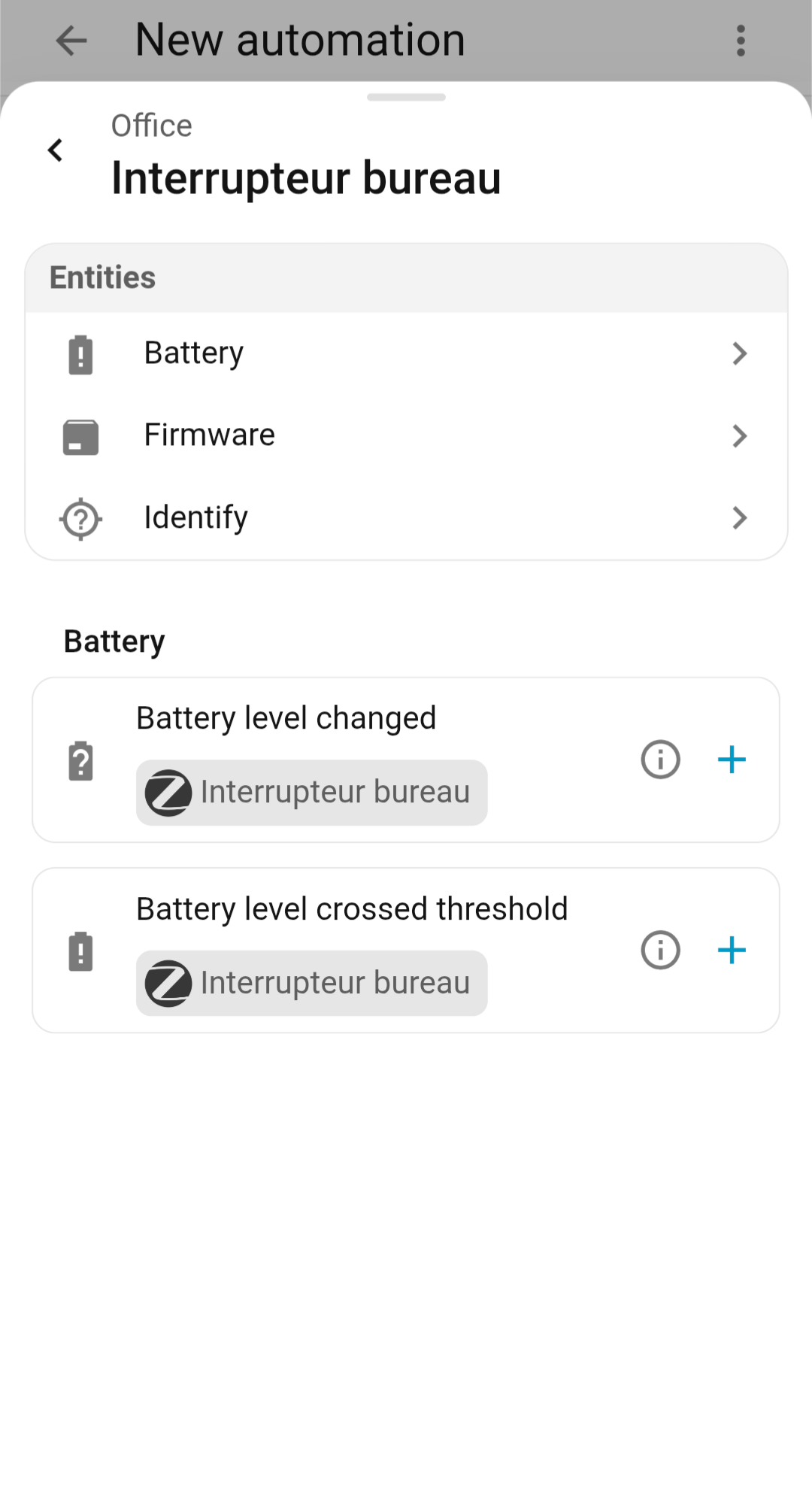
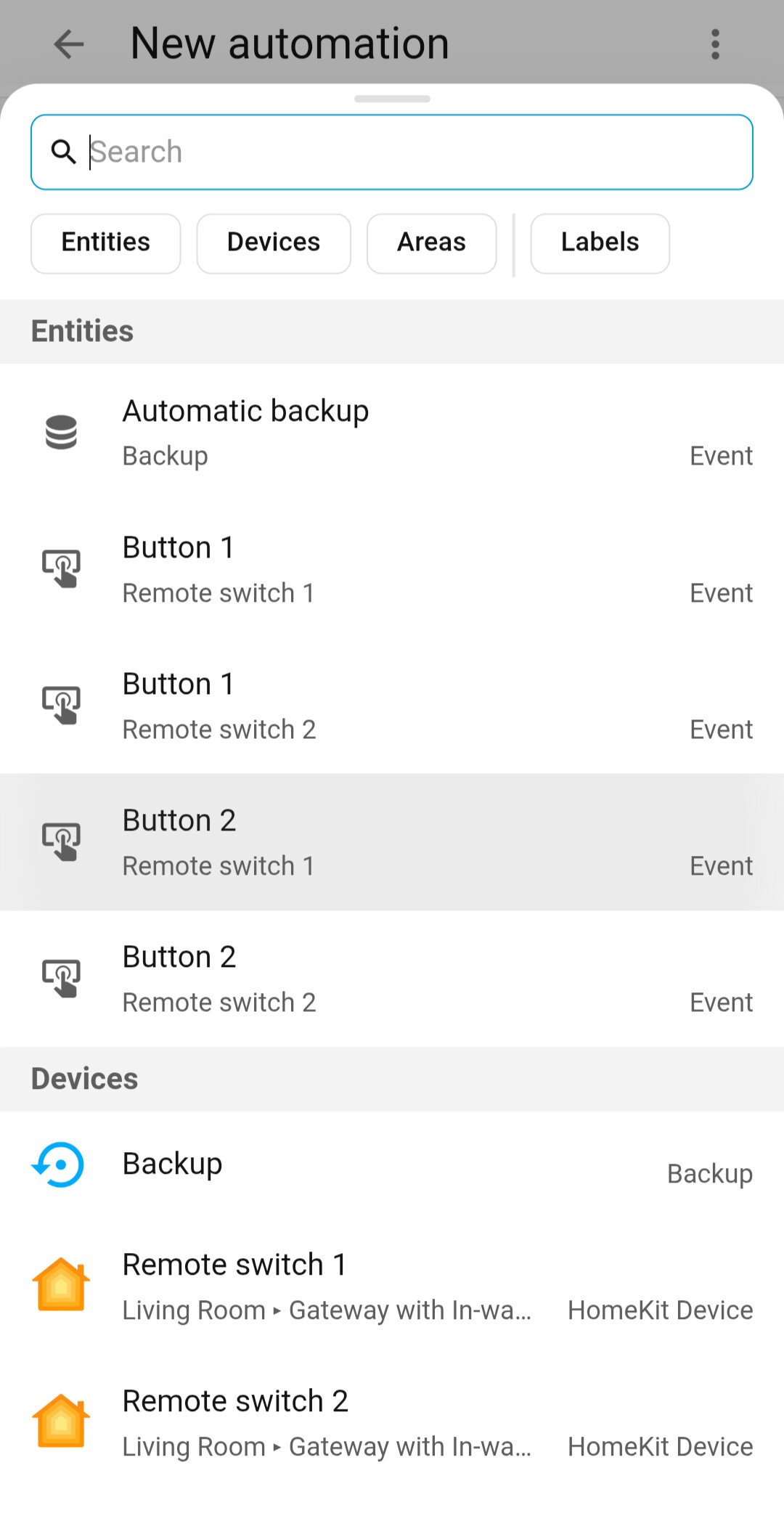
The thing is when I try to create an automation, the switch offers no default trigger Screenshot by target
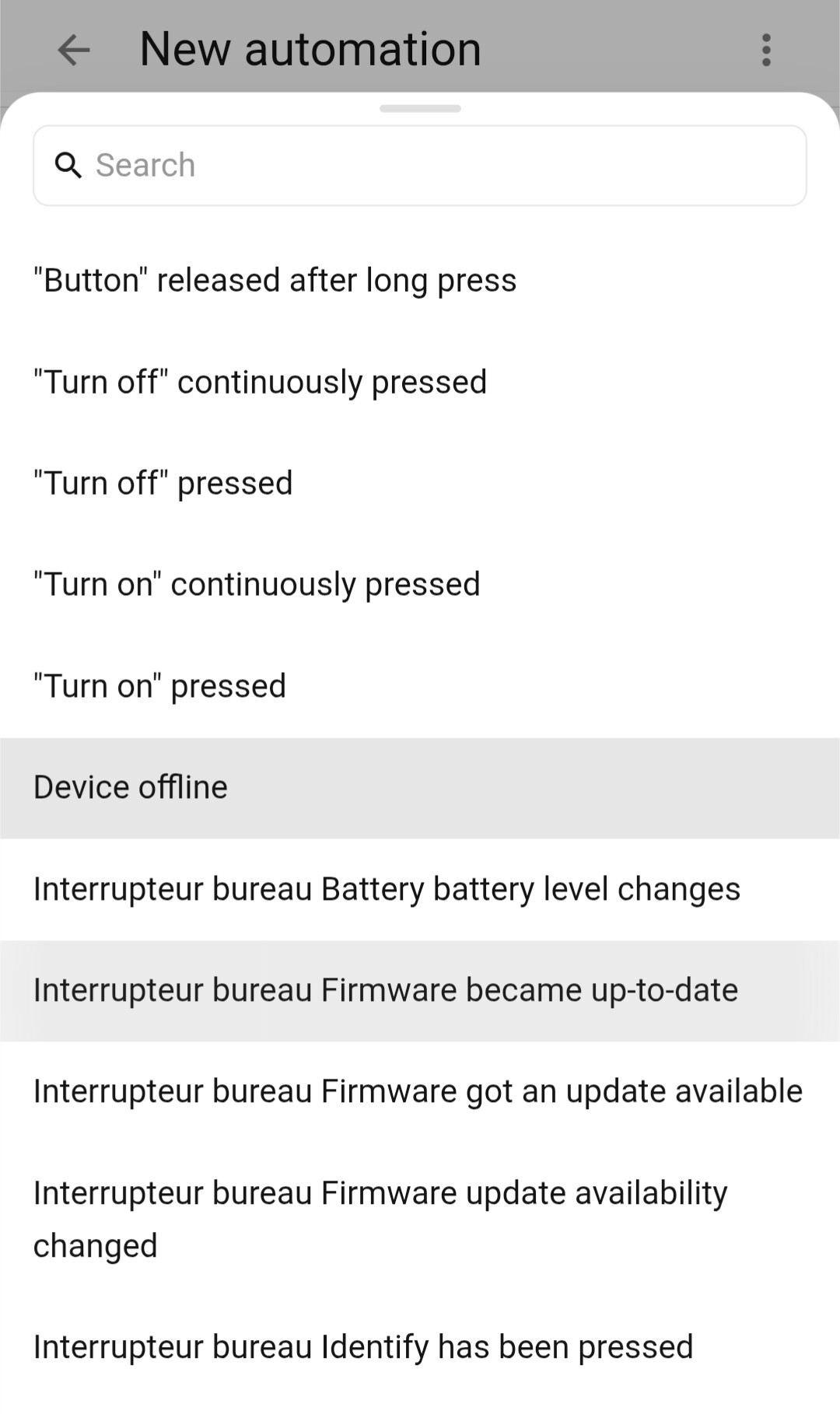
If I select the device to list all available triggers, I also see nothing related to the switch being pressed. Screenshot by type
On a standard switch (light switch with no shutter symbol) I also find nothing with the first method while I clearly found it a few releases ago since I managed to create an automation.
But with the second method, I find the “button pressed” triggers.
In the end, I managed to get the switch to work with a direct ZigBee binding, but this is suboptimal as I cannot use my switch for smarter control with automations.
Where am I making a mistake? Why do the switches seem to offer no trigger when accessed through the “by target” tab? And why do the shutter switch offer none also with the “by type → Device” tab?
This switch is controlling a shutter you said, correct?
Perhaps it is imported as the wrong type of switch. You change that with a helper. There is one that changes the type of switch and cover is one of the options.
Remotes & other battery powered devices don’t create entities for their buttons - they create events.
When you select by target, it lists the entities for that device, so you won’t see button press events. Either use the device as you are currently doing, or else use an event trigger.
The latest HA release added new triggers which should help with button events.
Thanks @ShadowFist , I understand better how the normal switch works.
Regarding the shutter control however, I can’t change the switch type as it’s not listed as it’s not listed as a switch in the first place. The issue is that no event seem to be associated with it.
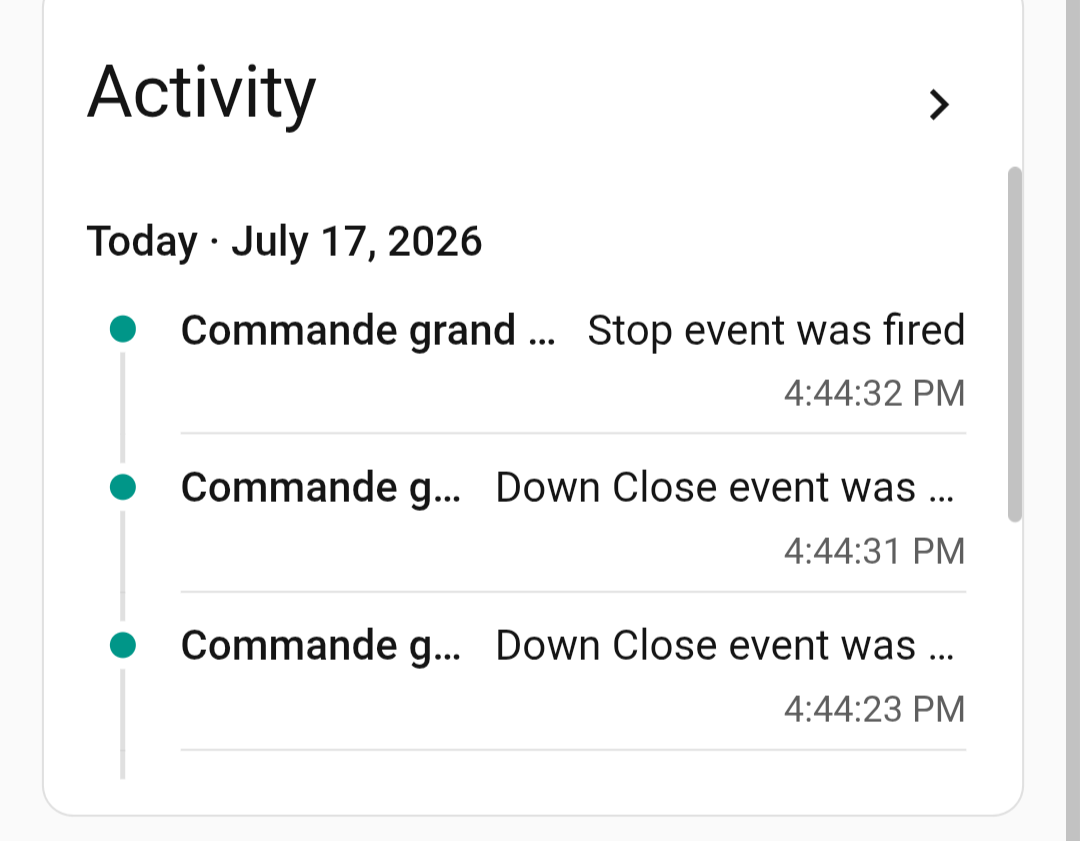
However, when I look at the activity off the command, the events seem to exist… I wonder how to use them as trigger since they’re not listed when looking at the device in the automation config.
I’m not understanding what you mean. Did a quick google search & it seems to be a cover, not a switch.
Show a full screenshot of the device page (not the automation page). Make sure you tell it to raise & lower the shutter before taking the screenshot, so it’ll show the history in the Activity tab on the right.
Ah ok, so there are events being fired after all. Can you see them with the new event triggers in HA automations (sorry, haven’t updated & don’t know what they’re called exactly).
If that still doesn’t work, go to dev tools & listen to zha_event, then send up/stop/down commands. You should have all the info needed to use the shutter there.
EDIT: is this the device you have? Hopefully there’s some info in the thread which should help a little bit.
Thanks a lot for your help. I guess we’re getting closer; and in any case I lean a lot thanks to you.
First, since English is not my first language; I don’t know if I’m clear. The shutter is working perfectly. I can set its position from within HA and have no issue. The “shutter switch” is the one I have a hard time getting to work.
I had found the thread you linked to, but to me, it seems to mostly talk about getting the shutter to work, not the switch.
When I try to get an event trigger, (trigger → by type → events) I don’t see this switch offered in the list. But not the standard switches either (those without the shutter symbols, designed to command lights and that work, as described in the original post of the thread).
I only see the events of interest when looking at a standard switch “by device”, but not for the “shutter switch” (Cf. Screenshots of the previous posts)
So I did the manipulation with dev tools. And I do indeed manage to get a yaml descriptor of the event of interest. That’s really neat, thanks a lot. Would you have a link where to look for documentation that explains how to use that to create a trigger?
Is there also maybe a tutorial or some documentation to see how to upstream that so that everybody with this hardware can benefit from it and see the event offered in the list when creating a trigger?
I had to go with the “manual event” because the event was not listed in any dropdown. As if the device description was missing something. That’s why I was asking if there is a way to add that to the upstream device description. Anyway, thanks!
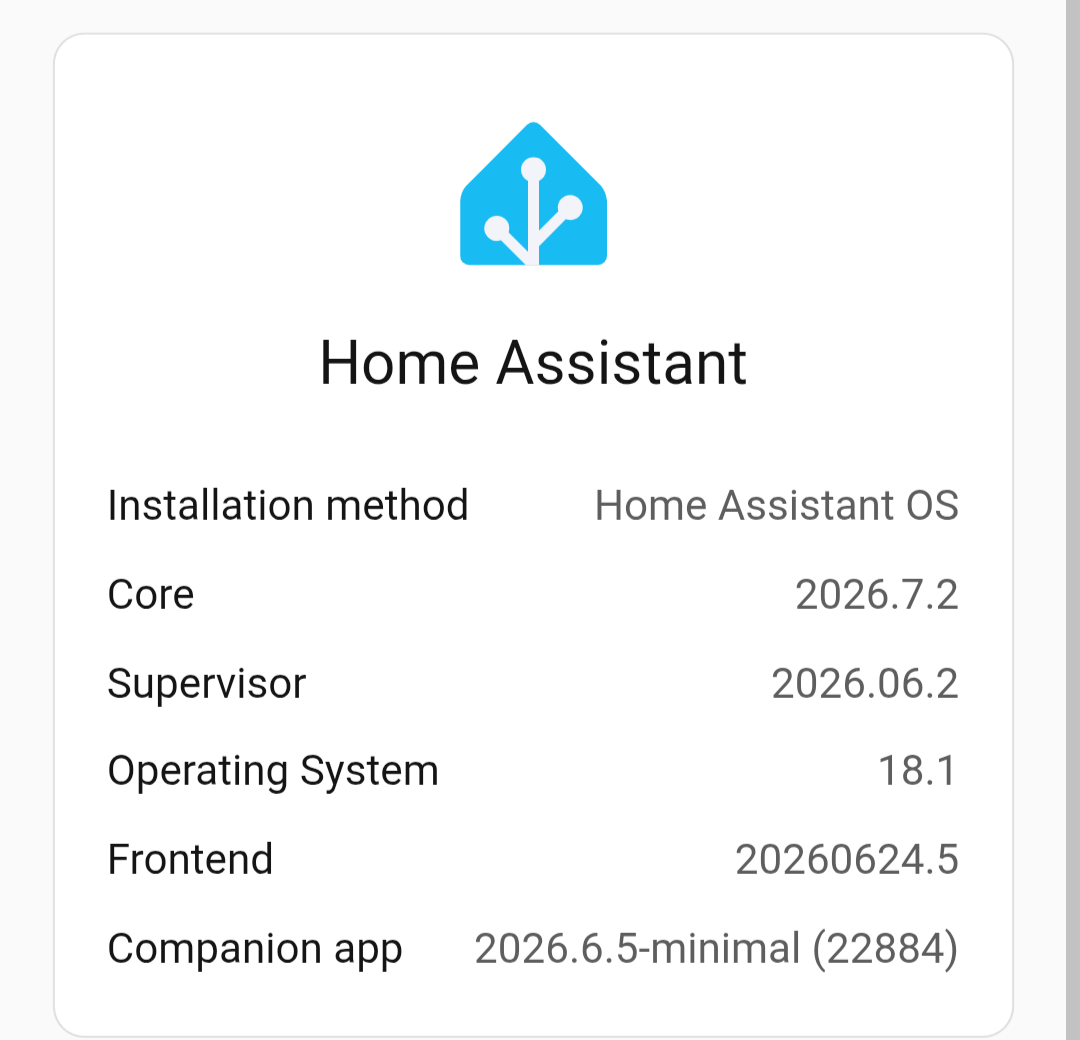
Updated to 2026.7.2 for you to check out the new Event Received triggers. Only event.received target I can find in my entire HA install is the automatic backup event, so you’re seeing more options than I am.
No idea what’s going on, though I’m using Z2M and still haven’t configured it to use the “experimental” event entities. Guess I’ll cross that bridge when I get to it