Sorry, I don’t want to share the exploit (in its current state) as its pretty powerful, and for all we know it can be unpatched on most bots out there, but it isn’t too hard to find with the firmware package.
Roomba i7+ (Rest980) with Selective Room Cleaning - Integrate your iRobot Roomba with Home Assistant
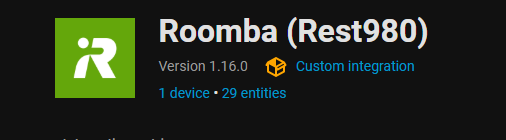
v1.16.0 - Two Pass Cleaning
Hey all! This update includes the popular feature of two pass cleaning per room. The core functionality has not changed (set the mode, then press the start button), but the switches are deprecated and will no longer be supported. You’ll notice that immediately upon updating.
The attributes of the states are still there, they are just not shown on the UI as if we used switches. Rooms now also show their floor’s name.
Alongside this, the issue of conflicting region IDs has been solved, their internal unique ID now uses their pmap ID.
Favorites are now also fully supported as of this update! There may be an extra couple disabled ones, those are internally used routines not usually shown to the user.
roombapw is a HA addon to help you get the communications password from the Roomba to connect rest980 to it.
rest980 handles all communications between the Roomba’s exposed server & us.
roomba_rest980 ‘connects’ to rest980’s HTTP api and continuously reads the state of the robot.
To connect roomba_rest980 to rest980, the base URL should be http://localhost:3000 or http://<HA server IP>:<rest980 server PORT>.
I have Roomba j755020 (Firmware: sapphire+24.29.3+2024-10-12-90de807ae9a+Firmware-Production+247)
Installed rest980 as an addon
installed roomba_rest980 and it connects on http://localhost:3000 (and connected to cloud with my u/pwd)
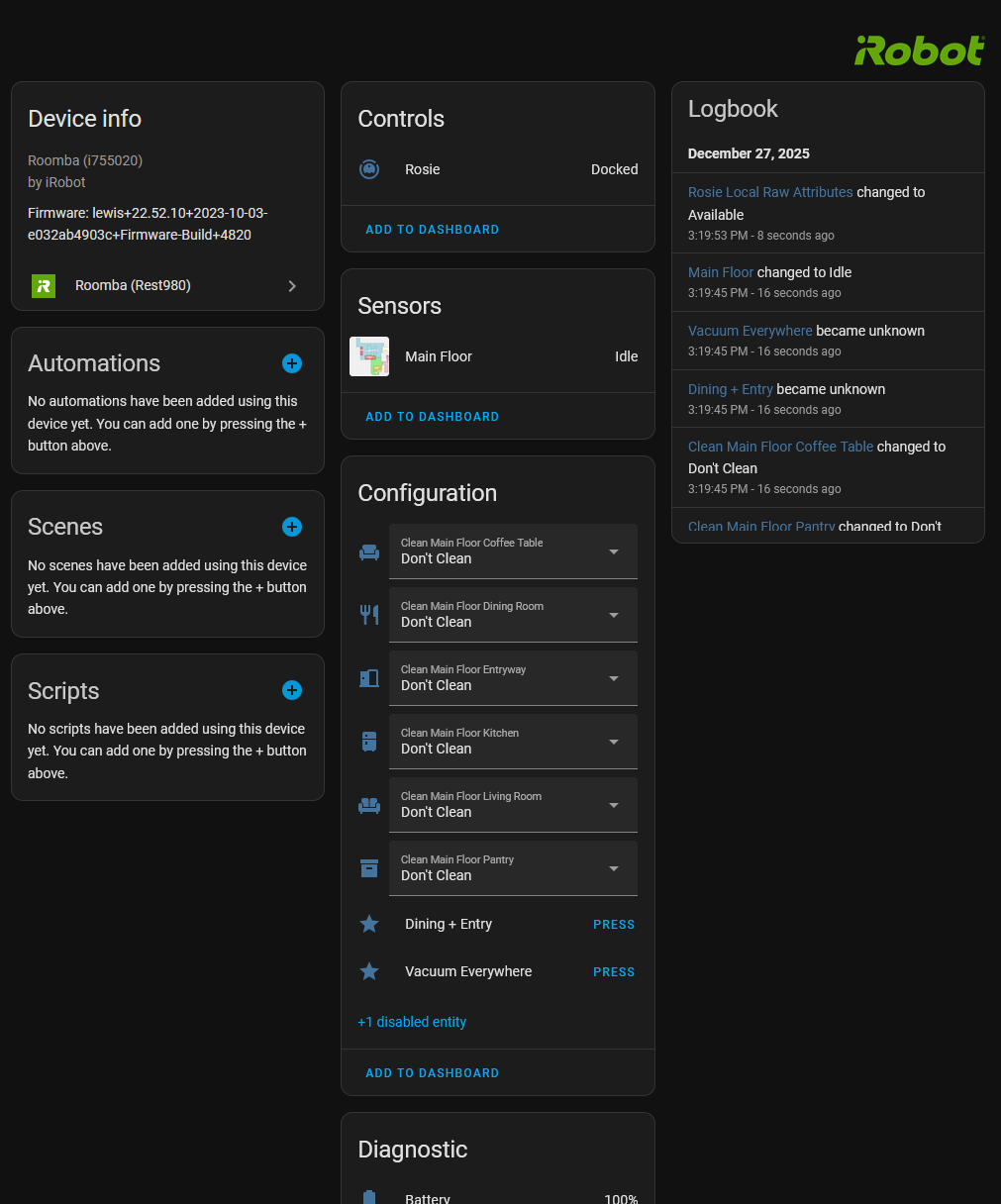
Under device, I do not see Sensors or Configuration sections. I do have Device Info, Controls, Diagnostic, Activity.
Thoughts on what I am doing wrong? Thx
Could you please send a screenshot of the error? I’d be able to better assist you with one
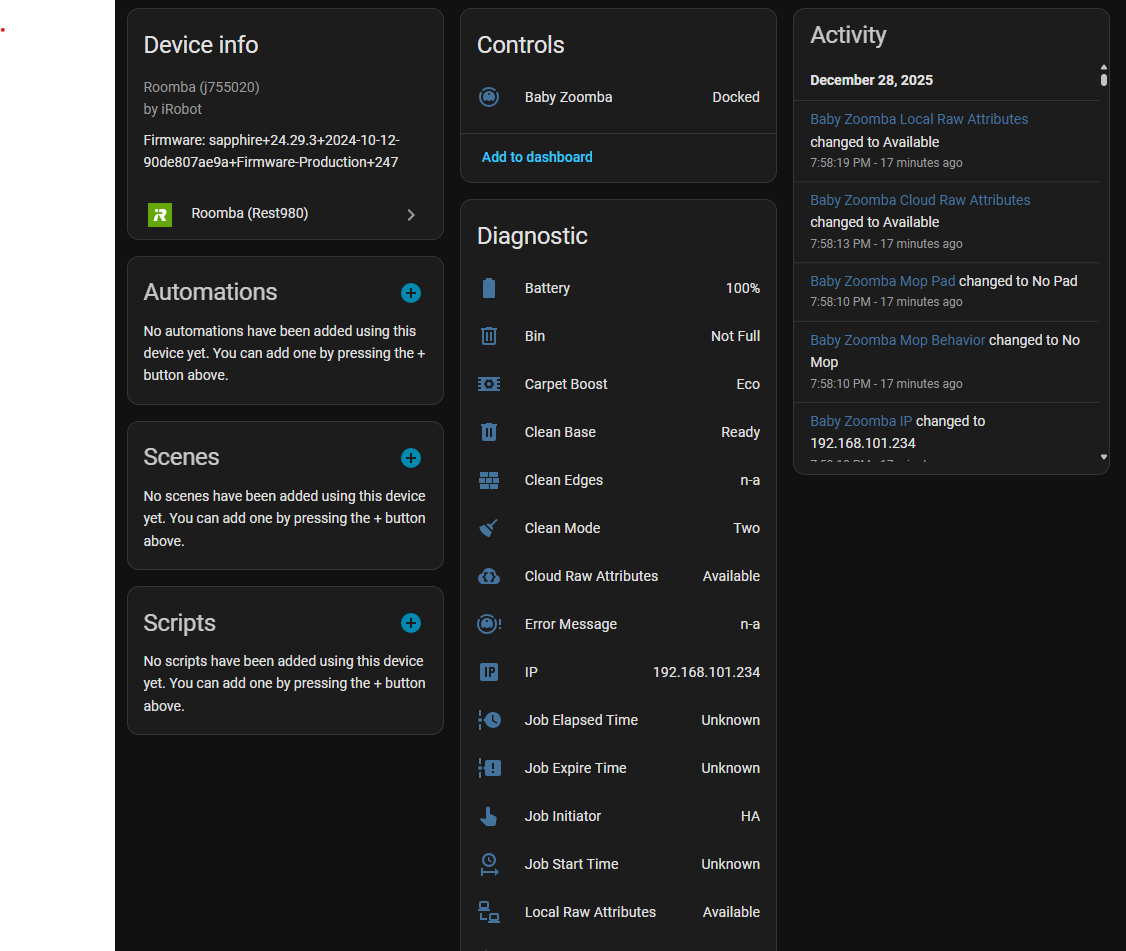
Could you send the HA logs?
here are snippets from HA logs that are related to roomba_rest980:
2025-12-29 11:25:50.805 ERROR (MainThread) [custom_components.roomba_rest980] Error during BLID matching: 'list' object has no attribute 'get'
2025-12-29 11:25:50.807 WARNING (MainThread) [custom_components.roomba_rest980.camera] BLID None not found in cloud data
2025-12-29 11:25:50.808 WARNING (MainThread) [custom_components.roomba_rest980.camera] No camera entities created
Anything else I can capture to help figure this out?
If it gives you a stack trace, like with line numbers and whatnot that would also be helpful, but I’m able to look into it right now!
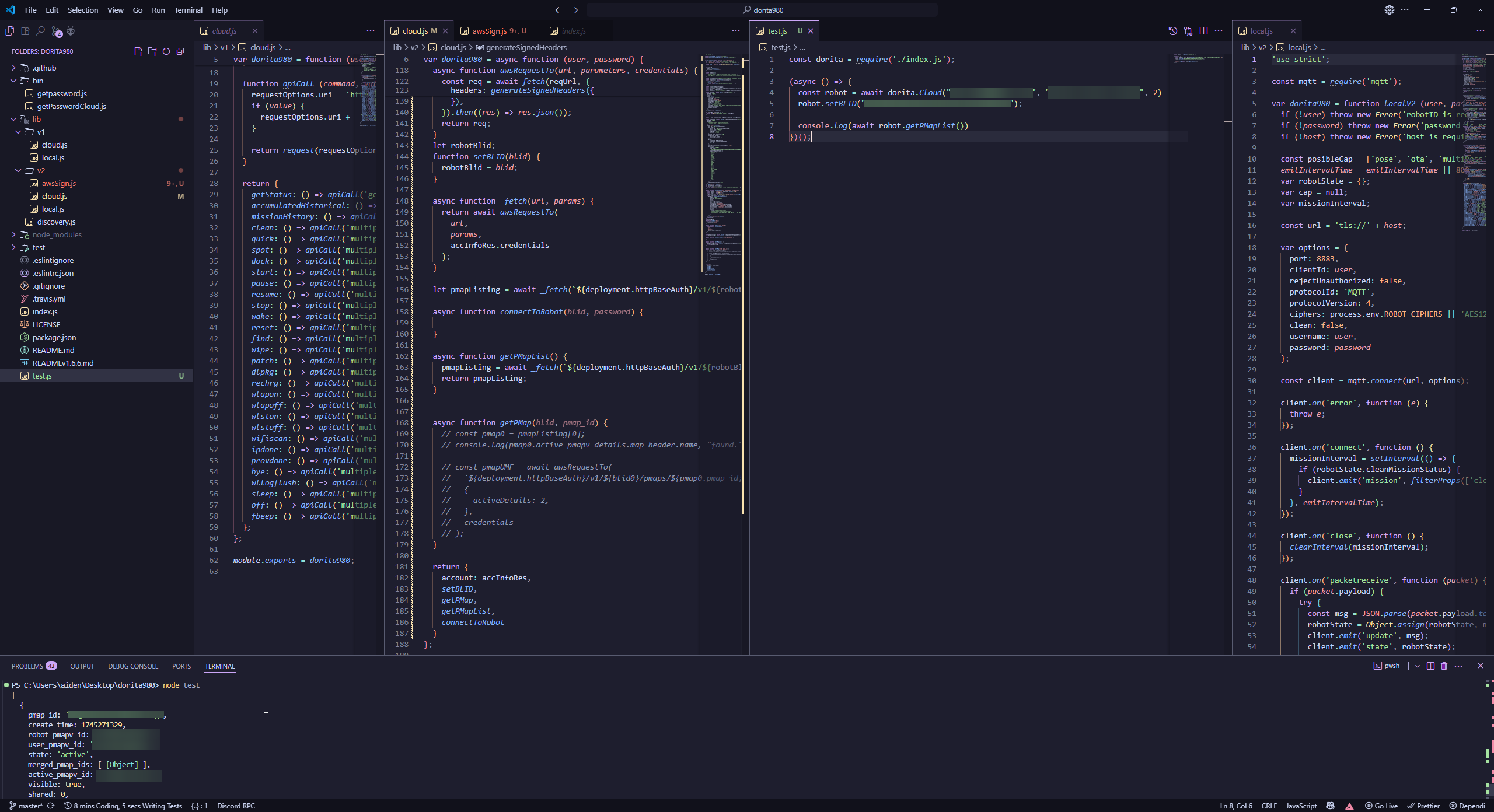
Hey all! Wanted to share a progress update. Currently working on adding cloud support to dorita980. Next, will work on adding to rest980, then my integration.
4 Likes
@ia74, thank you for working with me over last few days. We found the issue (in case it helps others) local sku and cloud sku, somehow, were not matching for my setup.
2 Likes
Hey mate, this looks awesome
I have a j7+ and will set it up
I don’t have much reverse engineering experience but would love to help out if possible
Do you have discord or some other way to collaborate?
My discord is ia.74
Up until now I’ve used the regular “iRobot Roomba and Brava” integration. I want to migrate to this integration now for the “Selective Room Cleaning” option.
Considering I have to provide the IP address of my vacuum in the docker compose file as an environment variable, this tells me that I should statically assign the IP address to my vacuum. This way the integration doesn’t break if my vacuum at some point pulls a new IP address via DHCP. Is this a valid assumption? Or is it possible that the integration doesn’t break when the IP of my vacuum eventually changes? Is it only needed during the process of setting up the integration and then “just work” after that?
I don’t believe it’s possible to statically assign the IP address on the vacuum itself, but I can create a static DHCP entry based on the vacuum’s MAC address. This is my plan, assuming my logic is correct about the integration.
Thanks!
Hey there! Glad to hear that!
Your vacuum does need a static IP. The only way we can currently reliably connect rest980 to the right robot is that.
We could theoretically use the mDNS broadcast it makes, as that reveals a BLID, and IP.
The integration would ‘break’ if the vacuum pulls a new IP from DHCP, but it shouldn’t if it’s assigned. To fix this would simply be changing the ROBOT_IP env variable and restarting rest980. roomba_rest980 would simply fix itself with that.
1 Like
I now have the integration installed and working. I was able to set the select.clean_main_floor_office drop-down to “One Pass” and then click the “clean” button from the vacuum’s entity. It worked!
Now I want to automate it. How would I command the vacuum to clean my office when a trigger fires?
Is it a two step process where it has to first change the value of the select.clean_main_floor_office to “One Pass”, and then send the “clean” command to the vacuum entity?
Yes! The select has to be changed to One Pass or Two Passes, then press the Start Cleaning button. The flow looks like this:
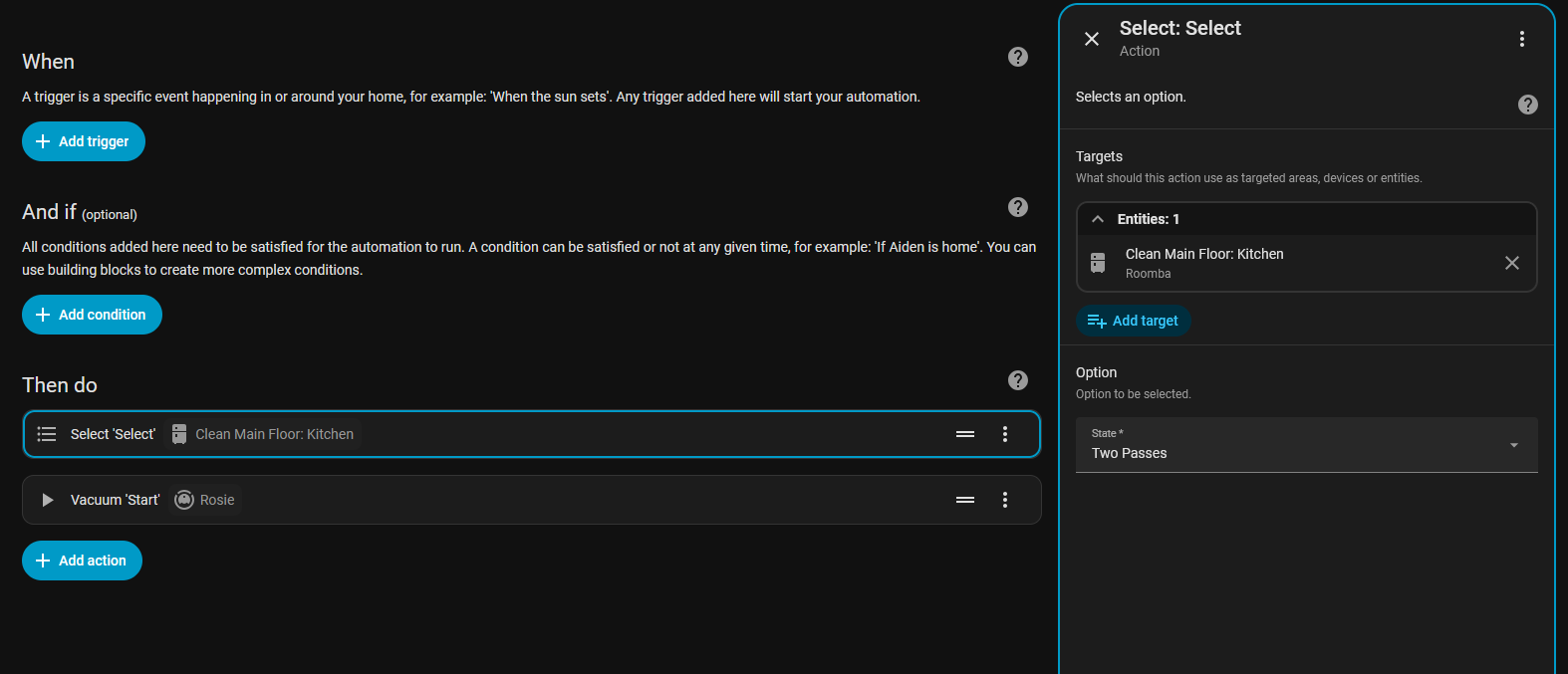
Here’s the YAML for the actions:
actions:
  - action: select.select_option
    metadata: {}
    target:
      entity_id: select.clean_main_floor_kitchen
    data:
      option: Two Passes
  - action: vacuum.start
    metadata: {}
    target:
      entity_id: vacuum.rosie
    data: {}
You can, of course, change “Two Passes” to “One Pass” but it is case sensitive (like all selects in HA)
1 Like
Feeling like a bit of an idiot here, but newbie question…
I’ve installed Rest980 and configured the integration with my Roomba i3. When I look at the attributes/diagnostics for my Roomba, everything is listed as “Unavailable”.
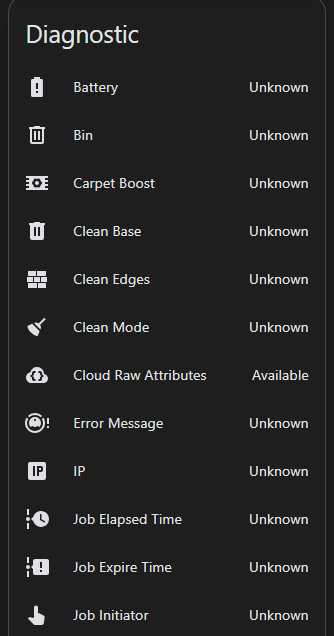
But, if I go to the Rest980 API URL, all the “missing” values appear to be present in the API reply.
I think I’ve configured everything correctly, but I’m absolutely stumped why HA doesn’t seem to be reading any of those diagnostics from Rest980.
Thanks in advance!
I believe this was fixed in v1.17.1, this has to do with the legacy attribute handling, please update to that and try! If the issue persists, please make an issue on GitHub w/ rest980 output and HA logs [if the integration makes any]