After a lot of experimentation, I got Home Assistant OS booting and running from internal eMMC on an RK3566-based TV box.
For me the whole project was a weekends experiment - at the same time I saved a lot of money if we compare with the same board configuration (for example Radxa 3 boards are 100€ +)
What even more suprising to me - there were prerry far no customization from my side.
This is not a polished solution yet, but it is usable and surprisingly stable.
Hardware
- RK3566 TV box (X88-like clone)
- 32 GB eMMC
- 4 GB RAM
- Gigabit Ethernet
- RTL8821CS Wi-Fi (partially detected)
- HDMI works
- GPU works (
panfrost) - Video decoder node appears
- HAOS runs normally
Reference to this comment if you need to prepare your board. I have intentionally corrupted Android system to make it load everything that exists in the SD card rather than Android.
1. Prepare HAOS image
I used:
- Home Assistant OS for Odroid M1
.img.xzimage
Reason:
Odroid M1 is also RK3566/RK3568 family and already supported by HAOS.
Flash the image to SD card:
xzcat haos_odroid-m1-*.img.xz | sudo dd of=/dev/sdX bs=16M status=progress conv=fsync
(or use BalenaEtcher / Armbian Imager under Windows)
2. Replace DTB
After flashing, mount partition 2 (here you need Linux):
sudo mount /dev/sdX2 /mnt/haosboot
Replace:
rk3568-odroid-m1.dtb
with your own DTB. To find a DTB go to Armbian forum. I used files "rk3566-box-X88PRO20.dtb" and "rk3566-box-demo.dtb" - both worked.
Rename your DTB to:
rk3568-odroid-m1.dtb
This is critical. I also added serial console:
sudo nano /mnt/haosboot/cmdline.txt
Changed it to:
console=tty0 console=ttyFIQ0,1500000
3. Boot from SD card
Insert SD card and boot.
At first boot:
- filesystem expands automatically
- HAOS takes a VERY long time (50 minutes) - due to the speed of SD card, ~10Mb/s
- several reboots may happen
- eventually Home Assistant CLI appears
I initially got:
[Warning] - cli is not started or was interrupted
but after waiting longer it eventually came up. I strongly recommend here to solder into a serial pins of the board / UART and listen. UART will run with a speed 1500000 - not every usb-to-serial will be able to listen to it.
4. Backup recovery
Connect keyboard and run directly on the HA emergency bootup cli:
lsblk
Confirm:
- SD =
mmcblk0 - eMMC =
mmcblk2 - USB =
sda
Before writing in step 5:
dd if=/dev/mmcblk2boot0 of=/mnt/data/mmcblk2boot0.img bs=1Mdd if=/dev/mmcblk2boot1 of=/mnt/data/mmcblk2boot1.img bs=1M
And optionally:
dd if=/dev/mmcblk2 of=/mnt/data/emmc-head.img bs=1M count=64
5. Install HAOS to internal eMMC
IMPORTANT:
Do NOT overwrite the board bootloader area unless you know exactly what you're doing.
I preserved the existing Rockchip bootloader and only wrote HAOS partitions.
Eventually the simplest reliable solution was:
- boot HAOS from SD
- use Linux tools directly on the running system
- write HAOS image to eMMC
- download .img.xz, unpack that to your usb into .img
Mount USB
mkdir -p /mnt/data/usb
mount /dev/sda1 /mnt/data/usb
ls /mnt/data/usb
Then flash:
dd if=/mnt/data/usb/haos*.img of=/dev/mmcblk2 bs=16Msync
After flashing:
- remount
mmcblk2p2 - replace DTB again
- power off
- remove SD
- connect Ethernet cable
- test eMMC boot.
6. Result
Your router should identify the TV board and the board will boot super quick (for me it was 1 minute)
Working:
- HAOS
- Docker
- Ethernet
- HDMI
- GPU (
panfrost) - eMMC
- automatic partition resize to full 32 GB
- Supervisor
- Add-ons
- SSH
Partially working:
- RTL8821CS Wi-Fi detected but firmware/init issues remain
Not working yet:
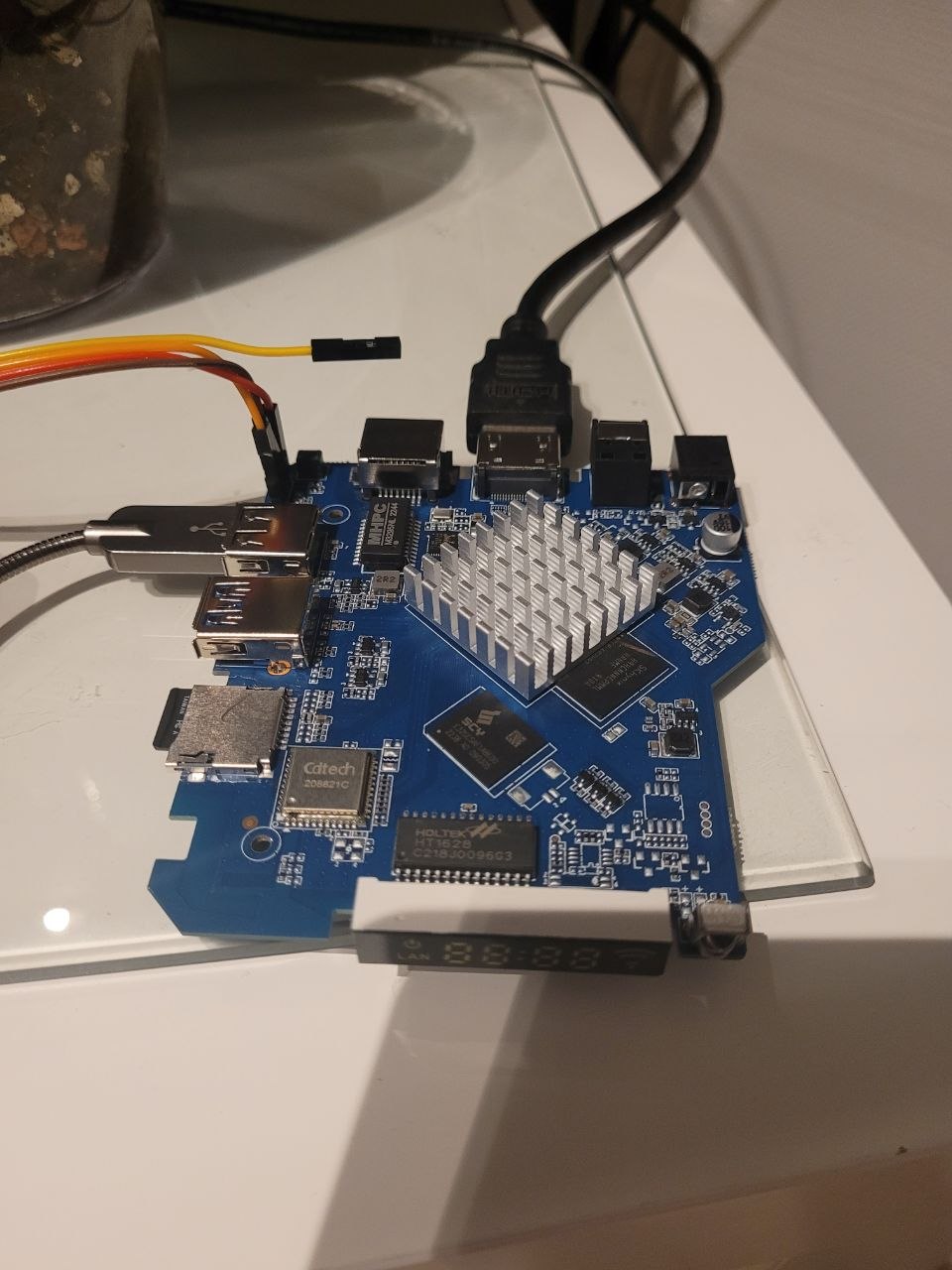
- front LED/VFD display
- exact GPIO mapping unknown
Notes
The Odroid M1 DTB contains unrelated front-display definitions (fd628) that do NOT belong to this board.
Do not waste time trying to use those GPIO mappings directly.
The original Android firmware DTBs were almost generic RK3568 EVB DTBs and contained no useful front-panel definitions.
Conclusion
RK3566 TV boxes are surprisingly capable HAOS machines once booted properly:
- low power
- silent
- fast eMMC
- hardware GPU
- cheap
The hardest part is DTB compatibility and boot chain quirks.
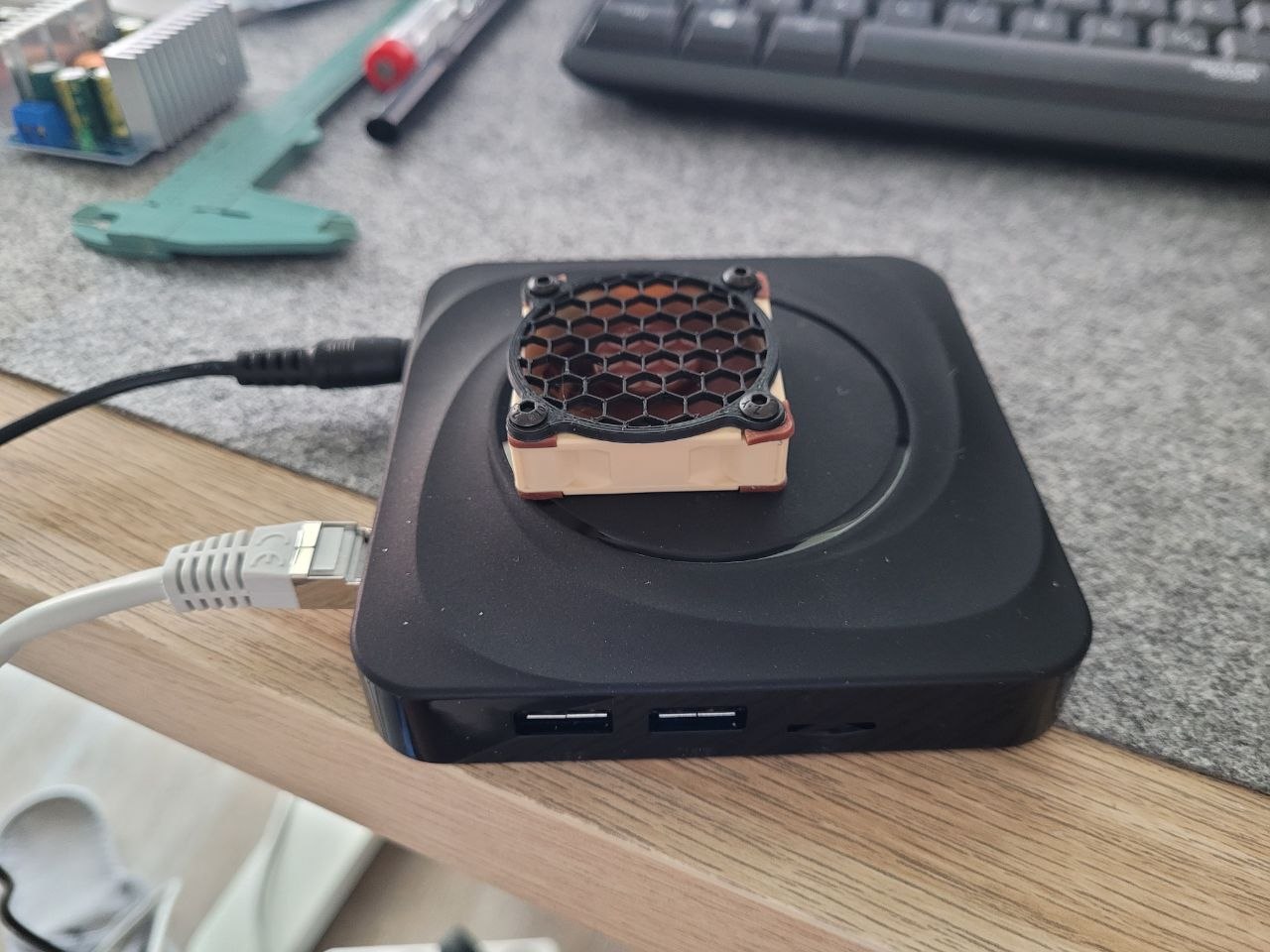
Once HAOS boots, it behaves almost like native supported hardware. I connected on top a small Noctua fan:
 If you come across anything to make the VFD work, please share. Is the HDMI output working on your box after completing the above steps? Currently, that is the only feature I am missing on the box I am using.