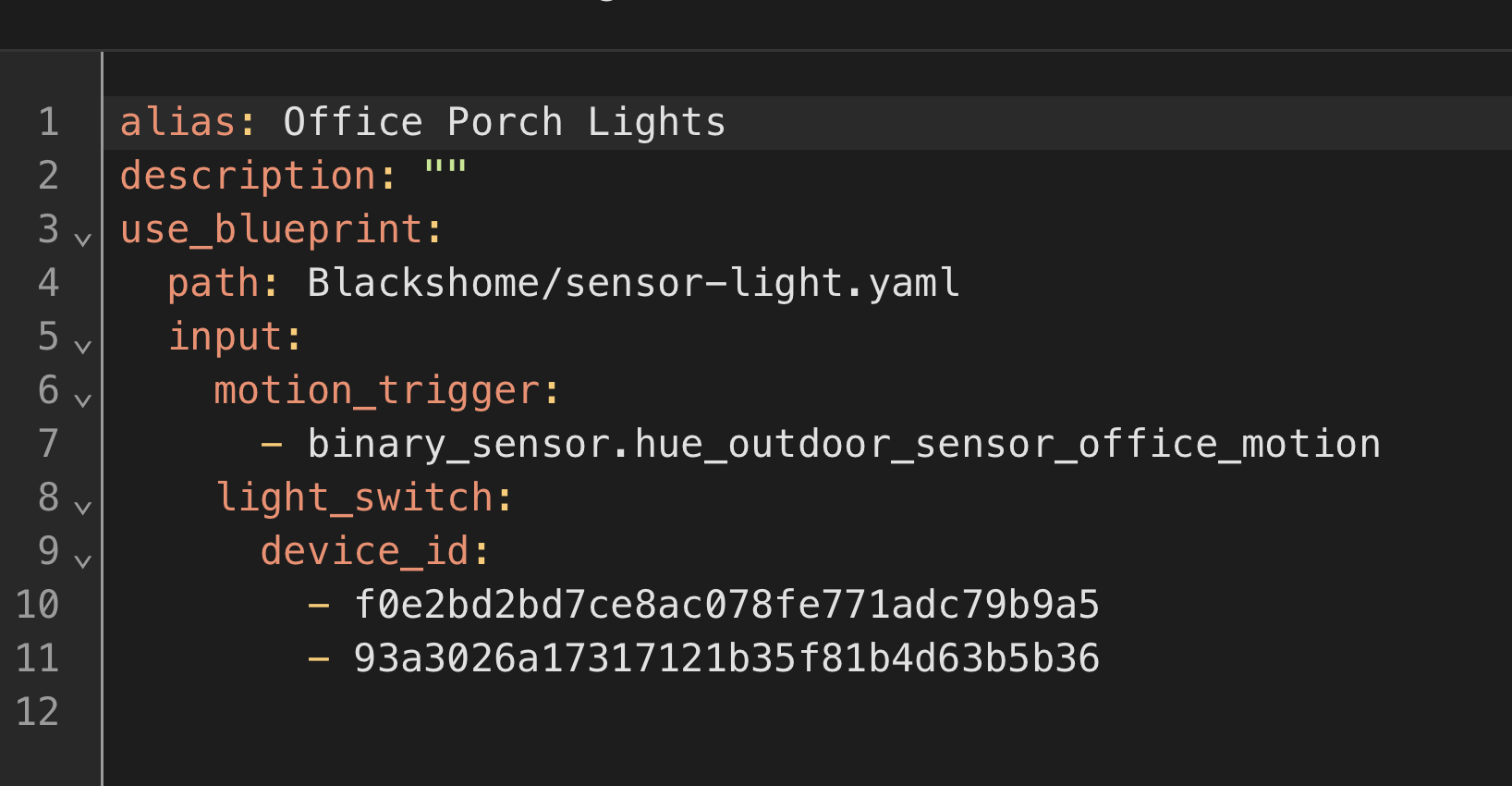
Could you please provide us your YAML of the automation? This YAML code are the settings you have selected in the automation so I can help. To do this go into your automation, top right 3 dots, Edit in YAML, copy all the code, come back to the forum and in your reply at the top tool bar click on “</>” and paste code in there.
Your controlling two different lights so you will need 2 automations. I am not sure how your sensor works but you should be able to identify what was the trigger. The sensor may have zones like zone 1 and zone 2. Then use the zone as the trigger.
Night lights will follow once you have your sensor is set up correctly but your sensor must be able to identify the 2 different triggers.
Zone 1 = between 40cm under 200cm.
Zone 2 = over 40cm under 500cm.
I never really looked at it but I can see what your saying. I think it is because we are using targets in the blueprint as the input select. This looks to be a bug in HA that you could log… I will do it for you and see if HA fixes it.
Edit: Reported click here
Edit 2: New reported link as it is core related, click here.
I have a chandelier (in a stairway) where i want to start the light at 1%, however the leds won’t turn on unless the initial brightness is 15%.
It’s been some months since I read everything available for the Sensor Light blueprint, is there any way I can cause the initial turn on to start at 15% and then immediately drop to 1% and then follow the normal blueprint behaviour.
Alternatively I can use a separate automation to set 15% → 1% and then call the blueprint.
Seems this might be a common issue and wondering how others solve it while still using Sensor Light.
Hey Blacky,
Hoping you can provide some guidance on an automation I’d like to setup. I’d like to enable specific lights to be turned on at sunset, and stay on, until I manually turn them off using a pico remote, and to stay off until the next day where they will turn on again at sunset… How can I achieve this?
Hey, couldnt you just achieve this with a straightforward automation or perhaps two? Use the sunset as a trigger to turn the lights on with one automation, and a second to turn them off with the pico remote?
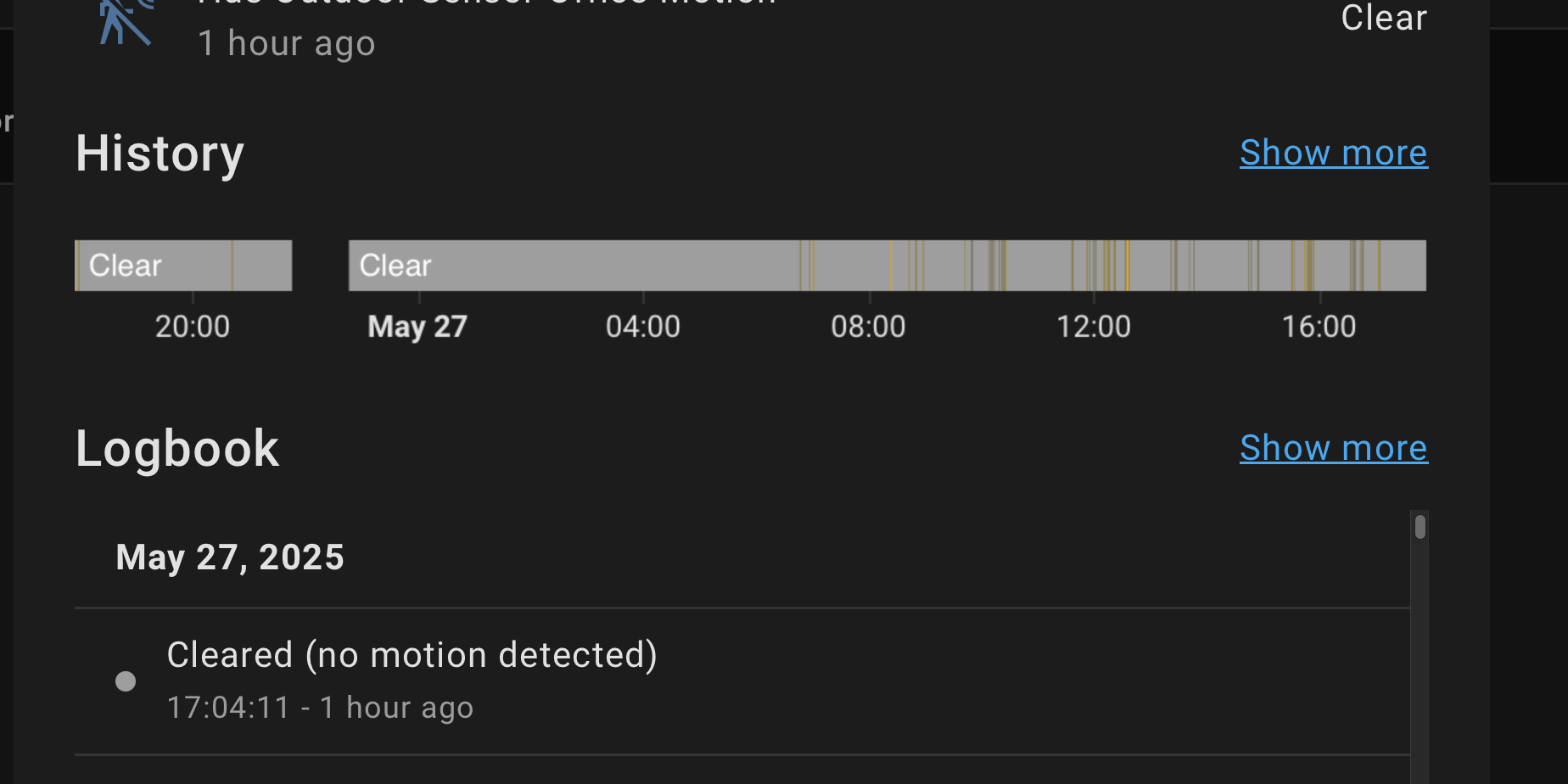
Is there any way to debug why the sensor light automation doesn’t trigger for me?
It’s a pretty simple setup (Because I’ve stripped it all back trying to get it to work). But the automation tells me the last time it triggered was 2 weeks ago.
In Night Light Control I have unticked Yes - Manage OFF script when crossing over as your not using any scripts.
In Night Light Control I have changed your Night Lights - Brightness from 20% to 60%. See your glow lights are set on 20% and because they are the same brightness value (20%) you wouldn’t seen any change and is why you think it is not working. Setting them to 60% you now will see the change. You will need to adjust this brightness value to your liking.
What you could try is to wright a script that turns your lights ON to 15% wait a second or two then turn your lights to 1%.
In the blueprint do the following
Add you chandelier entity into Lights - Switches - Scenes - Scripts.
Also add your script into Lights - Switches - Scenes - Scripts that turn your chandelier lights ON at 15%, then wait and then turn your chandelier lights ON to 1%.
Then make sure you also enter in a Scenes & Scripts - Toggle Helper.
In Scenes - Scripts To Turn OFF you don’t need to add anything in because you have already added in your chandelier entity into Lights - Switches - Scenes - Scripts and the blueprint will turn them OFF.
Set your Light Control Brightness to 1%.
Now when the blueprint automation turns on your chandelier for the first time the script will run and turn them on to 15% an back down to 1%. Because you added your toggle helper in it will only do it once. This part you said “and then follow the normal blueprint behavior” I am not sure what your doing maybe going from normal lights to night lights and then back to normal lights and is why I suggested to enter in your entity and a script.
Use this blueprint Smart Light. In Trigger - Sun Elevation use the Sun Elevation Falling - ON and set up your Sun Elevation Falling. Enter in your lights etc and most of the options are like this blueprint so you can decide what you would like to do with your lights. Now they will turn ON but you will have to turn them OFF manually.
Maybe you could also use the time OFF trigger and set it past when you would manually turn it OFF so if your not home and forget to turn them OFF they will turn OFF for you. Like a safety backup option.
You using devices in Lights - Switches - Scenes - Scripts and you must only use entities. This FAQ will show you how to get your entities for the devices you selected, click here.
Hello, I need help with a setting.
At the moment I use the Blueprint so that light is switched on when movement is detected and switched off with a time delay if no movement is detected. I also use the sun option. Everything works great.
I would now also like to set the light to always switch off with a time delay if no movement is detected.
My wife and children keep forgetting to switch the light off again
Is that possible?
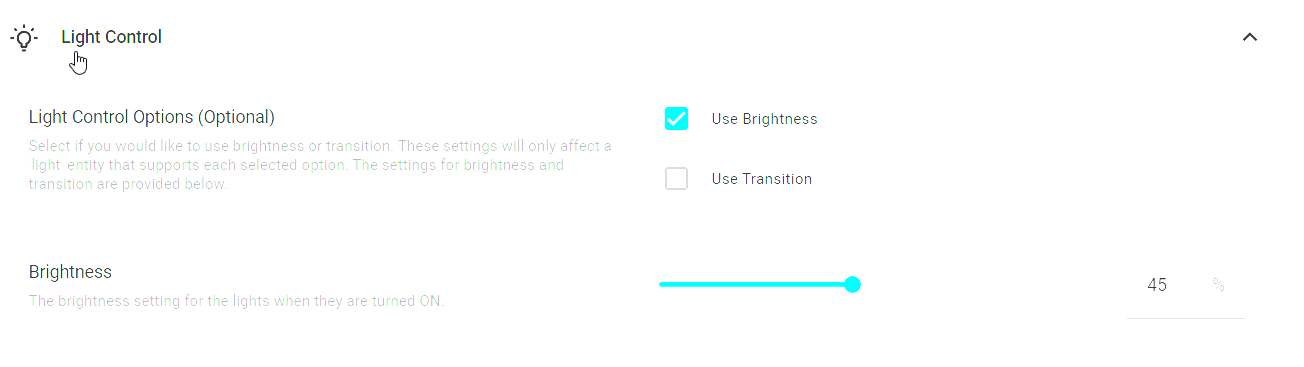
i have a question, i have a lux sensor and a light, i use the dyamic lighing (option 1) and it is working fine but the brightness when the light switch on is always 100% even if i configured the brighness in light control at 45%.
if i disale the dyncamic lighting, the starting brighness is 45%
I am using it in a couple of rooms that have over 15 lights in each room. The problem I am getting, and this not to do with the Blueprint as I have the same issue without the blueprint, is that not all the lights turn on sometimes and not all the lights turn off sometimes.
I have been reading about and there is some talk about sending so many instructions at the same time sometimes causes some to get lost.
I have also tried using scenes but suffer from the same issue.
Apparently putting a small delay between sending the commands for each light may solve it but I have no idea on where or how to add this to the YAML.
Also is there a way to write a script to check to see if all the lights came on or off and if not run the automation again on those lights?
I am not sure if anyone else has had these issues or it is just my set up?
Spent a while on it, as there were a few other bits not quite right, but, thanks to your help I now have a working automation, thank you again for supporting this.
I have one last niggle, but, it is not too important as I can find a way to work around it, but I thought I would share. If I try and turn off “transition” under night lights, or indeed both under night lights and glow, my non-glow flood light will trigger on for motion, but never clear. Pop transition back on, and it works as expected. Yaml from my dummy set up below:
As I said, I was only playing with transition to solve an issue with one of my dimmers revertint to 1% on, and I can find another way to solve that so this isn’t causing me a big issue, but I think it may have been one of the things that caught me out in my journey with this blueprint.
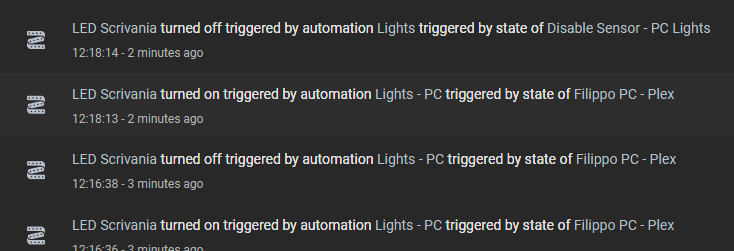
Tried another time with updated blueprint but I still have the problem, after turn on from addon, the “LED Scrivania” is the only one that turn off, the other lights turn on as expected
Yes, but not within this blueprint. I’m assuming the lights are being turned ON manually when this blueprint can’t run due to the sun condition.
To achieve what you want, you’ll need to create a custom automation.
Use the following structure:
Trigger: Light turns ON
Condition: Sun is above the rising elevation and below the falling elevation (use the same elevation values as this blueprint)
Action:
Wait for the motion sensor to remain clear for X minutes
Turn OFF the light
Here’s a basic outline you can copy into a new automation. Just replace the light entity, motion sensor, and adjust the solar elevation values to match your setup.