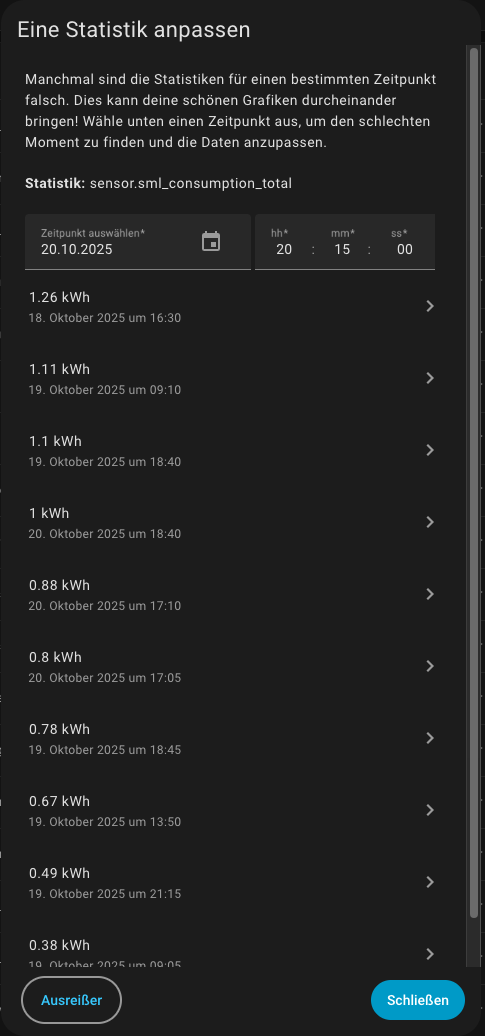
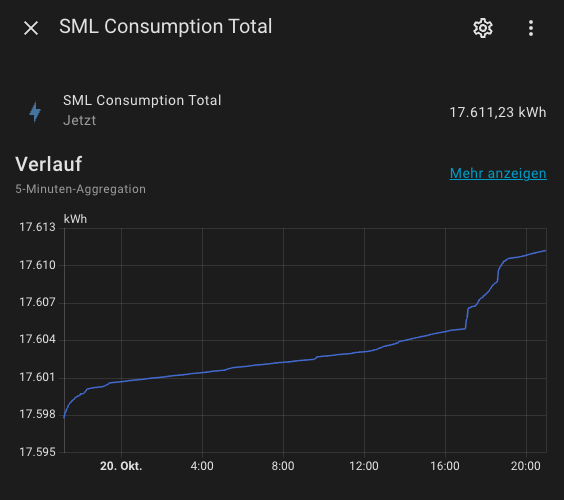
ValueError: Sensor sensor.sml_consumption_total has device class 'energy', state class 'total_increasing' unit 'kWh' and suggested precision 'None' thus indicating it has a numeric value; however, it has the non-numeric value: 'unavailable' (<class 'str'>)
How can I prevent this error at HA startup? My goal is to make sure that there is only valid data in “sensor.sml_consumption_total” for energy statistics.
My guess here is that when Home Assistant first tries to compute the state of your sensor.sml_consumption_total, it takes the else branch of your code, where you’re trying to reference the sensor you’re defining (presumably to keep the old value).
But sensor.sml_consumption_total doesn’t have a value yet, so `{{ states(‘sensor.sml_consumption_total’) }} returns the string “unavailable”. The error you’re getting is that your numeric sensor is yielding a string, which Home Assistant cannot turn into an integer.
There are at least two ways to deal with this:
Pick a default value for the else branch, and then use has_value to test whether sensor.sml_consumption_total has an actual state. For example:
Define an availability for sensor.sml_consumption_total so that if neither sensor.sml_consumption_total nor sensor.tasmota_sml_total_kwh has a sensical value, sensor.sml_consumption_total reports itself as Unavailable. (That’s different than returning the string “unavailable” from the state template).
Unfortunately, at startup I can’t pick a meaningful value for the else branch, since it would be the last value of sensor.sml_consumption_total which is not available at startup.
Thus, the solution is to add a simple availability check like this:
{{ has_value('sensor.tasmota_sml_total_kwh') }}
I can’t add an availability check for sensor.sml_consumption_total as well, since then at startup the sensor never becomes available.
This is another post about this topic which I just found a couple of minutes ago:
Hm. I don’t know. I’m not a programmer. That’s why I sometimes find it difficult to think like one. But I thought, that sensor.sml_consumption_total can never be smaller than 10? Am I wrong?
It depends. If it had a value less than 10, say from iterations of the code for the sensor, then it just keeps getting echoed back to itself so long as sensor.tasmota_sml_total_kwh is less than 10.
You can go into Developer Tools → States and set it manually to, say, 10.1. Then if everything is working as it should it won’t go below 10.
Yes. But it’s a sensor with a continuously increasing value (power meter reading). Therefore, it should never fall below 10 once this value has been exceeded?! Probably it’s not important enough to investigate it further, but I’m curious enough to want to understand it…
I don’t know the history of your template sensor. It’s possible that before you were using the code above, that same sensor (or more generally, a sensor with the same entity ID) had some other value. Your code looks at sensor.tasmota_sml_total_kwh and, if it’s greater than 10, adopts that value. But if sensor.tasmota_sml_total_kwh is less than 10, your template sensor just keeps its previous value, even if it’s less than 10. I am not sure how to explain that any better.
Yes. I think I understand. But actually I am looking for a mechanism to sort out this “wrong” values. My code does obviously not do that. Never mind! I just got stuck on the topic a bit…