Skylight Calendar Card — A family-friendly schedule card
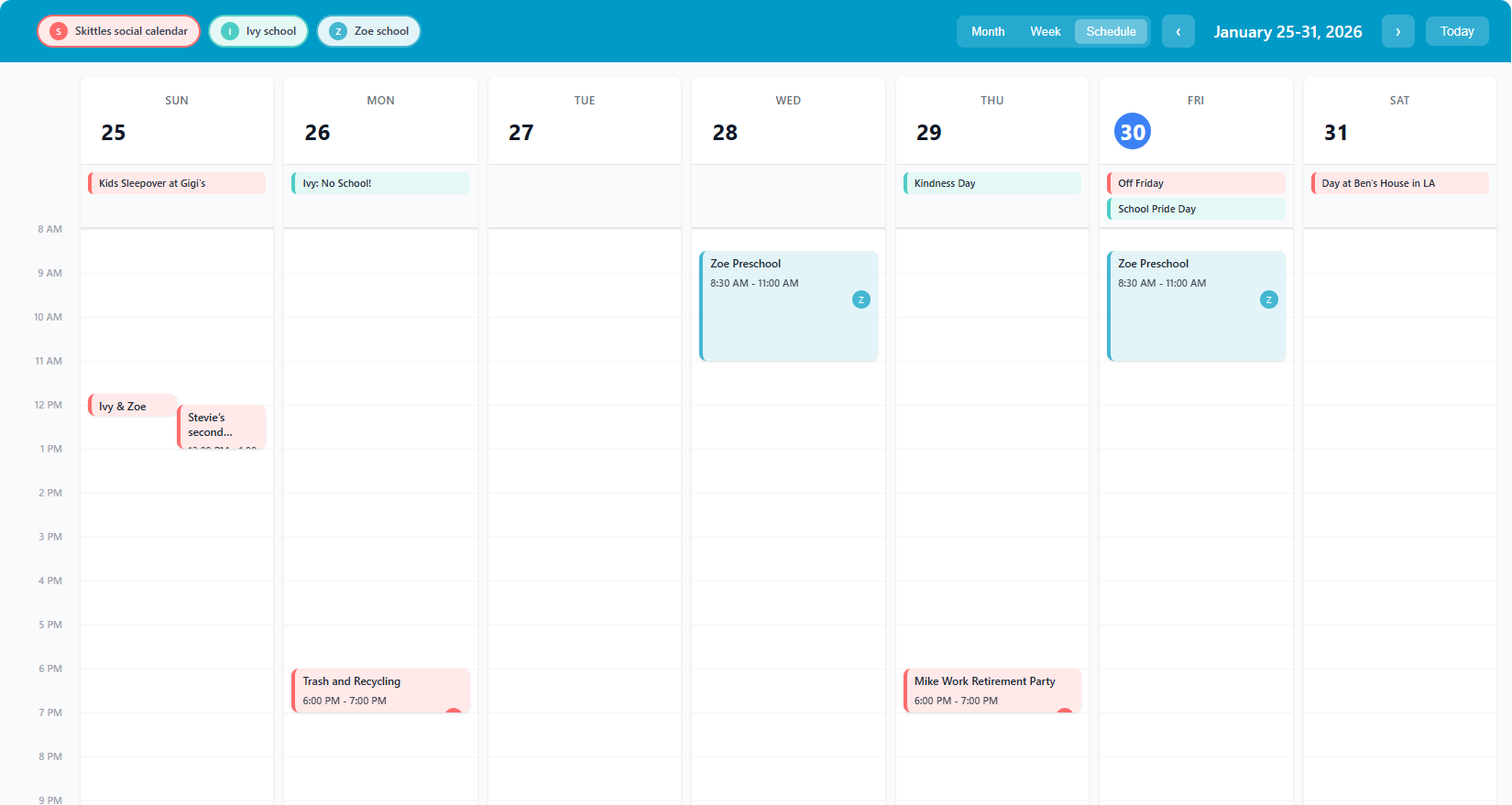
Hey everyone! I built a new Lovelace calendar card that’s been a game-changer for keeping our family organized. It’s heavily inspired by the Skylight Calendar app — clean, easy to read at a glance, and designed around how families actually use calendars.
Three views, all switchable from the card:
Month — classic grid, color-coded events, all-day events float to the top
Week (compact) — stacked event list per day, great for a quick glance
Schedule — timeline view with events placed at their exact time slots, concurrent events side-by-side
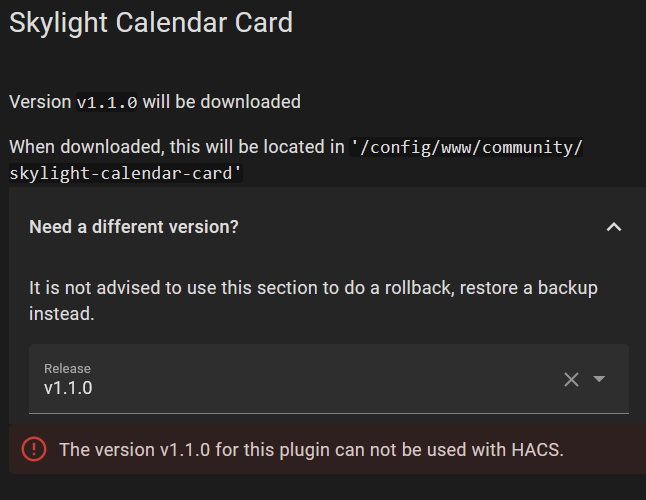
Rookie mistake (on my part), I believe your error was caused by the hacs.json file missing from the github repo. Sorry about that. I was just able to download the fixed version (v1.1.1) from HACS without issue. I am running Home Assistant Container, v2026.1.0, and HACS 2.0.5.
Please try again with v1.1.1. If it fails again, perhaps errors that show up in the logs may help? Feel free to reach out and I will help where I can.
For new features, I am happy to add that, if you’re comfortable in github please create an issue and I will work on it.
My family and I like it very much too. +1 for 24hr. I also noticed the date does not respect language settings: in Dutch the notation would be 22-28 feb 2026 instead of feb 22-28, 2026. Would tht be hard to internationlize?
I have submitted it to the HACS team for inclusion in their standard list of repositories. It will likely take a few more weeks before that is settled.
For now, installation as a custom repository is the correct way to install.
 Very lovely! thanks