I hadnt realised this! I will have to implement UIX, modify existing dashboards to UIX and decom Card-Mod.
Thanks for the info!
I hadnt realised this! I will have to implement UIX, modify existing dashboards to UIX and decom Card-Mod.
Thanks for the info!
HI, I am using your card and was wondering something about the week view.
It starts on TODAY on the week view instead of the week starting Sunday. Also when I add 14 days, it doesn't wrap.
Is there a way to start the week view on the start day specified, and have it wrap after Saturday, like a normal calendar would? I like to have a biweek(14 days) but the view starts on todays date and shows 14 days in a single row.
One other thing, I like the location, but is it possible to have it be a google map link?
Thanks for the awsome card!
@rsissons I struggled with how to show the week view with wrapping and multiple lines - I couldn't come up with a clean way to do it. So instead, I moved a two-week view into the month view. See the wiki: Views and Navigation · superdingo101/daylight-calendar-card Wiki · GitHub
In short, what you want can be accomplished with either:
view_mode: month
rolling_weeks: 1
show_all_details_month: true
or
view_mode: month
rolling_weeks: 1
show_all_events_month: true
Hi,
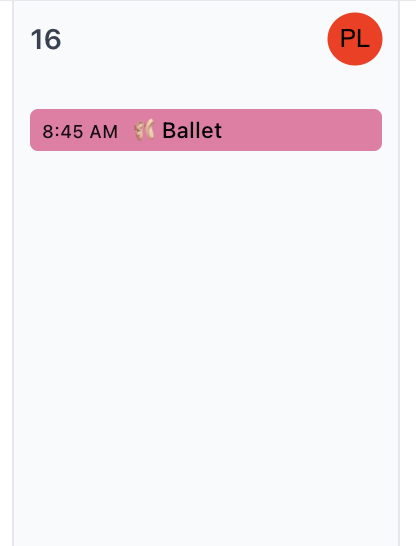
Ive had a request from my primary stakeholder. Previously on our paper based calendar we would make “PL” or “SL” in a small circle at the top corner of the day (in line with the number).
This represented a reminder that it was either Packed Lunch or School Lunch that day for our children.
I was wondering if it was possible to do something similar using UIX in the days header if that makes sense. Mock up below. Not sure if its possible to manipulate the header field.
Its on a 3 week rotation as well, so thats what makes it become trickier as you almost want to just add a normal calendar event, so you can schedule them in. I have suggested just adding them as events but it can get lost in the calendar.
If its possible then great, if not any other suggestions or solutions are welcome.
Thanks
@husbspamuel Hmm. I can try to add a way to add additional labels to the day's header.
Or, perhaps this is cumbersome, but you could
I'll have a play around with the styling. Perhaps there is a way to make the event invisible but title match and change the background colour. I'll will see if this is acceptable 
Its not cutting the mustard apparently. So if there is any clever features that can be added to the day/date label that would be brilliant.
One other thing I personally thought would be good, would be if the day headers stayed floating at the top. When you scroll down you loose the header in some of the views. Not the end of the world, its not impossible to work out, but I thought it might make it cleaner. Or perhaps an option to have the day headers static or floating.
excellent work!
just wondered - how do you get a multi-day event to just cross the boxes?
@husbspamuel Please open an individual issue on GitHub for each item, I'll get to them when I can.
@Qbhatti In which view? It is currently set up to cross the boxes across days in the Schedule view, but not in any other view.
Hi. In month view..
Very impressive and looks perfect. Im looking to use on a full page as part of my existing tablet as wife has asked for calendar. Can anyone advise how you can add to this card a shortcut to get back to the home page of the tablets dashboard? I assume theres nothing built in so adding the shortcut will take up valuable real estate.
There is a built-in option which allows you to link to any other dashboard.
Loving this calendar card, definitely gets me one step closer to convincing the wife to use HA.
I do have a question on the background image, is there a way to set it to rotate through images? Say designate a folder and have it rotate through the images on either a timer or each time the card is refreshed/updated?
I'm still a novice on all this so any tips on if this could be done by simply editing the yaml or if I need to look at something like uix which is on my list of things to look at anyways.
@husbspamuel If I can make the events disappear, say with an option within event_styles to hide matching events, but those hidden events could still be used for day_styles matching, would that be sufficient?
Amazing card! I have 3 questions.
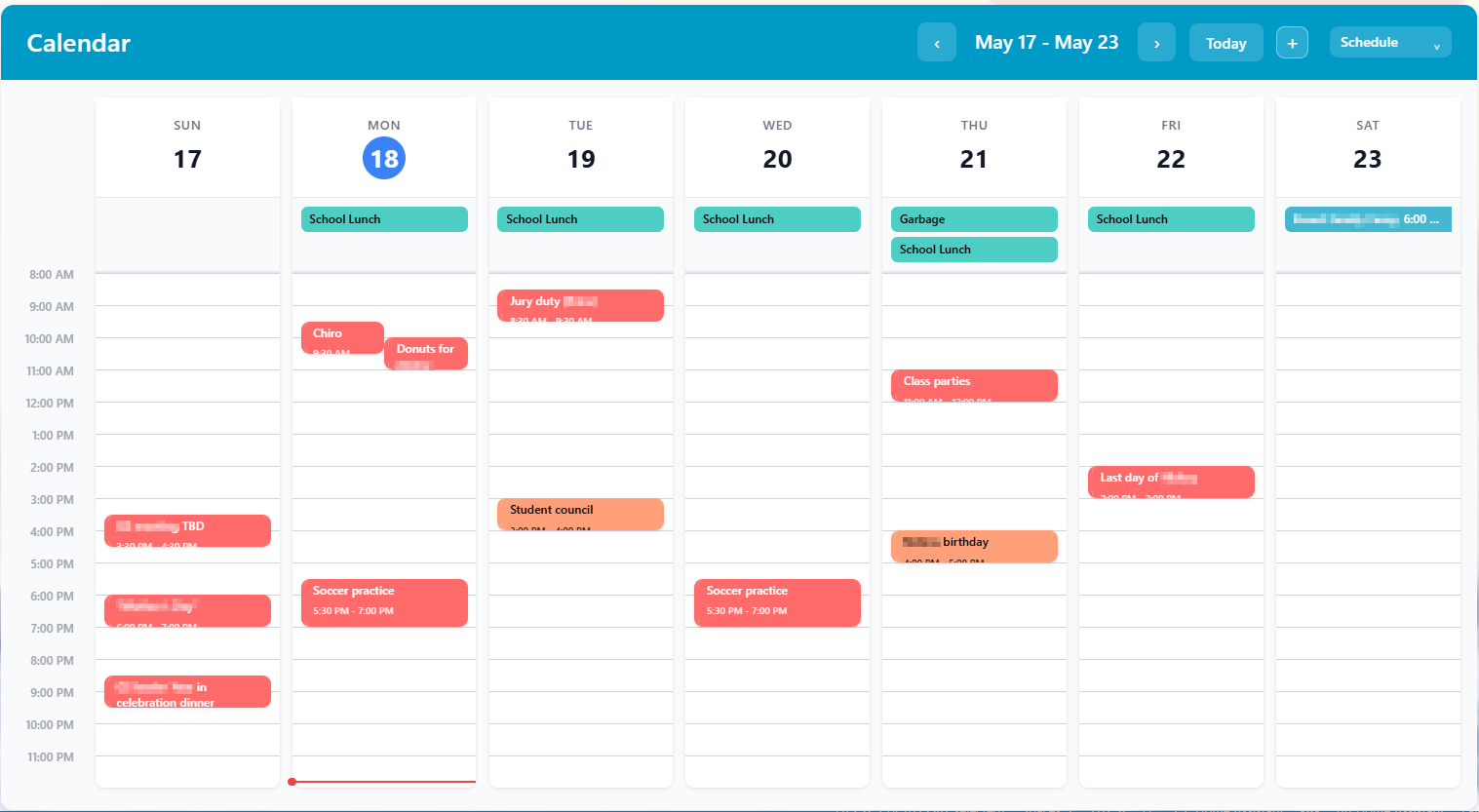
In the schedule view is there anyway to have the items not cut off the text in the shorter duration items? In the image below it happens often on the event times or if an event has a multiline name. Not sure how this could be solved nicely thought.
In the schedule and week view, is there a way to make the date header smaller? Like maybe move the day number next to the day name or something. It can be pretty big on smaller screens and takes up a lot of white space.
Can the week view show 2 weeks? I guess this is similar to the month view that is limited to 2 weeks, but I like the week view a bit better...
There is a configuration option for this. I'm away from my system, but I think it's rolling_weeks. If you set that to 1, you should see 2 weeks.
I have that option selected but in my card that is only applying to the month view, not the week view.
Perfect, thanks, that worked. Description was a little misleading i thought that would bring up the whole sidebar. Much appreciated.
It's the rolling_days option then.