SLZB-MR3 -- Frequent Adapter Resets

Hey really new to using this combo thread and Zigbee SLZB-MR3 device.

I’m using Zigbee Coordinator with external Z2M instance installed with a proxmox VM. Z2M version is 2.6.1

My SLZB z2m settings are taken directly from the device webpage:

# Location of SLZB-MR3
  port: tcp://10.0.20.80:6638
  baudrate: 115200
  adapter: ember
# Disable green led?
  disable_led: false
# Set output power to max 20
advanced:
  transmit_power: 20

Anyway within Z2M I’m getting a lot of these errors:

info 2025-09-24 02:27:45z2m:mqtt: MQTT publish: topic 'homeassistant/binary_sensor/1221051039810110150109113116116_0xbc8d7efffe234879/connection_state/config', payload '{"device":{"configuration_url":"http://zigbee2mqtt.gohilton.com/#/settings","hw_version":"EmberZNet 8.0.2 [GA]","identifiers":["zigbee2mqtt_bridge_0xbc8d7efffe234879"],"manufacturer":"Zigbee2MQTT","model":"Bridge","name":"Zigbee2MQTT Bridge","sw_version":"2.6.1"},"device_class":"connectivity","entity_category":"diagnostic","name":"Connection state","object_id":"zigbee2mqtt_bridge_connection_state","origin":{"name":"Zigbee2MQTT","sw":"2.6.1","url":"https://www.zigbee2mqtt.io"},"payload_off":"offline","payload_on":"online","state_topic":"zigbee2mqtt/bridge/state","unique_id":"bridge_0xbc8d7efffe234879_connection_state_zigbee2mqtt","value_template":"{{ value_json.state }}"}'
warning 2025-09-24 02:28:06zh:ember:uart:ash: Frame(s) in progress cancelled in [1ac1020b0a527e]
error 2025-09-24 02:28:06zh:ember:uart:ash: Received unexpected reset from adapter, with reason=RESET_SOFTWARE.
error 2025-09-24 02:28:06zh:ember:uart:ash: ASH disconnected: ASH_ERROR_NCP_RESET | Adapter status: ASH_NCP_FATAL_ERROR
error 2025-09-24 02:28:06zh:ember:uart:ash: Error while parsing received frame, status=HOST_FATAL_ERROR.
error 2025-09-24 02:28:06zh:ember: Adapter fatal error: HOST_FATAL_ERROR
info 2025-09-24 02:28:06zh:ember:uart:ash: ASH COUNTERS since last clear:
info 2025-09-24 02:28:06zh:ember:uart:ash: Total frames: RX=42, TX=73
info 2025-09-24 02:28:06zh:ember:uart:ash: Cancelled : RX=1, TX=0
info 2025-09-24 02:28:06zh:ember:uart:ash: DATA frames : RX=37, TX=34
info 2025-09-24 02:28:06zh:ember:uart:ash: DATA bytes : RX=433, TX=343
info 2025-09-24 02:28:06zh:ember:uart:ash: Retry frames: RX=1, TX=0
info 2025-09-24 02:28:06zh:ember:uart:ash: ACK frames : RX=1, TX=38
info 2025-09-24 02:28:06zh:ember:uart:ash: NAK frames : RX=1, TX=0
info 2025-09-24 02:28:06zh:ember:uart:ash: nRdy frames : RX=0, TX=0
info 2025-09-24 02:28:06zh:ember:uart:ash: CRC errors : RX=0
info 2025-09-24 02:28:06zh:ember:uart:ash: Comm errors : RX=0
info 2025-09-24 02:28:06zh:ember:uart:ash: Length < minimum: RX=0
info 2025-09-24 02:28:06zh:ember:uart:ash: Length > maximum: RX=0
info 2025-09-24 02:28:06zh:ember:uart:ash: Bad controls : RX=0
info 2025-09-24 02:28:06zh:ember:uart:ash: Bad lengths : RX=0
info 2025-09-24 02:28:06zh:ember:uart:ash: Bad ACK numbers : RX=0
info 2025-09-24 02:28:06zh:ember:uart:ash: Out of buffers : RX=0
info 2025-09-24 02:28:06zh:ember:uart:ash: Retry dupes : RX=1
info 2025-09-24 02:28:06zh:ember:uart:ash: Out of sequence : RX=0
info 2025-09-24 02:28:06zh:ember:uart:ash: ACK timeouts : RX=0
info 2025-09-24 02:28:06zh:ember:uart:ash: ======== ASH stopped ========
info 2025-09-24 02:28:06zh:ember:ezsp: ======== EZSP stopped ========
info 2025-09-24 02:28:06zh:ember: ======== Ember Adapter Stopped ========
error 2025-09-24 02:28:06z2m: Adapter disconnected, stopping
info 2025-09-24 02:28:15z2m:mqtt: MQTT publish: topic 'homeassistant/binary_sensor/1221051039810110150109113116116_0xbc8d7efffe234879/connection_state/config', payload '{"device":{"configuration_url":"http://zigbee2mqtt.gohilton.com/#/settings","hw_version":"EmberZNet 8.0.2 [GA]","identifiers":["zigbee2mqtt_bridge_0xbc8d7efffe234879"],"manufacturer":"Zigbee2MQTT","model":"Bridge","name":"Zigbee2MQTT Bridge","sw_version":"2.6.1"},"device_class":"connectivity","entity_category":"diagnostic","name":"Connection state","object_id":"zigbee2mqtt_bridge_connection_state","origin":{"name":"Zigbee2MQTT","sw":"2.6.1","url":"https://www.zigbee2mqtt.io"},"payload_off":"offline","payload_on":"online","state_topic":"zigbee2mqtt/bridge/state","unique_id":"bridge_0xbc8d7efffe234879_connection_state_zigbee2mqtt","value_template":"{{ value_json.state }}"}'

For the slzb-mr3 device I’m using:
Radio 1 [EFR32MG24] Mode Zigbee Coordinator
SLZB OS version 2.9.8
Zigbee Coordinator: 20250212

Any suggestions??

The device kinda functions. I have one zigbee device (that’s it – in testing). An aqara t1 door sensor. The sensor will report the correct open/closed state except with the adapter resets – then it will pause for about 2-3 seconds.
Reading up on Zigbee here will help you a lot.
The Home Assistant Cookbook - Index.

Hey thanks for responding and with those links. I actually learned a bit about zigbee from perusing that data but I didn’t see it address my issue.

As a test - I swapped about the mr3 dual radio version for the original slzb-06 which is a single channel radio device. The zigbee coordinator firmware and OS firmware were flashed to be the same between the MR3 and 06 variants. The MR3 uses the ember adapter type whereas the 06 uses the zstack adapter type. To test the slzb-06, I just made some minor modifications to the z2m configuration.yaml file changing the endpoint and adapter type and deleted the coordinator_backup.json and database.db files between test runs.

I didn’t test the devices simultaneously to avoid radio interference rather I tested one device – plugged in, made appropriate modications to configuration/deletion of files as mentioned above, started zigbee2mqtt service and then attempted to pair the aqara t1 door sensor, and in a terminal window tailed the log file (#journalctl -u zigbee2mqtt -b -f) to see what errors where being produced at both debug and info levels. Both adapters ran using channel 25. Between devices, I stopped the zigbee2mqtt service and swapped out slzb adapters.

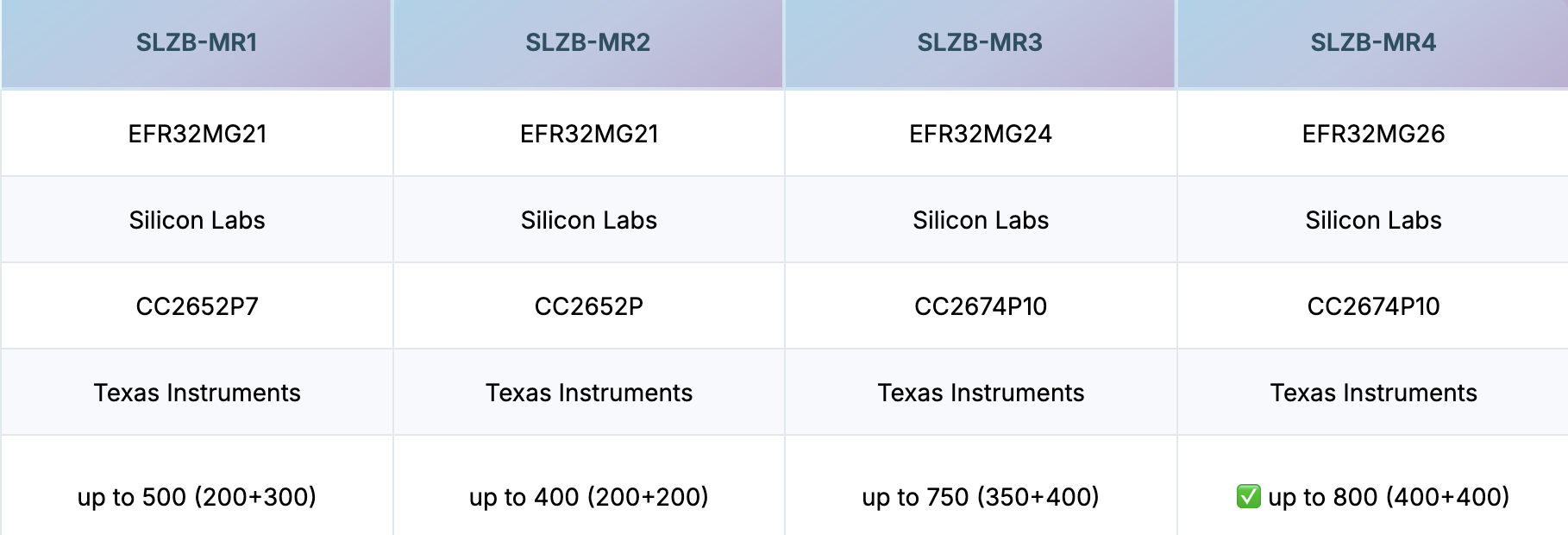
With the slzb-06 device, everything just seems to work. No random disconnects, whereas with the slzb-06, the log was what was posted. The only difference I can think of is with the slzb-06 device, it uses the CC2652P chipset, whereas with the MR3 it uses EFR32MG24 and CC2674P10. I was trying to run the zigbee coordinator using the EFR32MG24 on the MR1 where I was only using the CC2652P with the 06 variant. I suppose I could swap on the MR3 to use CC2675P10 instead and re-test.

I am in the same boat. slzb-06 works perfectly on CC2652P. I chose to run the Z2M on CC2674P10 on the MR3.

The network has no issues on the 06 but within a 24 hour window dropped 40 odd wired devices out of 70 on the MR3.
Smlight have been kind enough to send me another MR3 but the issue persists. Been trying for months now.
Have to stop Z2M, reboot MR3 and OS and Zigbee restart. Then wait a few minutes to start Z2M for it to work. Most often still fails to start Z2M

If you look at the latest zstack firmware release,

you will not find firmware for CC2674P10

Reason enough for me not to use a CC2674P10

@Francis – Interesting find on the Zstack firmware. Is there a similar one for ember?

Anyway I’m doing what @Mrsash suggested. I put my MR3 back and switched the firmware
EFR32MG24 - Now flashed to Matter over Thread version 20250212
CC2674P10 - Now flashed to Zigbee Coordinator version 20240716 (Which I’m actually wondering what z-stack firmware they are using??)

I didn’t get errors from the z2m logs (YET!!!). I do have an MR1 device – interesting since that run the CC2652 Chipset which does have a Stack firmware on the github.

I’ll keep a look out for now on what happens. My test conditions are limited however – 1 Zigbee Device and 2 Thread Devices. I don’t have 70 devices at all to test the Zigbee function.

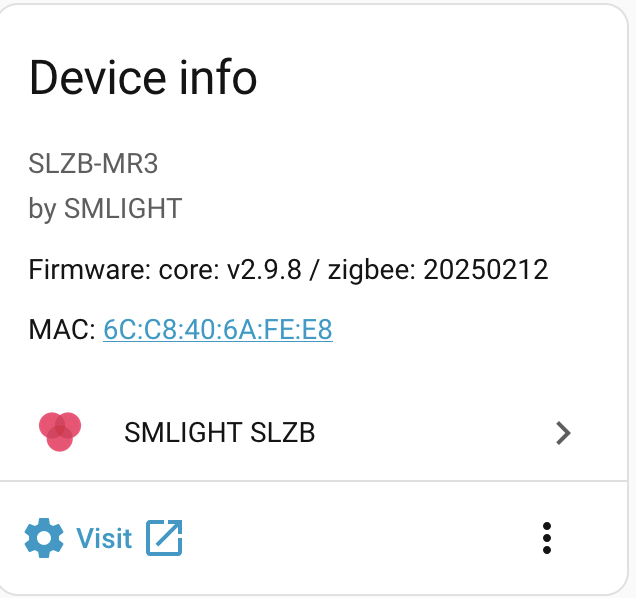
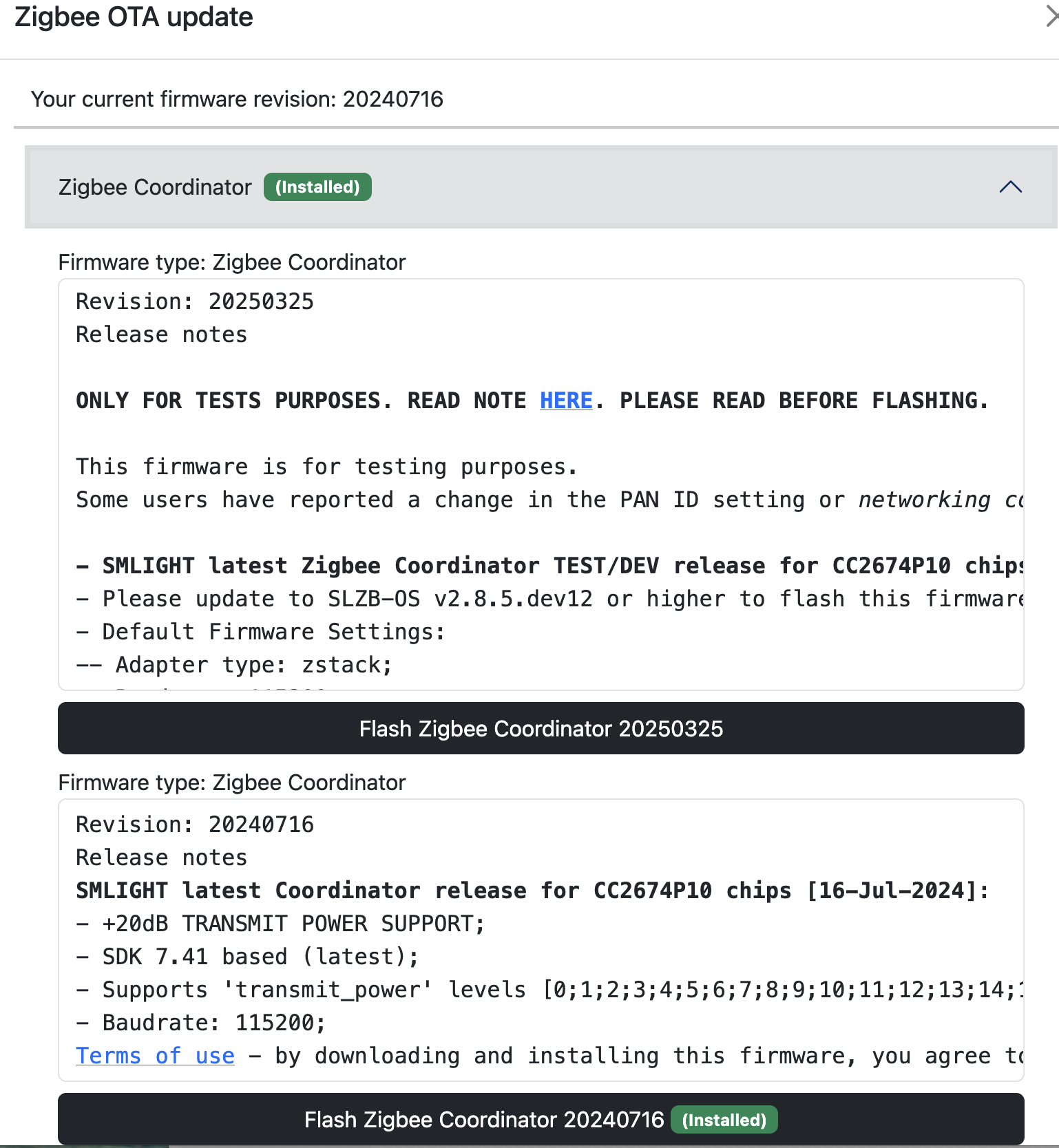
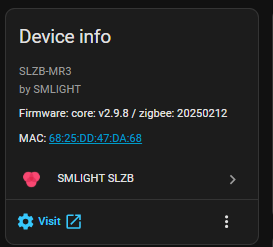
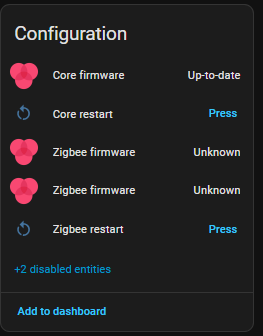
The 20250212 firmware has me bugged though. It shows in the smlight integration I am on it but the web interface shows I am on 20240716 for zigbee.
Can you confirm this?

Got this on both MR3’s.


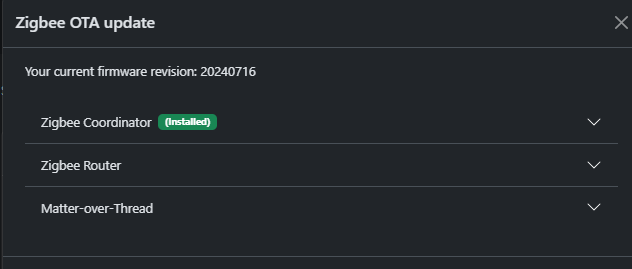
Notice it does not mention the firmware date here.

but here I have this

Can you explain what this means for us idiots? Do you mean the firmware which comes with the mr3 for the CC2674P10 is not working?

Since Zigbee2mqtt started, koenkk has always provided the firmware for Ti chipsets. He has not yet released a firmware for CC2674P10, so smlight must have created one themselves. Obviously, koenkk knows a lot more about Zigbee2mqtt then smlight, so I wonder why ?

Interesting. So based on my tests its been a nightmare with devices dropping, not able to re-pair some of them etc.

So is it a case where koenkk just hasnt gotten around to it or is it that its buggered and unfixable?

I was going to try the EFR32MG24 for zigbee but wasnt sure if it supports it etc

@Mrsash I have similar issue with reporting as you. I’m not sure it bothers me all that much

Here is my display:

Hmm I am not bothered if it works. I am just trying to understand if this causes any issues. The 06 shows me the firmware version fine from memory. I mean the Configuration info in the intergation

If you’ve ever touched base with any of the SMLZ Light staff through their support system on their website, they often have a lot of UI bugs. Makes you wonder if their are other bugs besides UI bugs we aren’t seeing. Anyway if bothered by the discrepancy, open up a support ticket and include your images. They will likely acknowledge the mistake and fix it in the next release. They are pretty good about taking user input and making changes.

Right thanks. Are the MR1 and MR2 having the same issues if you know?

I can test the MR1 next week. I don’t own an MR2 and probably wont plan on getting one. Still in process of testing MR3 which basically means letting it sit for awhile to see if device drops out. So far after 24 hours, I don’t have any drop of 1 zigbee or 2 matter devices. More zigbee on the way.

1 Like

I suggest using router devices to test as the end device’s long reporting times may not be clear if they are dropping out. If remember right its the wired ones that fell within a 24 hour window.

How did you go?

I had to move back to the SLZB-06 and its rock solid.

Smlight have asked me to scrap the Z2M network and start from scratch. I am out of station for approx two months so cant/don’t wanna test close to my departure date next week.

I have started from scratch before with the MR3 and had the same issue. I then moved the network to SLZB-06 which again handled the move like a champ.

I am seriously starting to think its a firmware/OS or worse case Z2M issue. I will try eventually doing the starting from scratch but don’t want to unless its for sure issues will be fixed.

Anyone know exactly what If I should try this and the exact process?
thanks

Found this while trying to figure out why my zigbee network keeps crashing… and the crash is really bad for inovelli devices.
*Running the SLZB-MR3 on the EFR32MG24 - after converting from a skyconnect.
Debug logs seem to be pretty damn useless imo.
From the logs before it crashes, and mostly will recover after 4+ crashes back to back (breaking bulbs in the process) i seem to be getting Route_Error_Address_Conflict for “0” (ezsp), then the good old ash error from adapter with Reset_Assert
No logs visible on the MR3, just shows the HAOS disconnect and reconnect.

It was soo bad with my ThirdReality bulbs that they will no longer join the network and stay connected, not even new bulbs fresh out of the box.

I question the ember + MR3 compatibility, i know i can switch back to the Skyconnect and be solid (dont want to though since i just redid proxmox and have HAOS on HA/ceph failover, which doesn’t work with USB devices in use >_< )
I have not tried the other antenna since i really really dont want to repair ~150 devices. Especially if it isn’t going to change anything.

I do have a SLZB-06P10 but it seems i will have to repair since it is a different chipset type, so yeah… stand still with a unstable network…

So next day… i put in a bug report this morning with some details… and something like 5hrs later there is a new os release… lucky me.

check for latest release for the OS, applied it, while better i am still getting some crashes, just not as random as i was before or as critically crippling as i was.

So far (last 8hrs) i have not bounced at random with the MR3 crashing (kinda)
On the current(new v3.0.8) release for the OS the network is way more stable(no new updates for the EFR radio).

However on the last 5 devices i updated once an OTA update hits 100% it would crash 1 time and then resume (way better than the 4+ crashes on random crashes, device joins, mid way updates)

  • Zigbee crash @ 100% for all of the following devices
    • 1x VZM31-SN (inovelli blue, 10 times with a pause between each crash (UGGG!?)) **i rebooted the coord and left it offline(z2m) for a couple mins, seems to have settled down once i started the service again.
    • 4x on 3RSP02028BZ(third reality smart plugs w/power) 1 time for each and it was done

So last weekend i got fed up and just did a full nuke/rebuild of the zigbee network … 140 devices later things have been stable.
So there is something that SLZB has issues with, causes crashes and then freaks out the hole system… Of course if there were any actual logs on the MR3 then that might be helpful but when it crashes it floods the network(at least in my case) which caused way more issues in that flood/signal as the Inovelli switches would do a reboot crash which of course are 40 some routers now rebooting making things worse.

Anyways at this point if you tried the IEEE swap and are problem free GREAT! I am happy for you.
For those having issues i wouldn’t count on any help from SLZB, they went radio silent on me, so good luck.
For those with really bad issues like me with the Inovelli, cut your losses and nuke and rebuild is my suggestion.