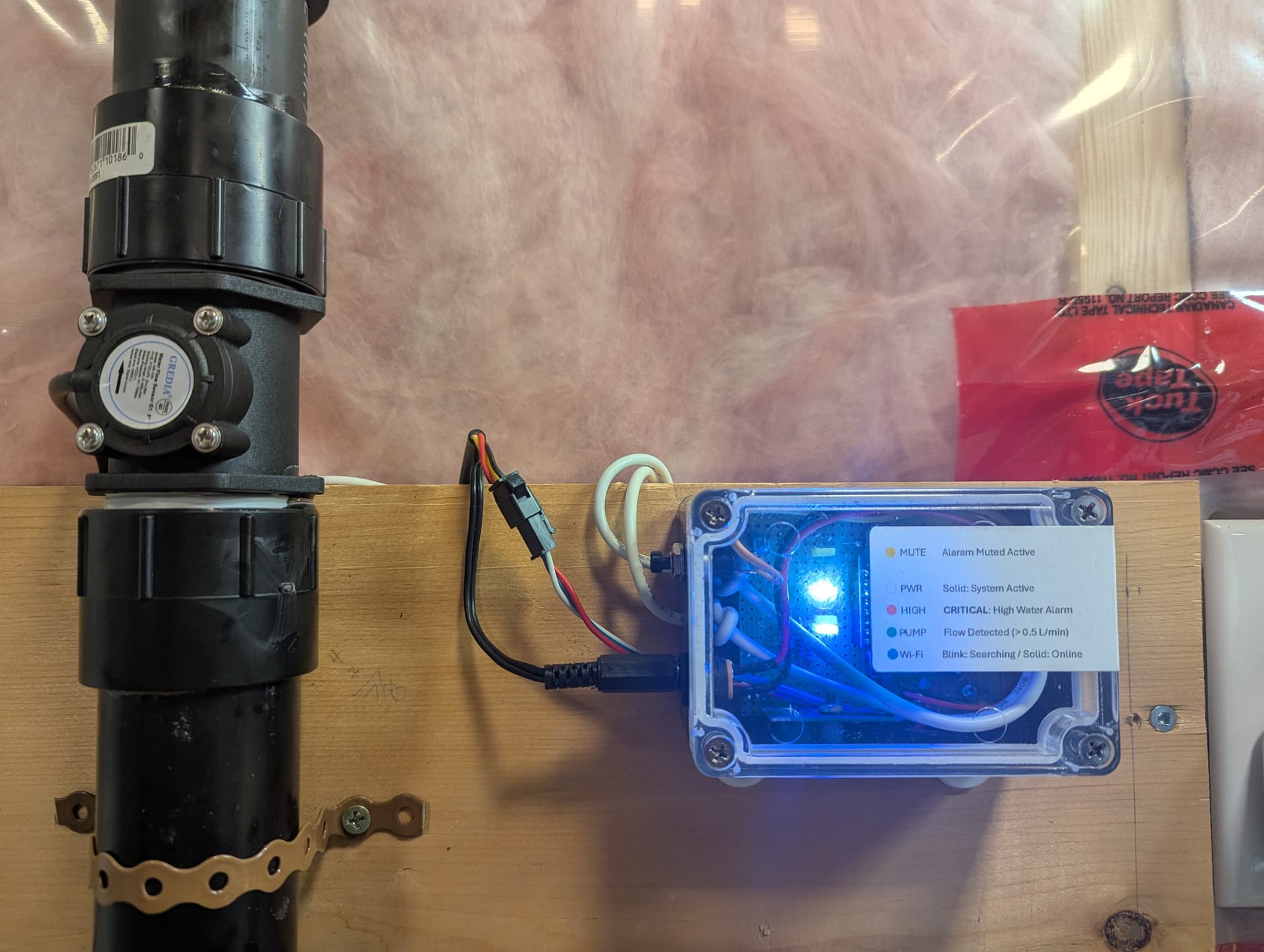
It took a little longer than I’d hoped, but my version of a sump pump monitor is finally up and running! I’ve finished the code and the build using the great advice shared here. Thanks so much to everyone who chimed in—I really appreciate the insight.
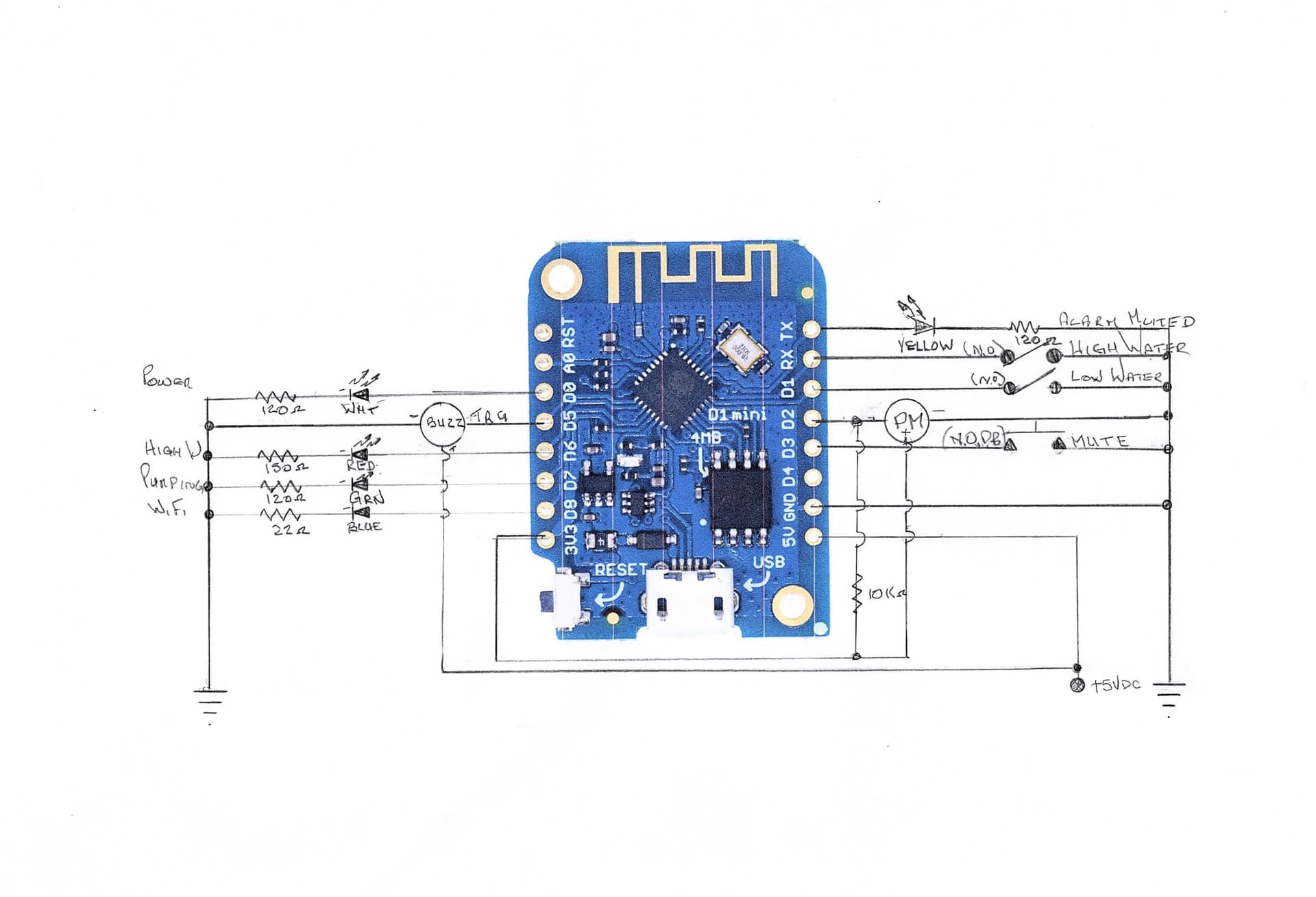
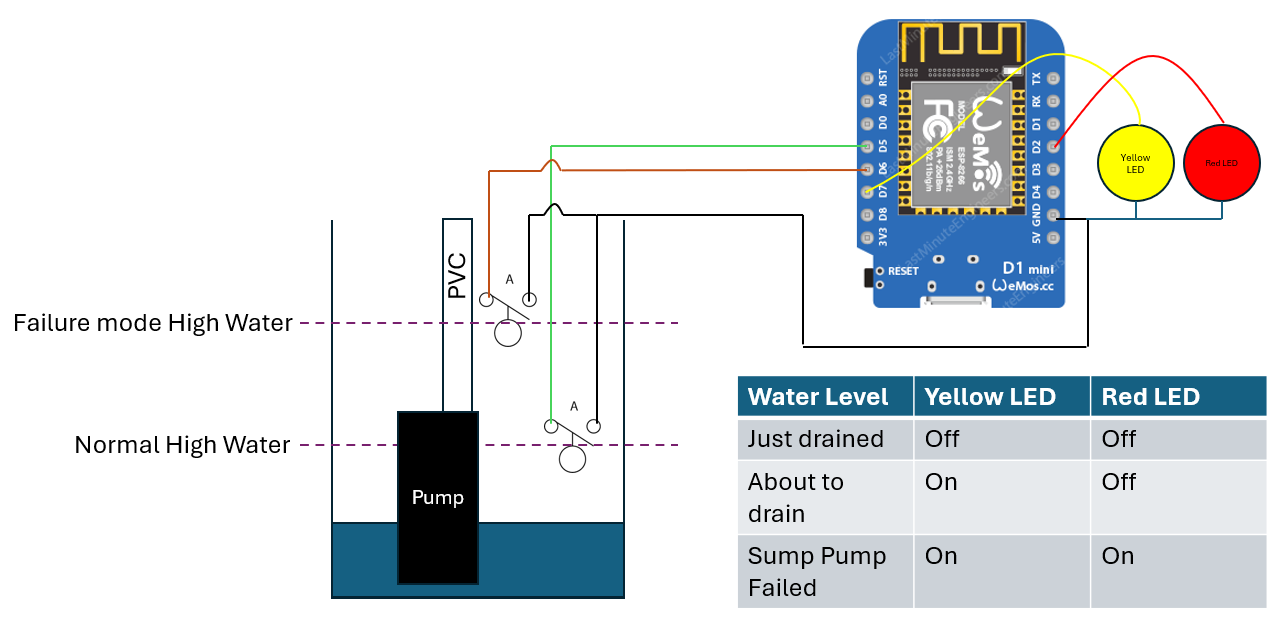
Following is a schematic, code for an ESP8266, code for a dashboard and a build and user manual.
ESP8266 - Sump Pump High Water Level Warning With Flow Monitor
substitutions:
  software_version: "2026.04.12.V118"
  devicename: sump-water-level-flow-monitor
  friendly_devicename: "Sump Water Level Monitor with Flow Detection"
  esphome_project_name: "robert.sump_monitor_with_flow"

globals:
  - id: cycle_start_time
    type: uint32_t
    initial_value: '0'
  - id: cycle_start_volume
    type: float
    initial_value: '0.0'

esphome:
  name: ${devicename}
  friendly_name: ${friendly_devicename}
  comment: "Sump Well High Water Level Monitor"
  project:
    name: ${esphome_project_name}
    version: "2026.04.12.V118"
  on_boot:
    priority: -10
    then:
      - output.turn_on: led_power
      - output.turn_on: buzzer_output      # <-- Test the buzzer
      - delay: 100ms                       # <-- Wait 1/10th of a second
      - output.turn_off: buzzer_output
      # CRITICAL BOOT SYNC: Check if basement is already flooded when power returns
      - if:
          condition:
            binary_sensor.is_on: high_water_switch
          then:
            - output.turn_on: led_high_water
            - script.execute: high_water_alarm

esp8266:
  board: d1_mini

wifi:
  ssid: !secret wifi_ssid
  password: !secret wifi_password
  min_auth_mode: WPA2
  reboot_timeout: 15min    # <-- Auto-heals dropped connections
  ap:
    ssid: "Sump-Monitor-Fallback-With-Flow"
    password: !secret wifi_ap_password

captive_portal:

logger:
  level: DEBUG
  logs:
    pulse_counter: INFO

api:
  encryption:
    key: !secret api_encryption

ota:
  platform: esphome
  password: !secret ota_password

web_server:
  port: 80

time:
  - platform: homeassistant
    id: homeassistant_time

# ----------------------------------------
# OUTPUTS (Grouped on Right Side of PCB)
# ----------------------------------------
output:
  - platform: gpio
    pin: D0
    id: led_power # WHITE LED - Power

  - platform: gpio
    pin:
      number: D5
      inverted: true
    id: buzzer_output # ACTIVE BUZZER

  - platform: gpio
    pin: TX
    id: led_mute # YELLOW LED - Mute Status

  - platform: gpio
    pin: D6
    id: led_high_water # RED LED - High Water

  - platform: gpio
    pin: D7
    id: led_pump_running # GREEN LED - Flow Active

# ----------------------------------------
# WIFI STATUS INDICATOR (Right Side)
# ----------------------------------------
status_led:
  pin:
    number: D8 # BLUE LED (Boot Safe - Pulls LOW)
    inverted: true

# ----------------------------------------
# DASHBOARD & LOGIC
# ----------------------------------------
switch:
  - platform: template
    name: "Mute Sump Alarm"
    id: mute_alarm
    icon: "mdi:volume-off"
    optimistic: true
    restore_mode: ALWAYS_OFF
    on_turn_on:
      then:
        - if:
            condition:
              binary_sensor.is_on: high_water_switch  # <-- Checks if there is an actual emergency
            then:
              - script.execute: flash_mute_led
              - script.execute: mute_timeout
            else:
              - switch.turn_off: mute_alarm           # <-- Instantly turns back OFF if pressed by mistake
    on_turn_off:
      then:
        - script.stop: mute_timeout
        - script.stop: flash_mute_led
        - output.turn_off: led_mute

script:
  - id: high_water_alarm
    mode: restart
    then:
      - while:
          condition:
            binary_sensor.is_on: high_water_switch
          then:
            - if:
                condition:
                  switch.is_off: mute_alarm
                then:
                  - output.turn_on: buzzer_output
                  - delay: 1s
                  - output.turn_off: buzzer_output
                  - delay: 2s
                else:
                  - delay: 3s

  - id: flash_mute_led
    mode: restart
    then:
      - while:
          condition:
            switch.is_on: mute_alarm
          then:
            - output.turn_on: led_mute
            - delay: 1s
            - output.turn_off: led_mute
            - delay: 1s

  - id: mute_timeout
    mode: restart
    then:
      - delay: 15min
      - switch.turn_off: mute_alarm

# --------------------------------------------------------------------
# SENSORS (Flow and Volume) - DOES NOT SEND MESSAGES WHEN FLOW IS 0.0
# --------------------------------------------------------------------
sensor:
  - platform: pulse_counter
    pin:
      number: D2
      mode: INPUT_PULLUP
    name: "Sump Flow Rate"
    id: flow_rate
    unit_of_measurement: "L/min"
    icon: "mdi:water-pump"
    update_interval: 500ms                 # <-- CHANGED: Now updates twice a second for faster response
    filters:
      - multiply: 0.033333
      # 1. THE GATEKEEPER & DEADZONE
      - lambda: |-
          // If the low water float is DOWN (pit empty), flow must be 0
          if (id(low_water_switch).state) {
            return 0.0;
          }
          // If the float is UP, but flow is tiny, ignore the electrical noise
          if (x < 0.5) {                   // <-- CHANGED: Lowered deadzone to instantly match trigger threshold
            return 0.0;
          }
          return x;
      # 2. THE PAUSE (Only output when the value changes)
      - delta: 0.001

  - platform: integration
    name: "Total Sump Volume Discharged"
    id: total_sump_volume
    sensor: flow_rate
    time_unit: min
    unit_of_measurement: "L"
    icon: "mdi:chart-waterfall"

  # Diagnostic Sensors
  - platform: wifi_signal
    name: "WiFi Signal Strength"
    update_interval: 60s

  - platform: uptime
    name: "System Uptime"

  - platform: template
    name: "Last Cycle Average Flow Rate"
    id: last_cycle_average_flow
    unit_of_measurement: "L/min"
    icon: "mdi:chart-bell-curve-cumulative"
    update_interval: never

# ----------------------------------------
# BINARY SENSORS (Inputs)
# ----------------------------------------
binary_sensor:
# Physical Mute Button
  - platform: gpio
    pin:
      number: D3
      mode: INPUT_PULLUP
      inverted: true
    name: "Physical Mute Button"
    id: physical_mute_button
    on_press:
      then:
        - if:
            condition:
              binary_sensor.is_on: high_water_switch  # <-- Only allows toggling if water is HIGH
            then:
              - switch.toggle: mute_alarm

  # Low Water Float (Moved to Left Side)
  - platform: gpio
    pin:
      number: D1  # MOVED FROM D7
      mode: INPUT_PULLUP
      inverted: true
    name: "Low Water Switch"
    id: low_water_switch
    filters:
      - delayed_on: 500ms
      - delayed_off: 500ms

  # High Water Float
  - platform: gpio
    pin:
      number: RX
      mode: INPUT_PULLUP
      inverted: true
    name: "High Water Switch"
    id: high_water_switch
    filters:
      - delayed_on: 500ms
      - delayed_off: 500ms
    on_press:
      then:
        - output.turn_on: led_high_water
        - switch.turn_off: mute_alarm
        - script.execute: high_water_alarm
    on_release:
      then:
        - output.turn_off: led_high_water
        - script.stop: high_water_alarm
        - switch.turn_off: mute_alarm
        - output.turn_off: buzzer_output

  # Pump Running Trigger
  - platform: template
    name: "Pump Running Trigger"
    id: pump_running
    lambda: |-
      return id(flow_rate).state > 0.5;
    filters:
      - delayed_off: 2s
    on_press:
      then:
        - output.turn_on: led_pump_running
        # START THE STOPWATCH
        - lambda: |-
            id(cycle_start_time) = millis();
            id(cycle_start_volume) = id(total_sump_volume).state;
    on_release:
      then:
        - output.turn_off: led_pump_running
        # STOP THE WATCH & DO THE MATH
        - lambda: |-
            float duration_min = (millis() - id(cycle_start_time)) / 60000.0;
            float volume_pumped = id(total_sump_volume).state - id(cycle_start_volume);

            // Prevent dividing by zero, then calculate and publish the average
            if (duration_min > 0) {
              float avg_flow = volume_pumped / duration_min;
              id(last_cycle_average_flow).publish_state(avg_flow);
            }

  # Failsafe Logic (Restored!)
  - platform: template
    name: "Float Sensor Fault Alert"
    id: float_sensor_fault
    device_class: problem
    lambda: |-
      return id(high_water_switch).state && !id(low_water_switch).state;
Dashboard Code
type: vertical-stack
cards:
  - type: markdown
    content: >
      # Sump Status:  {% if
      is_state('binary_sensor.sump_water_level_monitor_with_flow_detection_high_water_switch',
      'on') %}
        <font color="red">**⚠️ CRITICAL: HIGH WATER**</font>
      {% elif
      is_state('binary_sensor.sump_water_level_monitor_with_flow_detection_pump_running_trigger',
      'on') %}
        <font color="yellow">**⚡ ACTIVE: Pumping Water**</font>
      {% else %}
        <font color="green">**✅ NORMAL: All Systems Clear**</font>
      {% endif %}

      **Last Pump Activity:** {{
      as_timestamp(states.binary_sensor.sump_water_level_monitor_with_flow_detection_pump_running_trigger.last_changed)
      | timestamp_custom('%Y-%m-%d %H:%M') }}
  - type: horizontal-stack
    cards:
      - type: entity
        entity: >-
          binary_sensor.sump_water_level_monitor_with_flow_detection_high_water_switch
        name: High Water
        state_color: true
        icon: mdi:waves-arrow-up
      - type: entity
        entity: >-
          binary_sensor.sump_water_level_monitor_with_flow_detection_pump_running_trigger
        name: Pump Status
        state_color: true
        icon: mdi:water-pump
  - type: gauge
    entity: sensor.sump_water_level_monitor_with_flow_detection_sump_flow_rate
    name: Current Flow Rate
    min: 0
    max: 150
    needle: true
    severity:
      green: 1
      yellow: 0
      red: 120
  - type: entities
    title: Sump Statistics
    entities:
      - entity: >-
          sensor.sump_water_level_monitor_with_flow_detection_monthly_sump_discharge
        name: Monthly Volume Discharged
        icon: mdi:chart-waterfall
  - type: entities
    title: Controls & Failsafes
    state_color: true
    show_header_toggle: false
    entities:
      - entity: switch.sump_water_level_monitor_with_flow_detection_mute_sump_alarm
        name: Mute Audible Buzzer (15m)
        icon: mdi:volume-off
      - entity: >-
          binary_sensor.sump_water_level_monitor_with_flow_detection_low_water_switch
        name: Low Water Level (Pit Empty)
        icon: mdi:waves-arrow-down
      - entity: >-
          binary_sensor.sump_water_level_monitor_with_flow_detection_float_sensor_fault_alert
        name: Sensor Logic Check
        icon: mdi:sync-alert
  - type: history-graph
    entities:
      - entity: sensor.sump_water_level_monitor_with_flow_detection_sump_flow_rate
        name: Flow Rate
    hours_to_show: 24
    title: 24-Hour Pump Activity
  - type: entities
    title: System Diagnostics
    show_header_toggle: false
    state_color: true
    entities:
      - entity: >-
          sensor.sump_water_level_monitor_with_flow_detection_wifi_signal_strength
        name: Wi-Fi Signal
      - entity: sensor.sump_water_level_monitor_with_flow_detection_system_uptime
        name: ESP Uptime
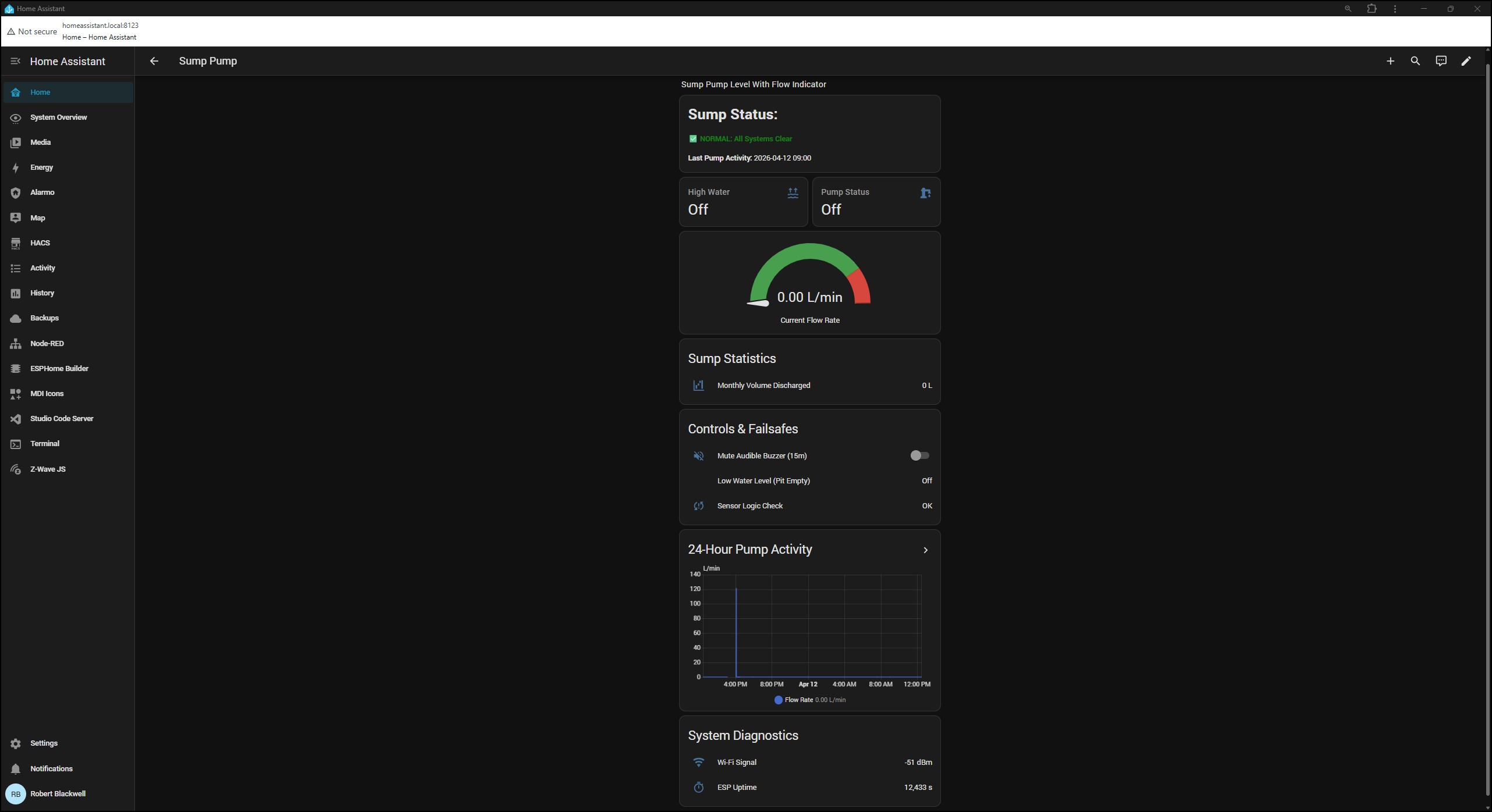
Dashboard View
Installation - Shows completed monitor and flow meter
Build and User Manual
Sump Water Level Monitor with Flow Detection
Software Version: 2026.04.12.V118
Hardware: Wemos D1 Mini (ESP8266)
Integration: Home Assistant / ESPHome
The Sump Water Level Monitor with Flow Detection (V118) is a custom-engineered, ESP8266-based failsafe device. It continuously monitors the water level and discharge volume of a residential sump pit. It features local visual and audible alarms, dual physical fail-safes, and deep integration with Home Assistant for remote telemetry and alerts.
 Parts List & Hardware
Microcontroller & Core Components
- 1x Wemos D1 Mini (ESP8266): The core processor running the ESPHome firmware.
- 1x 5V Power Supply: Micro-USB or direct 5V pin power for the D1 Mini.
- 1x PCB or Breadboard: For mounting and wiring the components securely.
- Connecting Wires: Jumper wires or permanent solid core/stranded wire.
Sensors & Inputs
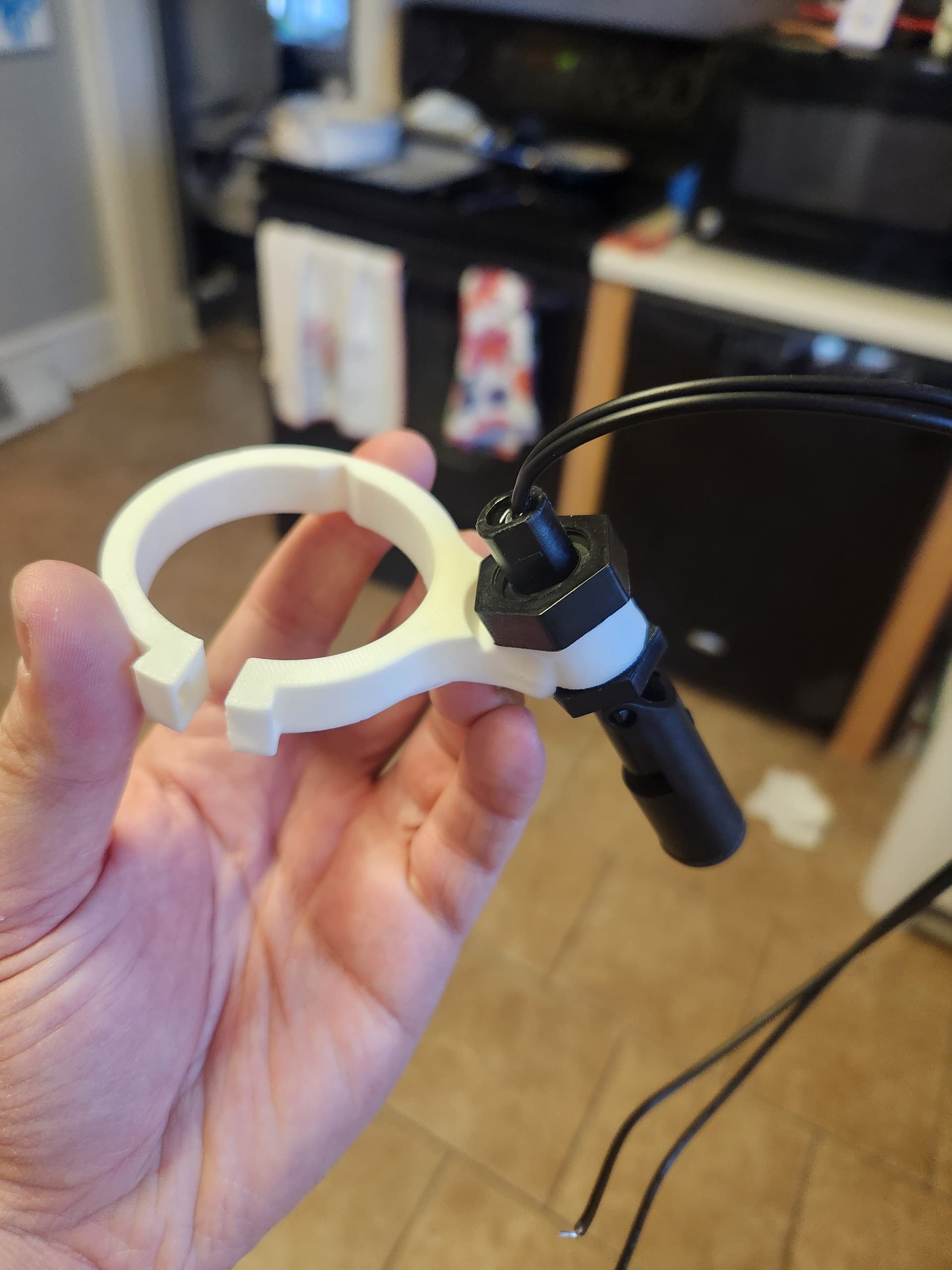
- 2x Liquid Level Float Switches: Mechanical or optical; triggers LOW (Ground). Used for High/Low water detection.
- 1x Hall Effect Flow Sensor: Pulse-based sensor (e.g., Gredia G1-1/2" or YF-S201) to measure water discharge.
- 1x Push Button: Momentary, normally open button for the physical Mute switch.
Outputs & Indicators
- 1x Active Buzzer Module: Must trigger on a LOW signal (the code uses inverted logic).
- 5x Standard LEDs (5mm/3mm): 1x White, 1x Yellow, 1x Red, 1x Green, 1x Blue.
- 5x Current Limiting Resistors: 1x 22Ω (Blue), 3x 120Ω (White, Yellow, Green), 1x 150Ω (Red).
 Build Instructions
Important Note on Inputs: All input pins (D1, D2, D3, RX) use INPUT_PULLUP and are inverted in the code. This means the switches and buttons should be wired directly between the specified GPIO pin and Ground (GND). No external pull-up resistors are required.
Wiring the Inputs (Sensors & Buttons)
| Component |
ESP8266 Pin |
Secondary Connection |
| Low Water Float |
D1 |
Ground (GND) |
| Flow Sensor (Pulse) |
D2 |
5V (Power) and Ground (GND) |
| Mute Button |
D3 |
Ground (GND) Note: Do not press during boot. |
| High Water Float |
RX |
Ground (GND) |
Wiring the Outputs (LEDs & Buzzer)
Wire each LED’s positive leg (anode) to the ESP pin, and the negative leg (cathode) through its specific matching resistor to Ground (GND).
| Component |
ESP8266 Pin |
Color / Function |
Resistor |
| Power LED |
D0 |
White |
120Ω |
| Buzzer |
D5 |
Signal to D5, VCC to 3.3V/5V, GND to GND |
N/A |
| High Water LED |
D6 |
Red |
150Ω |
| Pump Running LED |
D7 |
Green |
120Ω |
| Wi-Fi Status LED |
D8 |
Blue (Must be wired to GND to ensure safe boot) |
22Ω |
| Mute LED |
TX |
Yellow |
120Ω |
 Test Instructions
Once the firmware is flashed and the hardware is wired, verify functionality using these steps:
- Boot Test:
- Plug in the device.
- Expected Result: The White LED (D0) turns on. The buzzer (D5) beeps briefly for 100ms. The Blue Wi-Fi LED (D8) lights up solid once connected.
- Low Water & Flow Gatekeeper Test:
- Ensure the Low Water Float (D1) is in the “Down” (empty) position.
- Blow air into or manually trigger the Flow Sensor (D2).
- Expected Result: Nothing happens. The code suppresses flow readings when the pit is empty.
- Pump / Flow Test:
- Lift the Low Water Float (D1) to the “Up” position. Trigger the Flow Sensor (D2) rapidly.
- Expected Result: The Green LED (D7) turns on (flow > 0.5 L/min). When you stop, the device calculates and publishes the “Last Cycle Average Flow Rate”.
- High Water Alarm Test:
- Lift the High Water Float (RX) to the “Up” position.
- Expected Result: The Red LED (D6) turns on. The buzzer sounds an alarm (1s on, 2s off).
- Mute Button & Lockout Test:
- Drop the High Water Float to the “Down” position and press the Mute button.
- Expected Result: Nothing happens (Strict Mute Lockout).
- Lift the High Water Float back “Up” (Alarm sounds). Press the Mute button.
- Expected Result: The buzzer stops. The Yellow Mute LED (TX) begins flashing continuously for 15 minutes.
- Emergency Override Test:
- While the Mute LED is flashing, drop the High-Water Float “Down”, then immediately lift it back “Up”.
- Expected Result: The mute is forcefully cancelled, and the siren immediately resumes.
- Sensor Fault (Failsafe) Test:
- Drop the Low Water Float (D1) to the “Down” position. Lift the High-Water Float (RX) to the “Up” position.
- Expected Result: The “Sensor Logic Check” entity triggers in Home Assistant, alerting to a physically impossible hardware state.
 Calibration (Bucket Test)
The default flow multiplier is calibrated to the Gredia G1-1/2" specification of exactly 30 pulses per Liter. To ensure precise tracking for your plumbing setup:
- Pump exactly 20 Liters of water through the sensor into a measured container.
- Check the Home Assistant metrics to see what the ESPHome device recorded.
- If the value is incorrect, adjust the multiply: 0.033333 filter in the YAML code using this formula:
New Multiplier = Current Multiplier × (Actual Volume / Sensor Volume)
Example: If the sensor read 18L instead of 20L: 0.033333 × (20 / 18) = 0.037036.
 User Manual
Overview
The Sump Water Level Monitor tracks discharge volume, monitors pit water levels, evaluates pump cycle efficiency, and provides immediate failsafe alerts if the water level becomes dangerously high.
Understanding the Status Lights
 White Light (Power): The system is receiving power.
 Blue Light (Wi-Fi): Indicates the network status of the device.
 Green Light (Pump Running): Illuminates whenever water is actively flowing.
 Red Light (High Water): Illuminates when the water reaches a critical level.
 Yellow Light (Mute): Flashes to indicate the audible alarm is temporarily silenced.
Emergency State (High Water Event)
If the primary pump fails or is overwhelmed:
- Immediate Trigger: The Red LED turns on instantly.
- Audible Alarm: The active buzzer begins an indefinite emergency loop.
- Home Assistant: The Command Dashboard banner turns red, and push notifications can be triggered to mobile devices.
- Resolution: The alarm will scream indefinitely until the water drops or the user manually overrides it.
Mute Override Functionality
To allow for safe maintenance or to silence a known emergency while a backup pump is deployed:
- Activation Lockout: The Mute button is completely disabled during normal operation to prevent accidental silencing prior to an emergency.
- Activation: During an active High-Water event, pressing the physical Mute Button (or the Home Assistant dashboard toggle) starts a 15-minute countdown.
- Behavior: The buzzer is silenced, but the Red LED remains ON. The Yellow Light flashes continuously.
- Cancellation: Pressing the button a second time kills the timer. If the water drops and rises again, the system forcefully kills the timer and resumes the siren.
Built-In Logic Failsafe’s
- The Hardware Chirp: On boot, the buzzer fires for 100ms to confirm speaker health.
- The Boot Sync: If power drops and returns while the basement is flooded, the D1 Mini will evaluate the float states the microsecond it boots, bypassing delays to instantly trigger the alarm.
- Float Fault Detection: Identifies jammed floats or severed wires by checking for physically impossible switch combinations.
- Network Auto-Heal & Fallback: Reboots the network stack after 15 minutes of disconnection. If the local network is permanently down, broadcasts a secure fallback AP (Sump-Monitor-Fallback-With-Flow) for local smartphone access.
Telemetry & Command Dashboard
The system feeds a custom Home Assistant Vertical Stack Dashboard featuring a dynamic color-coded Markdown banner and the following metrics:
- Real-time Sump Flow Rate: Measured in L/min.
- Last Cycle Average Flow Rate: Calculates the pump’s exact efficiency (L/min) from the moment it turns on to the moment it turns off.
- Monthly Volume Discharged: A resilient Utility Meter in Home Assistant that tracks lifetime/monthly discharge without losing data during power outages.
- System Health: Wi-Fi Signal Strength (dBm) and ESP Uptime.
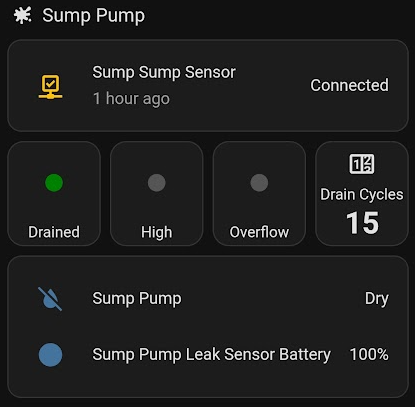
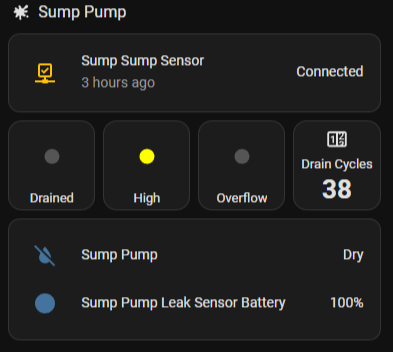
 Drain Cycles – counter with double-tap reset