Cool project. Why is this not distributed as a home assistant addon instead? Would make deployment much easier imo. I could just install the addon on my home assistant server, instead of needing a separate device to run the docker container.
Thanks! I’ve been running HA Container myself, so I haven’t actually built an add-on before. But I could definitely look into it.
The main thing I’d want to make sure is that it doesn’t replace the current embedded mode. That’s there specifically so beginners can use SpoolmanSync without needing to know anything about Home Assistant. As long as an add-on would just be an additional deployment option, I’d be open to exploring it!
I’ll add it to the list of things to look into.
1 Like
I understand that you want to offer the embedded mode and that is valid of course.
My suggestions was rather for home assistant (OS) users. As I understand an addon is practically a docker container that is managed by the home assistant supervisor. For Home assistant OS users, like me, this is the easiest option to add containers running alongside home assistant. If you could adjust your docker compose settings for the home assistant supervisor, that would be perfect. I would be happy to be able to install this project directly from the HA UI.
1 Like
Sounds good! I’ll look into adding add-on support for HA OS users. Should be doable as a third deployment option alongside the existing modes.
1 Like
Hey,
First off, thank you for creating this - it’s seriously impressive. I recently picked up a Bambu Lab H2D, and this entire setup has been working flawlessly. Being able to properly track filament usage is going to make a huge difference for me.
I have a couple of questions / feature requests:
#1:
Would it be possible to publish an official release of this project in Unraid’s Community Apps?
For those of us running SpoolmanSync in a Docker container on Unraid, having it listed there would streamline installation and updates much easier. I was able to get it running manually, but it would be great to manage updates through Community Apps instead.
Alternatively, I did read through the thread and saw mention of a potential native Home Assistant add-on in the future - that would also make a great alternative option if it ends up being possible.
#2:
One of my main goals with Spoolman + SpoolmanSync was to use printed QR labels on my spools so I could quickly scan a spool with my phone and assign it to the correct AMS slot - essentially using the QR code as a shortcut to the slot assignment screen.
The issue is that Spoolman’s Print Labels feature only generates either :
web+spoolman:s-{id}
or
http://[Spoolman_Hostname_Goes_Here]:7912/spool/show/{id}
On iPhone, the first option isn’t recognized, and the second just opens the spool details page in Spoolman - which doesn’t help since there’s no connection to SpoolmanSync to assign the AMS slot.
Would it be possible for SpoolmanSync to implement a similar label-generation feature:
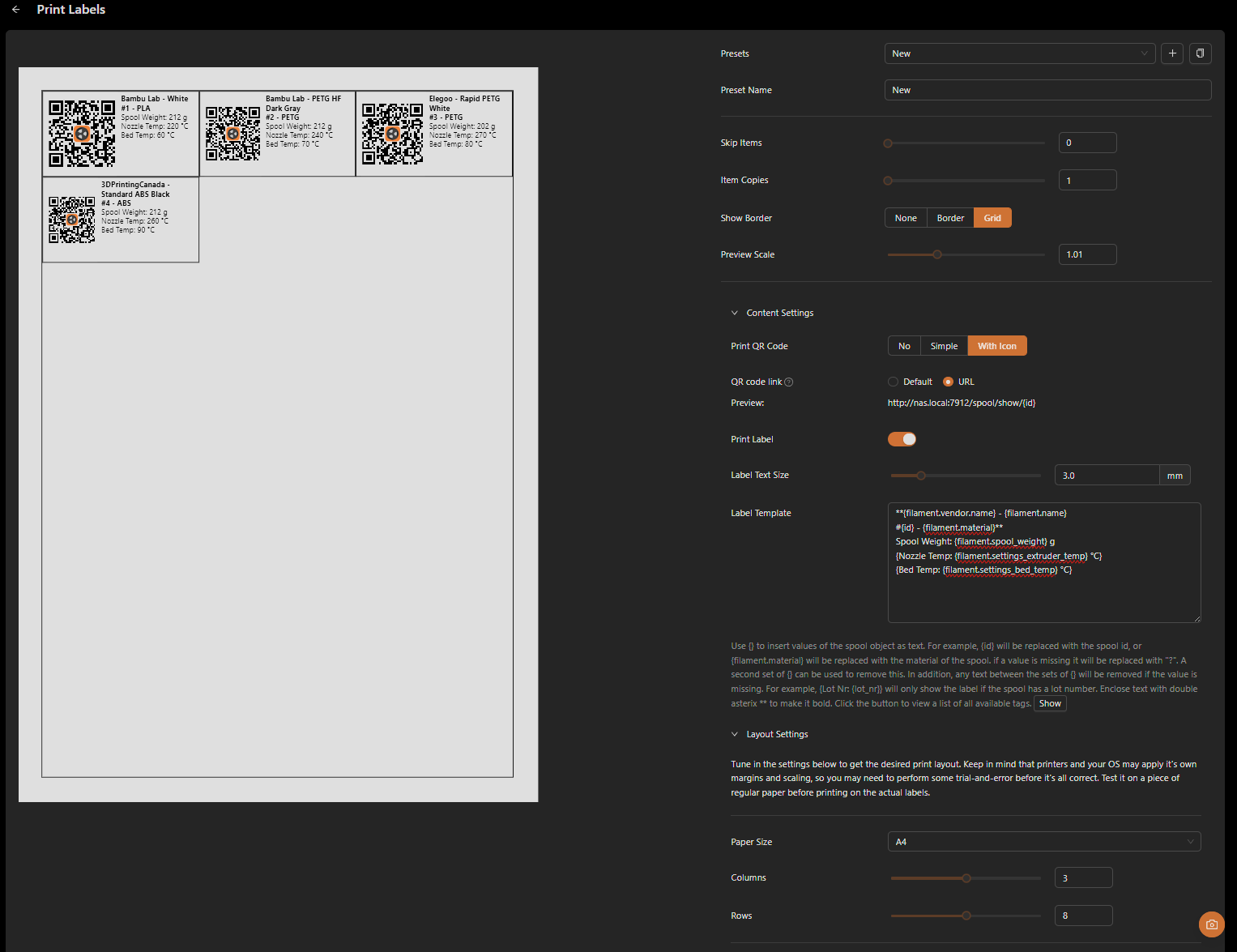
…but instead have it generate the QR code URL like:
http://[SpoolmanSync_Hostname_Goes_Here]:3000/scan/spool/{id}
That way, scanning the QR code with the phone’s native camera app would:
-
Open the SpoolmanSync website directly
-
Automatically recognize the spool ID (passed via the URL)
-
Take you straight to the AMS slot assignment screen
This would make the workflow extremely fast - scan, choose slot, done.
An added benefit is that it avoids the HTTPS camera restrictions mobile browsers impose. Since the native camera app handles the scan and simply opens a URL, there would be no need to rely on the in-browser scanner from the SpoolmanSync website - making the overall process both faster and more reliable.
Just wanted to share the idea and see if something like this might be feasible.
Thanks again for all the work you’ve put into this - it’s already incredibly useful.
1 Like
@larathydo thanks for the suggestions!
-
SpoolmanSync has been added to Unraid Community Apps. I don’t have Unraid to test with, so if you give it a try please let me know if you run into any issues!
-
QR code generation is now available on the Scan page. You can generate and print QR labels for your spools. When scanned with your phone’s camera, they link directly to the tray assignment page in SpoolmanSync.
@marcokreeft87 NFC tag writing is also included in the latest version! On the Scan page, you can write spool links to NFC sticker tags. When you tap the tag with your phone, it takes you directly to the tray assignment page for that spool.
Note: Web NFC is only supported on Android with Chrome, Edge, Opera, or Samsung Internet. If you’re on iOS or another browser, the Scan page will show a URL template you can use with a standalone NFC writing app like NFC Tools.
1 Like
Hi,
First of love the “addon”
Now a suggestion I have is a dashboard card where you can select an AMS slot and select a spool for it, its kinda annoying that i do everything in home assistant but then have to move to spoolmansync to do that
Wow, this is great! Thanks for the quick turnaround!
I’m going to dive into this tonight and will try both setting up SpoolmanSync in Unraid via Community apps, as well as try out the new QR code / label functionality.
I’ll keep you posted with how I make out!
1 Like
I don’t have plans to create a HA dashboard card since that would require rebuilding all the UI components from scratch using a different framework. However, I am working on an HA add-on which will let you access SpoolmanSync directly within Home Assistant using the existing interface.
In the meantime, if you find yourself switching between HA and SpoolmanSync often for tray assignments, check out the new QR code labels feature on the Scan page. You can print labels for your spools and scan them with your phone to quickly assign to trays without needing to open either app.
Can I follow the development of the ha-addon anywhere? A github repo or anything
I have developed ha addons in the past and would love to help
You can follow along in the feature/ha-addon branch: GitHub - gibz104/SpoolmanSync at feature/ha-addon
It’s pretty much built already, I just need to thoroughly test it to make sure everything works and none of the existing run modes broke. I’ve been using HA OS in a vm with the Samba add-on for local testing.
Hey @gibz104,
Just wanted to circle back and provide you an update. I just installed SpoolmanSync from Unraid’s Community Apps and the install process worked perfectly! Thank you - this will be much more straightforward to apply updates!
I also see your QR code changes - thanks for doing this! I have a bit of feedback if you’re open to it:
The new setup appears to only able to create one label at a time, and when you select that individually-created QR code ‘label’, the print dialog window treats it as something it should be printed print fullsize on a single piece of paper:
I suspect most people who will be using this will have a number of spools they need to print QR codes on, and each would likely be made by printing on mailing labels (for example, ones like these are what I would like to use):
Would it be possible to leverage the same kind of UI design that Spoolman’s QR code generator uses? It’s approach is particularly useful for these kind of label sheets to dial in positioning / accommodating placement for different types of label sheets:
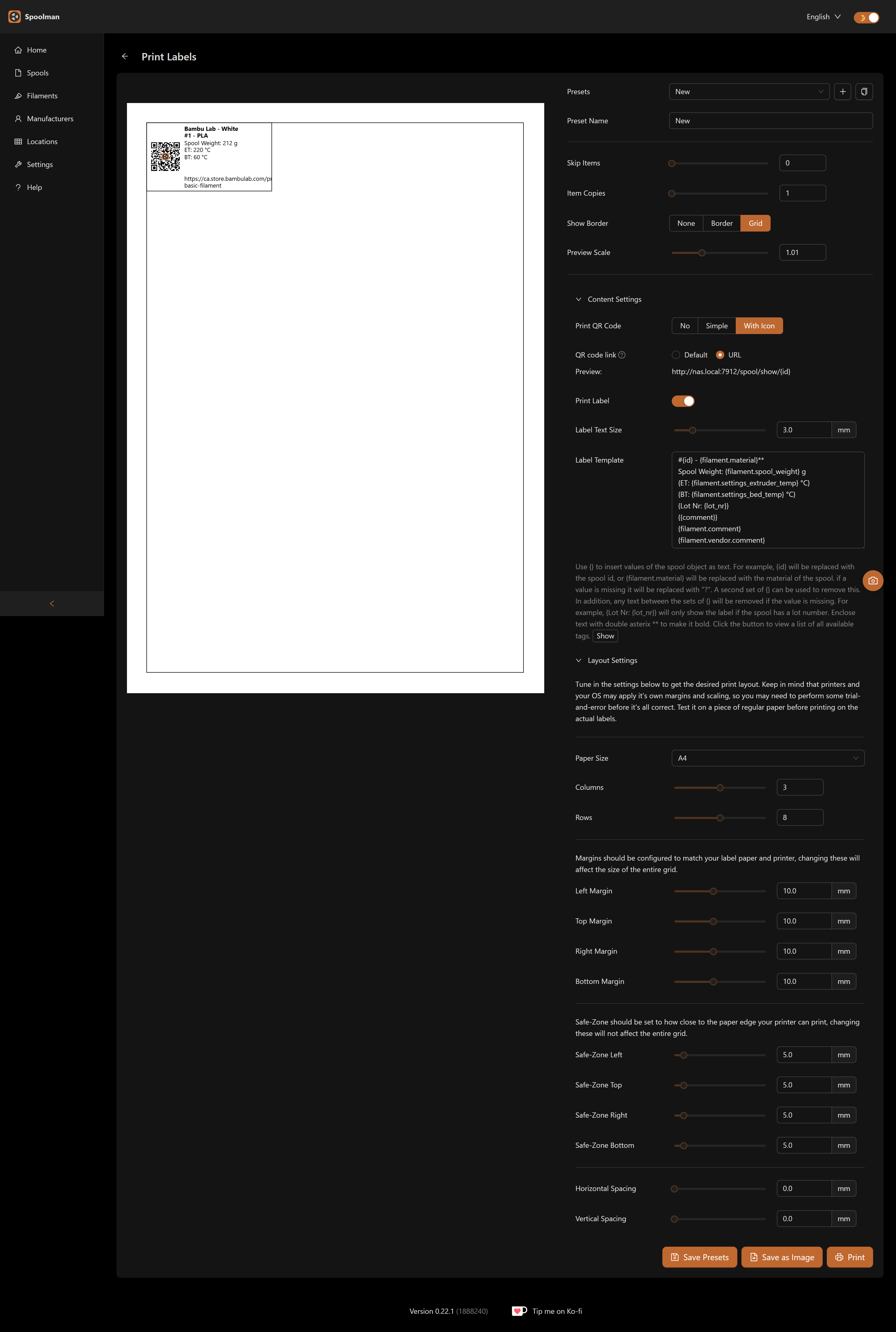
If this is something you’d be open to tackling, I’m happy to be a guinea pig to try it out!

Ah, yes, that makes sense! I can definitely do that. I was designing around a single 2x1 rollo label, but what you explained is better. I’ll let you know when its ready to test
Sounds good, and thanks again for all your help! 
@zero545 @SiebeU The SpoolmanSync add-on is now available! To install, add the GitHub repo (https://github.com/gibz104/SpoolmanSync) as a repository in your HA OS add-on store. If you need to use a different port, you can configure it in the add-on’s Configuration tab. Let me know if you run into any issues!
2 Likes
Hi,
Thanks for the addon but you didnt quite understand what I meant I think haha.
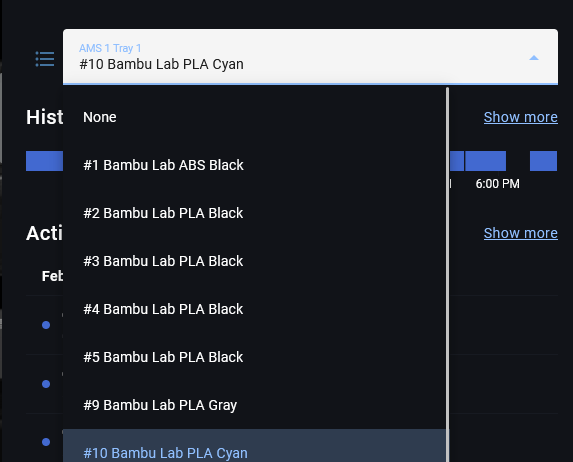
I created an integration and opened a pull request for it.
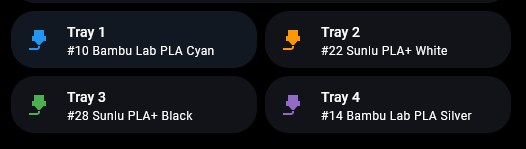
The integration creates HA Entities and a HA Card which directly update SpoolmanSync

Hey @SiebeU, I appreciate you taking the time to build something!
Just to clarify though, I did understand what you were asking for. You wanted native HA entities and a dashboard card so you could manage tray assignments without leaving HA. I intentionally chose not to go that route and instead built the add-on, which embeds the full SpoolmanSync UI directly in the HA sidebar. That way you get the complete interface (tray assignment, QR labels, NFC writing, activity logs, etc.) without having to rebuild everything from scratch as native HA components.
The add-on approach gives you one-click access from the HA sidebar and keeps feature parity with SpoolmanSync’s web UI automatically. Any new features added to SpoolmanSync are immediately available in HA without needing to update a separate integration.
I took a look at the PR and I’m going to pass on merging it, but I left a more detailed comment there explaining why. Thanks again for the effort though!
1 Like
Hey @gibz104
Thanks for all the comments on the PR!
I will move the integration from a fork to its own repo and fix the issues pointed out.
I will let you know once its all finished so maybe a link to the integration can be put in the readme if desired
1 Like
@larathydo The latest v1.1.2 release has QR code generation for full label/sticker sheets (multiple paper sizes, configurable grid layout, margins, spacing, etc.) similar to Spoolman’s label printing.
Let me know if you run into any issues if you test it out!
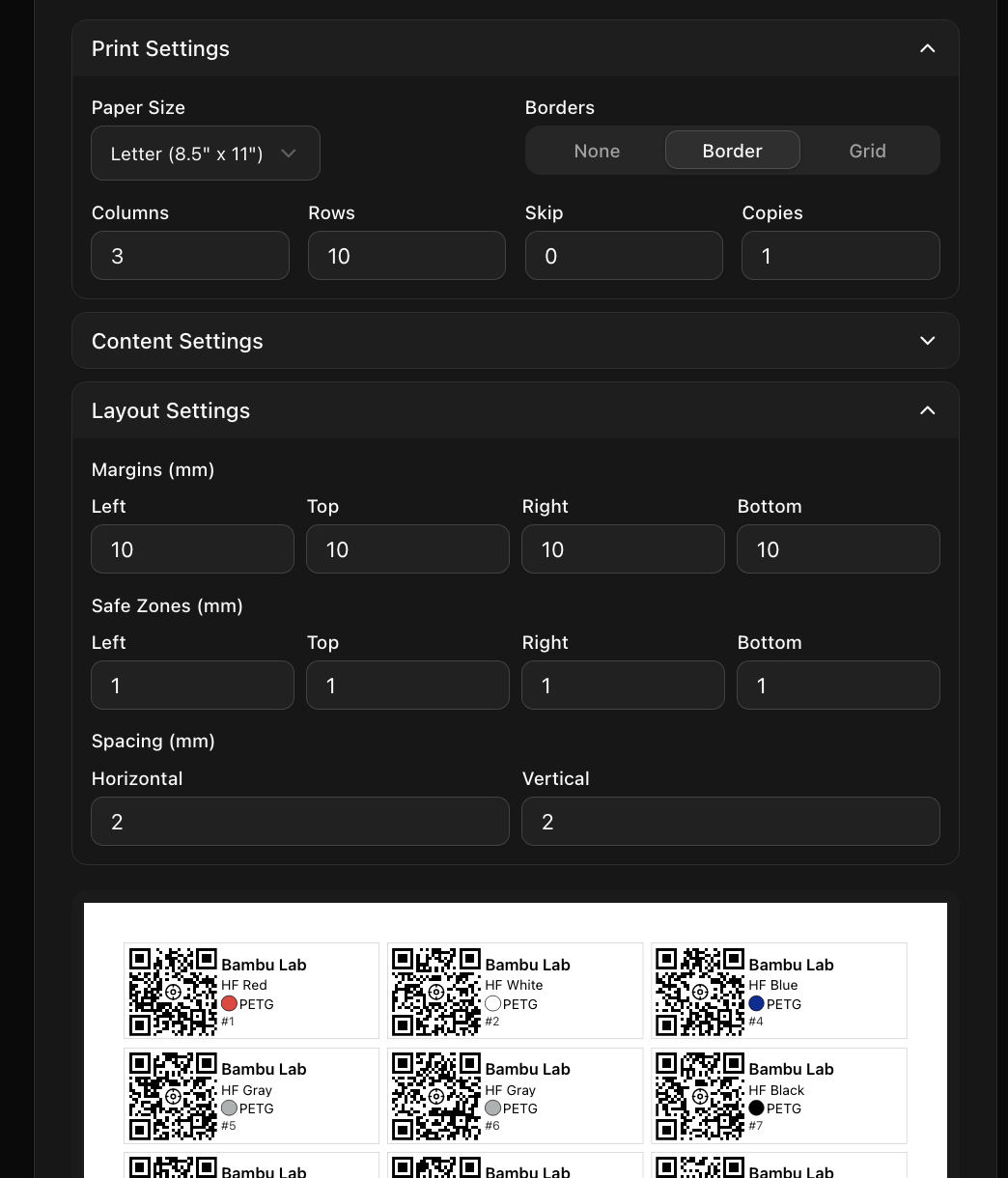
I downloaded v1.1.2 and can confirm that your QR changes / updates are working great! Thanks so much for implementing these changes, they are awesome!
For what it’s worth, I came across a couple minor things (as well as brainstormed a couple quality-of-life type things) I figured I’d pass along:
#1:
I had to adjust margins / spacing to get the printed document to line up with the actual dimensions of my label pages I’d be printing on (and that all worked fine through your updated UI - no issues that I’ve noticed so far!). However, after doing this I noticed these custom values/settings are lost each time you leave and come back to the SpoolmanSync QR generation page.
Would it be possible to make these settings persist between sessions? For example, Spoolman’s implementation has a ‘Presets’ section where you can essentially create a preset of your custom positioning values (for a Label Type & Printer Make/Model combination) which can apply those custom values for you again the next time (when you choose that preset from a dropdown menu).
That would be useful for your inevitable revisits to print off more labels.
#2:
When scanning one of my generated QR codes on mobile (via Safari on my iPhone), the value displayed in the “Remaining:” field has a very long number after the decimal point and runs off the screen:
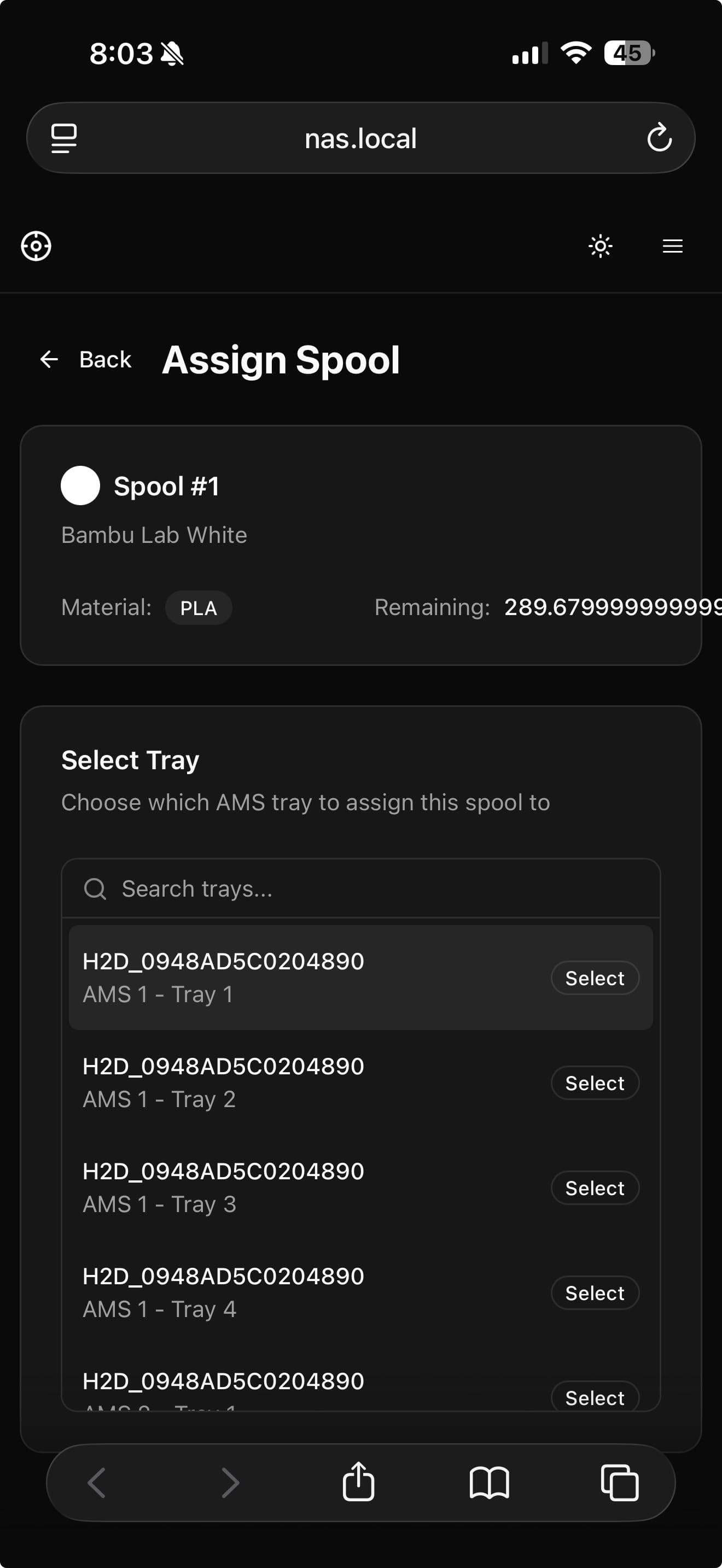
Perhaps it would make sense to only display the remaining weight in grams rounded up/down to the nearest full integer? (e.g. 290g instead of 289.6799999999997g)
#3:
In the list of spools you select to generate the QR codes for, it would be nice if:
- There was an option to filter out any spools which have already previously had QR codes/labels generated for them.
- A way to sort (not filter) listed spools based on different criteria related to the spools themselves, E.G. sort by spool number (if you wanted to see recently created spools listed at the top), sort by spool type (E.G. see all different filament types for a particular manufacturer PLA, PETG, ABS, etc…), etc…