Statistics-Graph-Chart-Card

Hi,

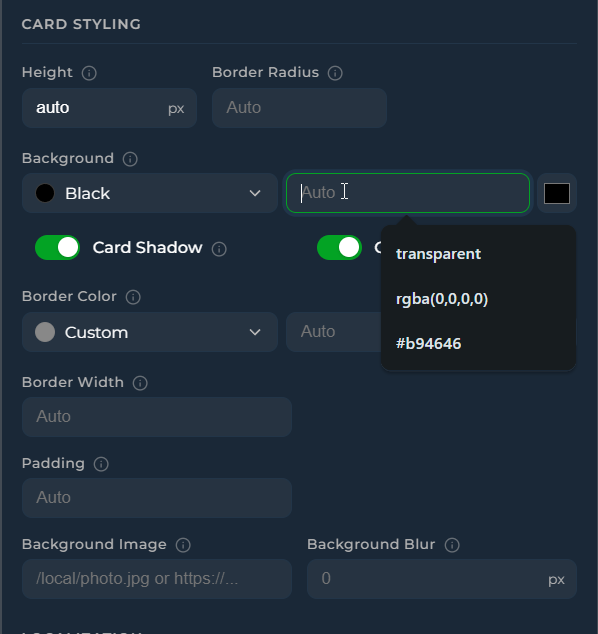
  1. Please see Card Styling options

  1. I will fix this on the update v3.32

  2. Compact Legend is compact legend :slight_smile: We can show state on State row, Y-axis, Tooltip or Detaied Legend. I think these are enough to show values. May be I can add Live value to Detailed Legend

  3. I think here you embeded into something like horizontal stack in card, I can’t do anything for other custom cards. Please use card mod

Finally if you open issue on github it will be quicker for the future request as I am mostly spend my time there

Thanks

1 Like

without having completely studied all options of this seemingly amazing new card…
is there a function compared to apexcharts card’s data_generator?

I have but a few of those, and some of the options in the statistics-graph-chart-card make me want to move, but I do need t be able to do stuff like this

    data_generator: >
      return entity.attributes.forecast.map(d => [new Date(d.date).getTime(),
      d.details.find(t => t.name === 'Hazelaar').value]);

or indeed energy prices like

      - entity: sensor.easyenergy_prices
        name: Price this hour
        yaxis_id: price
        data_generator: |
          return entity.attributes.prices.map((entry) => {
            return [new Date(entry.timestamp).getTime(), entry.price];
          });

figured it might be the attribute data source, but I cant find a real use example for that
sorry if this has been asked before (I did check and got no hits…)

fwiw, I did give it a try with this:

  - type: custom:statistics-graph-chart-card
    entities:
      - entity: sensor.easyenergy_prices
        name: Price this hour
        attribute_data_source:
          path: prices
          x_attribute: timestamp
          y_attribute: price

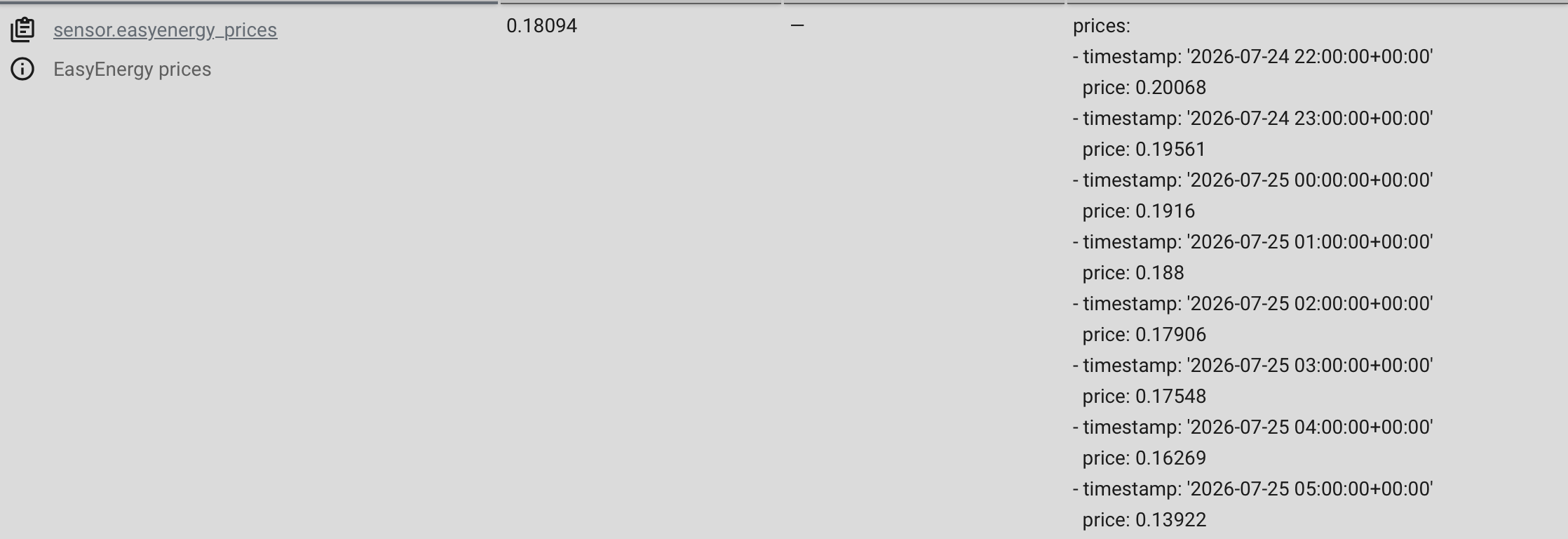
and the attributes are built like this

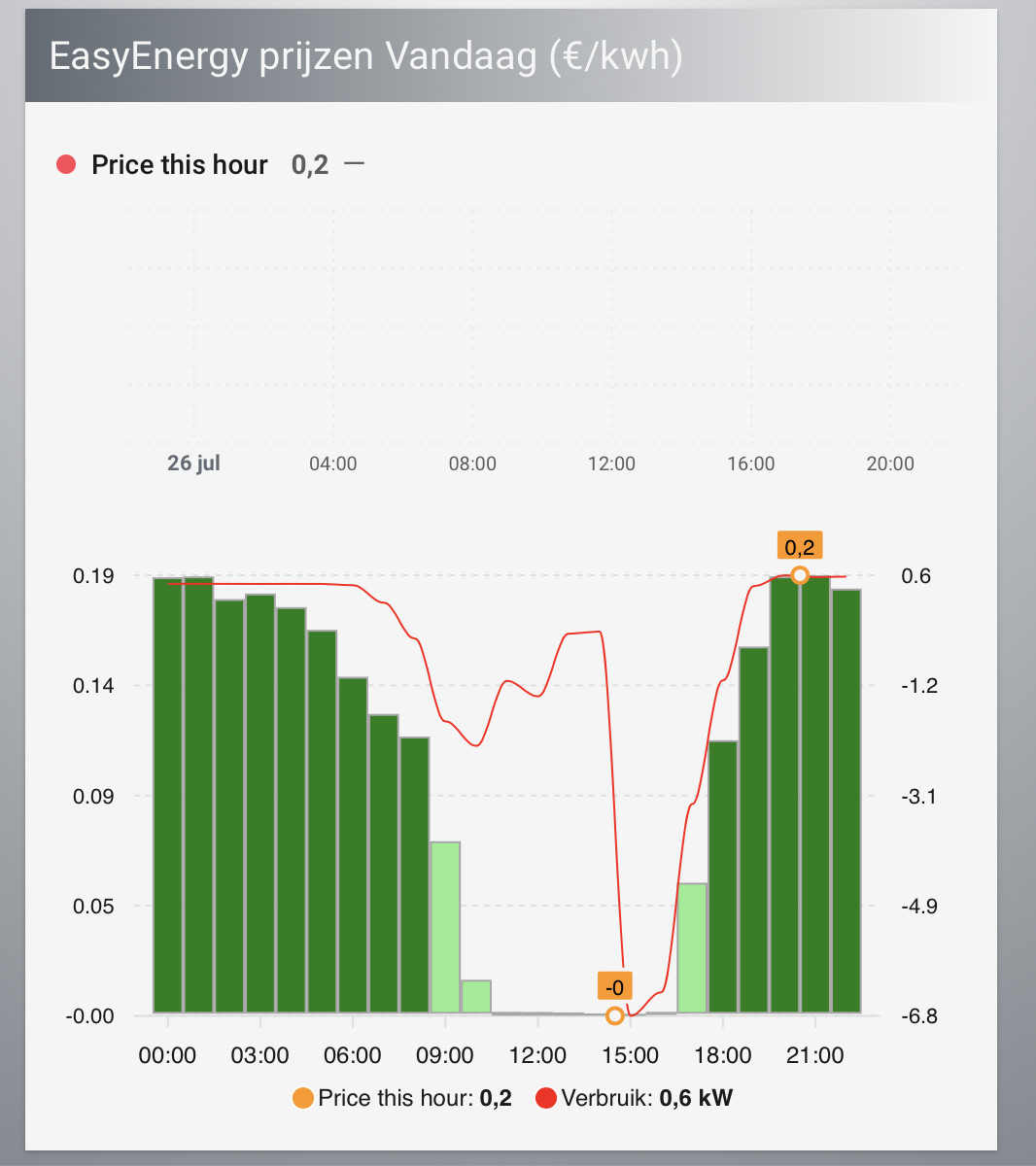
but that does not return a graph, just an empty grid, and a price this hour
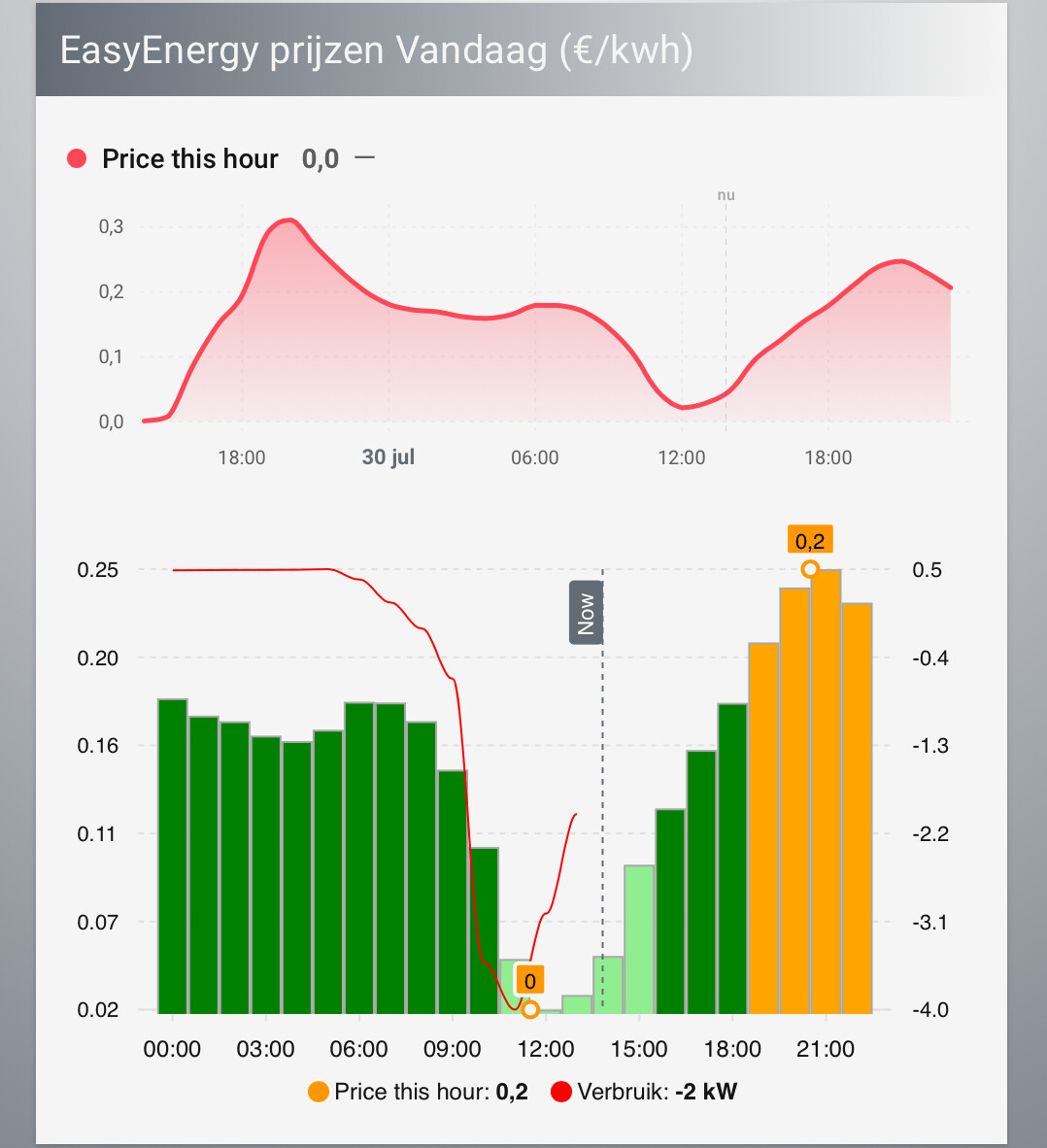
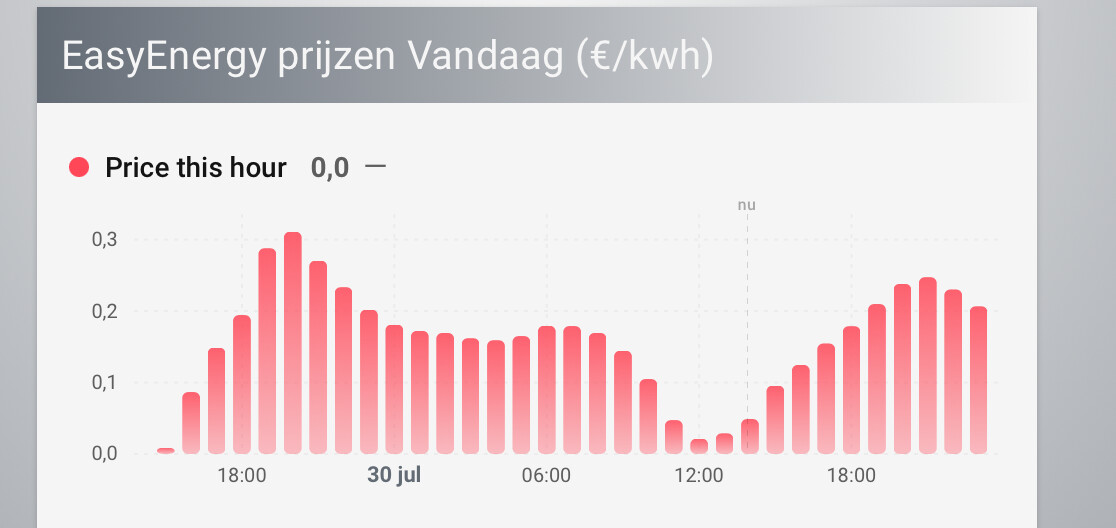
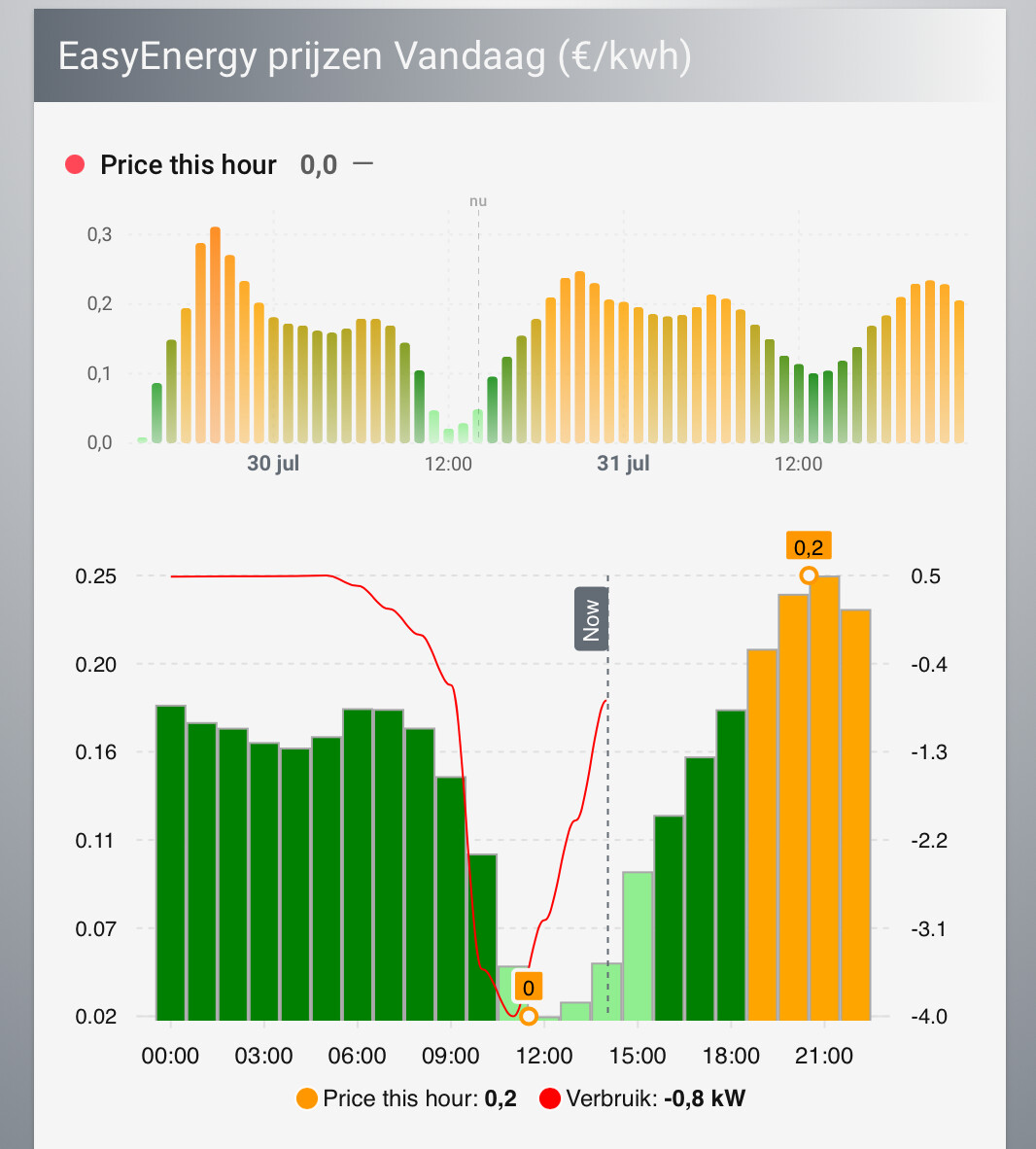
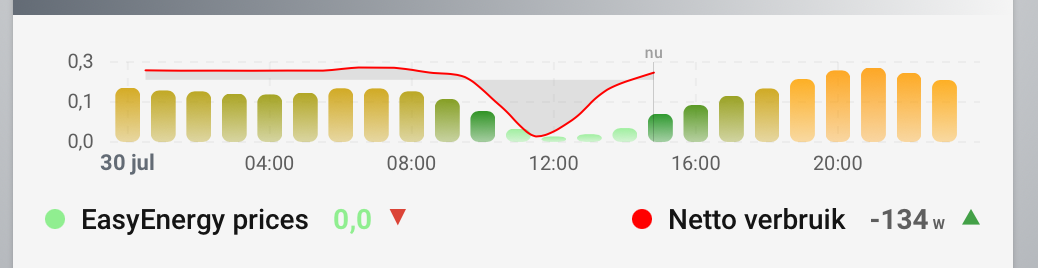
my goal is to recreate the graph you see below the empty graph…

love a card in actual development, and even though apexcharts card has been making my views shine in the past years, it needs some love, and attention from it’s dev.

2 Likes

this card is amazing! best HA development in a long while!

i have an issue/question:
is there an option/card-mod way to change the radius of the bars in this stacked chart?

Thank you for your reply.
Following your example on the gradient it just changes the background color of the card. What I would love to be able to do is change the opacity of the gradient. Below is a Statistics Graph Card compared to an Apex charts, and I would like the gradient to look more like the Apex Charts card, so less intense gradient.

Hi @mauritsivs

You can use card mod here. Please see readme for card mode details. If any questions I am responding faster via Github as I spend much time there

New update is available

Gradient and line color uses same parameter. You can use rgba but this will effect both line and gradient together. Maybe in the future updates.

type: custom:statistics-graph-chart-card
show_legend: true
tooltip_match_axis: false
tooltip_order: default
height: auto
x_grid_style: dashed
y_grid_style: dashed
entities:
  - entity: sensor.temperature_3
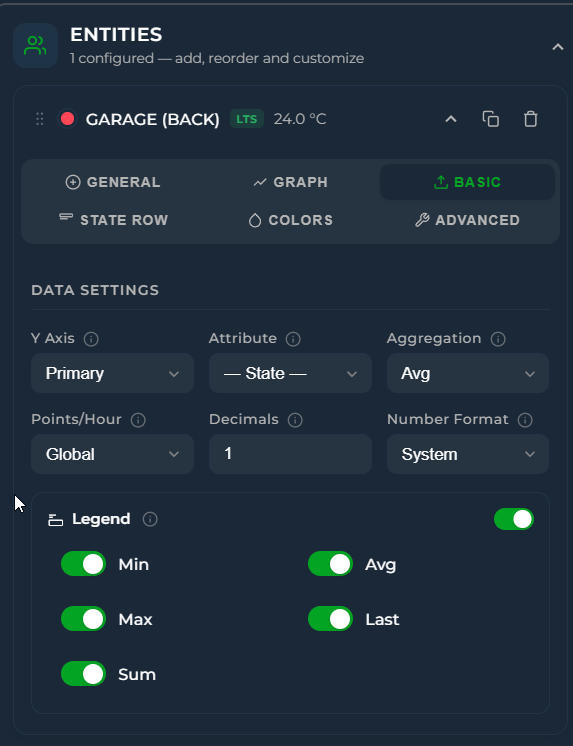
    show_in_legend: true
    legend_stats:
      - min
      - avg
      - max
      - last
      - sum
    color: rgba(255, 255, 0, 0.1)

Hi,

Please see “Advanced” tab under Entity. You can replace data generator. Also please look into closed issues for people asking similar needs.

ok so changed that config to

  - type: custom:statistics-graph-chart-card
    entities:
      - entity: sensor.easyenergy_prices
        name: Price this hour
        data_attribute: prices
        data_time_field: timestamp
        data_value_field: price
        data_time_unit: iso

at least makes a graph.. got it from Issue ¡ GitHub

still need to find the other details in styling and graph type, but its a start.

not sure why my price this hour is now incorrect, as the entity is unchanged.

add

graph_type: bar

and it gets better

and adding the same thresholds as the apexcharts, albeit tiny different syntax:

        color_thresholds:
          enabled: true
          values:
            - value: 0.05
              color: lightgreen
            - value: 0.1
              color: green
            - value: 0.2
              color: orange
            - value: 0.3
              color: darkorange
            - value: 0.4
              color: red
            - value: 0.5
              color: maroon
            - value: 0.6
              color: purple
            - value: 0.7
              color: black

graph_span is a bit of a challenge to find in the documentation tbh…

edit

ah, getting there.

  - type: custom:statistics-graph-chart-card
    show_legend: true
    hours_to_show: 12
    height: auto
    graph_start: day
    show_full_period: true
    bar_spacing: 7

secondary entity crams the graphs…

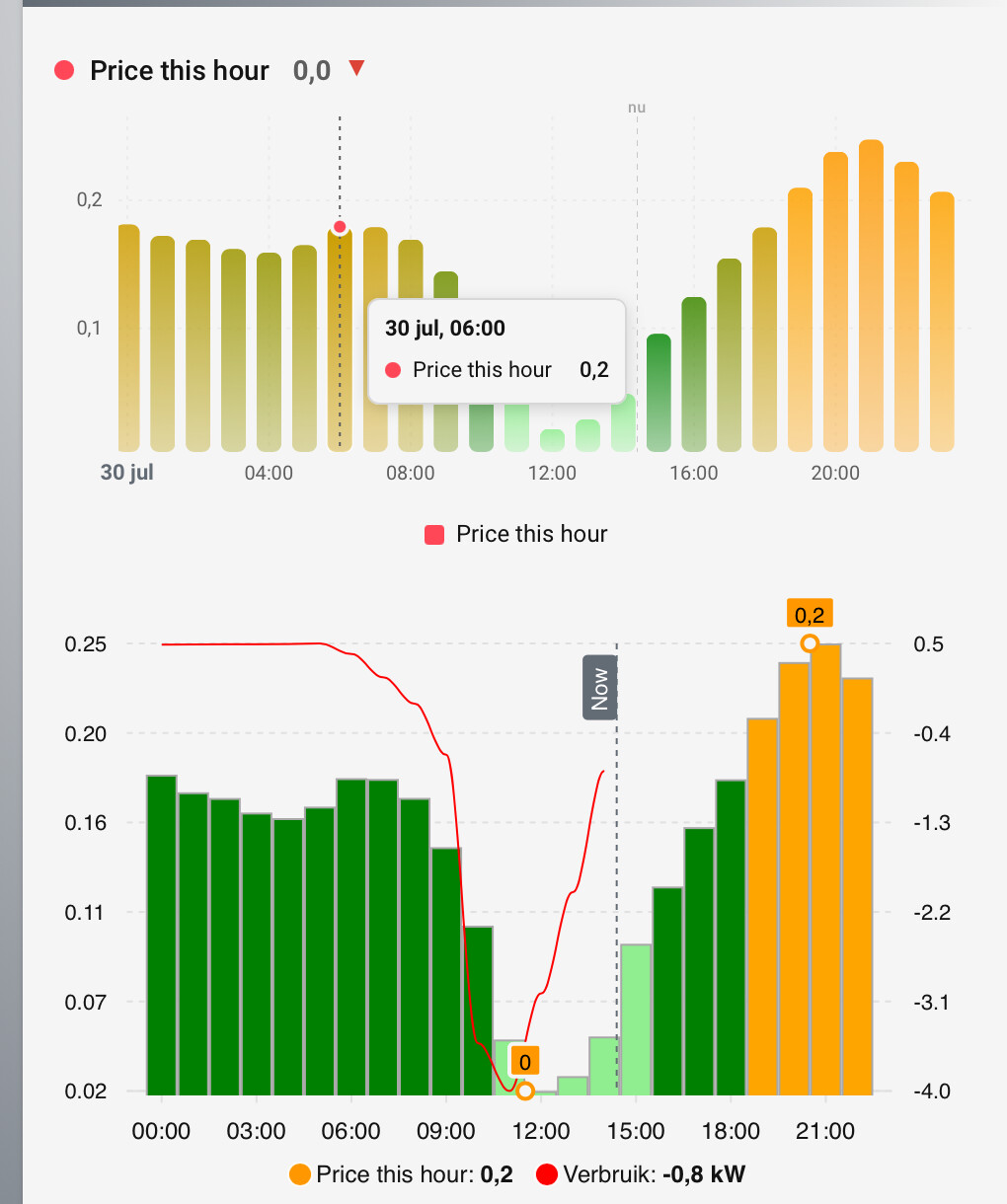
with secondary entity
  - type: custom:statistics-graph-chart-card
    now_line_color: '#000000'
    now_line_style: solid
    hours_to_show: 12
    points_per_hour: 1
    tooltip_match_axis: false
    tooltip_order: default
    height: auto
    graph_start: day
    show_full_period: true
    bar_spacing: 6
    y_axis_round_ticks: false
    x_grid_style: dashed
    y_grid_style: dashed
    entities:
      - entity: sensor.easyenergy_prices
        graph_type: bar
        data_attribute: prices
        data_time_field: timestamp
        data_value_field: price
        data_time_unit: iso
        color_thresholds:
          enabled: true
          values:
            - value: 0.05
              color: lightgreen
            - value: 0.1
              color: green
            - value: 0.2
              color: orange
            - value: 0.3
              color: darkorange
            - value: 0.4
              color: red
            - value: 0.5
              color: maroon
            - value: 0.6
              color: purple
            - value: 0.7
              color: black
        align_state: bottom-left
        state_adaptive_color: true
      - entity: sensor.netto_verbruik
        name: null
        color: red
        y_axis: secondary
        points_per_hour: 1
        gradient: false
        decimals: 0
        line_width: 1
        align_state: bottom-right

Drill Down feature has been added

Please update to v3.33

1 Like

That is very nice - thank you for adding this!

2 Likes

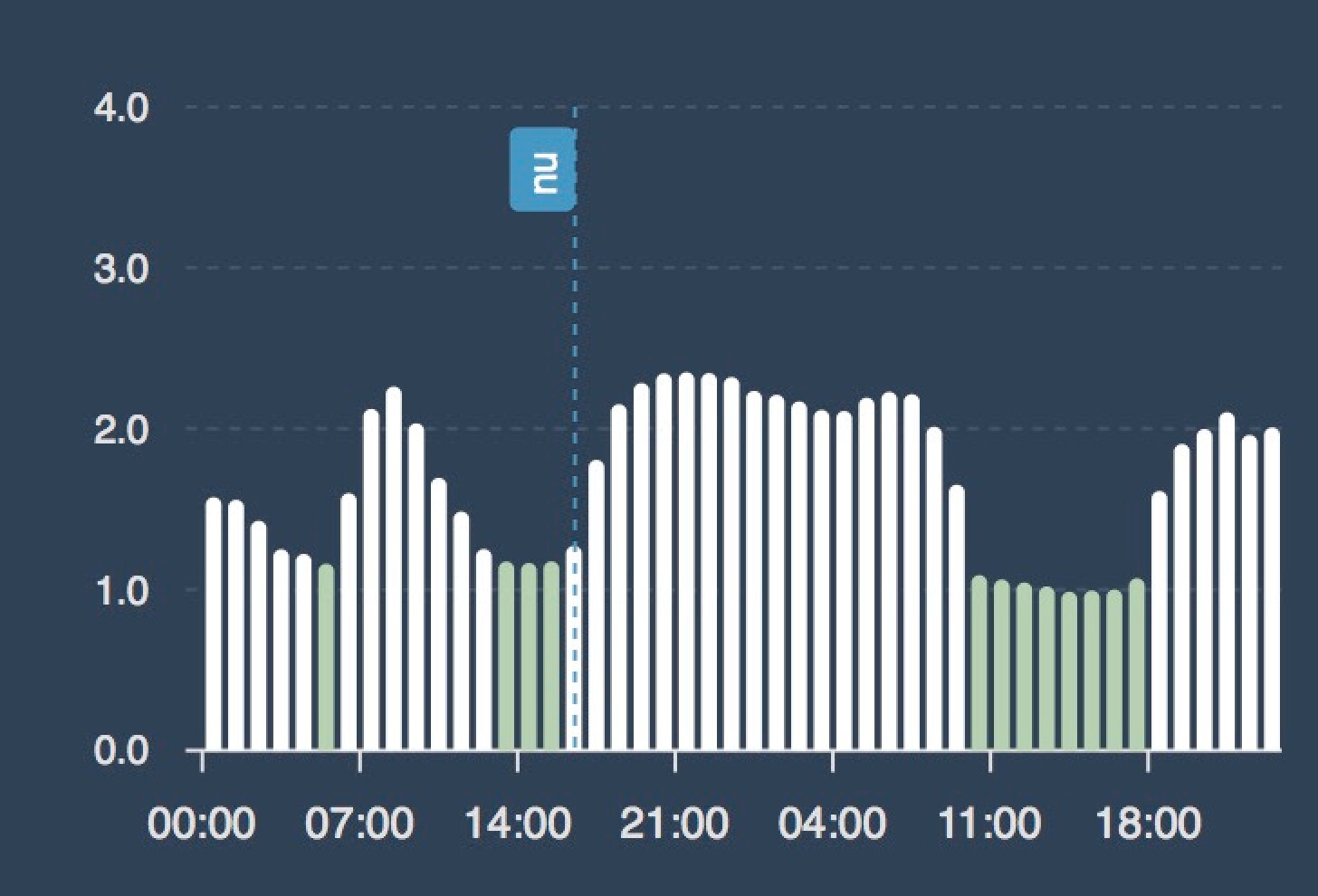
I’m trying to do what you are doing and replicate my Apex Charts (seen below). But I (mainly ChatGPT :)) get’s lost over two things:

  • The official Nordpool integration holding the electrical prices shows the price for each quarter. That gets a bit messy and with Apex I have aggregated it and combined 4 quarters to 1 hour to make it a bit prettier. I’m not able to do so in SGCC. group_by: hour doesn’t seem to work.

Feels like I’m close to replicate the Apex chart but just missing out on the final tweaks :slight_smile:

type: custom:statistics-graph-chart-card

graph_start: day

extended_window_multiplier: 2

height: 240

show_state: false
show_legend: false

show_tooltip: true
tooltip_match_axis: true
tooltip_order: default

show_now_line: true
now_line_color: "#00b8f4"
now_line_opacity: 1
now_line_width: 2
now_line_style: dashed

lower_bound: 0
upper_bound: ~4
y_axis_ticks: 5
y_axis_decimals: 1
y_axis_round_ticks: false

datetime_format: HH:mm
x_axis_interval: 5h

show_grid: true

x_grid_style: dashed
x_grid_width: 1
x_grid_color: "#ffffff"
x_grid_opacity: 0

y_grid_style: dashed
y_grid_width: 1
y_grid_color: "#ffffff"
y_grid_opacity: 0.1

bar_spacing: 3

entities:
  - entity: sensor.nord_pool_se3_prices
    name: Elpris
    graph_type: bar

    # Fyra datapunkter per timme
    points_per_hour: 4
    aggregate_func: avg

    # Läs prislistan frün Nord Pool-sensorns attribut
    data_attribute: data
    data_time_field: start
    data_time_unit: iso

    # Motsvarar beräkningen i ApexCharts:
    # pris inklusive moms + eget pĂĽslag
    data_value_expression: price * 1.25 + paslag
    data_vars:
      paslag: sensor.elpris_paslag

    decimals: 1
    number_format: comma
    unit: kr/kWh

    color: threshold
    color_thresholds:
      enabled: true
      direction: horizontal
      transition: hard
      values:
        - value: -100
          color: "#b0d1ae"
        - value: 1.2
          color: "#ffffff"

card_mod:
  style: |
    ha-card {
      margin-left: 5px;
      margin-right: 10px;
    }

Hi I will try to help you with this but can you also look the link below? Maybe you can find similar issues or yaml samples. I do not have Nord Pool integration so It can take some time to help you.

yeah I feel you.
have the same with the compression of my graphs that happened after adding the secondary entity.

what I did was start with as basic as possible a config in the UI, and then clicked around in the options…
the documentation is still a puzzle for me, it didnt open the main options to me like I am used to. (Even though the huge list of screenshots of all possible graphs is impressive, it doesn’t help the clarity there to me).

I got lost soon, so turned to the UI, then copied yaml for my regular dashboard

Also, I found that the terminology from apexcharts is not always ‘universal’ and things like span etc are different in this card. so not knowing what to look for as a non graph expert didn’t help me either. turned out that some options were the same as with mini-graph-card or stock cards. the latter being super of course. always helpful calling the same thing the same name!

just getting to know the beast (it most definitely is a beast of a card) will take me a bit more time

1 Like

Wiki also is live since Wed. It will be improved ofc. maybe it can help

1 Like

yes I found the wiki, thanks for that.
suppose tweaking that on a card like this isnt easy at all, almost a project of its own.
stunning

Is this a solution for your case?

template:
  - trigger:
      - platform: homeassistant
        event: start
      - platform: state
        entity_id: sensor.nord_pool_se3_prices
    sensor:
      - name: Nordpool SE3 hourly
        unique_id: nordpool_se3_hourly
        state: "{{ (state_attr('sensor.nord_pool_se3_prices','data') or []) | count }}"
        attributes:
          data: >-
            {% set src = state_attr('sensor.nord_pool_se3_prices','data') or [] %}
            {% set ns = namespace(out=[], seen=[]) %}
            {% for item in src %}
              {% set hk = item.start[:13] %}
              {% if hk not in ns.seen %}
                {% set ns.seen = ns.seen + [hk] %}
                {% set q = src | selectattr('start','match', hk) | list %}
                {% set ns.out = ns.out + [{
                     'start': hk ~ ':00:00' ~ item.start[19:],
                     'price': ((q | map(attribute='price') | sum) / (q | count)) | round(4)
                   }] %}
              {% endif %}
            {% endfor %}
            {{ ns.out }}
  - entity: sensor.nordpool_se3_hourly
    name: Elpris
    graph_type: bar
    data_attribute: data
    data_time_field: start
    data_time_unit: iso
    data_value_expression: price * 1.25 + paslag
    data_vars:
      paslag: sensor.elpris_paslag

A quick note to say I am loving this card. I have been able to transition all my graphs from Apexcharts to SGCC.

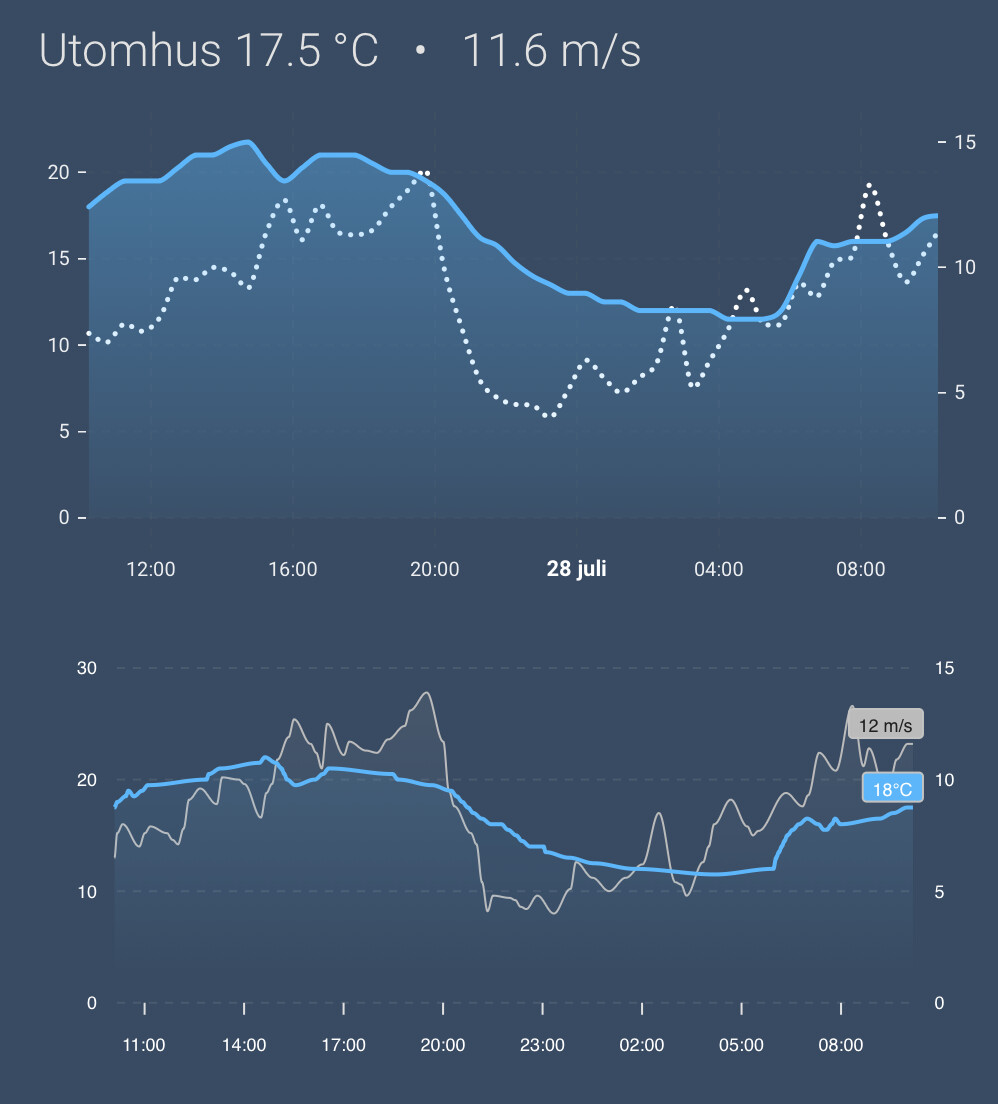
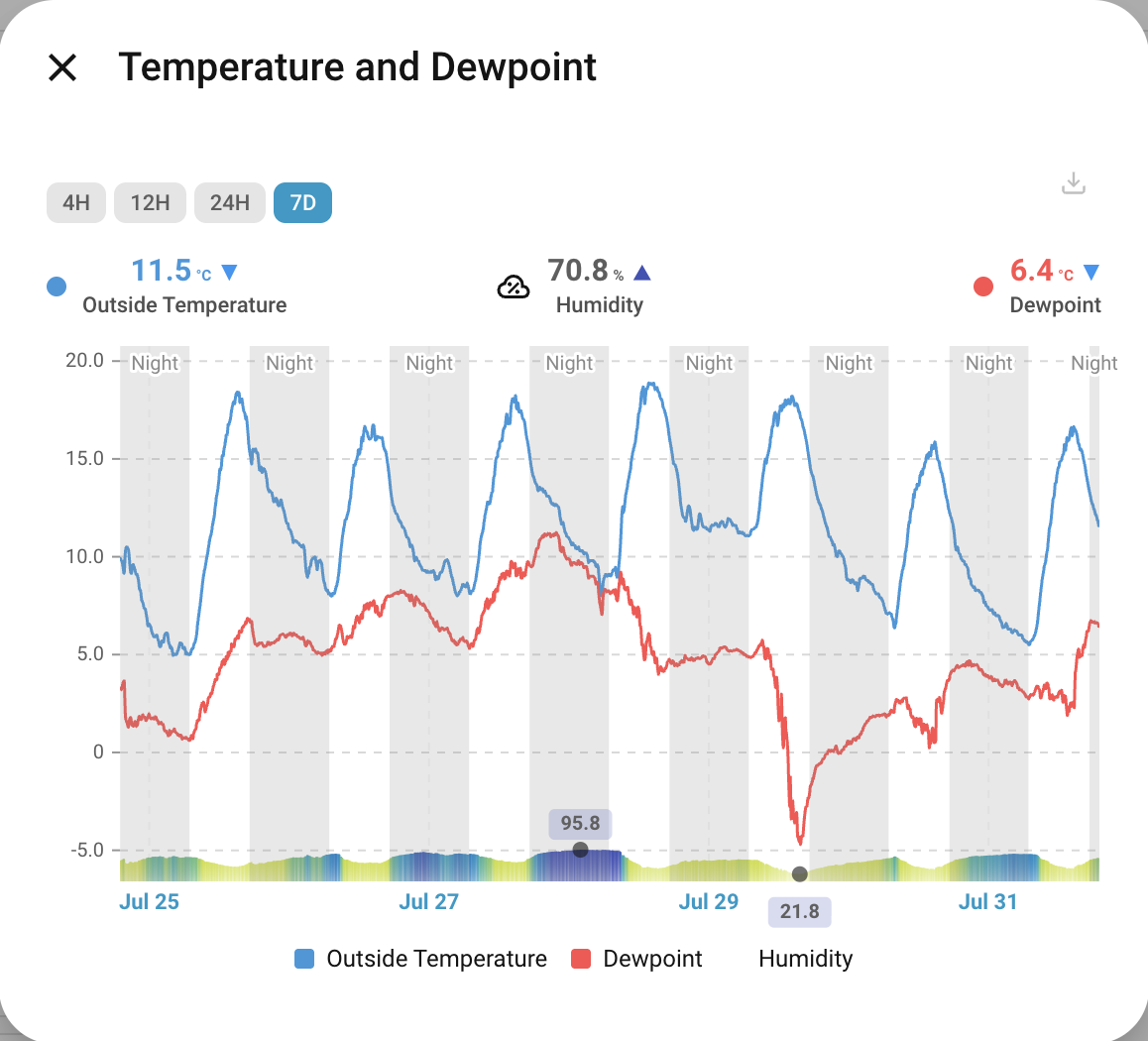
An example of my temp/dewpoint graph. I used to not show humidity as it is inferred by the gap between dewpoint and temperature. But with SGCC and the neat thresholds etc, I can show it with an independent axis with hard max at 1500 so it is a nice visual band at the bottom. When looking over 7d it really highlights high humidity etc.
For me, some stand outs for SGCC that sets it apart from Apexcharts are the period selectors (nothing like it in apexcharts) and download options.

Thanks againn @cataseven

4 Likes

that really looks amazing
any chance you could share the yaml for that Darryn?