Temtop S1+ BLE Integration for Home Assistant (No App Required)
I reverse-engineered the BLE protocol of the Temtop S1+ air quality monitor and built a Python-based integration that sends sensor data directly to Home Assistant — without the official app, without MQTT, without any cloud.
 GitHub: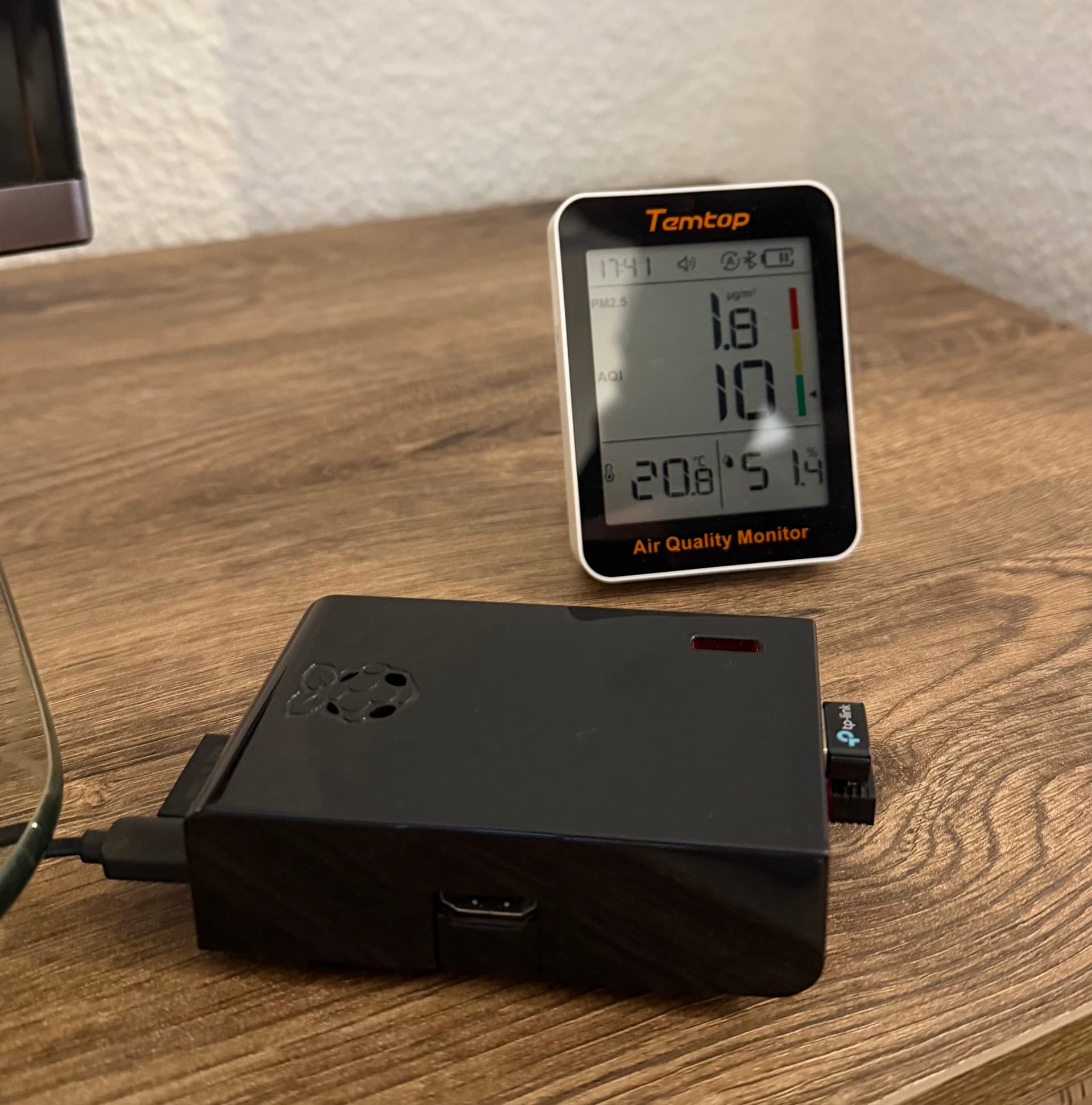
Features
 PM2.5 – fine particle measurement (µg/m³)
 AQI – Air Quality Index
 Temperature (°C)
 Humidity (%)
 Updates every 60 seconds via BLE notify
 No MQTT broker needed – uses HA REST API directly
 Autostart via systemd service
 No cloud, no app – fully local
How It Works
The Temtop S1+ exposes its data via a BLE GATT characteristic with notify support:
Characteristic UUID: 00010203-0405-0607-0809-0a0b0c0d2b10
The device sends a 46-byte data packet every few seconds when a client is subscribed. The relevant byte positions were determined by reverse engineering — comparing known display values to the raw hex payload:
| Sensor | Byte Position | Calculation | Example |
|---|---|---|---|
| PM2.5 | 22–23 | int.from_bytes(data[22:24], 'big') / 10 |
0x000e = 14 → 1.4 µg/m³ |
| Temperature | 25 | data[25] / 10 |
0xc9 = 201 → 20.1°C |
| Humidity | 26–27 | int.from_bytes(data[26:28], 'big') / 10 |
0x01fc = 508 → 50.8% |
| AQI | 29 | data[29] |
0x08 → 8 |
The script connects every 60 seconds, subscribes to notifications for 15 seconds, reads the values, then disconnects. This keeps the BLE connection time minimal and is battery-friendly.
Requirements
Hardware:
- Temtop S1+ air quality monitor
- Raspberry Pi with Bluetooth (built-in or USB dongle)
- Tested with: Raspberry Pi 1 Model B (2011) + TP-Link UB500
Software:
- Raspberry Pi OS (Bullseye or newer)
- Python 3
bleaklibrary- Home Assistant with Long-Lived Access Token
Installation
sudo apt install -y bluetooth bluez python3-pip
pip3 install bleak --break-system-packages
Find your S1+ MAC address (close the Temtop app first!):
sudo hcitool lescan
# Look for: S1+_...
Create config file:
HA_TOKEN=your_long_lived_access_token
HA_URL=http://your_ha_ip:8123
Enable autostart:
sudo systemctl enable temtop
sudo systemctl start temtop
Lovelace Card
type: entities
title: Temtop S1+ Air Quality
entities:
  - entity: sensor.temtop_pm25
    name: PM2.5
    icon: mdi:air-filter
  - entity: sensor.temtop_aqi
    name: AQI
    icon: mdi:leaf
  - entity: sensor.temtop_temperature
    name: Temperature
    icon: mdi:thermometer
  - entity: sensor.temtop_humidity
    name: Humidity
    icon: mdi:water-percent
Important Notes
- Close the Temtop app before starting the script — BLE only allows one active connection at a time. If the app is opened later, the script reconnects automatically within ~90 seconds.
- First reading takes ~20 seconds after script start.
Feedback and pull requests welcome!