I wanted the robot vacuum to run by itself while we’re out. My partner’s rule was simple: it only runs
on its own when the chairs are up on the bench, so it isn’t working round chair legs. We only put the
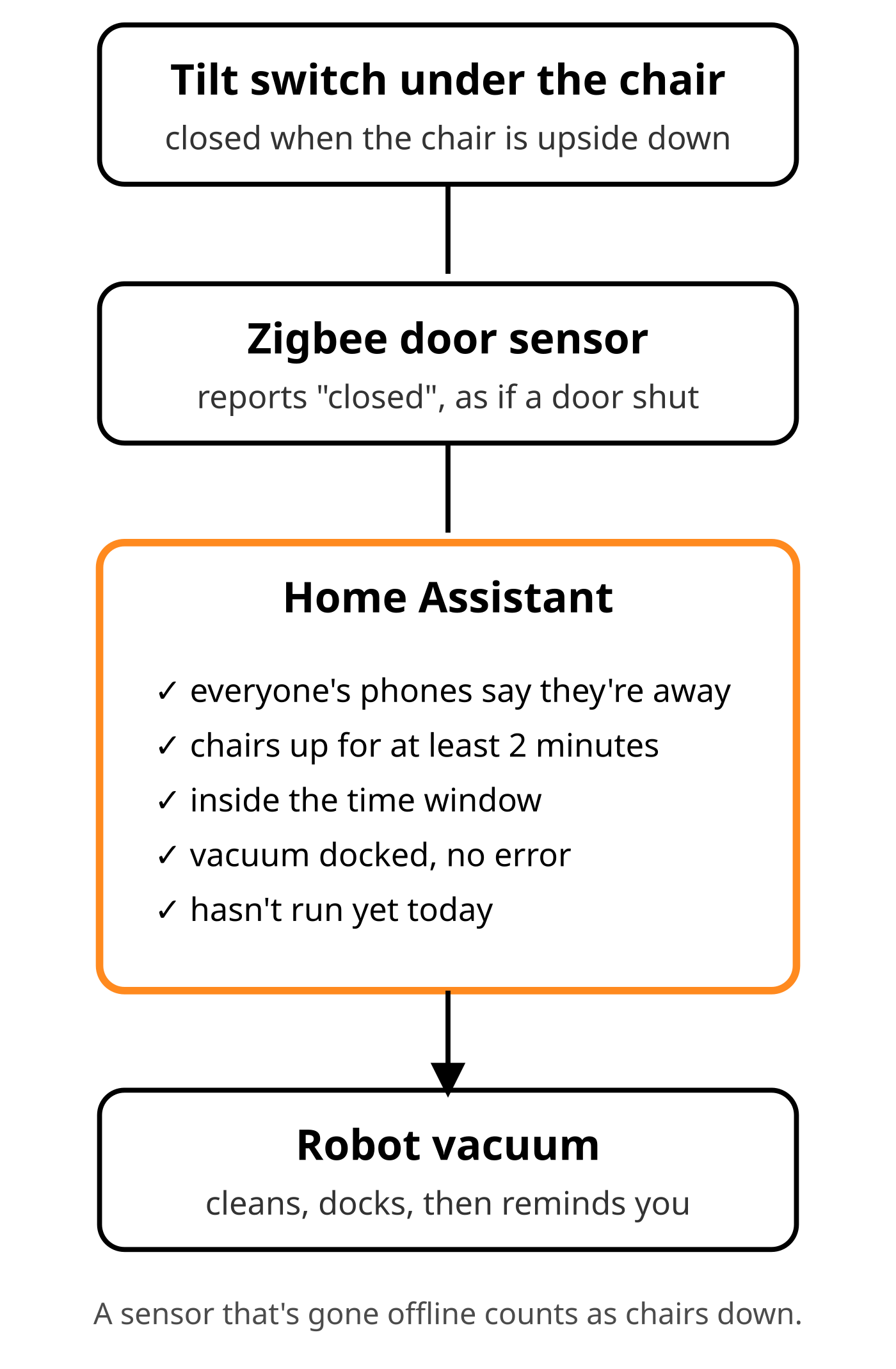
chairs up when we want a vacuum, so the chairs going up is the request. All Home Assistant needed
was a way to know a chair was upside down:
The trick
A ball tilt switch (SW-520D type, a few cents each) is a little can with a ball inside. One way up the
ball bridges two contacts, the other way up it doesn’t.
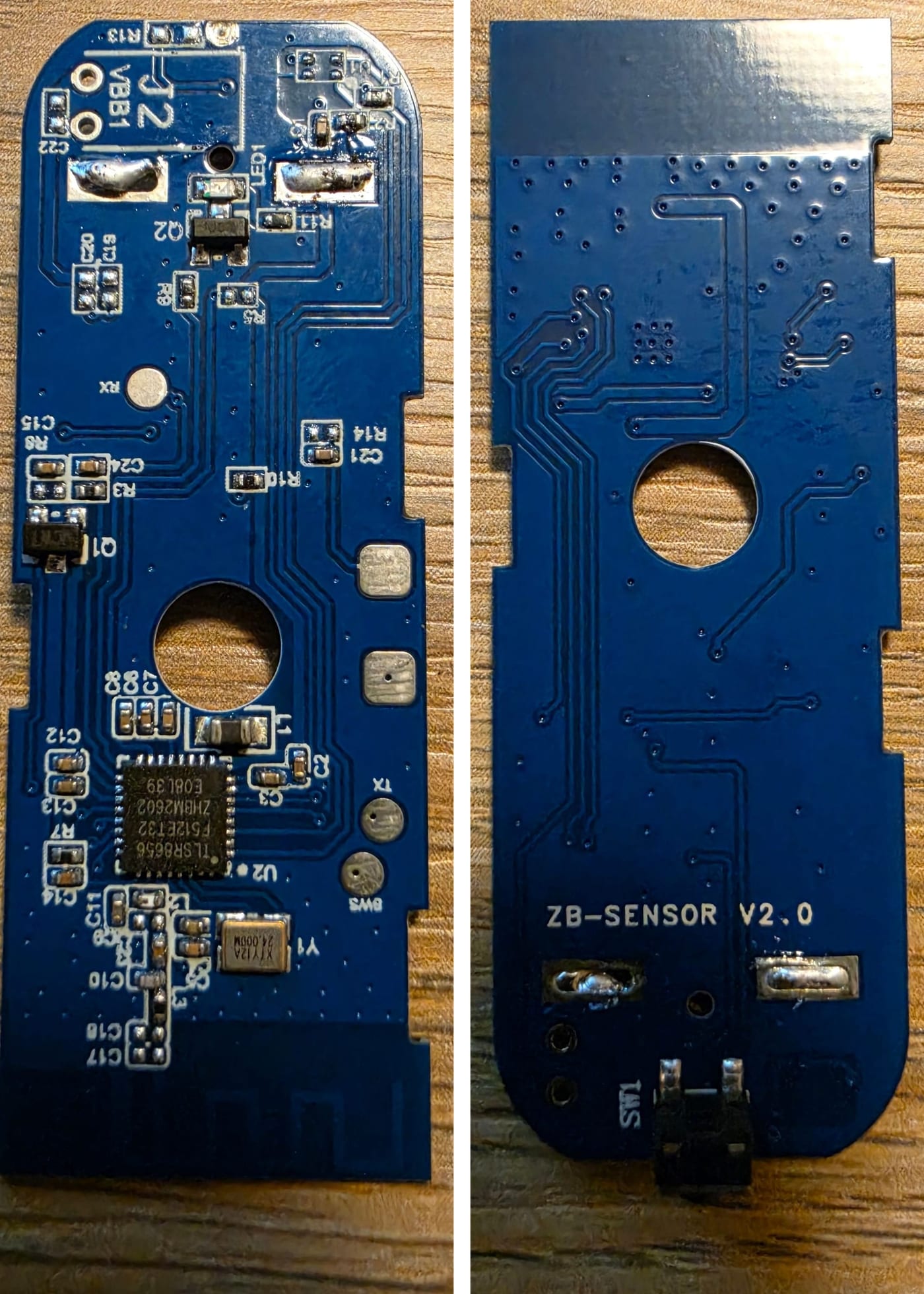
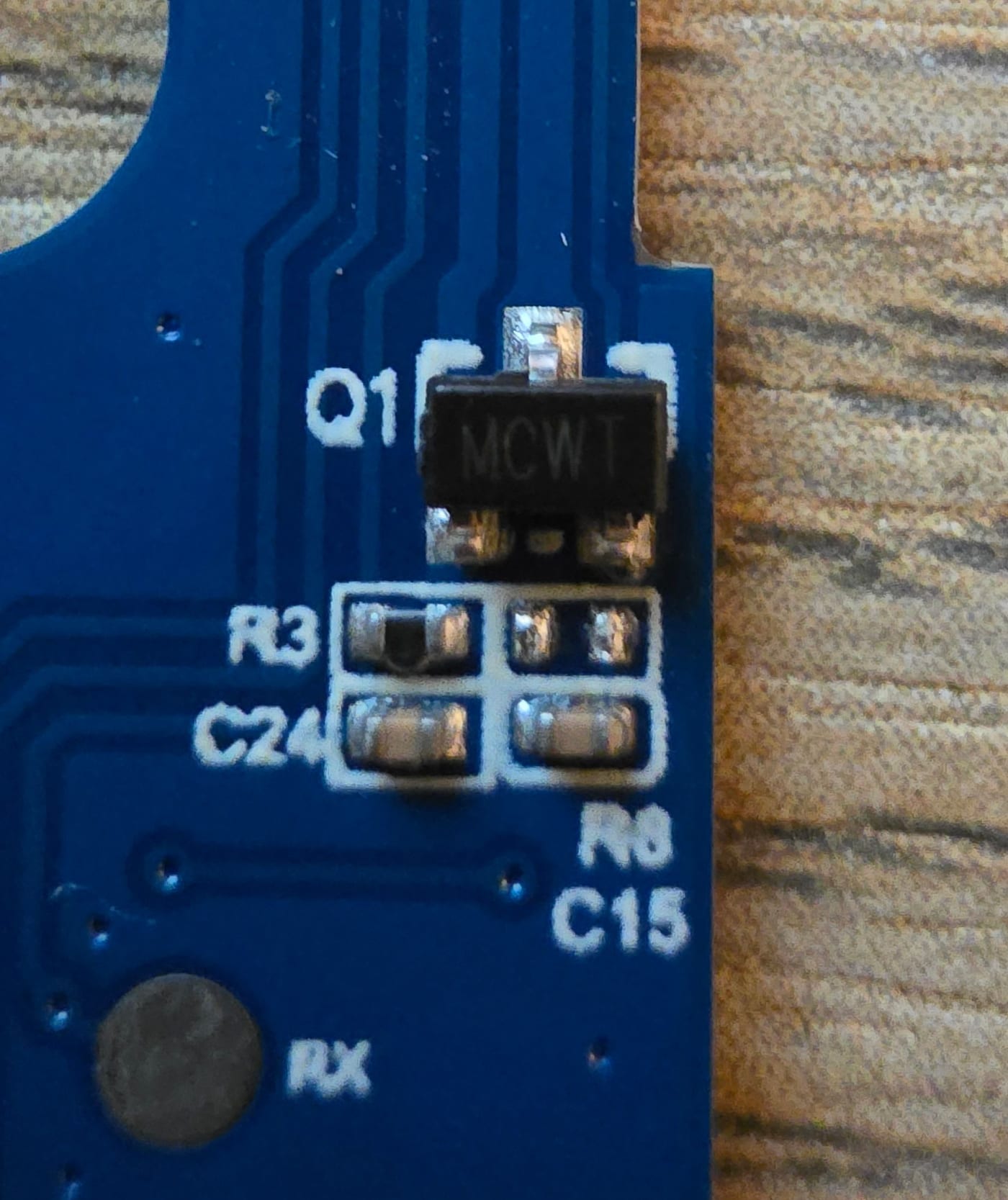
Inside a cheap Zigbee door sensor there’s a three-legged hall-effect sensor that pulls its output to
ground when the magnet comes close. I soldered the tilt switch from that output leg to the ground leg,
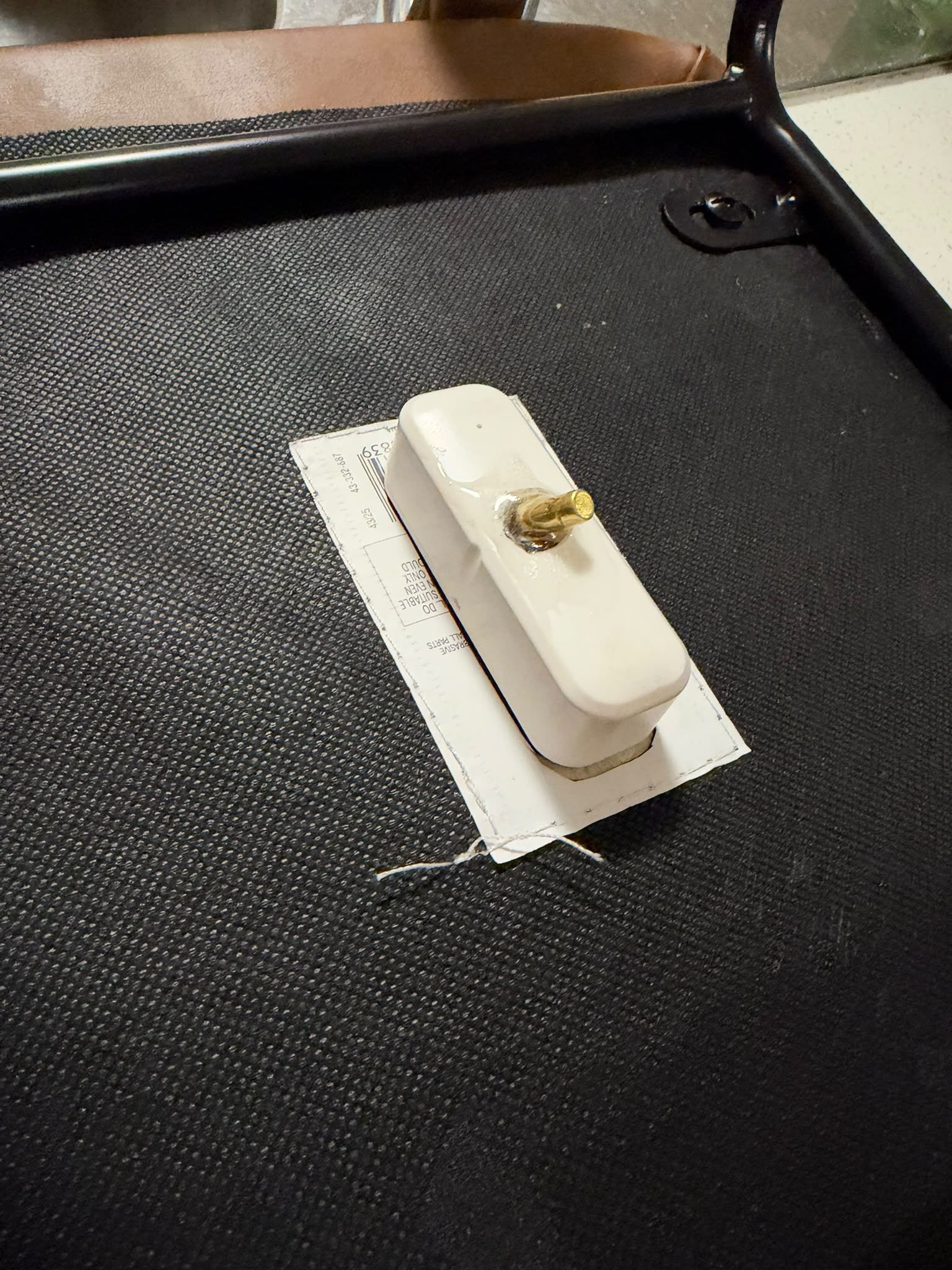
so the tilt switch does the magnet’s job. The sensor now reports “door closed” whenever the chair is
upside down. Two solder joints, no firmware, pairs like any other door sensor.
I set it closed when the chair is upside down and open when it’s upright, so the switch sits open all
day while people are sitting on the chair and there’s nothing to chatter as someone shifts about. Stuck
under the seat with VHB tape, where the battery can still come out.
I looked at Zigbee tilt and vibration sensors first. The cheap ones only say “vibration”, not which way
up they are, and the ones that give angles cost more than this needs. Same trick as my mailbox sensor:
a cheap door sensor is a handy battery Zigbee radio for anything that can close a contact.
The config
A door sensor says off when closed, which here means the chair is up, so a template sensor turns it the
right way round. It also handles the sensor going offline: unavailable is not off, so a flat battery
or a dropped link reads as not up and the vacuum doesn’t run.
template:
  - binary_sensor:
      - name: "Chair up"
        unique_id: chair_up
        icon: mdi:chair-rolling
        state: >
          {{ is_state('binary_sensor.chair_tilt_contact', 'off')
             and is_state('binary_sensor.stool_tilt_contact', 'off') }}
Then the automation waits for everyone’s phones to say they’re out (zone.home at 0) and the chairs up
for a couple of minutes, starts the vacuum once a day at most inside a daytime window, and when the
vacuum docks it sends a reminder to put the chairs back down.
The reminder that actually works
The “chairs can come down” push to my phone was the obvious one, and it was useless. To an adult, chairs
upside down on the bench mean “put me back”. To our kids they’re just something to walk past. So the
reminder that matters goes to them: when a kid’s phone arrives home and the chairs are still up,
their own phone says “Chairs down please, before Dad gets home.” One copy per kid, each on their own
person entity, so it only goes to whoever just walked in.
Two other small things: the reminder watches the vacuum’s own state (docked for 2 minutes), not my
automation, so it also fires when someone starts a clean from the vacuum app; and the notification has a
tag, so a mopping robot’s mid-job trip back to wash the mop doesn’t stack two reminders.
Full write-up with the automations and the dry-run testing steps (swap vacuum.start for a notification
for a few days first) is here: The vacuum only runs when the chairs are up | Spanner & Byte