Unofficial Inkbird thermometer integrations: INT family / INT-14-BW and IHT-2PB

Hi all,

I’ve published two unofficial Home Assistant integrations for Inkbird thermometers.

These projects were built from real hardware, reverse-engineered, cleaned up and released as HACS custom repositories.

GitHub profile:

Inkbird INT-14 / INT-14-BW

Repo:

This is the bigger one.

The INT-14 is a nice thermometer station, but Home Assistant support has been basically missing, fragmented or stuck behind vendor app / Tuya / cloud limitations.

Current scope:

  • local BLE discovery, snapshots and explicit commands
  • local Tuya LAN polling and writes when host, device_id and local_key are supplied
  • optional read-only Inkbird cloud history for DP109 temperature history
  • no cloud live updates
  • no cloud writes
  • HACS custom repository
  • tested with real INT-14 hardware

The goal is to make the INT-14 usable in Home Assistant in a practical, local-first way, while keeping cloud usage optional and limited.

Inkbird IHT-2PB

Repo:

This one is simpler and cleaner: BLE-only, local-only.

Current scope:

  • local BLE only
  • no Inkbird cloud
  • no Tuya cloud
  • no MQTT bridge required
  • optional ESPHome Bluetooth Proxy as a remote BLE radio
  • exposes probe temperatures, alarm/fault/hold state, target/calibration values, battery raw level, backlight, unit and freshness
  • HACS custom repository
  • tested with real IHT-2PB hardware

Notes

Both projects are unofficial and not affiliated with Inkbird.

The public repositories are sanitized: no private MAC addresses, LAN IPs, local keys, tokens, app dumps or raw captures.

I’m looking for feedback from other real devices, especially:

  • different INT-14 / INT-14-BW firmware versions
  • different IHT-2PB firmware versions
  • different probe combinations
  • different Bluetooth adapters
  • ESPHome Bluetooth Proxy setups
  • Tuya LAN / local_key configurations
  • reconnect and BLE range behavior

If you own one of these thermometers and want proper Home Assistant support instead of depending only on the vendor app, feel free to test the repositories and open issues with compatibility reports.

I had to do the annoying reverse-engineering work for my own setup anyway, so I decided to publish it properly instead of leaving it buried in a private Home Assistant config.
1 Like

Small update:

The integration has now been updated to v0.2.0.

It is no longer limited to the tested INT-14-BW path only: it now includes model profiles for the modern Inkbird INT food thermometer family.

Current status:

  • INT-14-BW: tested baseline
  • related INT-14 / INT-12 / selected INT-11 profiles: experimental
  • newer INT-22 / INT-31 / INT-33 / INT-54 family targets: cataloged for future validation, not exposed as supported profiles yet

The integration is now profile-aware:

  • creates only the probe entities expected by the selected model
  • validates probe-specific services against the selected profile
  • adapts diagnostics and battery/state quality entities
  • enables or disables BLE, Tuya LAN and cloud history depending on the declared profile capabilities

Release:

Main validation thread:

If you have an INT-14S, INT-12, INT-11 or a related modern Inkbird food thermometer, test reports are welcome.

Small update: v0.2.1 is out.

Release:

The main change is that the integration now separates physical probes from temperature channels.

This matters for newer Inkbird INT thermometers such as INT-31-BW, INT-14S-BW, INT-12E-BW, INT-33-BW and INT-11S-B, where one physical probe can expose multiple internal temperature sensors.

Current status:

  • INT-14-BW remains the tested baseline.
  • INT-14-BW exposes 4 physical probes and 8 live mapped temperature channels.
  • INT-31-BW is cataloged as 1 physical probe / 5 expected channels.
  • INT-14S-BW is cataloged as 4 physical probes / 20 expected channels.
  • INT-12E-BW is cataloged as 2 physical probes / 10 expected channels.
  • INT-33-BW is cataloged as 3 physical probes / 13 expected channels.
  • INT-11S-B is cataloged as 1 physical probe / 5 expected channels.

Important: cataloged does not mean live support yet.

The integration now knows the expected probe/channel layout, but it does not create fake temperature entities, enable writes or enable live transports for those models until real hardware reports confirm the payload mapping.

v0.2.1 was smoke-tested on my real INT-14-BW before release:

  • existing config entry/device remained stable
  • 8/8 live temperature channels populated
  • BLE snapshot/write passed
  • Tuya LAN polling/write validated with the integration LAN module

Validation thread:

If you have one of these newer INT models, especially INT-31-BW, INT-14S-BW, INT-12E-BW, INT-33-BW or INT-11S-B, clean validation reports are very welcome.

Hello!

Thanx for integration, seems to be useful

Test report for INT-11I-B

Model printed on device/app:

INT-11I-B

Selected profile:

int11i_b / INT-11I-B

Transport tested:

BLE only
Local Home Assistant Bluetooth adapter

Discovery / advertisement:

Name: INT-11I-B
Address: AA:BB:CC:DD:EE:FF
RSSI: about -60 dBm
Manufacturer data:
17544: 196a6588c938c1a42100236400640000

Service UUIDs:
0000ff00-0000-1000-8000-00805f9b34fb

Connectable: true

Result:

BLE connection/status is detected.
Battery/charge information is detected.
Temperature entities stay unavailable/unknown.

Expected result:

The probe temperature should be populated from GATT characteristic:

Service UUID:        0000ff00-0000-1000-8000-00805f9b34fb
Temperature UUID:   0000ff01-0000-1000-8000-00805f9b34fb
Battery UUID:       00002a19-0000-1000-8000-00805f9b34fb

The working ESPHome decoder for this model reads temperature from ff01 as:

raw = int.from_bytes(x[0:2], "little")
fahrenheit = raw / 100.0
celsius = (fahrenheit - 32.0) * 5.0 / 9.0

Battery mapping from 2a19:

x[0] = booster/base station battery %
x[1] = probe battery %

This seems consistent with the merged Bluetooth-Devices/inkbird-ble INT-11I-B support, where this model is handled as a connectable GATT-poll device rather than an advertisement-only decoder.

So the current int11i_b profile in ha-inkbird-int14 appears to connect and read battery/status, but does not yet populate the probe temperature from ff01.

1 Like

Thanks Dmitry, this was exactly the missing piece.

I pushed experimental INT-11I-B GATT-poll support to main:

  • ff01 temperature as little-endian Fahrenheit hundredths
  • 2a19 battery as base/booster + probe battery
  • writes disabled for now
  • INT-11I-B profile reduced to 1 physical probe / 1 live temperature channel

Could you test current main before I cut v0.2.2?
Expected result: probe temperature should populate in BLE only mode, battery should still populate, and no write controls should be exposed for INT-11I-B.

Wunderfull, gonna test.

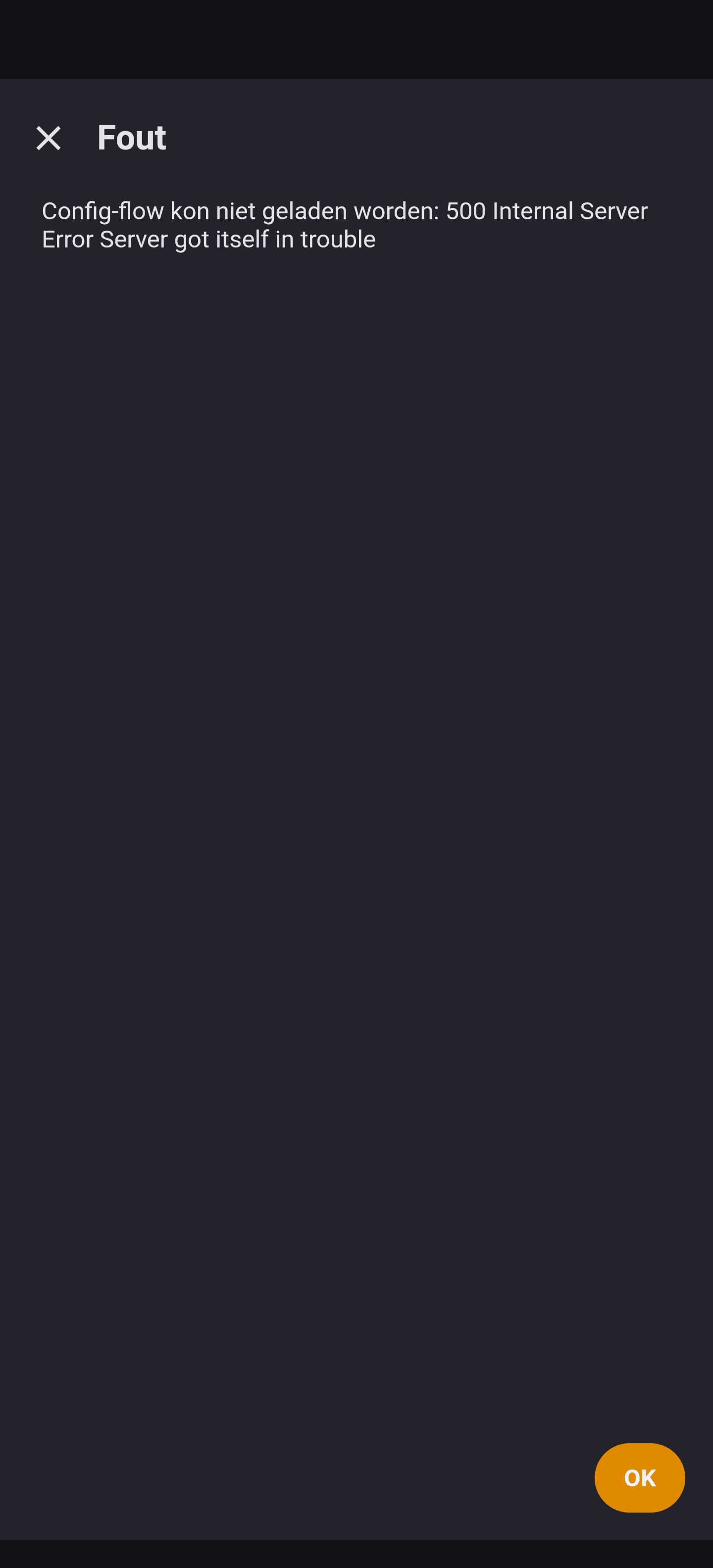
By reconfiguring i got a error

Tomorrow i gonna check how to get wifi woking with the key, and the ble option by my esphome network and report back! Thanks

Thanks, that was a real integration bug.

I pushed a fix to main:

  • added a proper Home Assistant reconfigure flow
  • hardened form defaults so old/partial entries do not crash the config flow with a 500 error
  • reconfigure now reloads the integration after saving

Commit: e7438be

Could you test current main again? If it works on your side too, I’ll cut a v0.2.2 patch release for HACS.

Now it works perfect, ty!

1 Like

Great, thanks Dmitry. I’ll mark the current BLE read path as community-validated.

Writes are intentionally disabled in the current release, but they are planned. The Inkbird app contains a separate ff02 write protocol for alarm targets and device settings.

Would you be willing to test an experimental build? We would start with a harmless setting with readback, such as display brightness or temperature unit, and then validate high/low temperature alarm targets.

Awesome - I’ve a INT-14S-BW on the way so will be looking forward to using/testing this!

Awesome, thanks Rob — INT-14S-BW would be a really useful one to validate.

I already added an INT-14S-BW profile, but it is intentionally marked as cataloged/experimental for now. From the app/model data it looks like a different multi-sensor layout than the tested INT-14-BW: 4 physical probes, probably multiple temperature channels per probe.

So when yours arrives, the first useful test would be very simple:

  • install the latest release
  • add “Inkbird INT”
  • select the INT-14S-BW profile
  • check whether Home Assistant discovers it over BLE
  • check what diagnostics/battery/state entities appear
  • compare the HA entities with what the official Inkbird app shows

Temperature channels may not populate yet, and that’s expected. I didn’t want to fake live support until someone with real hardware can confirm the payloads.

If you’re happy to share redacted logs/screenshots when it arrives, that would be perfect. The most useful bits are: app screen showing the probe/channel layout, HA debug logs, BLE advertisement/service data if available, and which channel changes when you heat each probe/sensor area.

No need to test writes at the beginning — read-only validation first is already very helpful.

Small update after quite a few late-night debugging sessions :slightly_smiling_face:

The INT integration has grown beyond the original INT-14-BW implementation, so I have now reorganized and updated the repository, documentation and wiki to better reflect the current status of the supported and experimental models.

Recent work includes improved BLE reconnect handling for the INT-14-BW, experimental support for additional INT-family thermometers, and community-validated read support for the INT-11I-B and INT-14S-BW.

The current v0.2.6 beta is still being tested, but the latest feedback has been very encouraging: even though some stations intentionally terminate their BLE connection after roughly 30 seconds, the integration now reconnects automatically and continues updating normally.

There are still a few details to polish, including the relationship between the configured polling interval and notification-driven temperature updates, but overall it is becoming considerably more stable.

Updated repository and documentation:

A big thank you to everyone testing real hardware and sending detailed reports. They have been extremely useful in finding behaviours that would have been almost impossible to reproduce with only my own device.