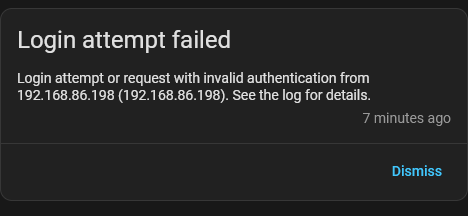
Updated to 2026.6.1 and almost immediately started getting login failure errors from my own router. I do not have to enter a login / password each time I want to connect to my HA, as I have enabled remember my login, so even though I see the error in the logs, I was able to login; but something kept trying to login from one of my devices, that after about 2 minutes, the IP of my router was banned, as I have ip_ban enabled in my configuration.yaml file.
I logged out of all my devices, deleted all tokens; but still after about 2 minutes, my IP was banned. The only solution I found was to set ip_ban_enabled to false, to allow me the time to restore from the backup I made prior to the update. I reverted to 2026.6.0 and the issue disappeared.
s6-rc: info: service s6rc-oneshot-runner successfully started
s6-rc: info: service fix-attrs: starting
s6-rc: info: service fix-attrs successfully started
s6-rc: info: service legacy-cont-init: starting
s6-rc: info: service legacy-cont-init successfully started
s6-rc: info: service legacy-services: starting
services-up: info: copying legacy longrun home-assistant (no readiness notification)
s6-rc: info: service legacy-services successfully started
e[33m2026-06-07 07:33:16.097 WARNING (SyncWorker_0) [homeassistant.loader] We found a custom integration bluetti_bt which has not been tested by Home Assistant. This component might cause stability problems, be sure to disable it if you experience issues with Home Assistante[0m
e[33m2026-06-07 07:33:16.097 WARNING (SyncWorker_0) [homeassistant.loader] We found a custom integration ecoflow_cloud which has not been tested by Home Assistant. This component might cause stability problems, be sure to disable it if you experience issues with Home Assistante[0m
e[33m2026-06-07 07:33:16.097 WARNING (SyncWorker_0) [homeassistant.loader] We found a custom integration awtrix which has not been tested by Home Assistant. This component might cause stability problems, be sure to disable it if you experience issues with Home Assistante[0m
e[33m2026-06-07 07:33:19.175 WARNING (MainThread) [homeassistant.components.http.ban] Login attempt or request with invalid authentication from 192.168.88.64 (192.168.88.64). Requested URL: '/api/camera_proxy/camera.garage_cam?token=b87e6d45a1d5fe66b20e147f35f0cb423dcc896cdfef9103a465c69ed5b5f106&time=1780806600'. (Mozilla/5.0 (Linux; diordnA 9; KFMAWI Build/PS7318; wv) AppleWebKit/537.36 (KHTML, like Gecko) Version/4.0 Chrome/84.0.4147.125 Safari/537.36)e[0m
e[33m2026-06-07 07:33:21.369 WARNING (MainThread) [homeassistant.components.http.ban] Login attempt or request with invalid authentication from 192.168.88.48 (192.168.88.48). Requested URL: '/api/camera_proxy/camera.front_yard?token=575a2385de5621dfa2cc093914fd0372169779343763d33eeae0bdcb5f231f94&time=1780806600'. (Mozilla/5.0 (Linux; Android 7.1.2; KFKAWI Build/NS6301; wv) AppleWebKit/537.36 (KHTML, like Gecko) Version/4.0 Chrome/112.0.5615.197 Safari/537.36)e[0m
+1, same here. It immediately bans every remote client. I set ip_ban_enabled to false in configuration.yaml. After that, the GUI became accessible again, and I was able to restore the backup directly from the GUI.
(On HAOS, it wouldn’t let me restore the automatic backup from the CLI because its status was marked as partial.)
Those specific warnings from homeassistant.loader are just standard system notices indicating that custom components (bluetti_bt, ecoflow_cloud, etc.) are installed. They are not error logs, and they are completely unrelated to the network layer issue.
The actual root cause is listed right after that in the main log body:
WARNING (MainThread) [homeassistant.components.http.ban] Login attempt or request with invalid authentication from 192.168.88.64 Requested URL: '/api/camera_proxy/camera.garage_cam?token=...&time=1780806600'
This shows that immediately after a Core restart, the camera_proxy auth tokens used by the dashboard become invalid. The dashboard attempts to fetch the stream with the expired token, resulting in an instant IP ban via the http.ban component.
Disabling unrelated Bluetooth or Cloud custom integrations won't fix an architectural change in how camera_proxy validates tokens post-restart in 2026.6.1. I will open an issue directly in the AppDaemon repository since this requires a proper fix for handling 403/401 token renewals on the client side.
Maybe I'm a bit slow, but how are your Reolink cams connected to HA?
The Widgets work fine with IOS 2026.6.1, but I'll fire up an Android device and test. TBH you haven't exactly provided much of your system/setup, http: config and cam data. I only found out the cams were Reolink from your GitHub post
Are you using Kiosk Mode and what's the Android version?
I have the exact same problem after updating to 2026.6.1. I am getting "Login attempt failed" almost constantly. I tried logging out and logging back in, but it doesn't help; I am still being spammed.
Login attempt or request with invalid authentication from ip (ip). Requested URL: '/api/camera_proxy_stream/camera.tapo_c200_babd_sd_stream_direct?token=xxx'. (Mozilla/5.0 (Macintosh; Intel Mac OS X 10_15_7) AppleWebKit/537.36 (KHTML, like Gecko) Chrome/148.0.0.0 Safari/537.36)
Have exactly the same issue. Login from my laptop of iphone, even if login correctly, I still get the same warning. There's something wrong with the latest release.
Chiming in, after modifying a picture glance card to display the stream of a new camera, my whole 192.168.0.0/24 range was banned. I had to start the Samba addon through the console to edit out 192.168.0.1 from the ip_bans.yaml
Every time I open the section with all my Camera Snapshots or Picture cards the login failure pops up for the PC I opened the section from. Seems to be related to the internal Image API
Logger: homeassistant.components.http.ban
Source: components/http/ban.py:138
Integration: HTTP (documentation, issues)
First occurred: 9:17:15 AM (2 occurrences)
Last logged: 8:37:39 PM

Login attempt or request with invalid authentication from 10.168.10.18 (10.168.10.18). Requested URL: '/api/camera_proxy/camera.front_door_camera?token={Removed}&width=80&height=80'. (Mozilla/5.0 (Windows NT 10.0; Win64; x64) AppleWebKit/537.36 (KHTML, like Gecko) Chrome/148.0.0.0 Safari/537.36)
Login attempt or request with invalid authentication from 10.168.10.18 (10.168.10.18). Requested URL: '/api/camera_proxy/camera.front_door_camera?token={Removed}&width=80&height=80'. (Mozilla/5.0 (Windows NT 10.0; Win64; x64) AppleWebKit/537.36 (KHTML, like Gecko) Chrome/148.0.0.0 Safari/537.36)
Strangely I am getting login failures in my logs, but as far as I can tell the device in question isn't failing to log in. The IP below is just my desktop computer where I left HA open in a tab in my browser, I see no sign of login failure on the tab itself (everything is working).