Weak connectivity to Schlage lock (BE469ZP)

Hello All!.

I have a reasonably large ZWave network, with over 50 nodes, but I have found consistently that Schlage BE469ZP have been a constant challenge for my network stability. As I am eyeing a new gate, I was hoping to add another, but only after I get the 3 I have working properly (note, I’d switch, but Schlage just stands out for fit/finish/quality…i just wish they offered a 700/800 series version!)

Summary of my situation:
3 BE459ZP’s. One generally works using Keymaster, but shows around a 2/10 rating for connectivity. The other two, similar rating, but VERY poor feedback. Its integrated, but it barely functions. Cant issue new codes, keymaster cant even interact with it, and upon reinterview, I do see a lot of timeouts, and undefined values being added.
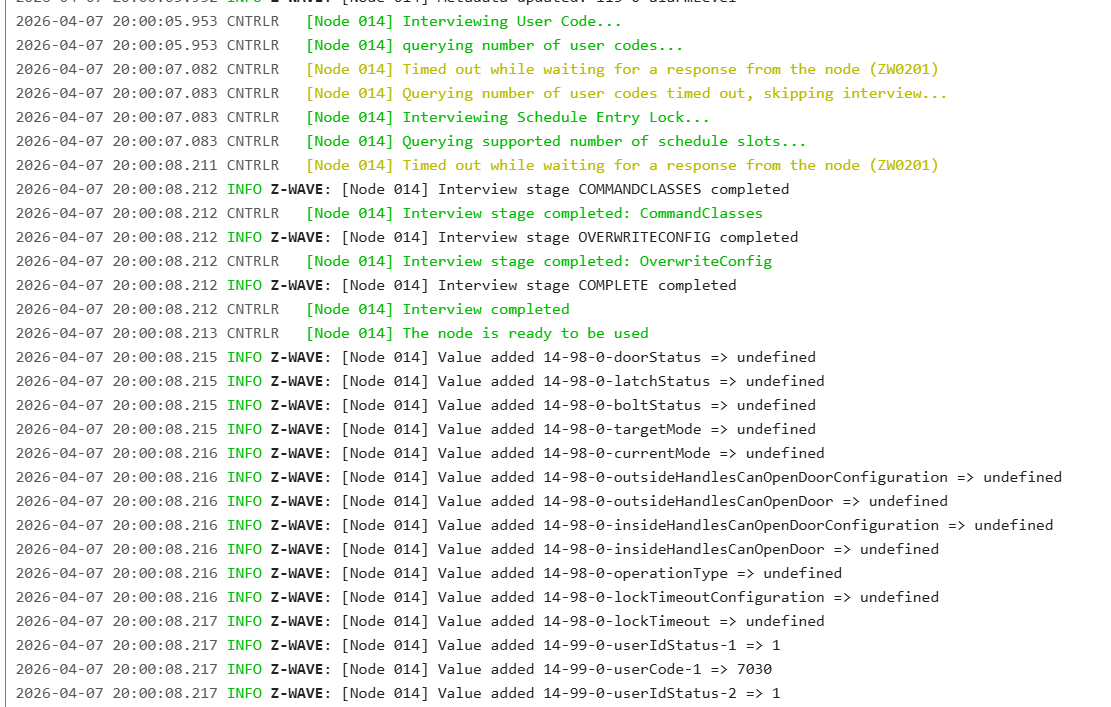
I use a Zooz 800 dongle, on a USB stick that hangs about 3ft below my rack. Between all of these locks (less than 100ft away) there are multiple fully functional Zooz 700 switches along the route. I have put repeaters in the middle (Aeotec 500) with no success. As I have 3 of these just “barely” working, I feel this is a signal strength issue. But I’m at a loss as to what to diagnose next. (Note, these issues persisted with a Aeotec 500, Aeotec 700, and the Zooz 800, not surprisingly)

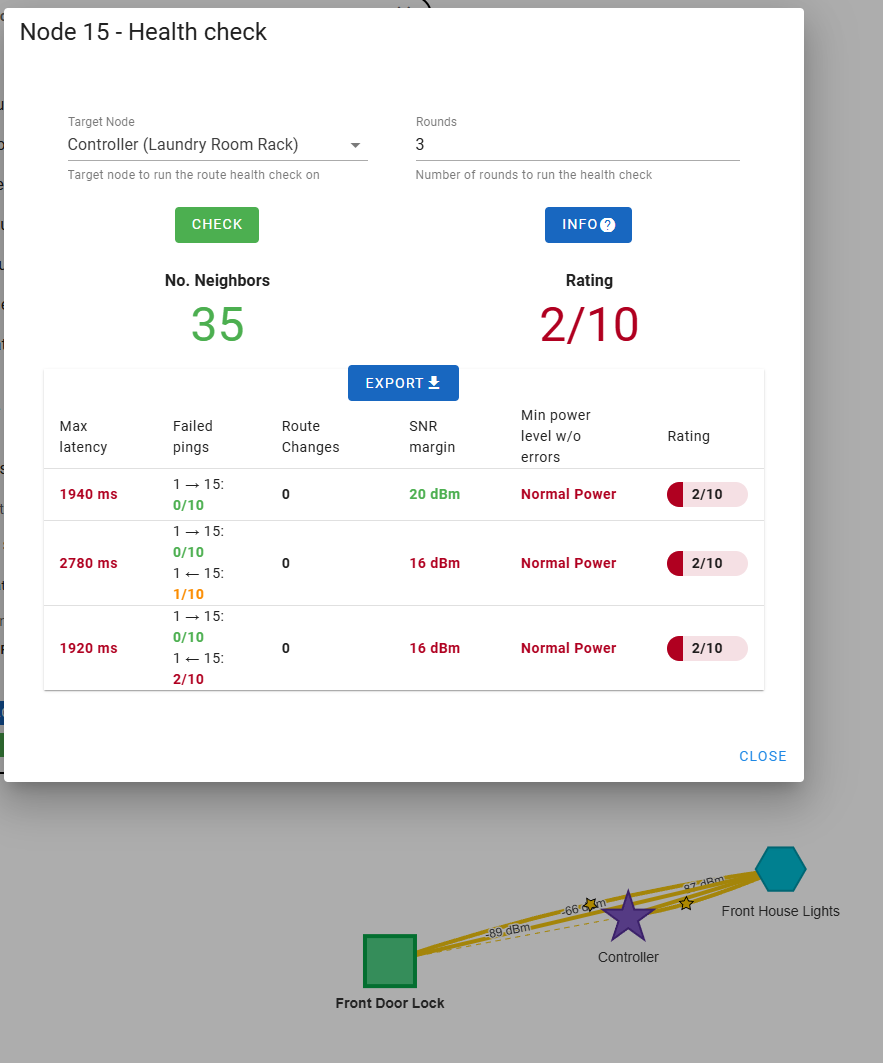
Each lock has a lot of neighbors (20+) but ultimately never gets stable/healthy connectivity. (Attached is Node 10, which is my front door lock, similar distance and obstacles) House is 7yrs old, standard drywall house. All locks are on the same floor, outside of the dongle being in the laundry room, clear path once you step outside or go to the opposite side of the wall generally. But even this, should have multiple hops to get there regardless. Inquiry to Schlage suggested to have a wired repeater—I have 3-5 of them easily on any path.
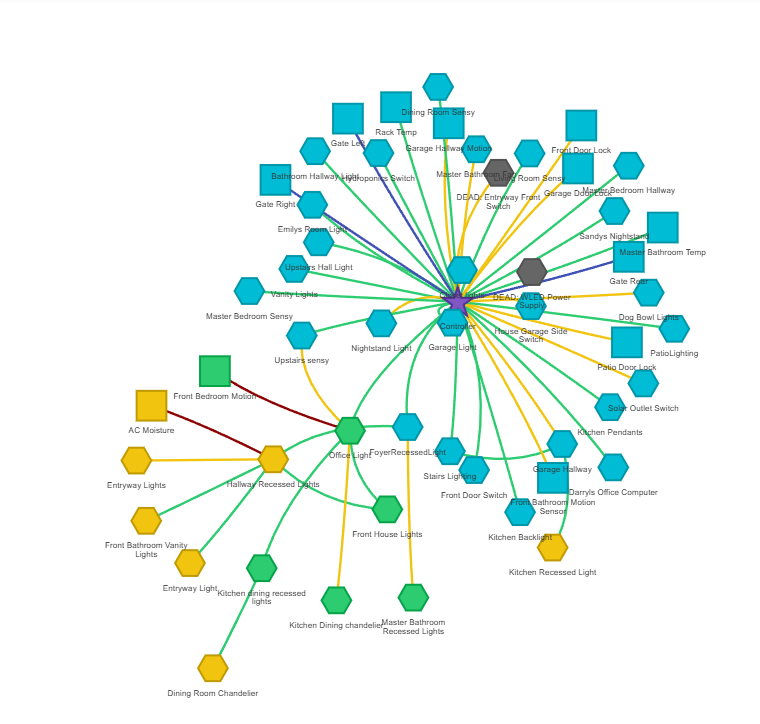
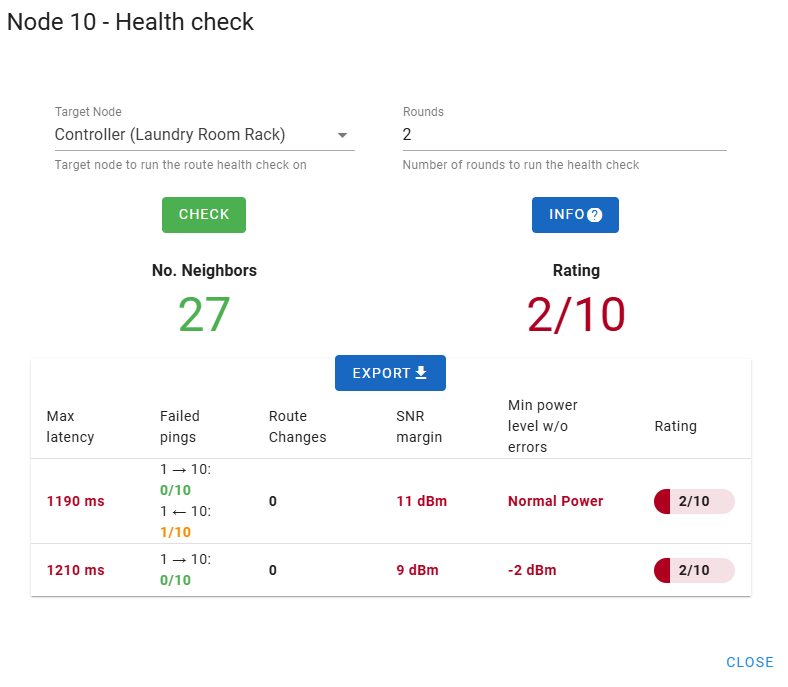
Hoping for some suggestions in how to diagnose this. It’s been highly inconsistent and frustrating, and I want to get past this.

Any suggestions?

Thanks!
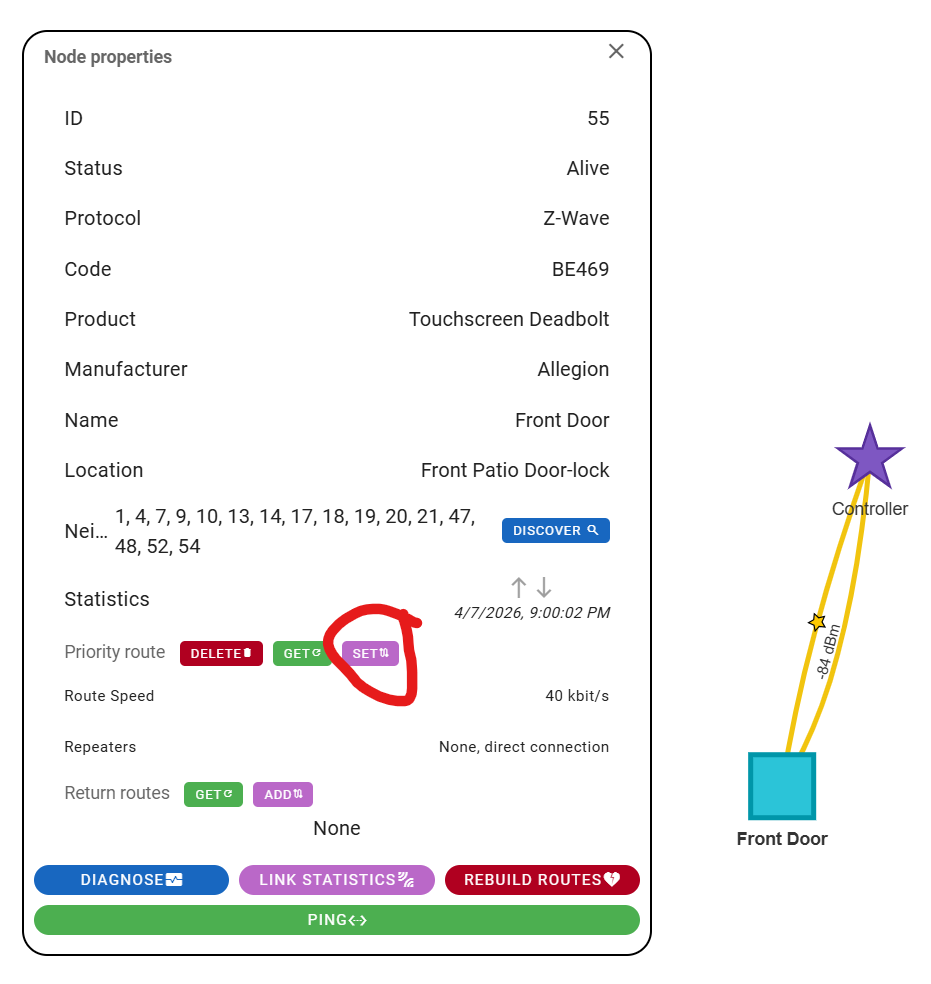
100 ft away for a Zwave device (non-LR) is too far away. The SNR margin as shown in your test is too low. Even though you have other nodes in the mesh, your network diagram shows the Front Door Lock trying to talk to the controller directy. You need to pick a beaming device (500 series or later) that is physically midway between the lock and the controller, then set a priority route for the lock to that midway device.

2 Likes

So, im looking at it now, its probably a more realistic 60ft. There are cabinets in between as it shares a kitchen wall so im thinking that basically makes it rhe equal to 100ft.

There are at minimum 2 switches in between. Ive never forced a route, how do you do that??

Thanks for your thoughts and time!.

Update, figured out how to set route. Ill play with that…

On the Zwave map select the node you want to set a route on, the same way you ran the diagnostics. Here I am selecting my Front Door lock. Then click on the Set button in the Priority Route section.

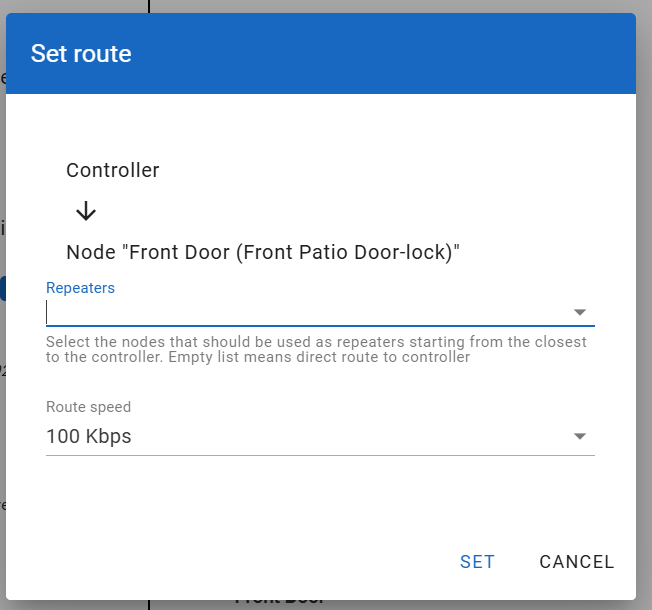
Now after you click the Set button, there will be a drop down for Repeaters that are neighbors to your lock:

Pick a device that is about one third away from the controller. Then pick the next device that is about two thirds away from the controller. Then click Set.

Update the Zwave map to see if it reflects the changes you just made. Then run the diags again.

I had the same issues with my Schlage lock until I put a repeater within 10 feet of the physical lock. Seriously… 10 feet. My controller is 50 feet away and with spotty connections at best. A repeater placed 1/2 way between the lock and controller… still spotty. A repeater within 10 feet of the lock… consistant success. Go figure.

1 Like

Yeah I have 2 repeaters, one within 3 feet (Zooz Switch, 700 series), one (Zooz Switch, 700 series) about 10ft away.

Ill have a stab at this, thank you for the guidance.

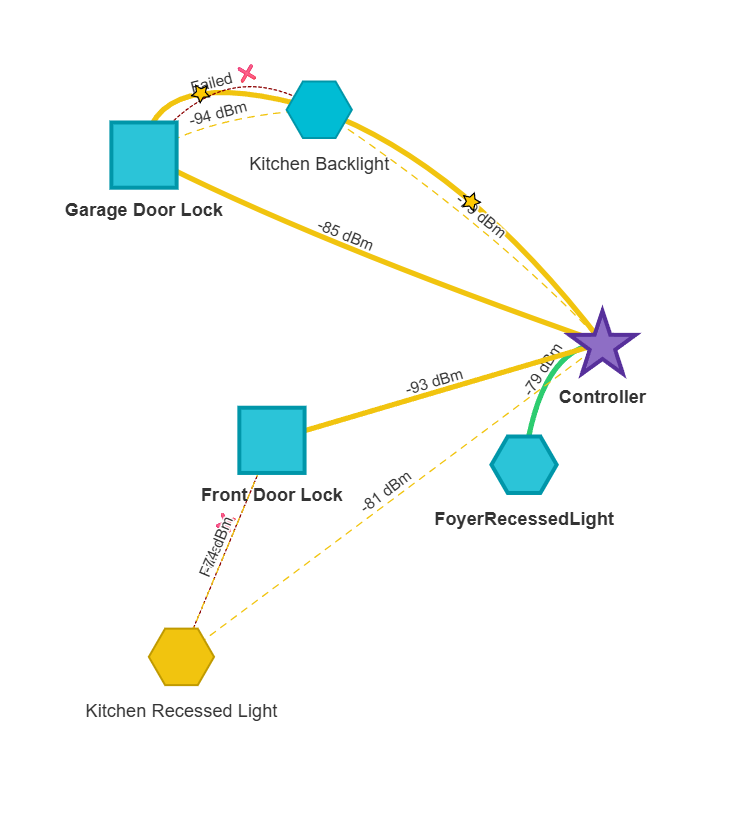
Latest update. When picking nodes inbetween, I find that I see the path show as failed from time to time. Interestingly, when i re-interview I am gaining some progress, so this is definitely a signal related issue. Bit at a loss, but still playing… trying to find green routes, with lower dBm (i guess higher, -79 over a -93 path) to try and get it more stable.

This does make me wonder if putting another one of these outside another 20ft in front of the Front Door Lock is a good idea though… things to think about.

Ok ive learned a trick, which helps with interview but unfortunately didn’t resolve the general connectivity issue. I did learn in ZwaveJS’s UI under ZWave, you can increase the timeout during interview, and for Schlage, this is almost a must. I found this on another community, doing this helped me get much more complete details out of my interview.

That being said, it didn’t change the connectivity. I have added 2 repeaters in the place and forced a path with no success. The Aeotec 7 Extenders have extremely good signal, and one is literally 2 feet away from the lock (as close as possible) as is a Zooz 700 series light switch, and still nothing. I have a 2nd Aeotec half way in the path as well, (and switches all around it) with no success either. USB dongle is basically line-of-sight as well in an open-floor house.

Anyone else have a suggestion/thoughts?

Thanks!

You need to pick one lock to troubleshoot and stick with it.
Whatever that lock is, post the signal strength map for it showing the path to the controller and back.

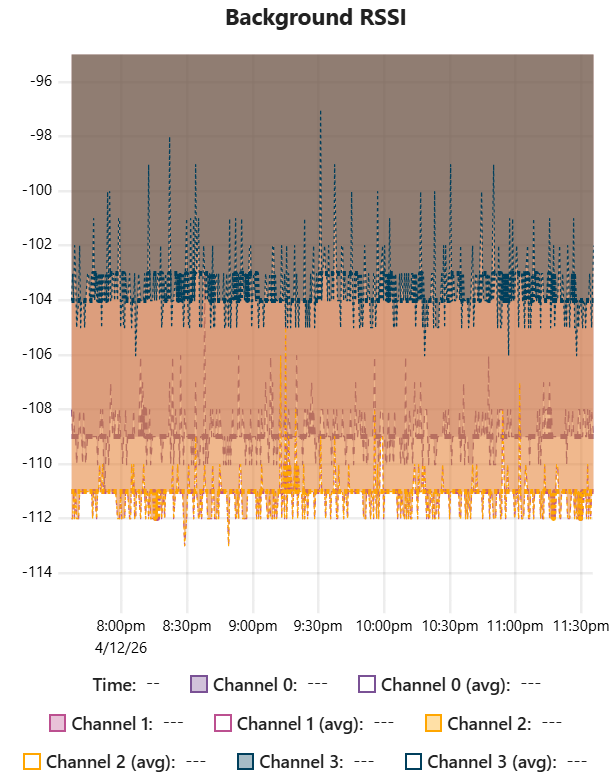
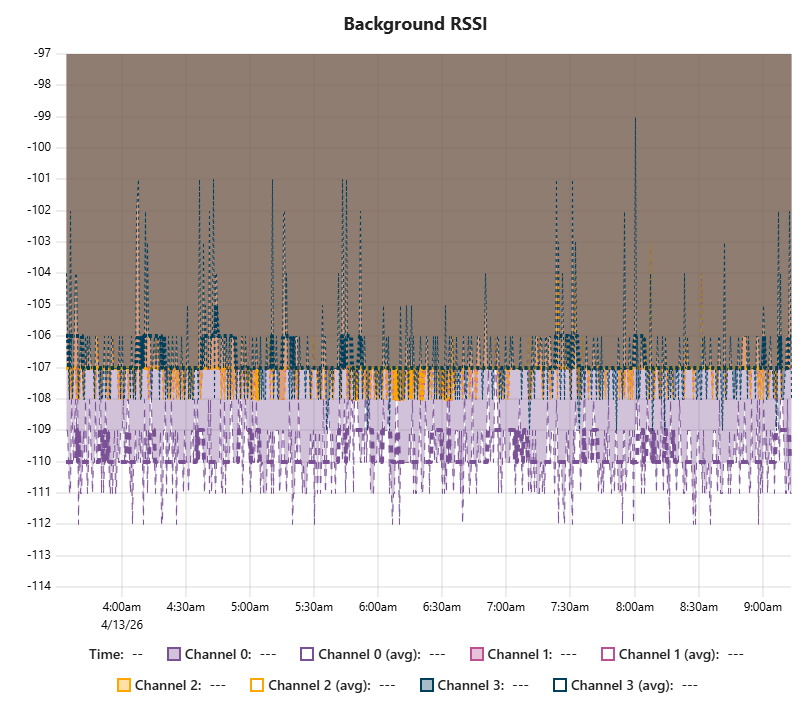
Also post the background RSSI for your controller. If your environment is too noisy then you’re going to get sporadic dropped messages. You get the background RSSI by clicking on the controller in the map:

Thank you for your time!.

Thanks for posting those artifacts.

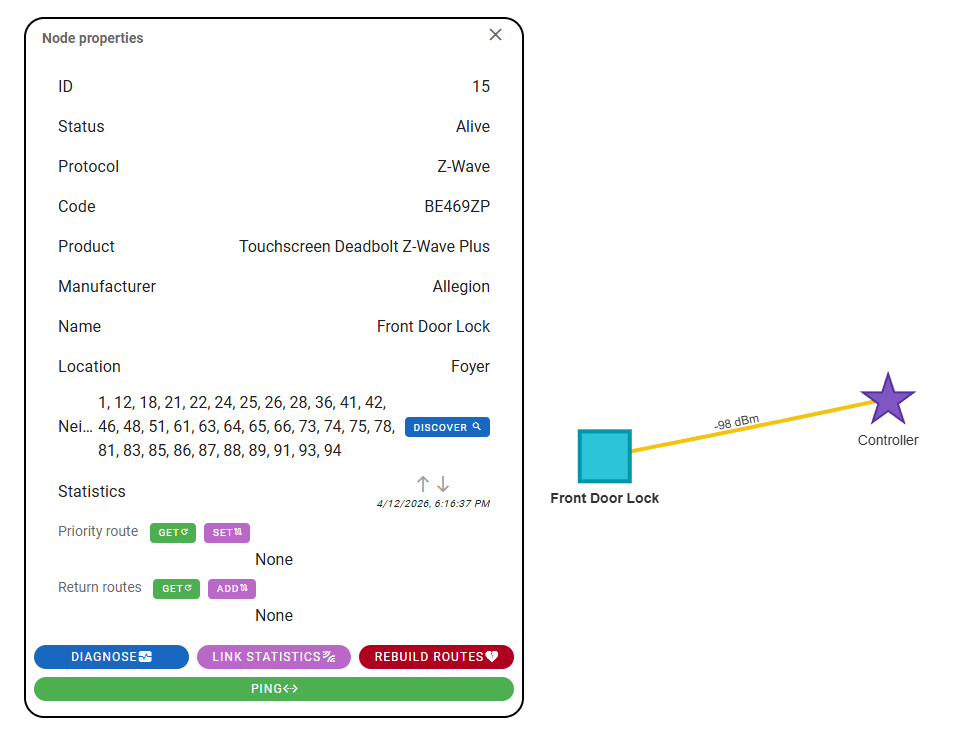
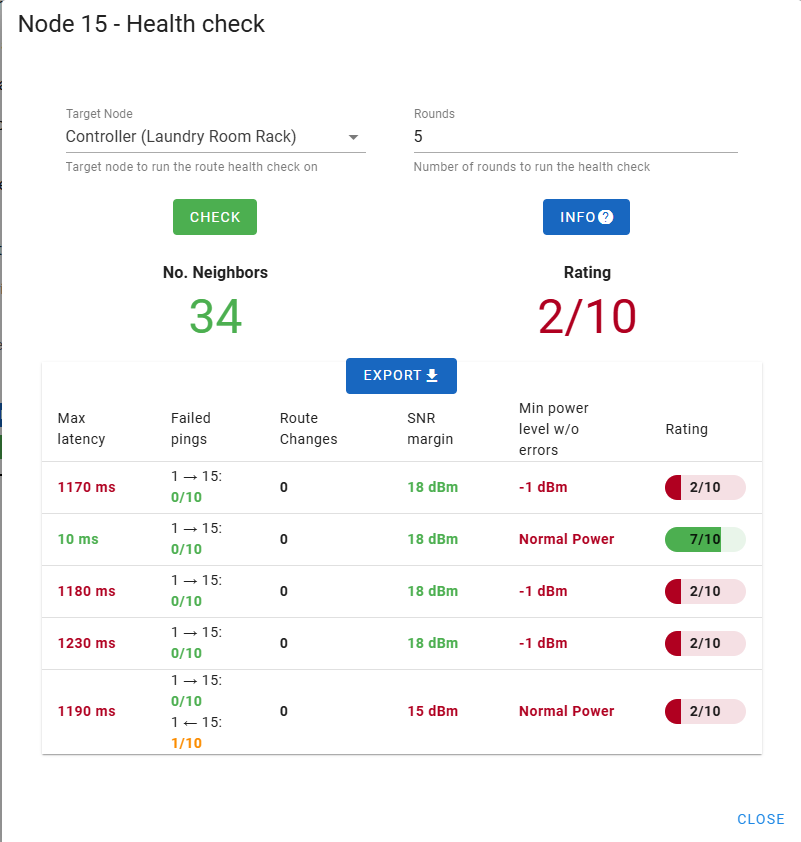
Your RSSI environment looks good (the background residual noise is very low), but the real issue is that your front door lock is still trying to do a direct route with the controller. At a signal level of -98dbm that’s going to be very unreliable, as shown in your health check stats.

As previously posted, you need to set priority and return routes. You need to find a node that is physically half way in between your lock and the controller and is listed as one of the lock’s (node 15) neighbors.

Once you find a likely node, first run health checks on it to make sure its comms with the controller are stable. Once you verify that, you can set the lock node to use that node as a go-between to communicate with the controller.

Let us know if you have any questions on how to do this.

Thanks @JohnBeMe.

Current Controller to Front Door Lock:

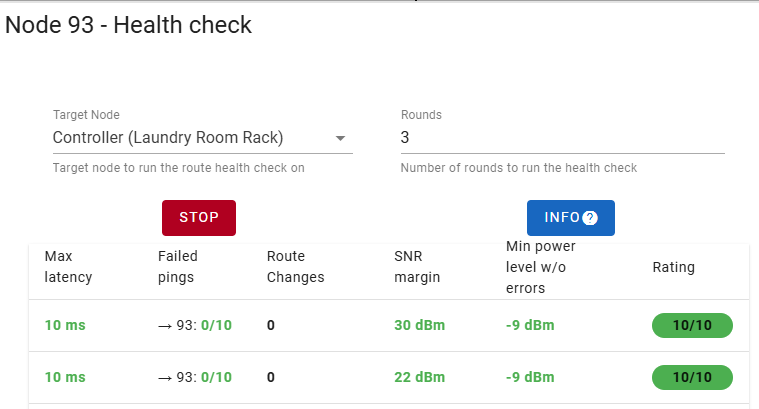
I have a repeater, Node 93 (Living Room Repeater), which is 10-12feet away from door lock (about half-way point), with a perfect score.

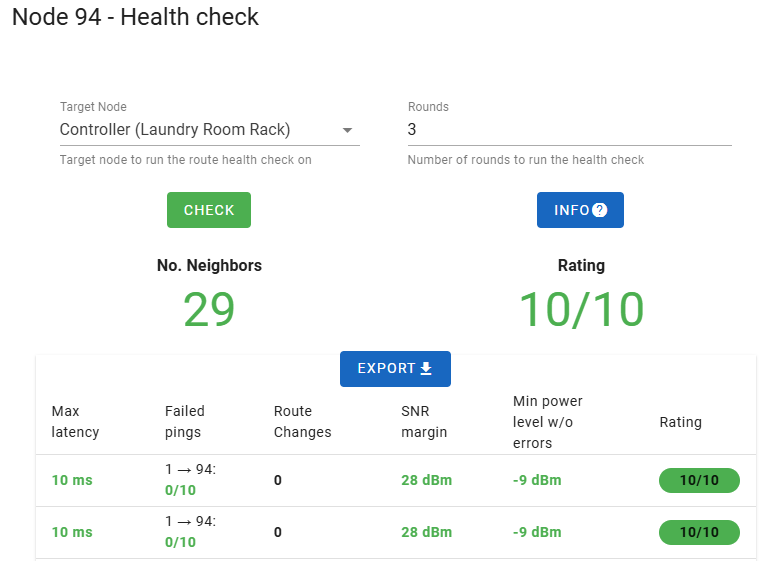
I have a repeater that’s maybe 3feet (Formal Dining Room Repeater) away (though a wall) from Front Door Lock, Node 94, which also gets a perfect score.

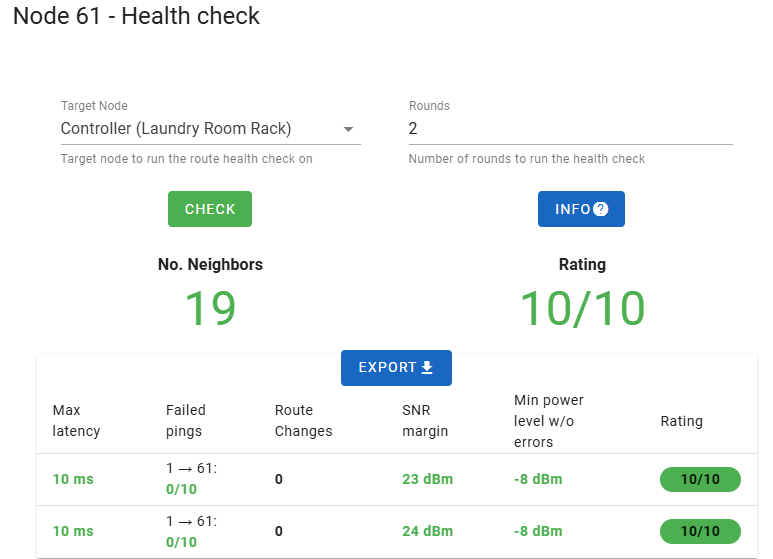
Last, I have another good candidate, Node 61, a Zooz 700 series Light Switch . Its only 2 feet away and also has a perfect score.

I set a route with priority route and return route, with the absolute closest Node 61 switch, save the routes, and test… with horrible results.

This literally makes zero sense to me…

I have tried this same thing, with both repeaters and no success either.

Suggestions appreciated, thanks for the time!!

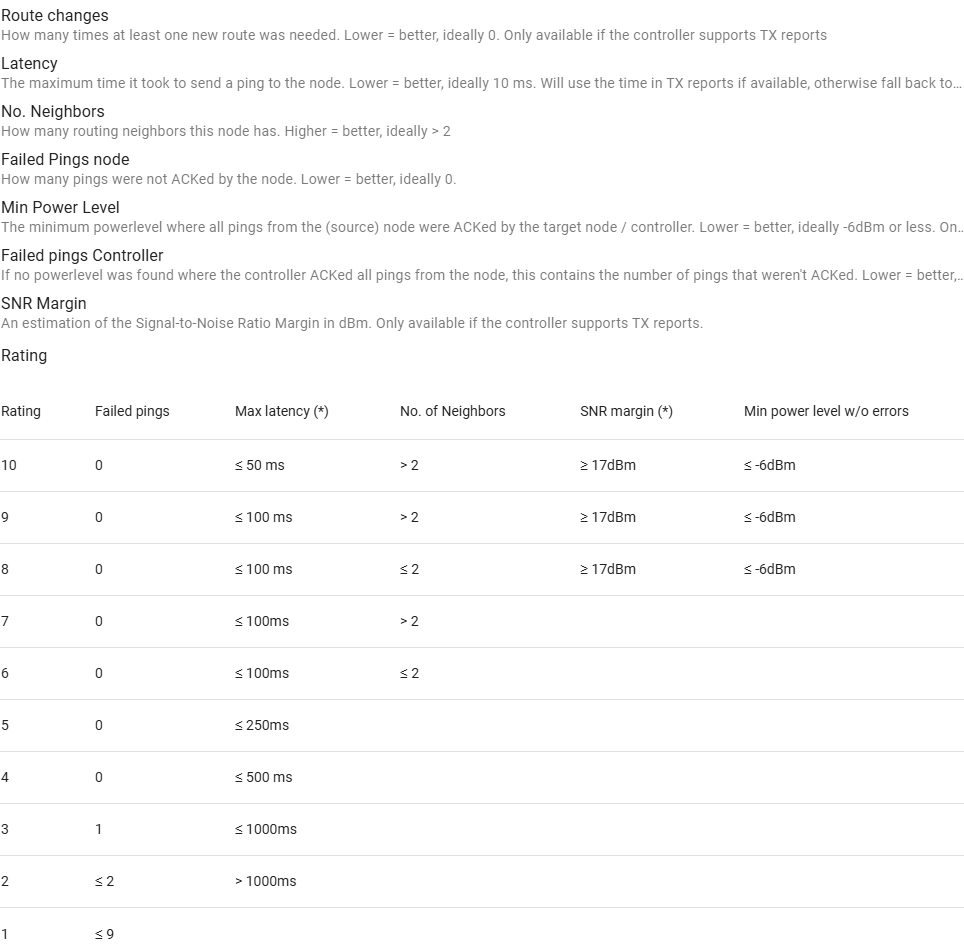
You’re getting a low health rating due to the latency number. Click on the info button to see an explanation of the ratings. My locks always get a low rating the first round, but after that they wake up and are fine.

What’s confusing me is that your lock doesn’t improve after he first round. It’s also not dropping any pings, which is great.

Bottom line is this: is the lock operating reliably now? Meaning, you can send it a command and it locks/unlocks no problem?

The lock can be remotely controlled on all 3 locks. But for example with KeyMaster, I have almost no functional control. Cant set, and 2 of my 3 locks dont even generate all the entities. I have spent some time with a contributor of KeyMaster, and all they kept pointing to me too was latency. I will say if I try to issue a new code directly in ZWaveJS, its hit or miss if it will set. Though I havnt tried in a long while.

Before I extended the timeout of discovery, I would get a lot of payload errors, and timeouts.

Interestingly, I reached out to Schlage, and they are willing to replace all 3… My only hope in that, is perhaps slightly newer firmware? I can’t be sure there.

Looking at the INFO button, its not showing me any failed pings. Doesn’t say too much at this moment that I can glean anything of value.

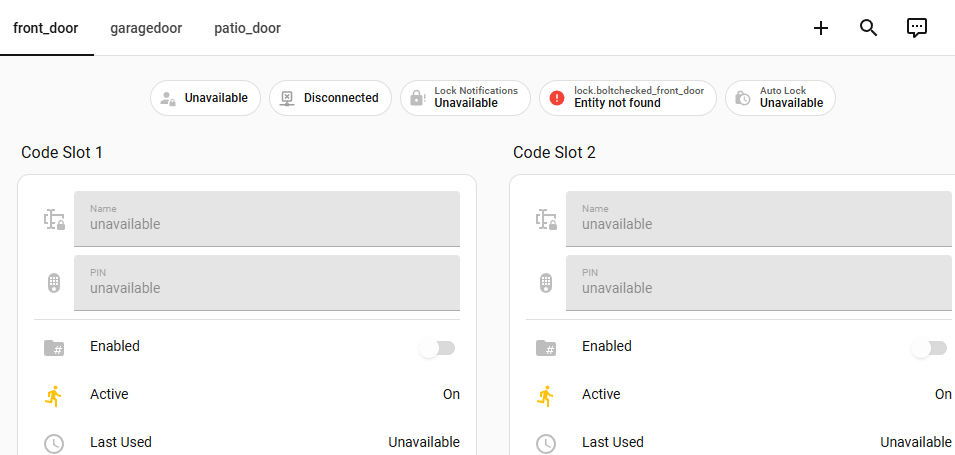
Sample of keymaster (using auto generated strategy for dashboard), Patio Door all items come in, but it never syncs.

The other two locks, which are slightly further away, never generate properly.:

I may reach out and discuss with the Keymaster team again, but I feel there is more going on here.

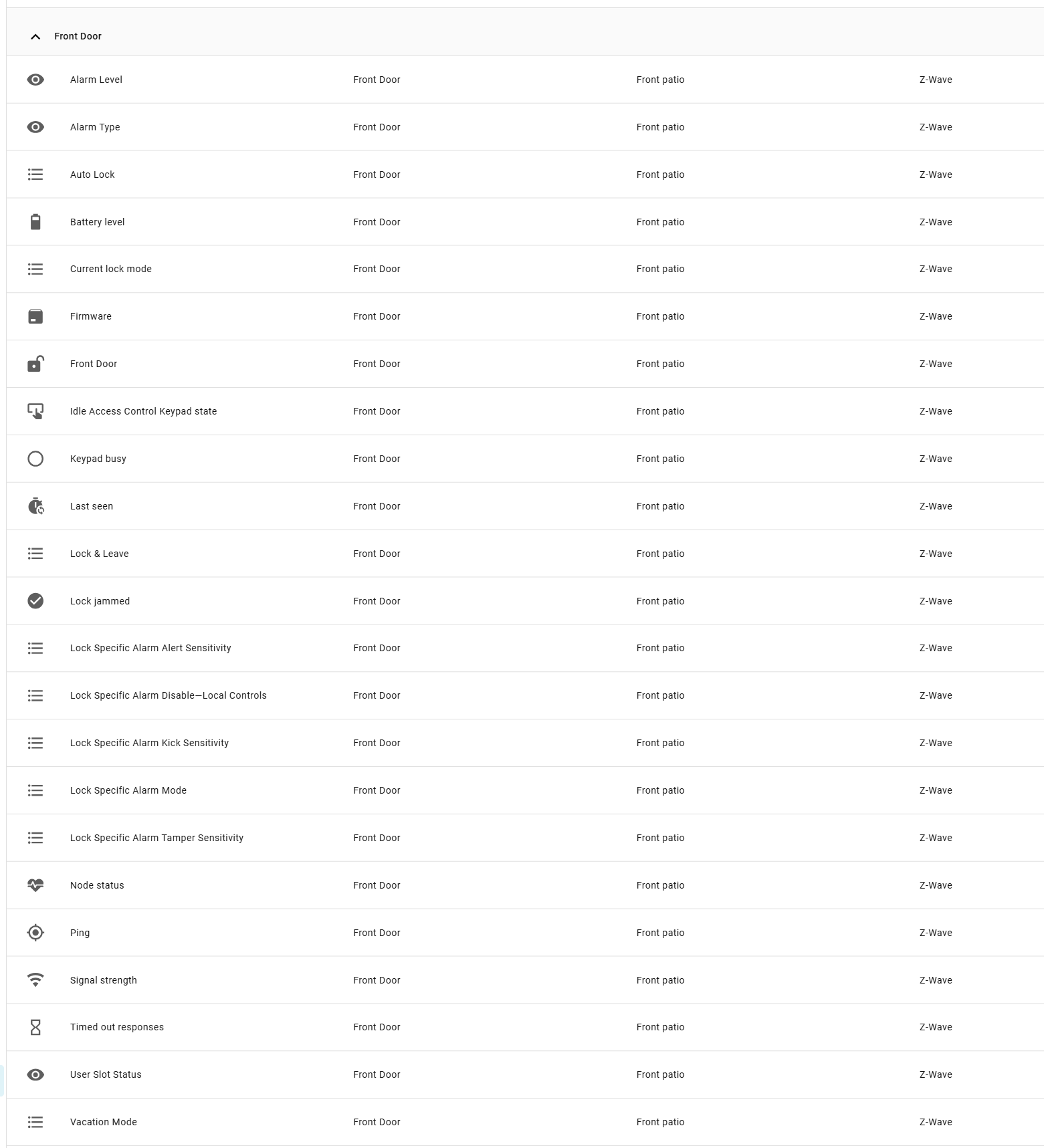
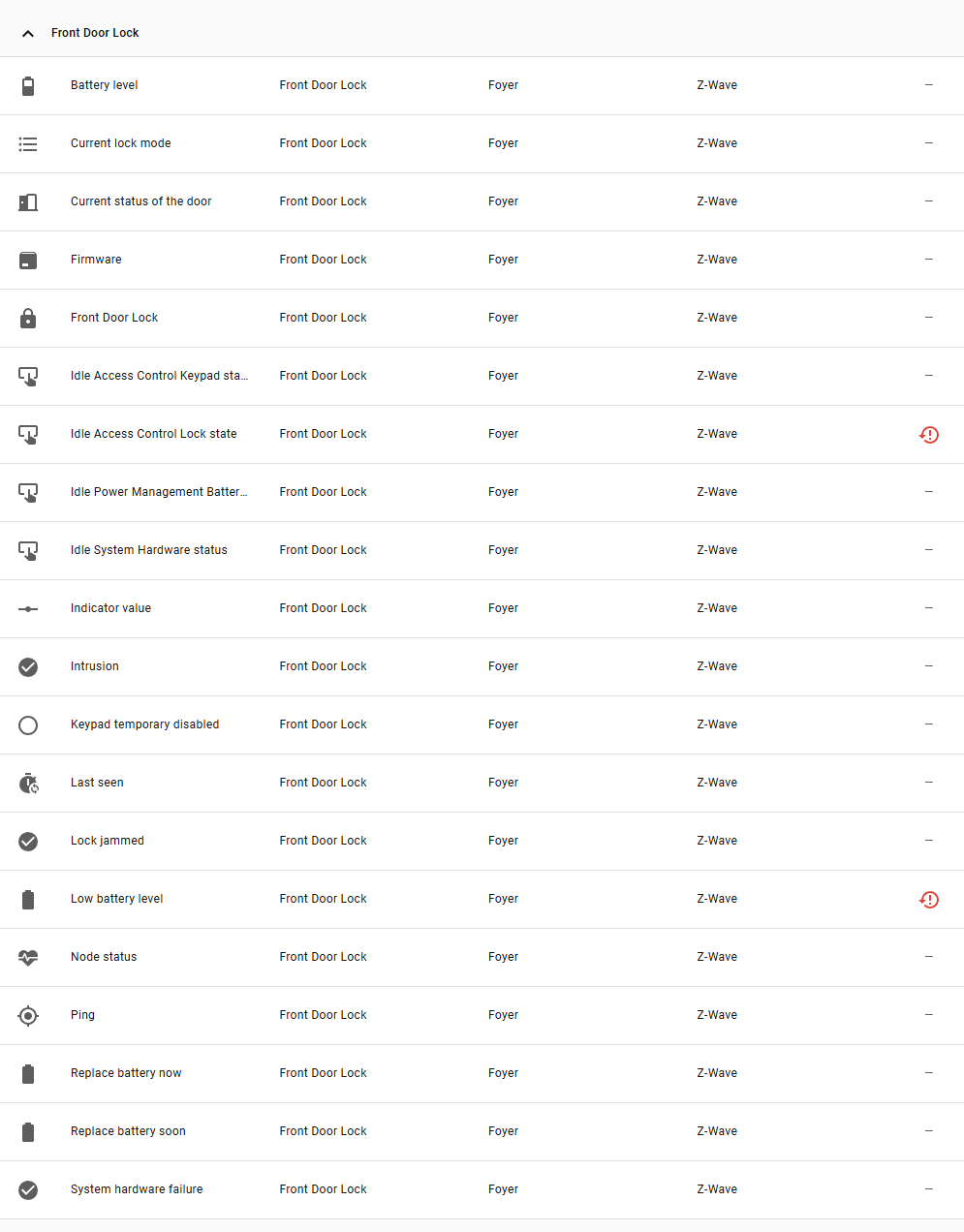
I’m also suspicious if your lock ever got included correctly into the zwave network. Can you post a screenshot of all the entities associated with it?

For example, on my older BE469 lock I have over a couple dozen different attributes/entities:

Your newer model should have that many attributes if not more.

and for good measure:

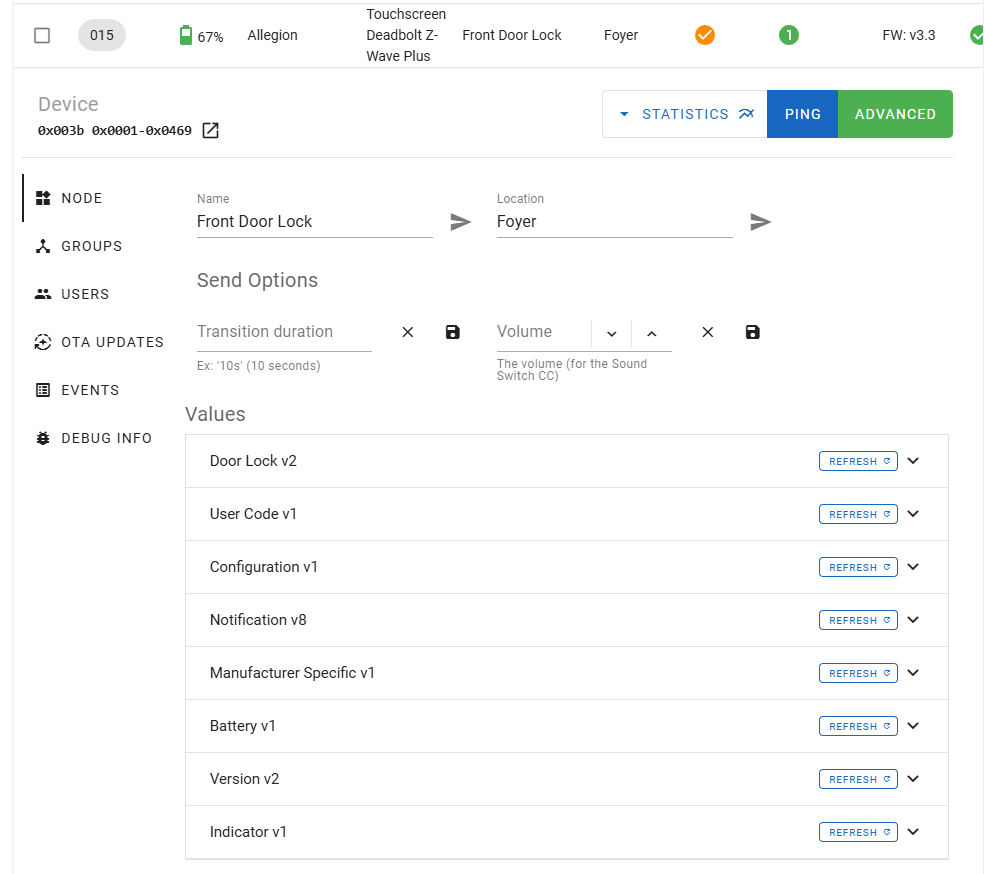
Ok, first thing that needs to be corrected is the battery level. Your lock should never operate on batteries that low. I can usually get 6 months to a year on my locks using regular Duracell batteries, draining them down to about 79%. I would put in a fresh set of batteries right away. You also notice a better unlock response (the motor will be faster) with a fresh set of batteries. At 67% the motor must sound really sluggish.

Ill try anything at this point. Ill get new batteries!