I’m excited to share a new custom integration I’ve been working on that bridges the gap between Home Assistant and n8n workflows through conversation agents.
What is Webhook Conversation?
This integration allows you to use your n8n workflows as conversation agents in Home Assistant, enabling powerful automation and AI-driven interactions with your smart home. Think of it as a way to create your own custom voice assistant that can interact with both your Home Assistant entities and external services through n8n.
Key Features
Use n8n workflows as conversation agents - Transform your n8n automations into conversational interfaces Rich context sharing - Automatically sends conversation history and exposed entities to your n8n webhooks Seamless voice integration - Works with Home Assistant’s voice assistant pipeline system Easy configuration - Simple webhook setup with configurable response fields
How It Works
Set up the integration in Home Assistant with your n8n webhook URL
Create an n8n workflow that receives conversation data and entity states
Build your logic - Use AI services, process entity data, trigger automations
Return responses that get spoken back through your voice assistant
The integration sends rich payload data including:
Conversation history with role-based messages
Current user query
All exposed entities with their states, names, areas, and aliases
User context
Installation
Quick install via HACS:
Or manually add the repository: https://github.com/eulemitkeule/webhook-conversation
Example n8n Workflow Structure
Your n8n workflow receives a webhook with conversation data, processes it (through an agent node), and returns a JSON response with your configured output field. Super flexible!
I’d love to hear your thoughts and see what creative automations you build with this! The integration is open source and I’m always open to feedback and contributions.
Thank you for this integration. I only just started using n8n integration and installed on to my HA but im struggling to find any clear instruction on how to set up the Webhooks url in n8n. I cant get to the n8n instance if I use my “https://MyDomain:5678” but I can access my HA on “https://MyDomain” I have Nuba Casa subscription but in my attempts to get n8n working I also got a domain name from CloudFlare account.
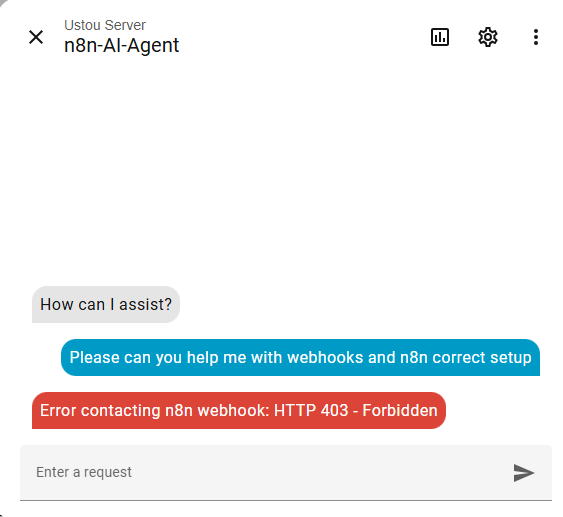
My n8n AI Agent that i made is working fine, but your n8n Conversation returns the below error on the Webhooks:
There seems to be very little information out there for n8n installation on HA, I would be very grateful if you could guide me on that aspect so that I can use your n8n Conversation.
This doesn’t seem to be caused by the integration itself. You will need to ensure your n8n webhook URL is reachable from the machine running Home Assistant. To debug you could try curling the URL from a terminal on your HA machine (you could ask AI how to do that).
403 Error also indicates that you might have some kind of authentication issue, perhaps you have some authentication mechanism for your n8n URL. The webhook needs to be accessible without having to authenticate.
No, you have to create a webhook entry node and copy the production webhook URL from the node. You also have to set the workflow active in n8n for it to listen to requests.
I’ve got your integration working correctly when I’m querying about a state or an attribute. Now, I’m trying to use your integration to call a service. For example, if I say “turn on my exterior lights” to the webhook conversation agent, I’d like like it to search my entities, find the corresponding switch, then turn it on. Can you guide me, or share a workflow on how to do this?
Hi! For tool usage take a look at the various Home Assistant nodes available in n8n. You could also use the MCP server core integration and integrate that with n8n: Model Context Protocol Server - Home Assistant
Tool calls are currently not directly supported by the webhook and I’m not sure if this would make sense to do, since you can probably do the same and more by using the methods I described.
Thanks for this new custom integration! I’m a huge fan of voice assist and currently running some ESP32 S3 boxes with some custom firmware on them as voice assistants for Home Assistant.
I’ve been learning n8n and having fun and saw a recent video where the user created a custom Jarvis workflow (not Home Assistant integrated).
LINK: https://www.youtube.com/watch?v=KUvSzvFeZls
I was excited to see your integration and am installing it!
I currently run the OpenAI Extended Conversation ----> LiteLLM locally as a proxy to retrieve and chat with my OpenWebUI Ollama models. I don’t have any sort of “memory function” in place.
I copied your sample n8n workflow and was wondering if I could add to it:
Some sort of Supabase vector database setup for memory storage of conversations
All kinds of other jazz like switching persona’s possibly, so many other possibilities
A few questions:
How does the AI Task webhook part work or supposed to work? Do I use my existing n8n Webhook URL for that too or is it supposed to be a completely different workflow?
How do tools work with your workflow? Do you have any extra sample workflows you have created where you connected different “tools” in your n8n workflow attached to the AI Agent node?
How do you envision the attachment part functioning? Like would a use case be where you can pass an image capture from IP camera detecting motion and then the AI Agent receives that, sends back a voice notification of what is sees in the image?
Thanks for creating this and I hope I can assist and contribute!
PS: The discussions bottom link on your Github page is 404 right now I think because “Discussions” there aren’t setup.
Some sort of Supabase vector database setup for memory storage of conversations
There are various memory nodes you can attach to the agent node. Google will be able to tell you if a specific backend of your choice is supported.
All kinds of other jazz like switching persona’s possibly, so many other possibilities
Different personalities could be done by creating multiple voice assistant pipelines in Home Assistant and changing the system prompt. You could also try explaining the different personalities in a single system prompt and then telling the LLM which one you want when you talk to it.
How does the AI Task webhook part work or supposed to work? Do I use my existing n8n Webhook URL for that too or is it supposed to be a completely different workflow?
That’s up to you. The example workflow can be used for both conversation and AI task. The differences in the webhook data being sent are explained in the repo’s readme.
How do tools work with your workflow?
You simply connect tools to the agent node and the LLM will be able to use them (if the model supports it).
How do you envision the attachment part functioning?
You can attach files like images or camera snapshots when executing the ai_task.generate_data service. The attachments are then encoded into the webhook data and extracted by the “Extract attachments” node in the example workflow. The agent node then automatically passes them to the LLM.
The discussions bottom link on your Github page is 404 right now
Thanks, I have enabled discussions now.
This new integration might help, I’m experimenting with it now
It’s the same integration, I simply renamed it, since it theoretically supports any kind of webhook receiving LLM backend, not just n8n.
@Nitroedge I watched the same video btw, it’s what made me want to be able to use n8n for Home Assistant. There is one thing the guy is doing that is currently not possible at all in Home Assistant to my knowledge: What makes their agent so magical is the ElevenLabs voice agent, which talks to you while it runs the tool calls and updates you while the pipeline is running. This kind of voice agent, where Home Assistant would have to directly send the audio input to an LLM which then invokes another LLM pipeline is unfortunately architecturally not supported by Home Assistant.
Thanks a lot for your answers and they inspire me to continue to build!
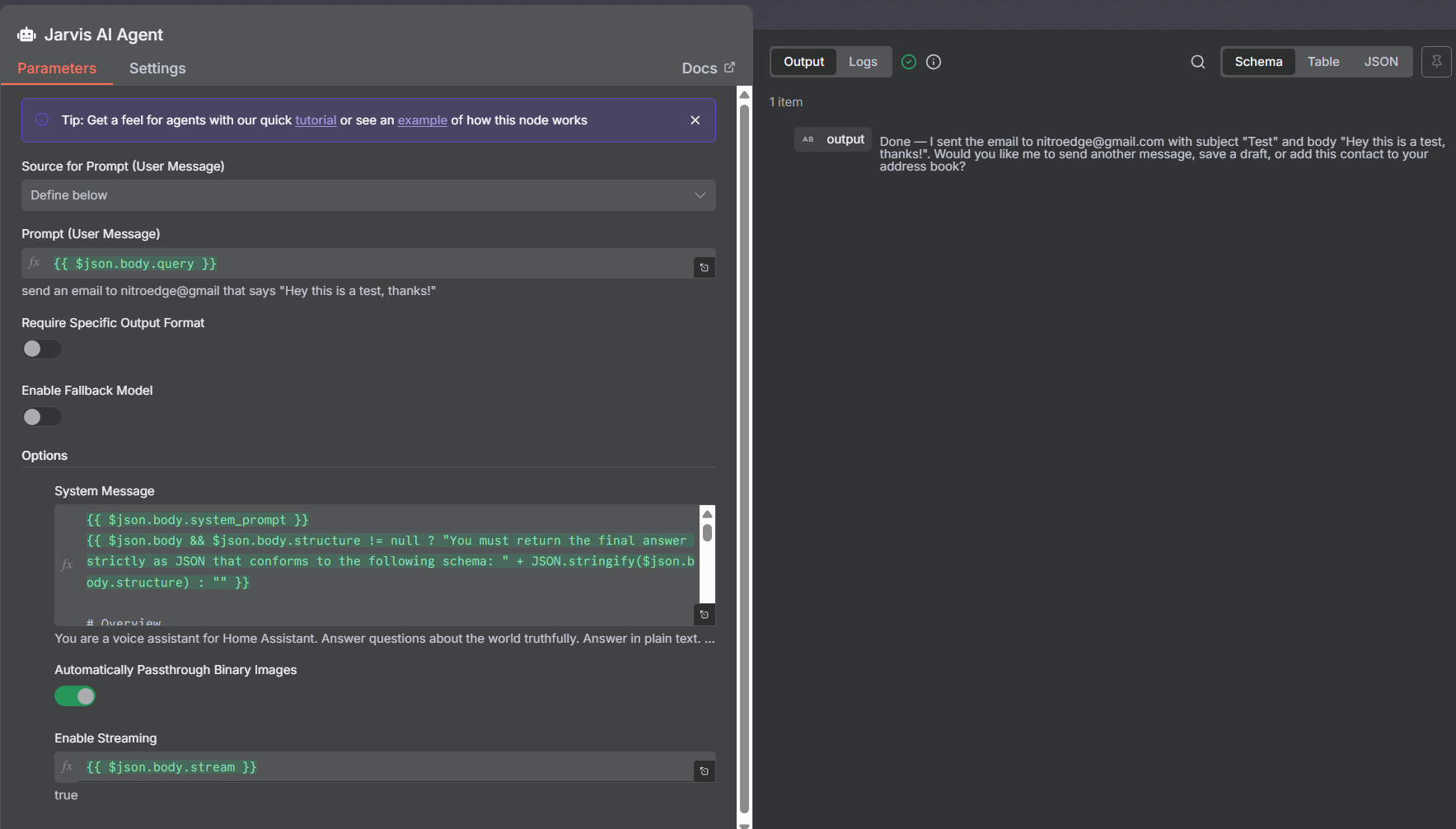
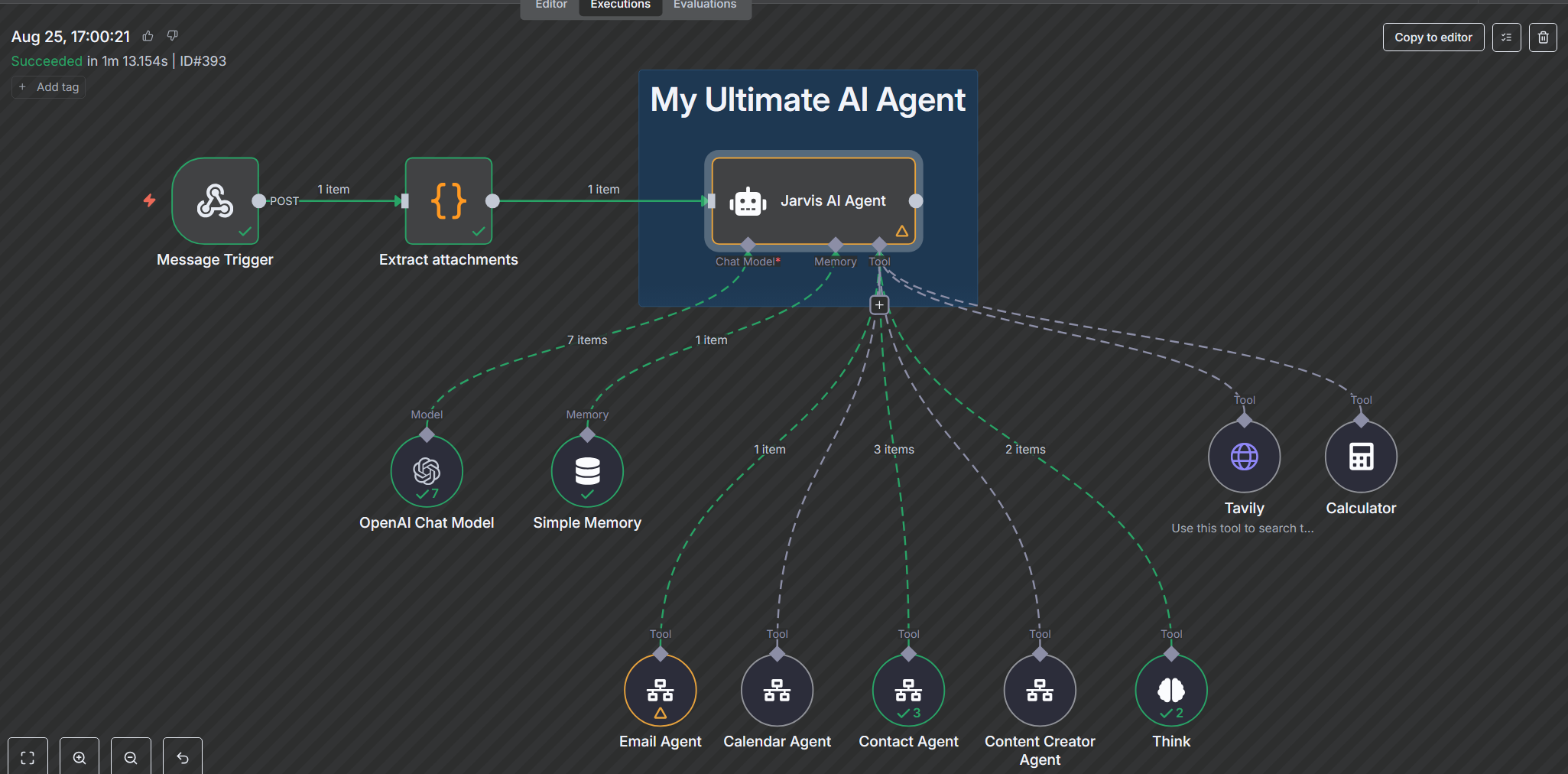
I modified the workflow a bit to add in some tool agents and was wondering if you encountered this before. Basic questions and inquiries to search the web are working for me.
In your last screenshot I can see the workflow ran for over one minute. Did you increase the timeout in the webhook conversation integration config options? Per default it times out after 30 seconds.
I’ll increase the limit, great catch, I did notice some runs take much longer.
I noticed n8n released a new AI Agent Tool node that we can now connect to the master AI Agent tool output and we don’t need to use the “$fromAI” variable and setup any longer, we can simply click the option on the far right of the option box to “Let the AI Agent decide what is best” which is really cool.
Still learning the overall flow and trying to understand why in your workflow you don’t need a Respond Hook to the right of your master Agent and other workflows I’ve seen have this node.
I also saw your base System Message prompt structure in the master AI Agent node and added after that all the “Rules” and “Tools” explanation. I’m wondering if I even need the base “You are an assistant” at the Home Assistant model prompt level to save tokens.
Hey Lennard, I had one other question if you don’t mind.
Does “continued conversation” work for you with your Webhook Conversation?
So when the LLM answers you and has a question at the end, does your voice assist device then listen for your reply or do you have to announce the wake word again?
Does “continued conversation” work for you with your Webhook Conversation?
Doesn’t work currently, but great idea for the next update!
Actually, it seems that continued conversation automatically triggers when the assistant’s response ends with a question mark. Therefore it should already work!
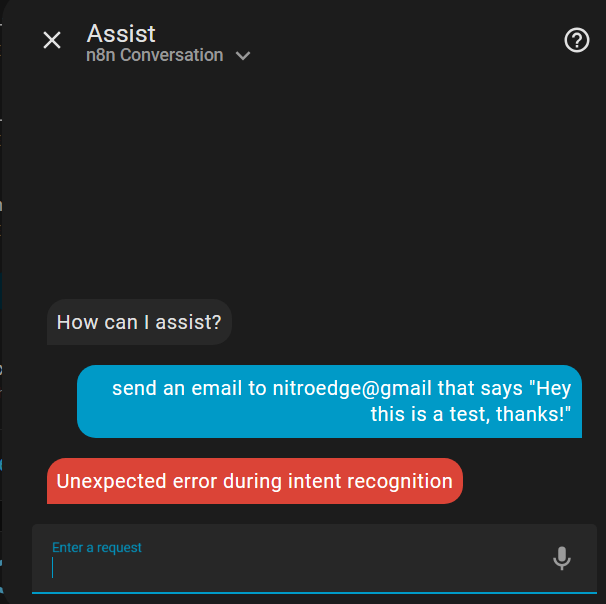
I was doing some in-depth testing going through every possible combination of conversation agent and its native integration (like Anthropic, Ollama, Google Generative AI, OpenAI (which seems broken? with intent error) and then all the third-party ones like Extended OpenAI Conversation and Home LLM.
I really need that “continued conversation” support to get a real hands free type of ongoing conversation experience from my living room recliner and my S3 box. I’ll post some of the results but your Webhook Conversation is really shining amongst them all!

 Use n8n workflows as conversation agents - Transform your n8n automations into conversational interfaces
 Rich context sharing - Automatically sends conversation history and exposed entities to your n8n webhooks
 Seamless voice integration - Works with Home Assistant’s voice assistant pipeline system
 Easy configuration - Simple webhook setup with configurable response fields