Yes.

Yes.
let me look into this a bit more. I can clean up code a bit and maybe will fix issue for you but is working for me here so that’s strange. will up a new verswion when ready and let you know when its available for testing. I think we are close.
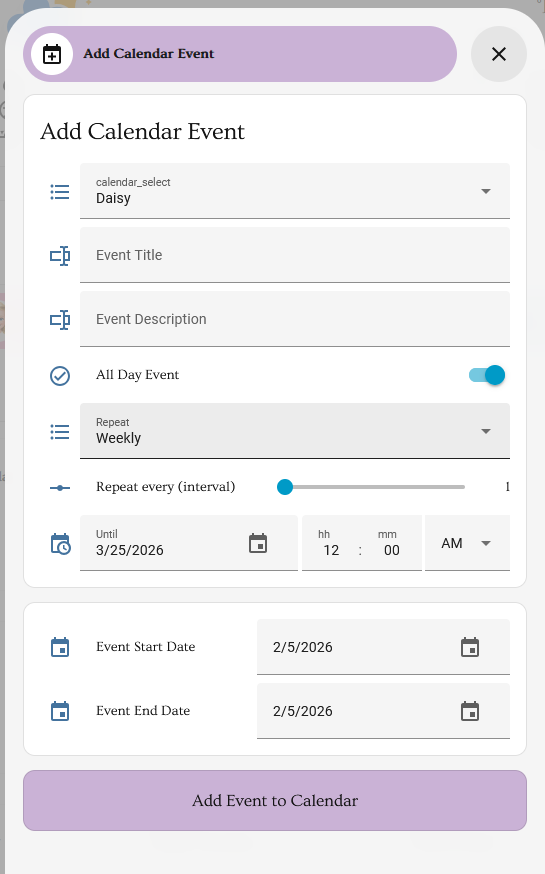
Changing scripting of add google event to allow local and google “repeat” this works just cleaning up scripting.
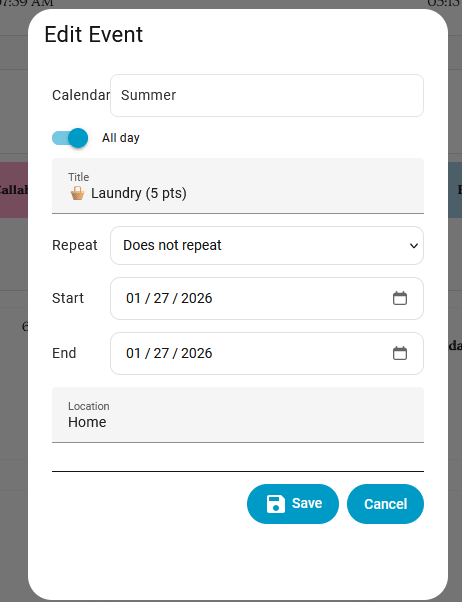
Edit also has repeat option now too. still working out a few things but should be ready in a day or 2. this will make it work much better. Remember current google integration does not allow editing but you will just have to delete event(you can do that now from calendar) and then add new event to replace it.
Working great so far - thanks for posting this!
@mwav3 could you share with me are you on local calendars? google calendars? both? does clicking blank day popup add?
I’m using the local calendars. I tried clicking a blank day and did not get an option to add, but I just click the “add event” button to add the events, and when I click existing events I get the options now to edit and delete. The edit and delete work great - Having those options for the existing events is a massive improvement. Is there an extra option I need to add to the config for getting the add event to popup on clicking blank days? Definitely willing to test.
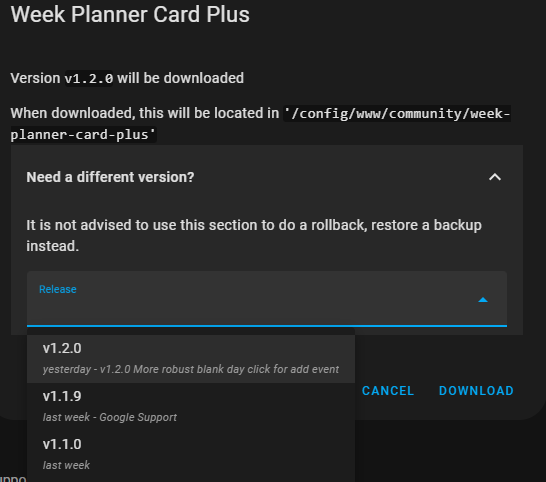
i upped version 1.2.0 of week planner card plus that should popup on blank day for everyone. SHOULD 
It doesn’t look like that this has pushed to HACS yet.
showing for me but may take longer for some people to see it? I know hacs saves resources by checking less frequently. You should be able to force a refresh by selecting “Need different version?”
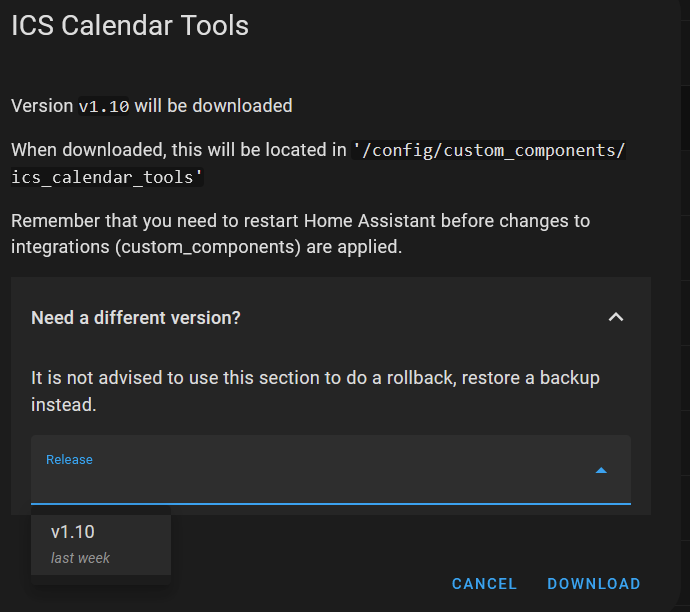
you need to look at week planner card plus for update not ics calendar tools
Doh!, I completely misread your initial post. Thanks.
Not for me. I have tested in Firefox on Windows 11 and the HA Android app on a tablet. Neither work.
Is there some additional scripting that I need to add?
Do you have tapEmptyDayToAdd = true in card config in the dashboard.yaml?
 card:
              type: custom:week-planner-card-plus
              tapEmptyDayToAdd: true
Can confirm the new version and adding the tapEmptyDayToAdd = true to the config works for click to add a new event. Thanks, this is a great feature.
Thank you for verifying! working on repeat events in add event but is tricky. much more to come in future.
No, and I didn’t know that I had to. I must have missed that nugget of information.
Working now, thank you.
I have working recurring events now i can upload to github but requires updating both integrations. but it works perfectly. if you guys will test ill up it
2.0.0 released for both packages with full support for repeating/recurring events.
This uses the Plus card’s built-in Add dialog:
type: custom:week-planner-card-plus
tapEmptyDayToAdd: false           # legacy scripted popup (leave off)
clickEmptyDayToAddPlus: true      # NEW built-in dialog
calendars:
  - entity: calendar.family_calendar
This uses the old “scripted” Add flow (kept for backwards compatibility).
type: custom:week-planner-card-plus
tapEmptyDayToAdd: true            # legacy scripted popup
clickEmptyDayToAddPlus: false     # disable built-in dialog
calendars:
  - entity: calendar.family_calendar
Tip: Use only one add mode. Set either
tapEmptyDayToAddorclickEmptyDayToAddPlustotrue— not both.
.ics file — use ICS Calendar Tools for add/update/delete with repeat support.clickEmptyDayToAddPlus (boolean)When true, empty-day / empty-space clicks open the built-in Add dialog (recommended).
tapEmptyDayToAdd (boolean)Legacy mode. When true, empty-day clicks use the older scripted Add flow.
If you want Local Calendar .ics edit/delete/repeat to behave like cloud calendars, install:
I’m a bit confused. I’m exclusively using Google calendars, no Local, so do I need ICS Calendar Tools to be able to add/edit/delete?