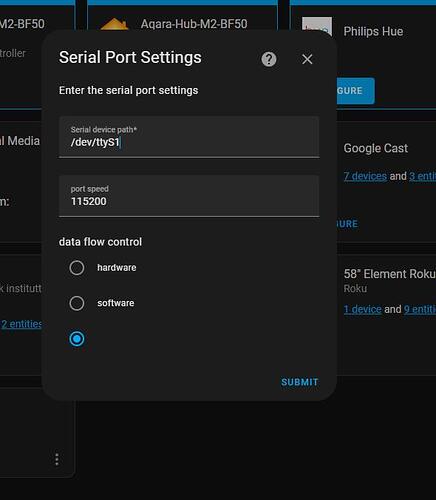
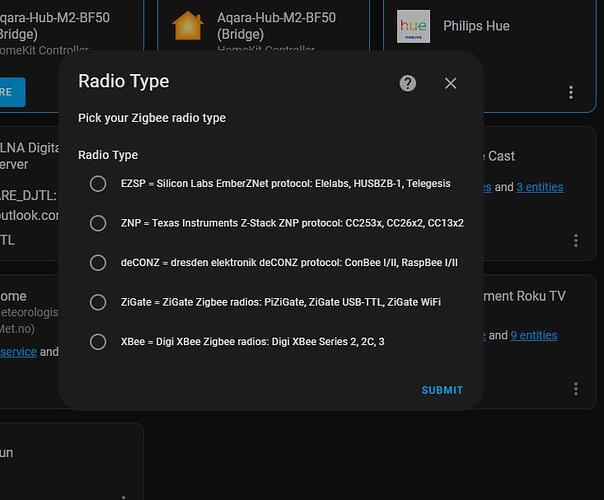
I followed every step but Home Assistant can’t find the lock ! I am using a Sonoff Zigbee 3.0 dongle, it works perfectly with everything else.
I added the lock to the Wyze app, calibrated, and then I put the lock in pairing mode using the button located on top of the lock. It beeps and flashes green, and then I set my ZHA integration to search for new devices, but it doesn’t find anything. Then, after a little bit, the lock beeps and the light turns red. I tried like 10 times, no luck.
Lastly, the “Interesting” lines probably also aren’t firing because a number of us more recently are only seeing payloads of less than 70 arguments, which are filtered out in the code. I have not yet figured out why this is the case.
just wanted to confirm if the original instructions still work for pairing the Wyzelock?
Reason being, I just received one; set it up in the Wyze app and validated everything was good. I then unplugged the Wyze hub, put my ZHA into pairing mode and pushed the paring button on the lock. The lock then showed up in Home Assistant but none of the controls work, and the last contact time is displayed as several hours ago. Firmware on the lock appears to be 2.1.22.0.
Hi, did you finally find a solution for this issue ? i’m facing the exact same thing. i have feeling another quirks is catching the message and switch the state of my lock. But i can’t find any way to ONLY load wyze quirk. many other loads when adding the ‘custom_quirks_path’ into my config file.
Hi just checking in here, I’ve gotten my lock working for the most part, I can see manual lock and unlock, app lock and unlock, autolock and door state. However, if I unlock or lock the door from home assistant (not via app bluetooth), I never receive a status update, and the state becomes unsynced. Has anyone else had this issue, or how should I go about solving it?
What Zigbee coordinator are you using? I’m using SONOFF Plus-E, I have a SkyConnect on order (anytime ameridroid) that I’m hoping might yield different results
I come begging for help. I have been trying for months to get this setup correctly. I have an unlock and lock button that seems to work OK (when the locked/unlocked state is synced). I have a locked unlocked state but it does not want to stay synced. It doesn’t update after a manual unlock, a lock from HA, an unlock from HA, or an autolock. Sometimes the state seems to change a long time after one of my tinkering sessions.
I’m running HA on a dedicated raspberry pi 400. My Zigbee dongle is a ConBee II and is attached directly to the raspberry pi. I have a couple other zigbee devices on the mesh (smart plugs) that seem to work fine.
I setup the wyze lock with the wyze hub first and then put the lock in pairing mode and paired it with HA. The lock/unlock button seemed to work right away but the locked/unlocked state was not syncing. I did not have a door open/closed state. I started reading this thread and discovered that I need to install a quirk. I added these lines to configuration.yaml:
I restarted and looked at the logs but could find nothing about “interesting attributes” or “argument”.
One of the comments here said that they intentionally messed up their wyzelock.py file and Zigbee Home Automation would not load. I tried messing mine up intentionally, restarted HA and nothing changed. I still see ConBee II / Zigbee Home Automation under Integrations and the lock and other Zigbee devices are still there the same as they were before. I think that means that HA and/or Zigbee is not really looking for or loading quirks. I don’t know what to do to fix that.
I’m not sure what I’m doing wrong. I’m rather new to HA and likely have not understood or missed some crucial step. If someone can give me some tips or pointers, I would be eternally grateful!
Thank you! This helped immensely. It showed an error in the wyzelock.py file. I just deleted the whole thing and re-added it. Now the lock shows up with one new sensor: Iaszone. Iaszone does not seem to change with the lock or door state.
I have tried locking and unlocking (manually and with HA) and opening and closing the door. I Then checked the log and cannot find anything about “interesting attributes” or “argument” so that I can pull the numbers to customize wyzelock.py for my lock. Any ideas for a next step?
Something seems to have broken with this quirk, I had been using it successfully for a couple years now. I recently had to recalibrate my lock in the Wyze app because it stopped autolocking after a battery change. Ever since, I’m no longer able to get the lock states to update when manually opening the door. The logs also no longer show the interesting attributes.