Deleted my off topic posts. Thanks for the tip, works great, shame OGs don’t work in it.
Hi @theosnel ,
Thanks for working on the integration. I am just learning HA. I need to integrate X-Sense to properly use a few thermometers that I like pretty much. They connect to the X-Sense hub well and I can see their output on the app on my cellphone. How can I install your integration module so that I can turn on my heater when it is too cold? pip instal…? Where should I run this command?
I am connecting my laptop with cable to my router and running HA in a virtual machine. Should I run the “pip install …” command on the HA? I got this error:
unknown command “pip” for “ha”
Thank you in advance!
Following the instructions here should get you up and running…
thank you very much for creating this integration - I recently bought some X-Sense smoke detectors and everything worked flawlessly and they are now integrated in my Home Assistant - so thank you very much 
I have one feature request: The X-Sense app allows a test alarm (“Alarmübung”) which might be already integrated in python-xsense as firedrill action (not sure about this). I would love to see a “test alarm” button or service in Home Assistant to use the smoke detectors as sirens 
Worked nicely for me although this was my first experience with HACS. Many thanks!
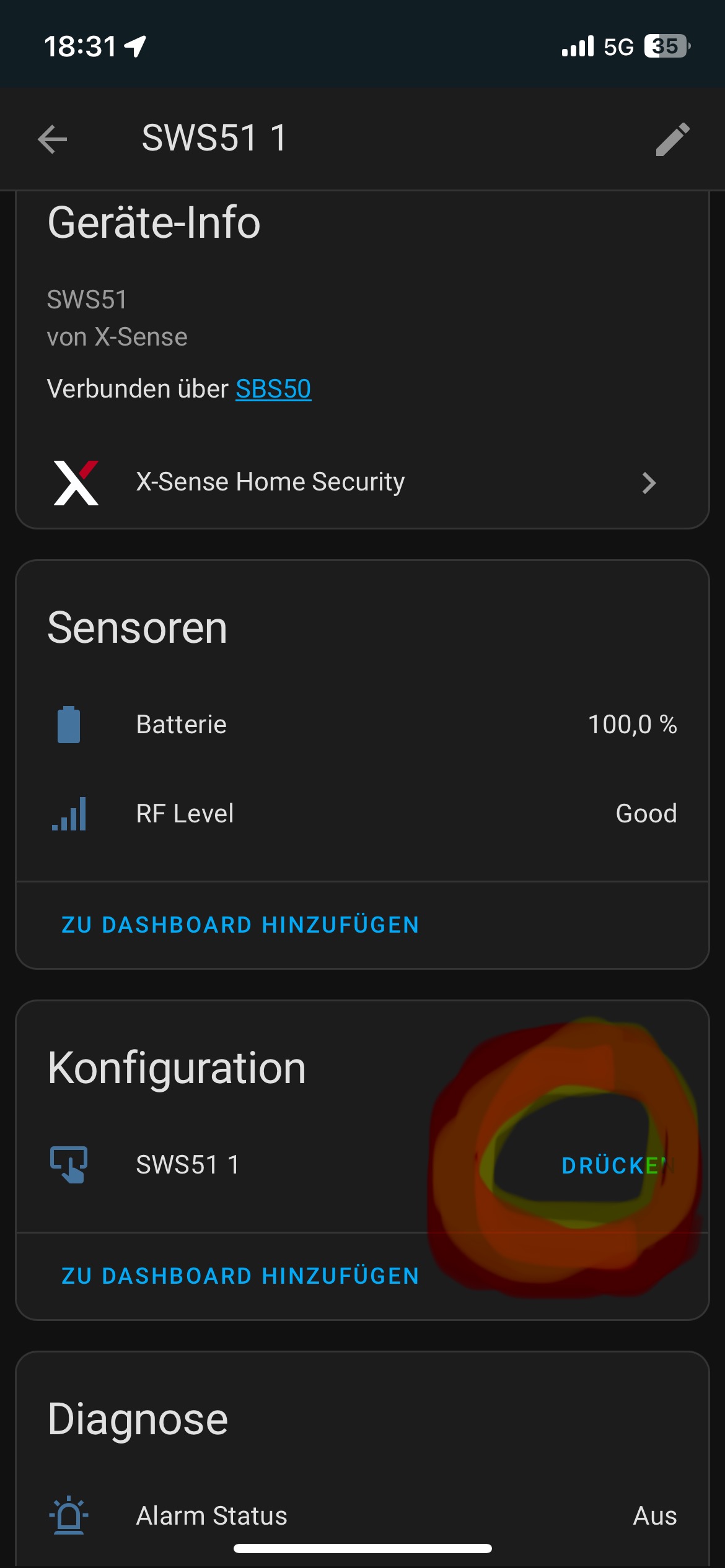
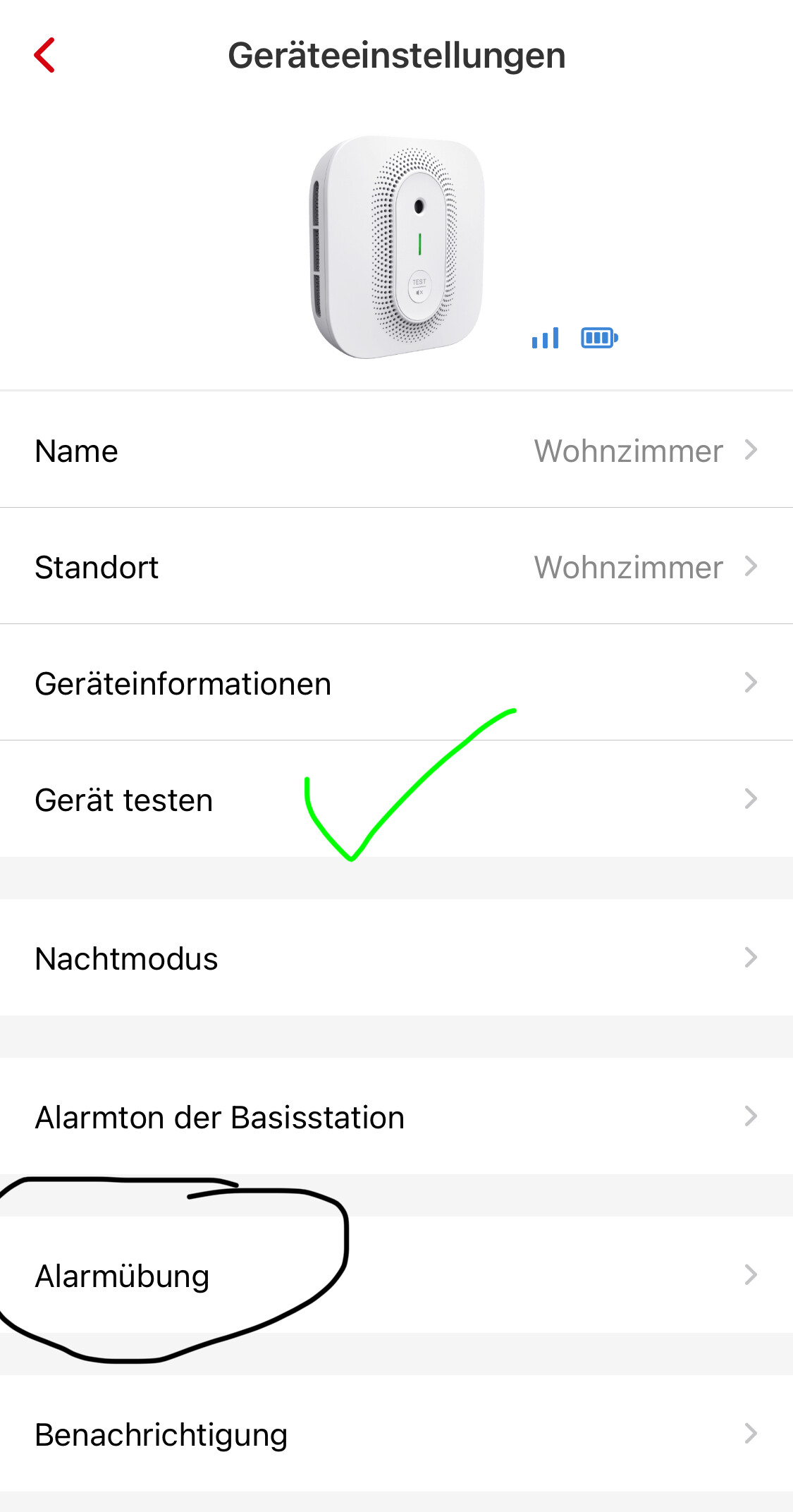
@zeebee888 that should be possible, but it is hard to figure out without having access to such a device. Would it be possible to invite me to it for a little while?
If I can turn it on and off on my test-setup I should have enough data to implement it.
@habilzare You shouldn’t need to use pip (which is used to install python libraries). Just follow the nice instructions written by @Jarnsen. When you have your devices visible in home assistant, use automations (settings → automations and scenes) in your home assisant to make the desired automation. But that is offtopic for this thread.
@Stephnan Thank you for that information. While reversing the app I saw some ifnormation about a firedrill but I couldn’t find it in the app.
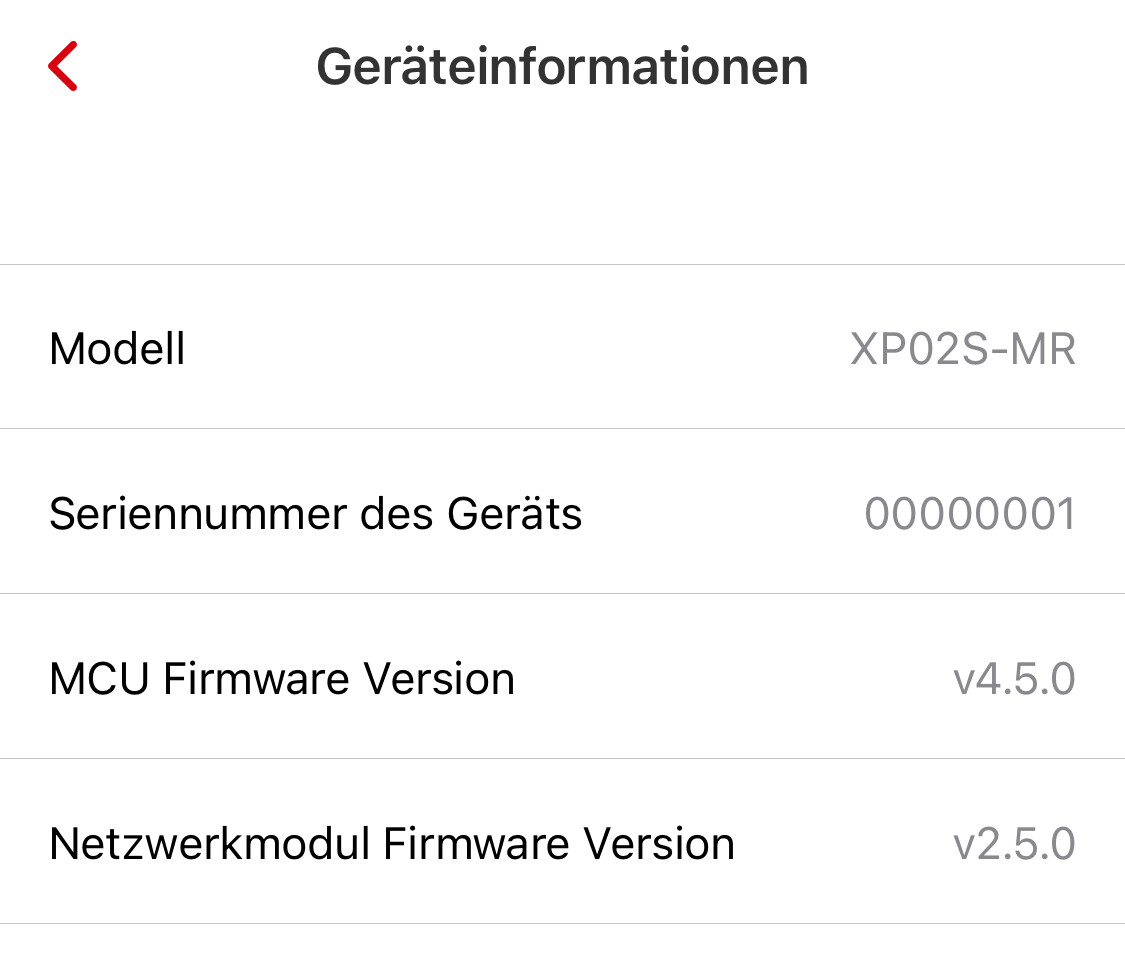
Now it turns out that I don’t have it for my devices. I’ve checked the shared devices that I have access to but that option is not there either. What is the type of your device? I have access to an xp02s-mr, where it doesn’t show up.
Maybe it doesn’t work because I am not the owner, or something else is not correct.
Can you tell me for which devices you have the firedrill option?
I definitely want to implement this option.
Hi, I am using 2 x SC07 WX devices and this integration is working really well but I wanted to ask if it was possible to have a sensor for the smoke in the same way as there is for the carbon monoxide, presumably just two states “detected or not detected”. Also is there any way to trigger the alarm? This would be great because a home assistant automation could be used where a single smoke alarm goes off to trigger the siren on all others in the same house.
Is this possible?
The fire drill option is not available with my XS0B-MR and XP0A-MR devices. It looks like X-Sense introduced this feature just to newer models.
At least with models that are using a base station this is the standard behaviour. Just recently we had an alarm triggered in the basement and all smoke detectors went off.
Hi @theosnel,
I have XP02S-MR devices, I can confirm that the firedrill option is not available to shared accounts - I will ask the question to X-Sense support, maybe there is a good reason why the option is not available for shared accounts (or they just forgot it  )
)
I will add the answer here
The SC07 is wifi integrated without a base station and there is no native interconnect between the units. Including an automation to trigger all units if one sounds would be a poor mans version of the same thing.
I already wrote it in Discord, but since the request was to communicate it here normally, I’ll do it:
I created an automation that notifies me as soon as the ‘Alarm Status’ entity of my XSO3-WX changes from ‘off’ to ‘on’.
After a test by manually triggering the alarm (with a candle), the corresponding notifications arrived in the X-Sense app and by email (of course also by the smoke detector itself), but unfortunately not via Home Assistant. The status remains permanently on ‘off’.
Manually switching to the current version also brought no success, or only briefly. The alarm came with a delay of almost 5 minutes, which is of course not reliable for such an important product.
Unfortunately, it didn’t work at all in a test two days later. The entity did not react.
Unfortunately, I don’t know what else I can do. I think it’s good that an integration is being taken care of, don’t get me wrong. But if I can’t rely on the alarm function of the fire alarm, then I don’t need to build any automations for it.
Not the end of the world, but unfortunately I can’t say goodbye to the X-Sense app like this. I would have liked to uninstall it, because you never need it in the best case, but if you do, it has to work.
@theosnel do you have some ideas
Additionally sharing that entity state is not updating in real time for SC07-WX, using the Xsense integration V1.0.15.
I have triggered the alarm with actual smoke multiple times to test, and it seems the updates to the entity are not happening unless I manually reload the integration, in which seems to then query the HTTP API and get the latest status (Just once.)
Potentially seems like MQTT isn’t working for Alarm entity updates? Just bought 6 of these bad boys thinking the unit was fully supported, so I’m invested in seeing this working  .
.
@theosnel Would love to understand your process for reverse engineering the API and MQTT. I’m pulling down python-xsense now to see if I can poke around.
Alrighty, I spent some time reading through the xsense-python and ha-xsense-component code and have them running them on my machine. It turns out, updates for my Smoke detector are happening from entity polling only (Through the API), but the default polling interval is 300 seconds which is far too long for my use on smoke alarm automations / integrations.
I have decompiled the XSense Android app and I’m also setting up MITM for MQTT to start digging in to the MQTT updates specific to the SC07-WX (to see if I can help here). In the meantime I’ve updated the DEFAULT_SCAN_INTERVAL on my local install of the XSense custom component to 5 seconds to force the integration to hit the API continuously for updates.
Coordinator reference
Constants reference
If you’re in the same situation and want a short term fix while @theosnel is still plugging away at this:
- In your HA filesystem, go to custom_components>xsense>const.py.
- Update the DEFAULT_SCAN_INTERVAL in the const.py file. Its value is defaulted to 300 seconds, set it to whatever you want. (5 seconds for instance).
- Save the file and restart HA to get it polling at the new interval.
Following up on real time updates for SC07-WX, I’ve been able to monitor / capture the events from XSense’s MQTT and confirmed that the alarm events are firing appropriately. Separately, I also confirmed that the events are being received in the Coordinator’s async_event_recieved function.
Example event:
{
  "state": {
    "reported": {
      "UL4B259B": {
        "houseId": "OBFUSCATING IN CASE SENSITIVE",
        "type": "SC07-WX",
        "stationSN": "OBFUSCATING IN CASE SENSITIVE",
        "wifiRssi": "-22",
        "batInfo": "3",
        "standard": "1",
        "coEventId": "0",
        "coPpm": "0",
        "coLevel": "0",
        "isLifeEnd": "0",
        "time": "20250206235657",
        "onlineTime": "20250206235657",
        "status": {
          "alarmStatus": "1",
          "muteStatus": "4",
          "time": "20250206235657"
        }
      }
    }
  },
  "clientToken": "7964"
}
@theosnel There seems to be an issue with processing the MQTT events, and I’m starting to assume it has to do with the logic around the DataUpdateCoordinator. I’ll keep debugging down the “event received” path and see if I can figure out whats going wrong. I’ll get a PR going if I figure it out.
The SMA11 mailbox alarm works great for me. Understand that, if using Home Assistant, you probably want X-Sense as a simple mailbox door detector and not as the default “mail presence” detector triggered by the door and cleared from the base station. To reconfigure, disable “Mail Reminder” in the X-Sense app (sorry…I’m unsure what it’s called in non-English versions).
For mail presence, create an input boolean in Home Assistant. My home uses Alexa, so I called it “Mail Here” and exposed to Alexa.
Then create an automation in Home Assistant triggered by change in the X-Sense binary sensor from off to on. That automation can do whatever you want. In my home, it notifies through the Alexa media player integration.
alias: Mail Arrived
description: ""
triggers:
  - trigger: state
    entity_id:
      - binary_sensor.smart_mailbox_alarm_alarm_status
    from: "off"
    to: "on"
conditions: []
actions:
  - action: input_boolean.turn_on
    metadata: {}
    data: {}
    target:
      entity_id: input_boolean.mail_here
  - action: notify.alexa_media_echo_show
    metadata: {}
    data:
      message: The mail has arrived.
      data:
        type: announce
        method: all
mode: single
Note: I only posted YAML here because it’s easier to do in a forum. This automation is easily created through HA’s UI, and there’s no need for YAML.
So:
- Alexa announces when the mail arrives.
- Anyone in my home can determine “mail presence” by asking Alexa “Is mail here on?” and she will tell them.
- Whoever retrieves the mail from the mailbox resets presence by saying “Alexa, turn mail here off.”
Name that boolean whatever works best for your home and language.
In case anyone needs a base station, US Amazon has strange pricing and I am accumulating a collection of unused ones…
This is perfect! I’d been using the built in sensor that the integration provides, but I had to manually reset the base station everytime. Thank you so much for writing this up!