floor3dx-card 1.6.2 — transparent walls
New option transparent: walls, or any objects, drawn see-through by a fixed amount or by an amount a switch or slider sets. Transparency runs from 0 (solid) to 100 (not drawn at all), the same scale as room.transparency. Off unless configured; nothing changes in existing cards.
Fixed, in the card config:
transparent:
  - objects: 'wall_*'          # object ids, * patterns, <group>, or a list of them
    transparency: 60
Following an entity, as an entity row (also in the visual editor as the type Transparent):
entities:
  - entity: input_boolean.xray            # on: 80, off: solid
    type3d: transparent
    object_id: '<master_bedroom_walls>'
    transparent:
      transparency: 80
      transparency_off: 0
  - entity: input_number.wall_transparency  # a 0–100 slider sets it directly
    type3d: transparent
    object_id: 'wall_*'
Rules can overlap: an “all walls” row plus one row per room, with an input_select choosing which room’s walls follow the slider. Later rows win on the walls they share with earlier ones, so the all-walls row goes first. The README has the package YAML (slider, selector, one template sensor per room) and the card rows for that setup.

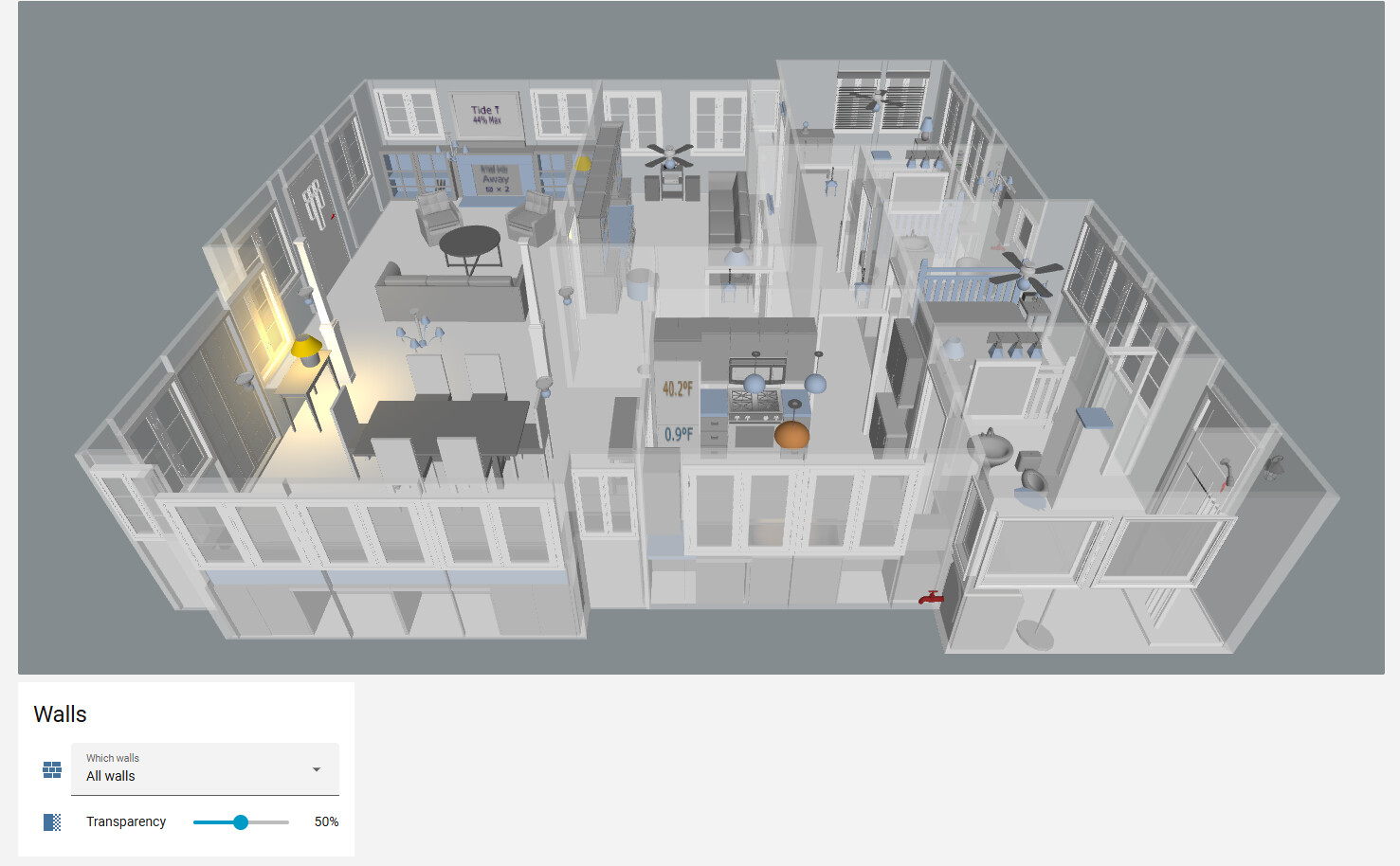
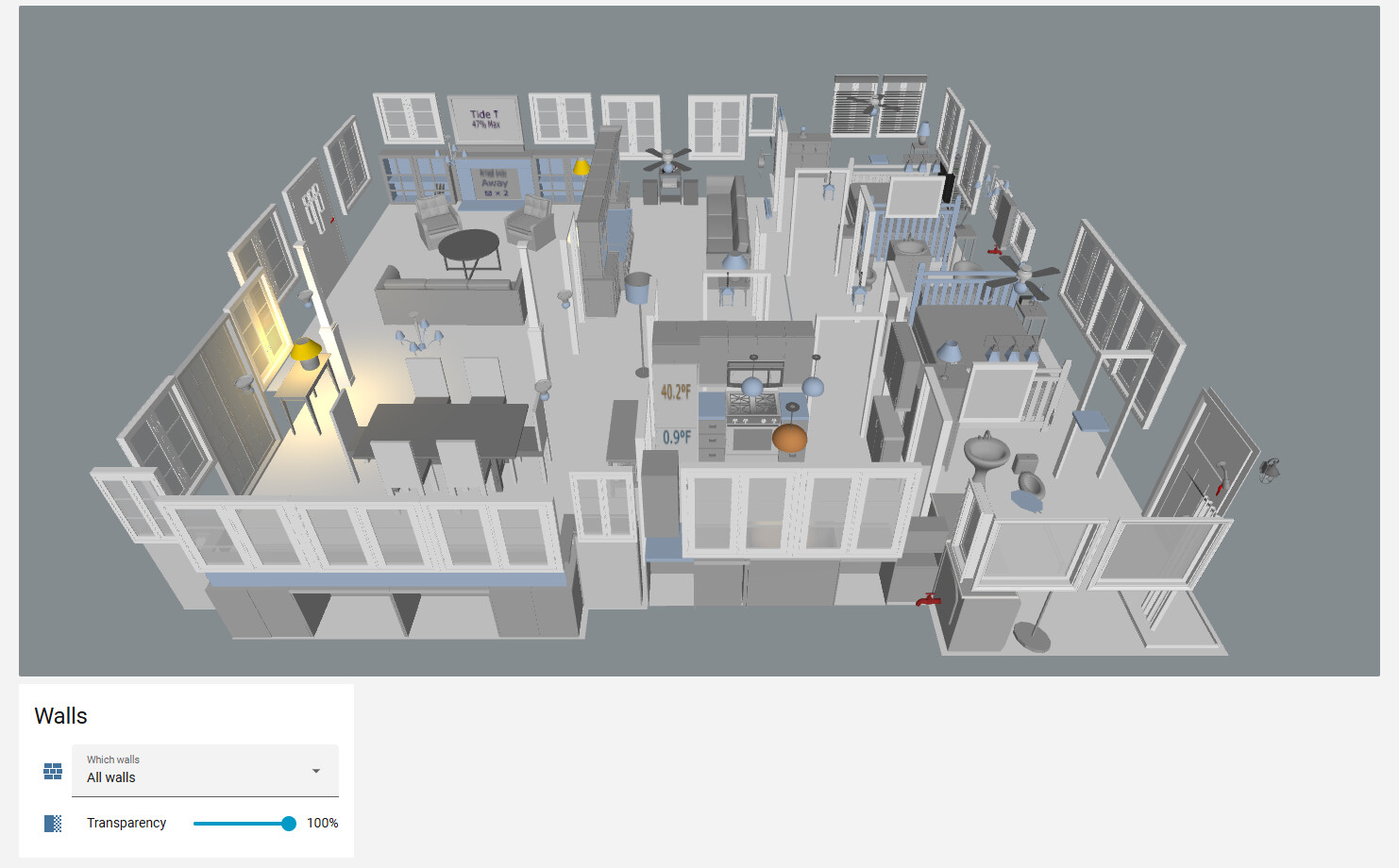
How it works: each wall keeps its material and only its opacity is lowered; a material shared with an object outside the rules is cloned, so that object stays solid. At 100 the wall is hidden, so it stops casting shadows too. With the look themes the edge lines stay, which gives an x-ray outline of the room.
One limit worth knowing: a partly transparent surface still casts a full shadow (three.js shadow maps are depth-only), so a glass table top at 50 looks like glass but shades the floor like wood. Only 100 lets light through.
Also in 1.6.x: the editor’s highlight box around a picked object now follows the object’s own orientation. On a house drawn at an angle it used to be a large world-axis rectangle that looked displaced from the model.
floor3dx-card 1.7.0 → 1.7.3 — cleaner outlines for the look themes, plus wall_seal
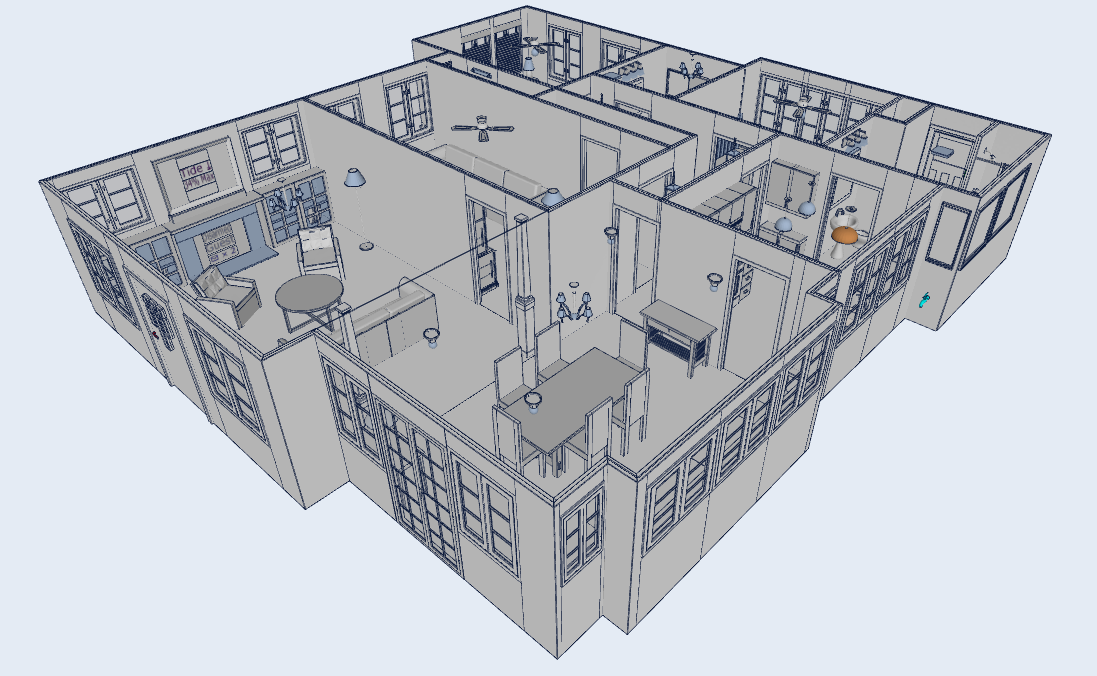
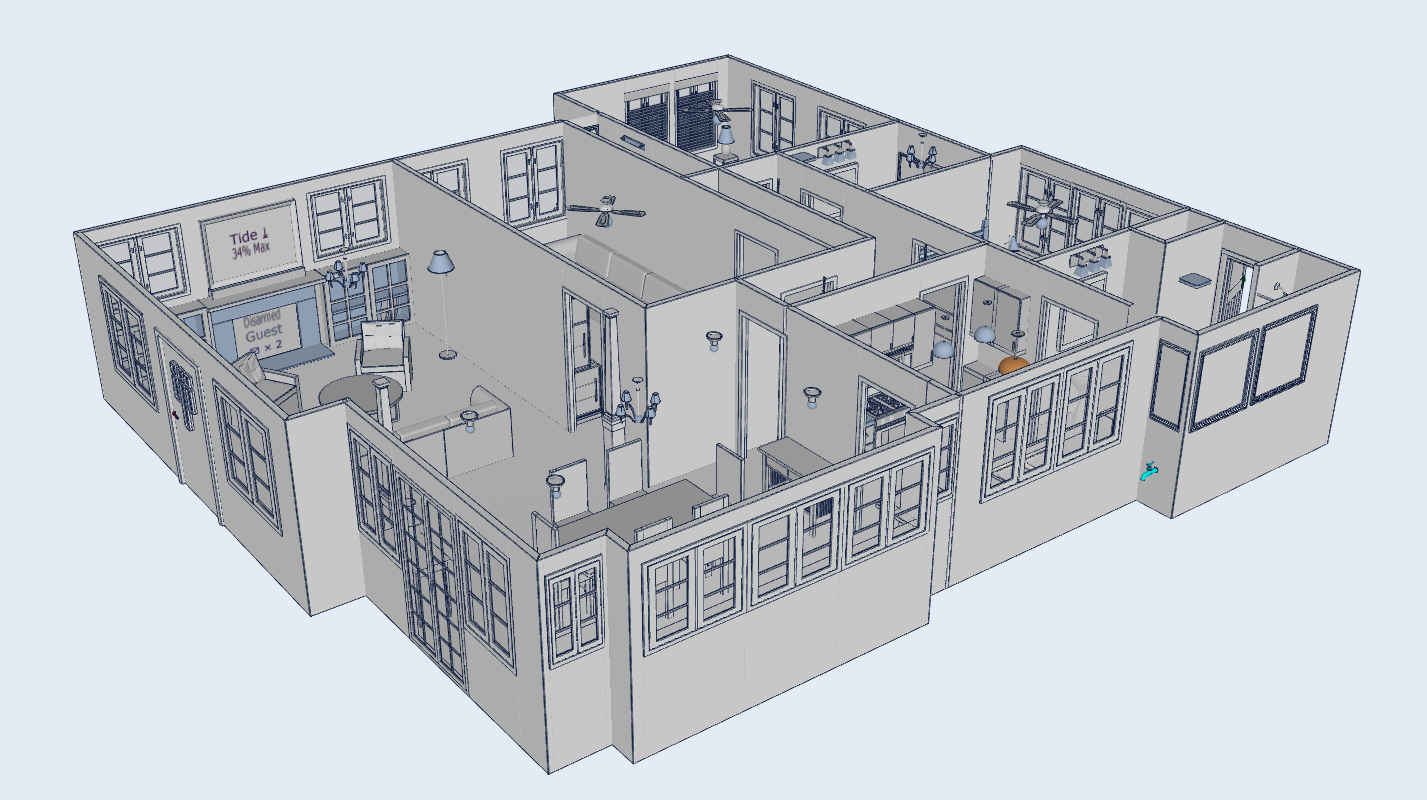
If you use look (Neon / Blueprint / Day), the edge lines on an exported model included things that aren’t outlines: a joint where one straight wall was exported in segments, a vertical line under every window sill and over every lintel (Sweet Home 3D builds such a wall from overlapping pieces), the border between two rooms’ floors where no wall stands, and the outlines of the flat panels that carry text and pictures. New option:
look:
  theme: day
  edge_skip: images, texts, seams, floors
| Entry | Removes |
|---|---|
seams |
joints between wall segments, including the pieces around a window |
floors |
borders between rooms’ floors |
coplanar |
both, for any objects regardless of name |
images, texts |
all lines on the objects of type3d: image / text rows |
Tide*, <frames>, 1_19 |
all lines on named objects, patterns or groups |
Corners, jambs, sills, openings and furniture contours keep their lines: an edge is dropped only where the surface actually continues through it, judged part by part along the edge. Default is nothing skipped, so existing cards look as before. The field is in the editor’s Look section.
Also since 1.6.2:
wall_seal(1.7.2): stretches each wall by a few units at its ends when the model loads, so lamp light no longer leaks through the hairline gap between two segments that don’t quite meet. Off without the option.- Themed views no longer show a broken line across doorways where the wall’s floor-contact face fought with the floor for the same pixels (1.7.2).
- Changing
edge_skipin the editor takes effect on reload without a full page refresh (1.7.2). - The outer edge of a double-sided surface, previously dropped as a two-face edge, is drawn again (1.7.0).
The companion Floor3D Snapshot Card got the same seam logic in 0.5.1, on by default there.
Before (note vertical lines underneath/above windows/doors & lines around text frames):
After:
My fork of the card is updated significantly, and I have created a new thread here: Floor3DX Card: the 3D floor plan card plus two optional companions: a 2D snapshot card and a learning-enabled scheduler