Post removed.
How would using a PoE-splitter for USB-power like you suggest help in a setup for this ZWA-1 USB adapter? Such a PoE-splitter that you suggest only provide USB-power, not USB-data, so will not work with the ZWA-1 USB adapter which communicate over USB-data, (which does not only need power over USB but also needs USB-data too).
It doesn’t”t. I’m a moron- covers the power, but I forgot about the data side. I’m a derp.
Again, my tip is to instead of using any kind a Ethernet-bridge is to just buy and use a a pair of dumb “USB to RJ45” converter-adapters that are passive-plugs which as a set can easily convert practically any good quality CAT5e/CAT6 shielded Ethernet cable into a very long ”dumb” USB extension cable that is pass-through for both USB-power and USB-data. See for example these USB extension solutions:
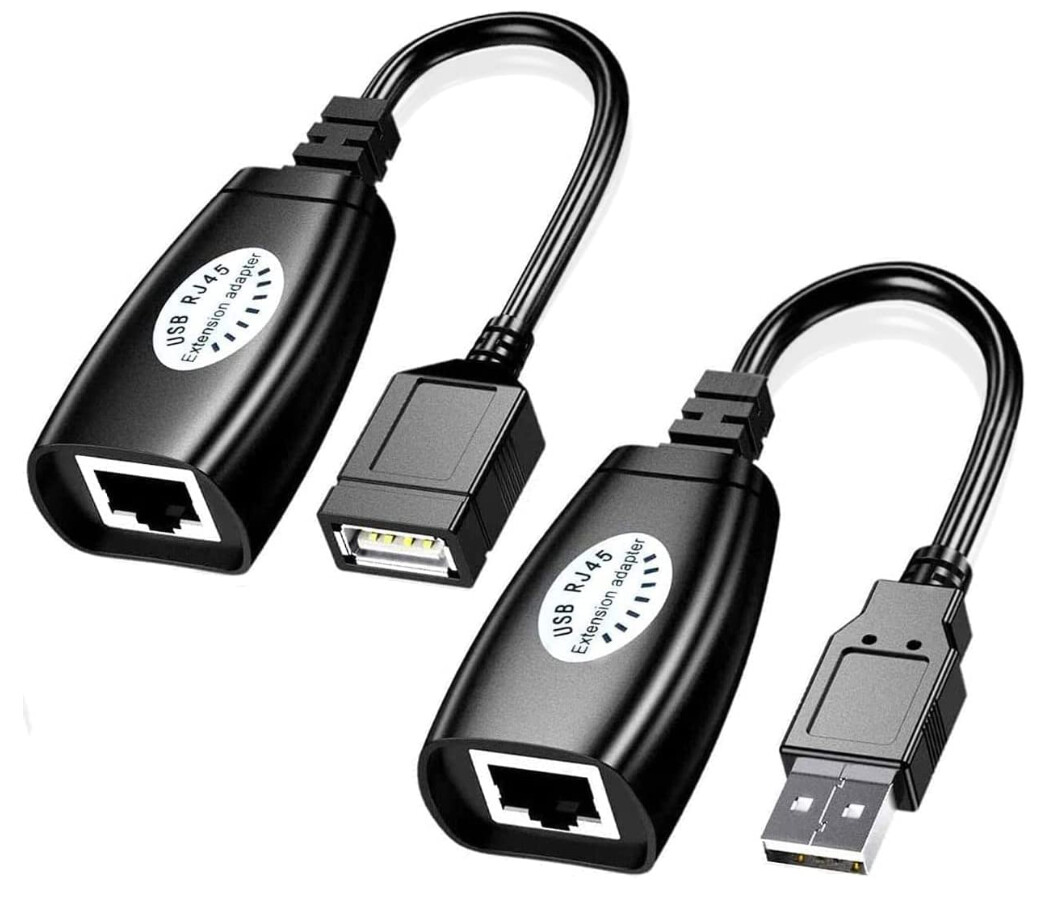
So as long as you can pull an Ethernet-cable from your computer running Home Assistant to the location you want to place this adapter then this can ”Ethernet-cable to USB-extension conversion can be a solution.
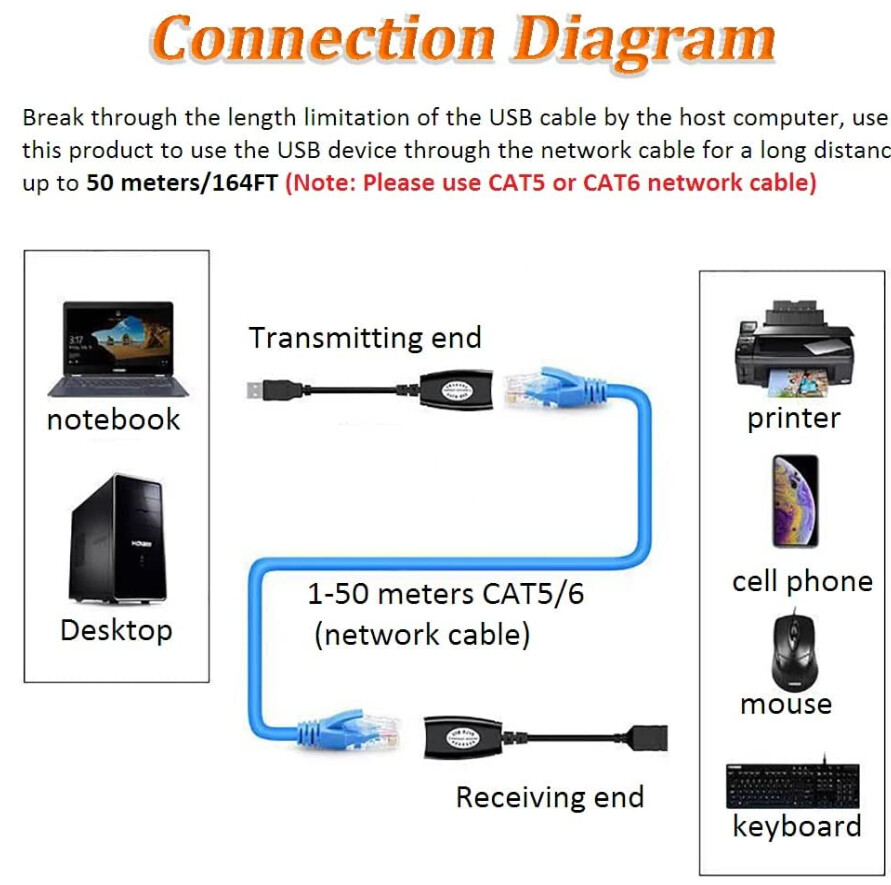
In my opinon I would argue that for my current setup this is actually a better solution than using an Ethernet PoE solution as this has less complexity and fewer things that can go wrong. I even have a powered USB 2.0 hub there for it in the middle of my house where the Z-Wave and Zigbee dongles connect to. Note though that 30 meters or 100 feet is the recommended maximum length if you want to use full-speed USB 2.0 data traffic over a such passive cable:
PS: There is by the way a lot more related tips here a most there also applies to Z-Wave as well:
1 Like
You are not a moron or derp. You are looking forward. I hope that somebody will develop a firmware with serial over Ethernet for this device. You can then place it anywhere . Maybe even with wifi. Home Assistant will then just connect through SoE.
1 Like
Got my ZWA-2 (wow it is big!) and read the migration instructions. Figured out my Zwave-Me UZB stick was on too old a version of firmware for the migration (5.5) and spent a fair amount of time going through their insanely obscure method of identifying an upgrade path and refreshing up to a version which had the right SDK for the NVM backup.
Once that was taken care of, the installation and restore to the ZWA-2 was a dream!
2 Likes
As already mentioned above, adding an optional PHY Ethernet Component module supported by ESPHome firmware to use in combination with a Serial Server component to make it into a Serial-over-IP adapter would be a good idea, but using that over WiFi would be a very bad idea!!! See my previous reply why that is the case and reference links:
Waveshare ESP32-P4-ETH is by the way a new development board with a W5500 (SPI) Ethernet PHY chip that could be used as a reference hardware for an ESPHome-based PoE Ethernet-adapter (without Wi-Fi capability):
Seeed Studio XIAO W5500 Ethernet Adapter is another development product with the same Ethernet PHY chip that could be used to achieve it:
1 Like
Not a solution for the ZWA, but an ethernet Z-Wave coordinator is actually available for testing. I have one on the way!
TubeZB has for quite a while also been selling Z-Wave PoE Radio and TubesZB Dual Radio kits made by active community member tube0013 using open-source ESPHome-based firmware:
He has also posted in his discussions section that he experimented with DIY universal USB-to-Ethernet Serial-over-IP adapter (just as proof-of-concept), so check out the discussion here where he also posted some working ESPHome YAML code minus the correct USB Host VID/PID and USB UART mappings that you need to change for the desired serial controller plugged into the USB:
2 Likes
Well, I tried following scenario 2 on the Migration page, since I have the Z-Wave JS UI add-on installed.
All went well until step 3: Enable the Z-Wave integration again.
I assumed this means go to
- Go to Settings > Devices & services and select the Z-Wave integration.
- Select the three-dot menu and select Enable.
The problem being that the Z-Wave integration is no longer showing on the Devices & Services page, so I can’t select it.
I now have the issue that while I can use the Z-Wave JS UI to control my devices, they are all showing as unavailable in my Dashboards (presumably because these are being fed from the Z-Wave JS integration that no longer exists).
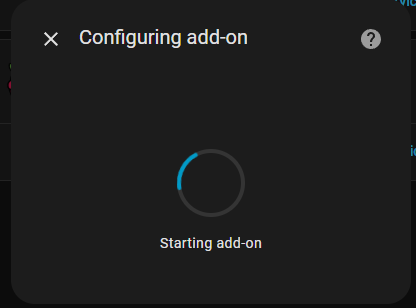
I tried to add it back again but I just get a never-ending:
Any ideas of how I can climb out of this hole? Thank you.
It would remain if you disabled it, did you delete it accidentally?
Nope, definitely disabled it…
Then the integration will show up on the integration page. Can you take a screenshot of your integration page?
Disabled integrations are hidden, you have make them visible.
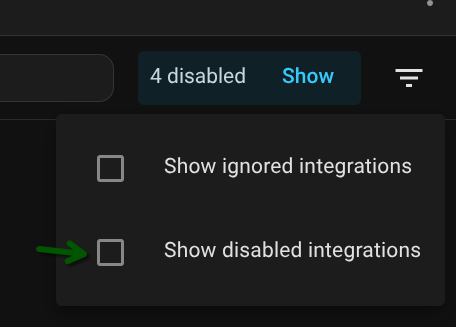
But now you might have re-configured the integration to use the core add-on, so you might have to re-configure it again to point to Z-Wave JS UI.
4 Likes

Aha! why couldn’t the Migration steps make this clearer fer gawd’s sake?
OK - panic over - the system now seems to have got my devices back and restored functionality to my dashboards…
Really appreciate the info! Most everything is on backorder, but I’m definitely going to test both options.
Well well, looks like the cat is out of the bag on Home Assistant Connect ZBT-2 with these pull requests submitted to be merged the upcoming Home Assistant 2025.9 (for beta-testing?):
Unless it is a typo and they meant ZBT-1 instead of ZBT-2, however comments makes it unlikley:
“Create a new integration for the Home Assistant Connect ZBT-2. This is functionally identical to the ZBT-1 integration (with hardware variants and multi-PAN removed).”
“This adds documentation for the Connect ZBT-2 integration. Like the ZBT-1 integration, this is a stub that points to a documentation page (TBD).”
Pages does not exist or is not public yet though (which is understandable until an official launch):

Anyway, here is to hoping radio chip components on its board has a RF Shielding metal cover.
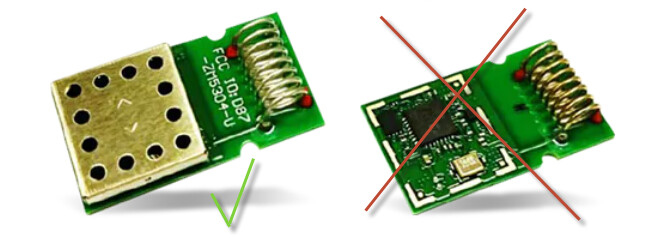
regarding improving the hardware design of the circuit board all type of radio adapters, I am curious if and why it was decided not to add an “RF shield” covering (e.i. an EMF shielding plate cover for electromagnetic shielding / EMI / RF shielding for faraday caging) on top of the Z-Wave radio chip and its components on the PCB?
3 Likes
I have bricked my ancient Gen 5 Aeotec stick in an attempt to upgrade to fw 1.2. Too bad. Now I need to rebuild my network from scratch. I have around fifteen units, so it is a doable nuisance.
I have used a Windows VM in Proxmox in absence of a physical Windows machine at home. The USB pass through did not play nice with the firmware update. Dead stick. Luckily the ZWA-2 is arriving today. Let this be a warning to others in a similar situation. Use a physical Windows machine.