This advice I just gave someone else should help.
Also this advice as I did some testing to figure this crap out.:
I also updated Github and the top document here to contain these instructions. No code changes happened, just the helper file and the community forum post here.
- 2025-02-10: Added section to explain how to interview and change Action / Scene Mode in ZHA
Hi, for some reason I didn’t get any notification about your response! I’ll look in to this and get back to you 
As far as I can remember, I was only using your blueprint and dimmer script blueprint with no tweaks but let me confirm, thank you so much for coming back to me!
how do I download this blueprint?
Use the link in the top post.
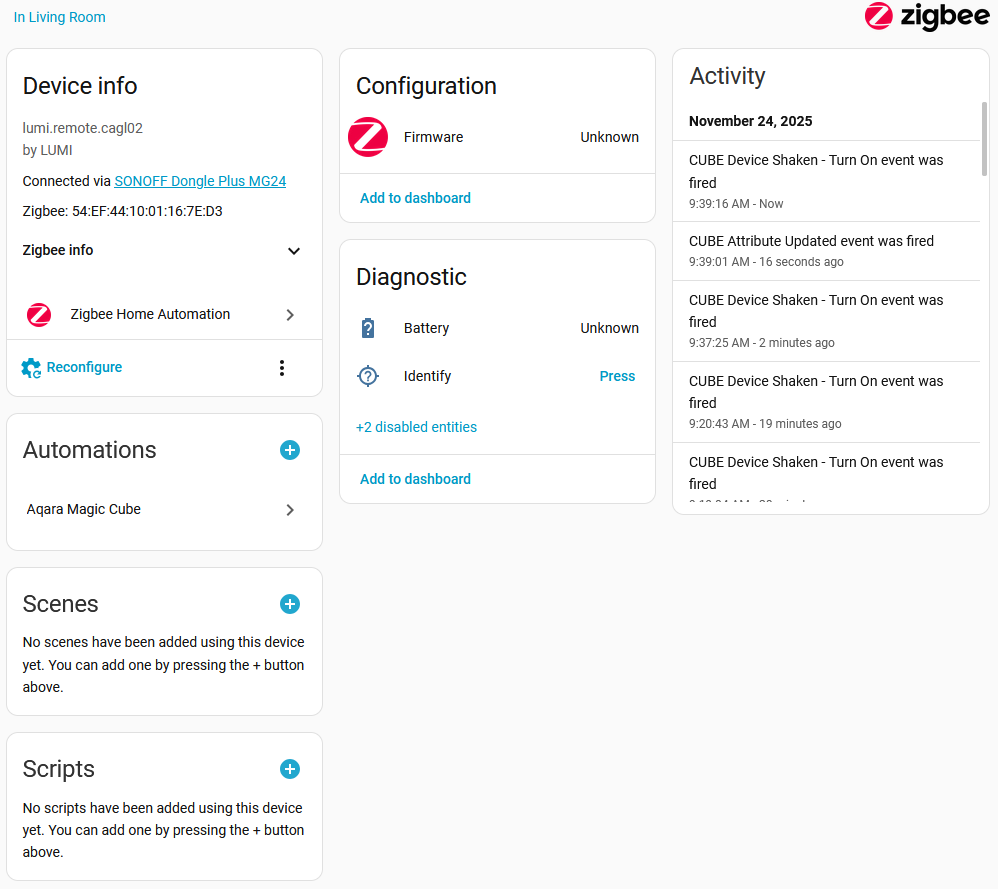
I am having trouble getting more than one function. “Shaken” works and nothing else I have done triggers an event, other than what appears to be a mode change after pressing the button five times.
I have removed and re-added the cube a couple of times. I have rotated it every way on a flat surface and tapped it once, twice, or three times gently and not so gently. I have tried it at my desk, where the interview and other devices work well, but also within 8 feet of the antenna. No activity appears. When I shake the cube, that is registered immediately and consistently.
An automation based on shaking works fine. I tried a few others and nothing happens.
One thing I picked up here was to be sure the interview completes correctly. The last time I waited much longer than before and it went from saying the interview was complete (I always waited for this) to saying the device was ready to use. No change in behavior.
Any ideas?
In the screen shot the “Attribute Updated” event appeared after pushing the button five times.
I am assuming you have the newer style ‘pro’ cube, identified by the dice arranged dots on each side, correct?
It appears to me like it’s still in scene mode. You have some activity so the connection and interview is OK, but you have a limited action set. That generally means you are in scene mode with the cube and not action mode.
If you are switching modes and see the 'Attribute Updated" message, you are going too slow. See below.
Specifically this section:
Now, how do you change it…
I found if you click it 6 times slowly so it blinks between, it just registers a button push in the log and nothing happens.
If you hold the button too long, it tries to re-interview.
If you click the button 6 times quick (no flashing between), the log doesn’t show anything, but the mode changes. You should see a switch to the other function list above and it has switched modes without telling you bupkis. Also, that sucks.
I just tested this all on mine and this is what is happening. Scene mode is only shake, so basically useless on ZHA. It can be useful on Z2M. It’s basically the cube firmware and the fact that there is not a true quirk for the pro cube in ZHA.
If someone knows how to do a quirk, I’m willing to help fix that. Have had that offer out for years now.
Thank you very much!
I failed to understand that seeing only Shaken was an indicator of being in the wrong mode. Everything is working now.
1 Like