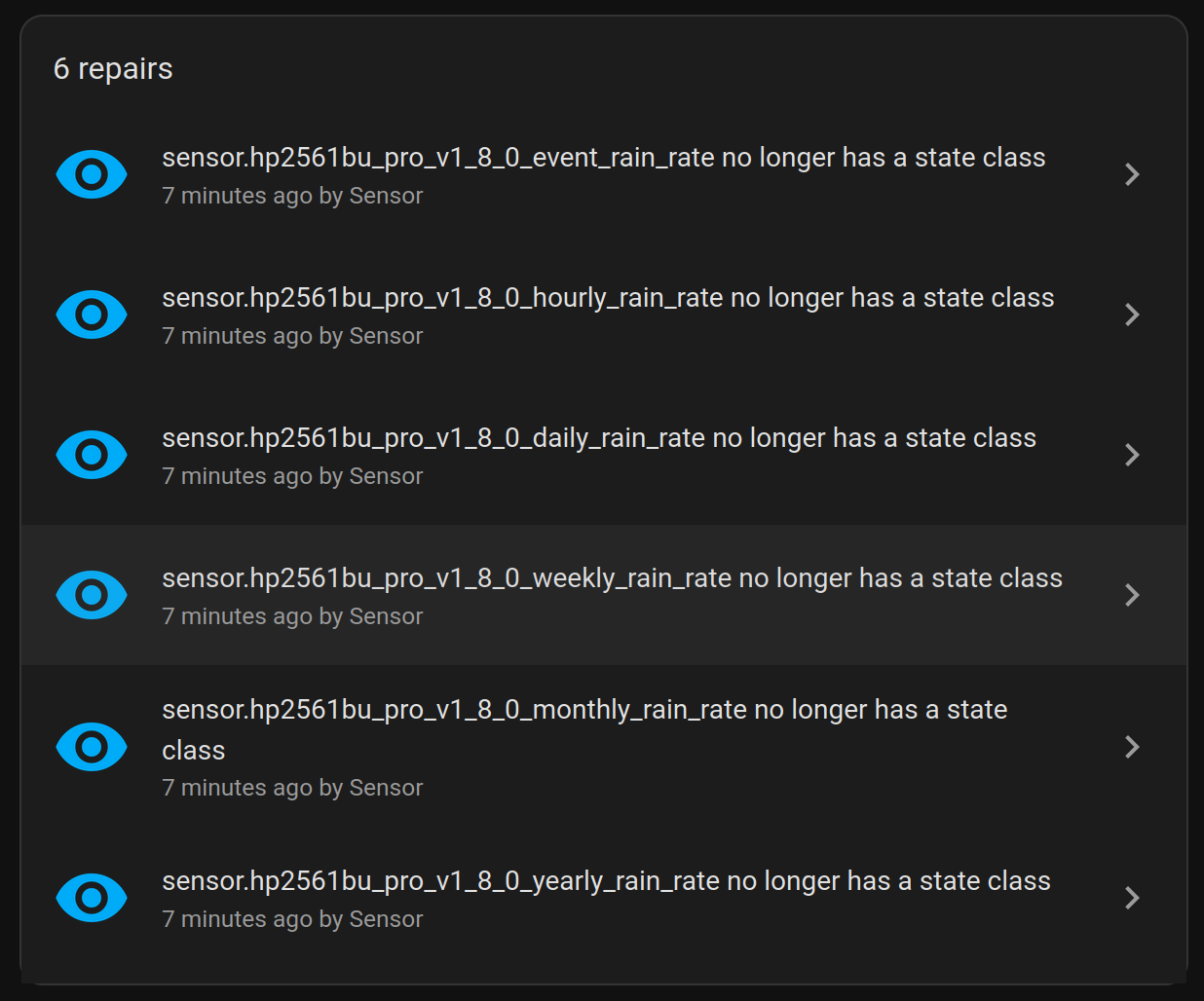
After update the update I received a group of six repair reports as attached.
I really don’t understand all of this, just reporting what I see.
Below is the detail of one of the six reports.
******** error message is below these asterisks ************
The entity no longer has a state class
We have generated statistics for ‘HP2561 Event Rain’ (sensor.hp2561bu_pro_v1_8_0_event_rain_rate) in the past, but it no longer has a state class, therefore, we cannot track long term statistics for it anymore.
Statistics cannot be generated until this entity has a supported state class.
If the state class was previously provided by an integration, this might be a bug. Please report an issue.
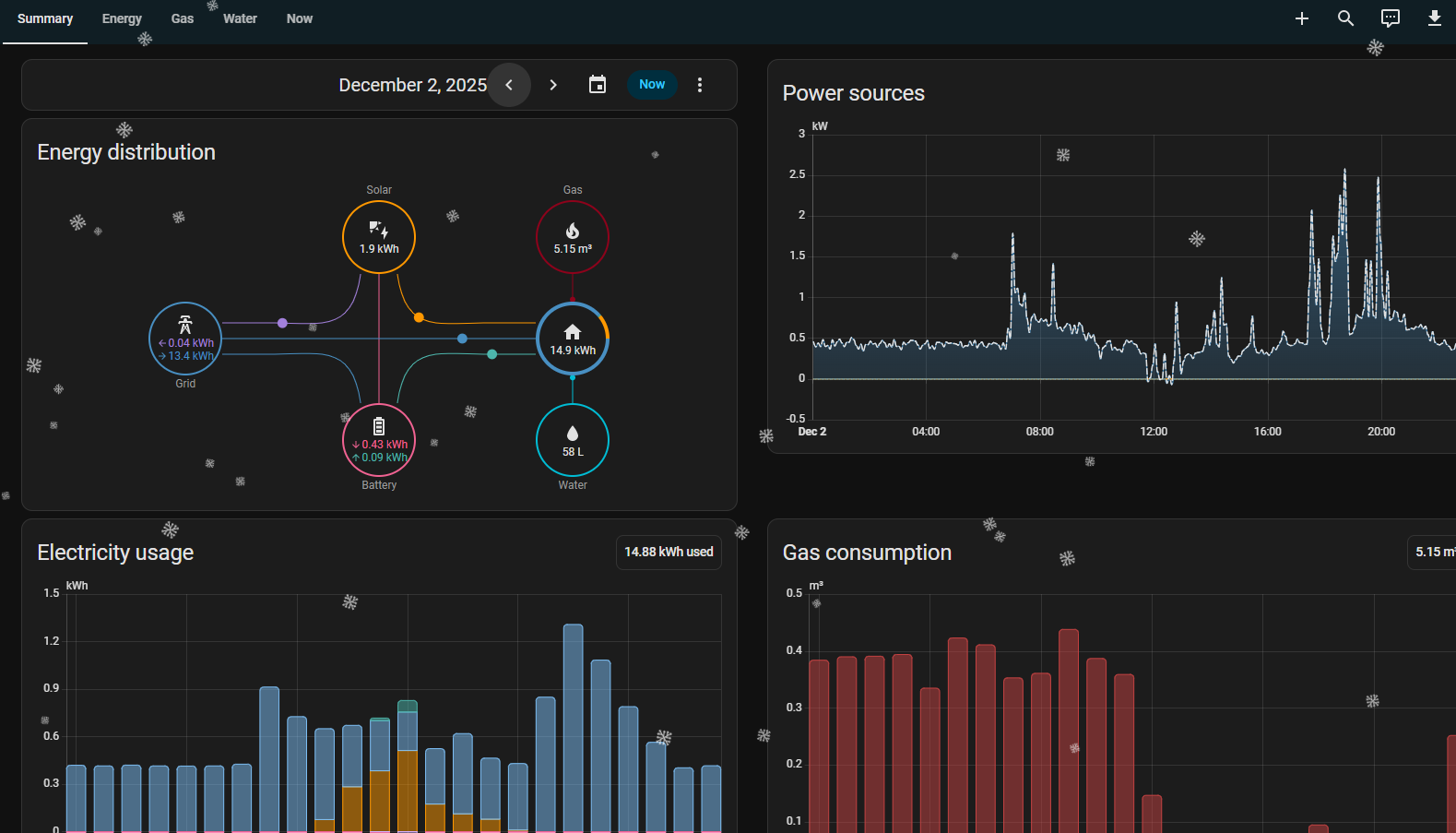
Now that you’re updating the energy dashboard, how about adding district heating? In Finland we have it instead of gas. It’s hot water measured in kWh.
Now, that water consumption is more prominent, there is a localization problem with “litre”.
it looks like in US/GB we use “L” (capital L) and
in most of Europe we use “l” (lowercase L).
At the moment litre is capital “L” for all languages/regions, which looks strange for my eyes in Europe. Perhaps there is a case to introduce not only a language-setting, but also a region-setting to adress this?
I don’t know if this is already answered somewhere. I upgraded to 2025.12 last night. This morning when I opened the home assistant app, I was shown an overlay about whether I want a more secure or less secure access to my home by sharing location details. I was in a hurry, so I closed the dialog, but now I can’t find it anywhere. Can I trigger it again, or can someone tell me what setting it toggled?
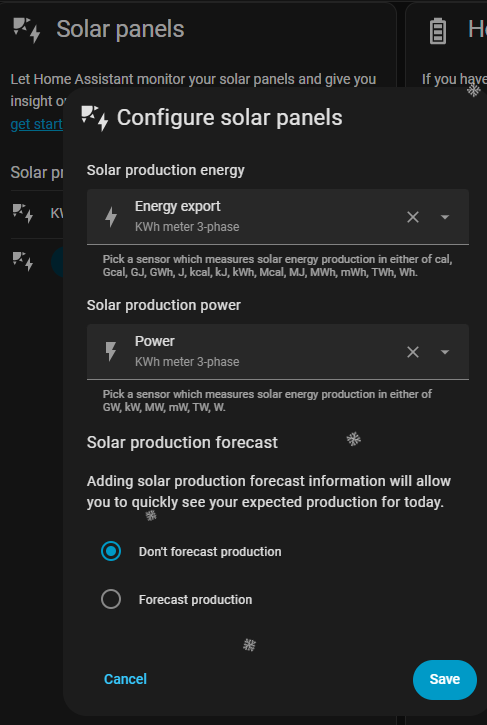
About the new power sources, i added the solar power also, but in the power sources graph i dont see anything solar (yellow)? what am i missing ? configured the solar like below
Regarding the new energy dashboard: nice for the new real time features. But: I had everything configured and already had a mass of historical data. I just added the new power sensors for my devices.
Did I lost all my historical data? Also I have no new areas like “Energy” or “Summary”
Agreed. Same in many other parts of europe. We even have separate tabs for electricity, water and gas now, but still not even the option to select or rename our heating source/type.
So, that is actually quiet simple. Litre is an unit from the SI ( International System of Units) and that states:
The litre, and the symbol lower-case l, were adopted by the CIPM in 1879 (PV, 1879, 41). The
alternative symbol, capital L, was adopted by the 16th CGPM (1979, Resolution 6; CR, 101
and Metrologia, 1980, 16, 56-57) in order to avoid the risk of confusion between the letter l (el)
and the numeral 1 (one).
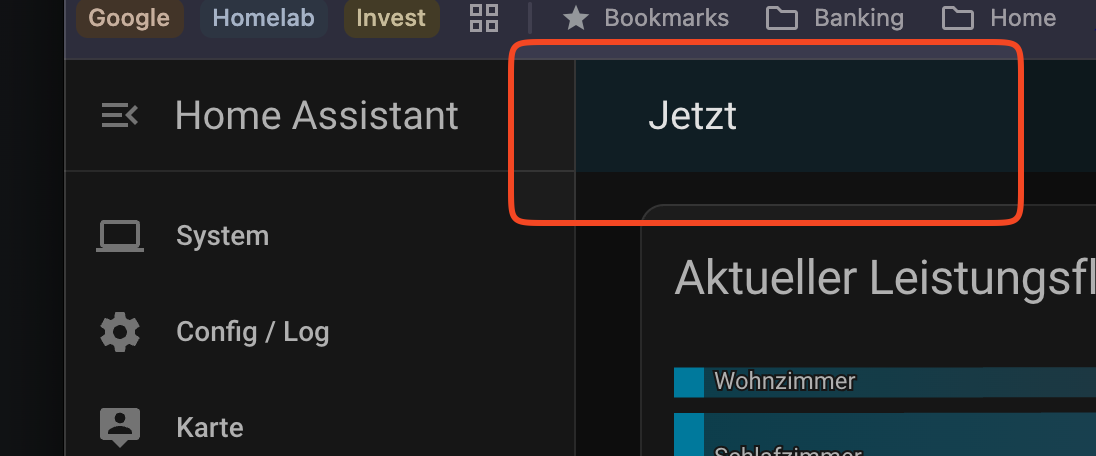
Yes I see the sankey for power - but I have no option to switch that or add the historic data to this dashboard - or I am blind. I had my historic data before the update on my energy dashboard.
Also I cannot switch to other views - I only have “now” as option