Hello everyone. I have a question regarding the Schedule Card. Is there a way to display only the graphical part of the schedule, without the textual informations such as ID, Name, or Room/Device assignment? It seems this was possible in a previous release, but I can’t find the options anymore.
I would also like to take this opportunity to thank Angelo and the community for the tremendous work on this integration
To be fair to them they have been good in my interactions. They proactively picked up on the fact I was using Home Assistant and didn’t treat me like I was an idiot - which is always a good sign.
I’ve started the process of getting it swapped out for a new one. Let’s see what happens!
Hi - I’ve tried searching on this and can’t find anything - can HA write directly to the CH1 and CH3 relays via this integration? I can see that wiser is short cycling my boiler on CH1 and I need to drive CH3 completely differently as i’m using it to control a wet UFH pump and have my own thermocouples installed
I’m very nearly at the end of my tether with the Wiser Heathub which I’ve had for nearly 5 years with 8 TRVs. It works for months, integrates with HA, but periodically becomes inoperable due to dropping it’s WiFi connection. Then, as now I waste hours troubleshooting etc. I’ve tried so many network changes that I’m not just running out of ideas, I’m running out of patience.
Is anyone using Wiser TRVs without the Heathub with HA?
I managed to connect Wiser iTRVs to ZHA some years ago. It was just to see if it was possible - i dont remember it being difficult. Since i didnt have a reason to do it beyond curiousity I didnt keep notes on how i did it but it was definitely possible.
I also struggled with the hub WiFi connection for a while. In my case it was to do with poor signal strength at the location where my hub had to be located due to the original wiring of the boiler thermostat. I spent a lot of time ensuring that the zigbee channels in my home didn’t overlap the 2.5 GHz wifi channel which improved things a bit. In the long term adding an access point that improved the signal strength resolved the issue completely.
The WiFi strength is an attribute of the HeatHub signal entity. I found it very helpful to chart this - I could then see the signal strength was very low and thus more prone to interference from other things using the same frequencies such as neighbours wifi, my own zigbee networks (wiser + zha) and microwave ovens. It definitely didn’t help that my fridge was in the line of sight between the hub and the access point.
I made a template sensor for the wifi signal strength detected by the hub with this yaml:
Davids already commented, its possible but not worth it, all you get is a dumb trv, no scheduling and so on. Like dave i connected by itrvs to ZHA just for giggles… My suggestion is to get another router closer to the heathub
Sorry this is slightly delayed :-). Can I ask something, with an OpenTherm gateway in between the Wiser hub and the boiler. Is Wiser in dumb relay mode and the gateway dealing with everything or can Wiser still be in OpenTherm mode and the gateway have a master and slave?
Thanks
Have folks here found that Comfort smart mode worked well for them? I have a gen1 two-channel hub with Comfort turned on but after a few weeks it is still not turning on the heating early enough to reach the target temperature in the morning (best-case it switched on 50 mins early but still missed the target - needs to be 2.5h+ to hit the target every day during winter).
I was thinking about creating a HA automation to do something similar (e.g. 5.30am if temp < x, then advance schedule early, based on how fast I know my house heats up). Does anybody have an example of how to advance the schedule with the wiser integration? Or “advancing the schedule” is just using the climate.set_temperature under the covers?
Is that “Comfort” mode or “Economy” mode? “Comfort” mode keeps DHW heated so when you run a tap you should get hot water quicker. “Economy” mode should learn and make sure the room is heated in time, I don’t know its limitations however or how long it takes to learn etc.
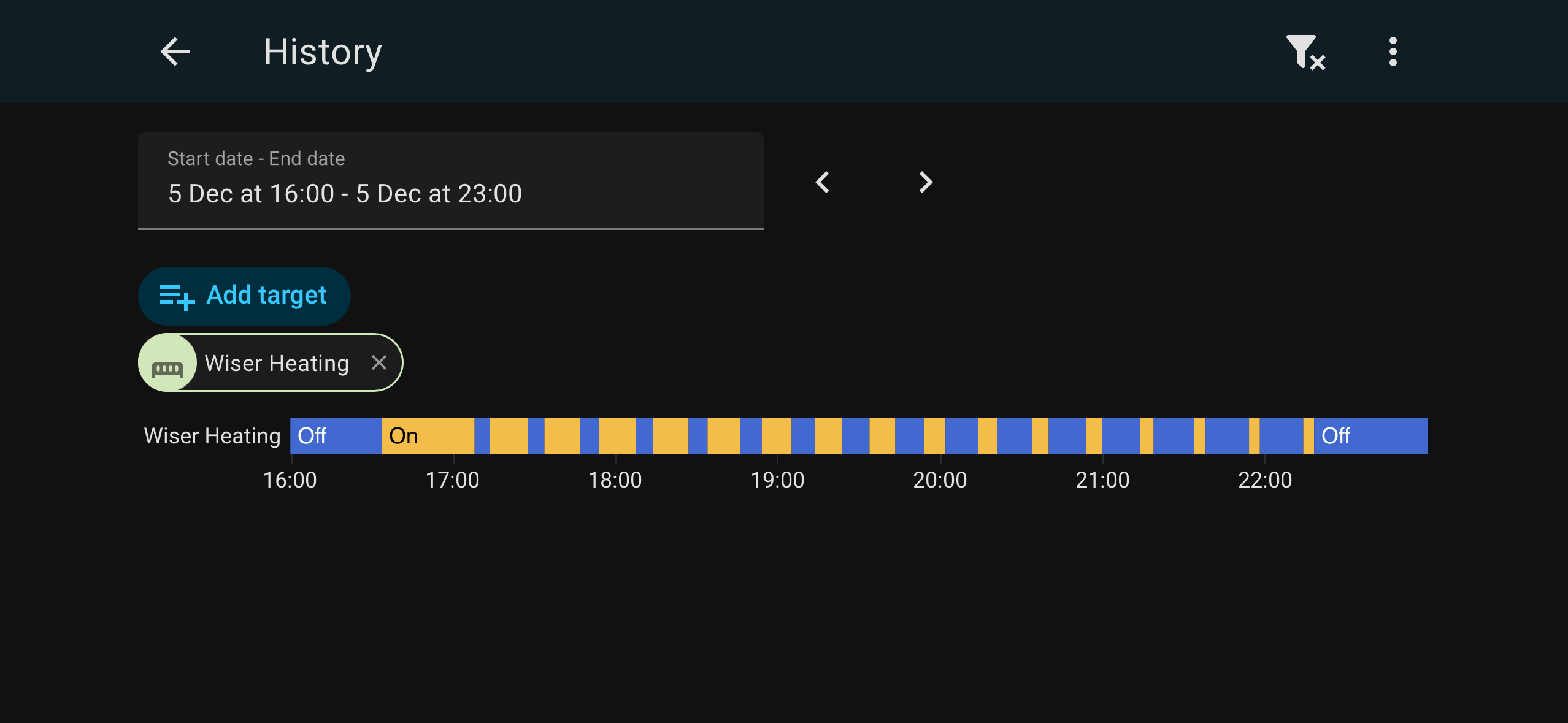
I have purchased the 2 channel wiser system about a week ago and is working quite well. Last week I added the HA app for wiser and have setup some scripts to turn on the heating for two hours which I added to a button and it was working fine until today, I pressed the shortcut button for the script in HA and it was not turning on the heating. When looking at the wiser home app (official from the app store) the flame icon was turned on for heating but the boiler was not on? Any ideas what is wrong? In my script I set the “Set the room target temperature for the boost period” to 27 degrees, each time the room in the wiser thermostat was showing 15 degrees. The setup is for my parents and they are already asking for the old system back as they don’t have much faith in this Any assistance would really be appreciated. Eco mode and comfort mode are not enabled. Attached is the script I have configured.
EDIT I have tested again and the heating did turn on after about 5 minutes after pressing the shortcut, is this just a timing thing and a delay should be expected some times?
Does this integration support the adoption of new wiser devices by a wiser hub? It seems like I can do pretty much everything without the wiser app or even an internet connection for the wiser hub (put it on a separate network and can only see the HA server) with the exception to adopting new devices.
I’m not quite sure if this is something Wiser related or heating system related but will post anyway and thoughts welcome.
In our living room we’ve got 3 radiators. I’ve grouped them on the Wiser app so that you can adjust the temperature once and it will impact all 3.
I can’t seem to find details of each radiator now though so see if the radiator is functioning (eg % of demand).
2 of the 3 radiators work fine (as do others in the rest of the house). We’ve got one though which is pretty temperamental. Sometimes it decides to come on and is working fine (no cold areas of the rad), other times it decides it’s not going to come on.
I wondered if it might have been the setting to shut off the radiator when a window is open - but I’ve switched that off and the same issue persists.
I thought it might be a blockage somewhere in the system, but not quite sure in that case why it would still come on at times.
Any thoughts - what’s the best way in the app / on home assistant to see what is happening with the individual rad?


 Any assistance would really be appreciated. Eco mode and comfort mode are not enabled. Attached is the script I have configured.