I do not understand anything about this Reddit thing. I do not even know if my post is visible, apparently you need some kind of points. 
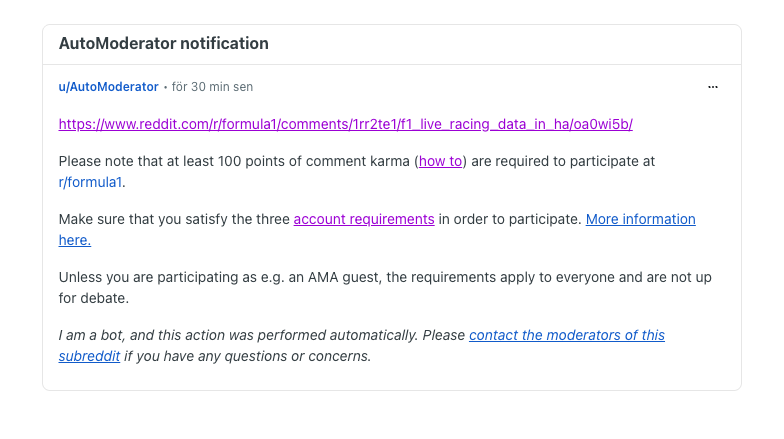
Basically interacting, commenting and using Reddit gets you Karma. It’s basically a reputation score representing your community standing. The formula 1 subreddit most likely imposes 100 karma requirement to ensure engagement bots don’t flood the subreddit
1 Like
Ok, I think I am to old to learn a new social plattform 
4 Likes
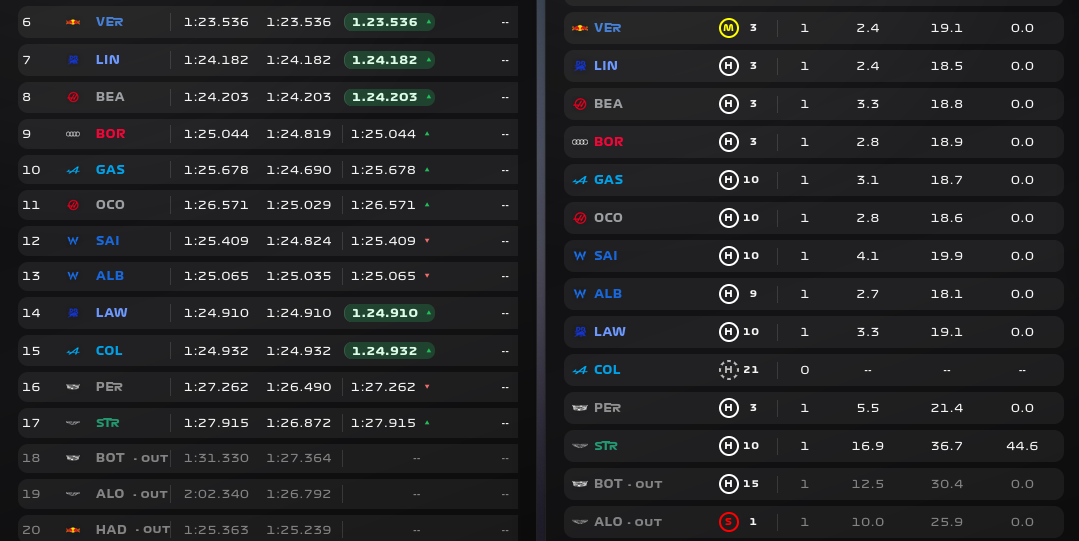
Would it be possible to get the row sizes of the driver lap times and pit stop & tyres the same? So that if you place the 2 cards next to each other they line up.
1 Like
I had not thought about that, but you are right, it makes sense to keep it consistent. I will take a look at it.
3 Likes
Great work, could you add status as text too, as I can’t create a light group for things like Ambilight TV, but I may be able to have a separate automation that picks up a change and updates TV backlight.
Thanks again!
Don’t really understand what you mean about as text? Can you explain a little bit more?
Hi, could you maybe do the same for the Investigations and Track Limits cards, as side-by-side, these two are also slightly out of line. Many thanks 
Yeah, I am working on cleaning everything up right now.
2 Likes
Hey guys, I made this F1 Marshal Panel for F1 Sensor for Home Assistant
2 Likes
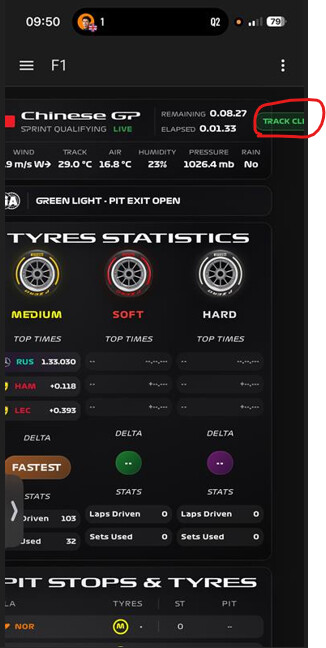
At the end of the sprint qualifying I saw that the driver times stopped updating as soon as the session had finished status… but actually the last drivers still were setting times. Is there a way we can keep updating the data untill all drivers are in pit?
Or just keep a 2 minute extra time after session finished?
Now the driver laptimes are not updated with the latest data…
4 Likes
Also noticed the same issue this morning in the Sprint Qualify that lap times are not updated properly in the end.

I don’t think so. It’s a bug that has been identified and will be fixed in the next update.
2 Likes
I made a card that will help you watch replays. It’s simple.
type: vertical-stack
cards:
  - type: entities
    title: F1 Replay Selection
    entities:
      - entity: select.f1_replay_year
        name: Season Year
      - entity: select.f1_replay_session
        name: Race Session
      - entity: select.f1_replay_start_reference
        name: Start Reference
      - entity: button.f1_replay_load
        name: Load Session Data
  - type: entities
    title: Playback & Sync
    entities:
      - entity: sensor.f1_replay_status
        name: Current Status
  - type: horizontal-stack
    cards:
      - type: button
        entity: button.f1_replay_play
        name: Sync / Play
        icon: mdi:play-circle
        show_state: false
      - type: button
        entity: button.f1_replay_pause
        name: Pause
        icon: mdi:pause-circle
        show_state: false
      - type: button
        entity: button.f1_replay_stop
        name: Stop Replay
        icon: mdi:stop-circle
        show_state: false
  - type: horizontal-stack
    cards:
      - type: button
        entity: button.f1_replay_back_30
        name: Back 30s
        icon: mdi:rewind-30
      - type: button
        entity: button.f1_replay_forward_30
        name: Forward 30s
        icon: mdi:fast-forward-30

4 Likes
That’s an awesome and very useful card. What theme are you using, I love it.
1 Like
frosted glass dark is what I have going on with a default on the screenshot since it’s new. I’m happy because it just works. Get to your point, press start and you’re gold. I watched 3 races today to check. Doesn’t matter the source either so that’s a bonus.
Thanks for the nice words, and I hope more people are able to use this as a remote for their replays.
1 Like
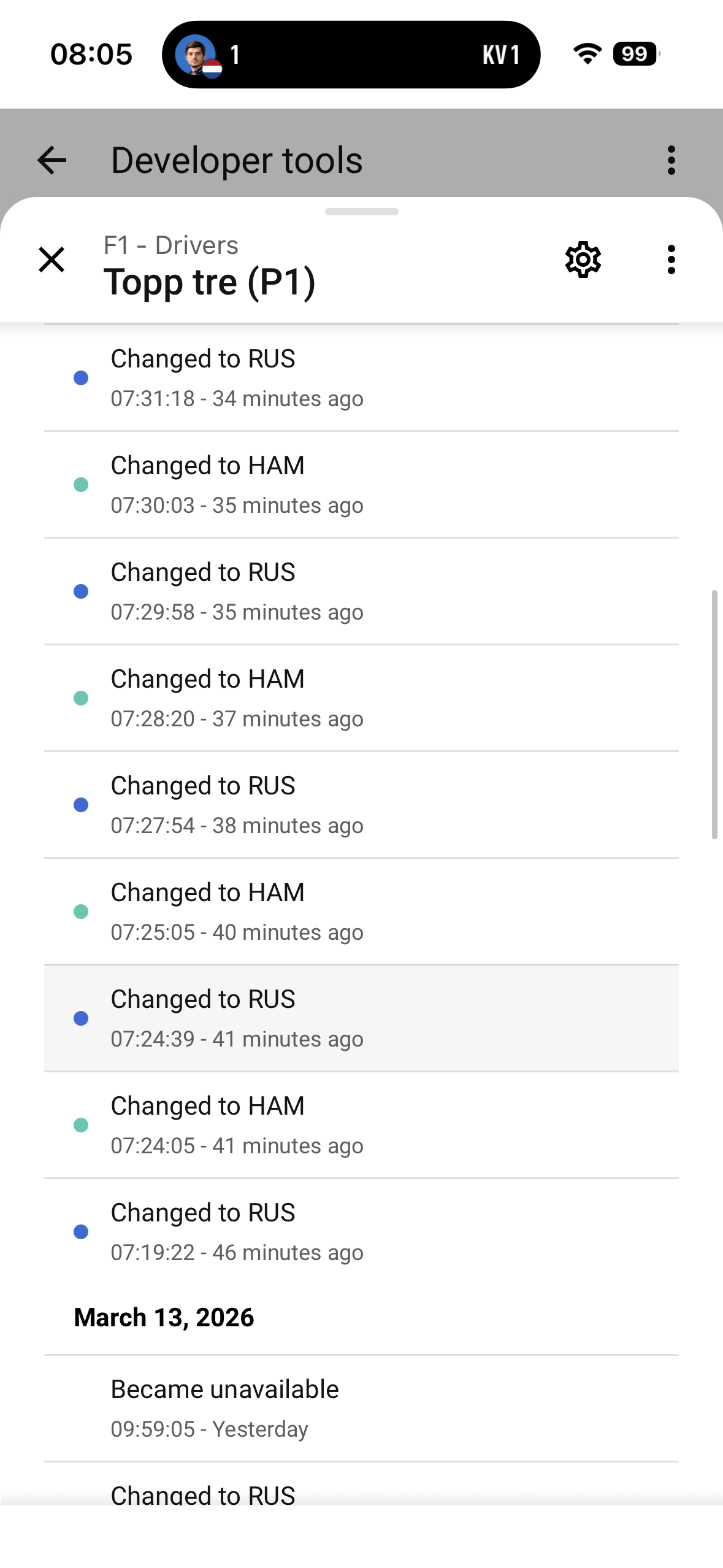
@Stimo is it possible to pull current race leader live during a session? I thought maybe this sensor.f1_drivers_top_three_p1did that but I monitored it during the sprint today and noticed it never changed. P1 was always RUS, P2 always, ANT, and P3 alway NOR. Now that sprint over they match the finish 1,2, and 3. So is this just top three of last race?
Thanks!