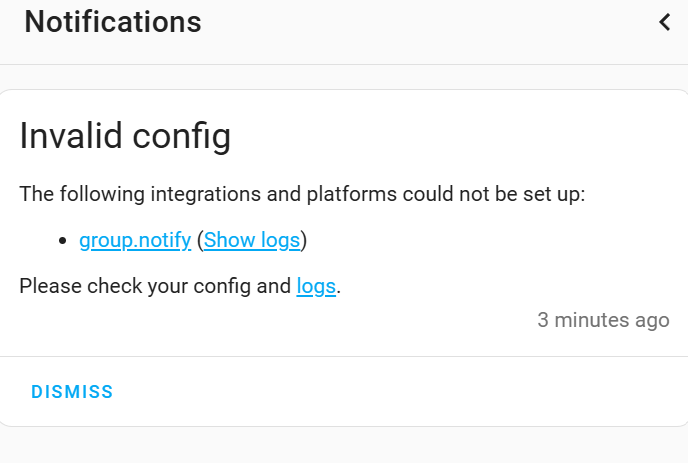
I am missing something, I have tried everything I can to get an automation to send an app notification to two devices rather than one.
-
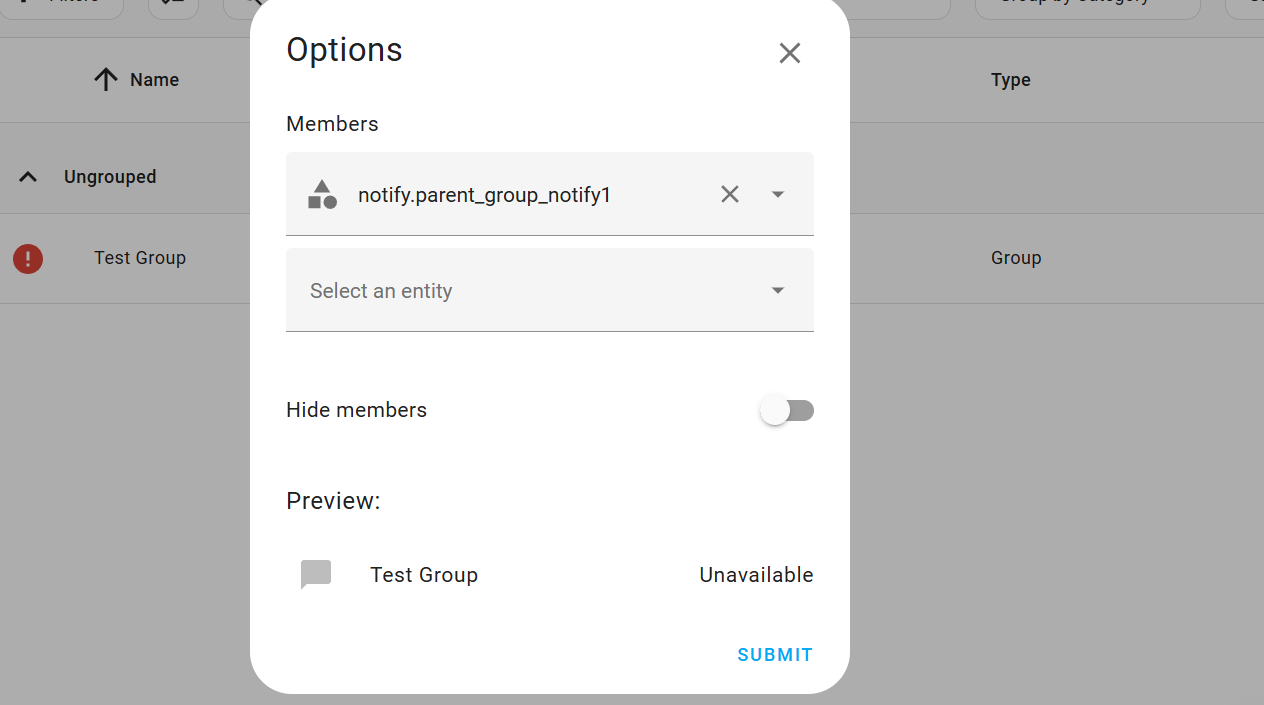
I tried setting up a group through the helper, but as I understand it this only will work with integration that have the group notify entity and the app does not have that.
-
I tried creating a group in the configuration.yaml like below:
notify:
  - platform: group
    name: "Parents"
    services:
      - service: mobile_app_ja_9pxl
      - service: mobile_app_ju_9pxl
then trying to send from an automation via notify_group: Parents
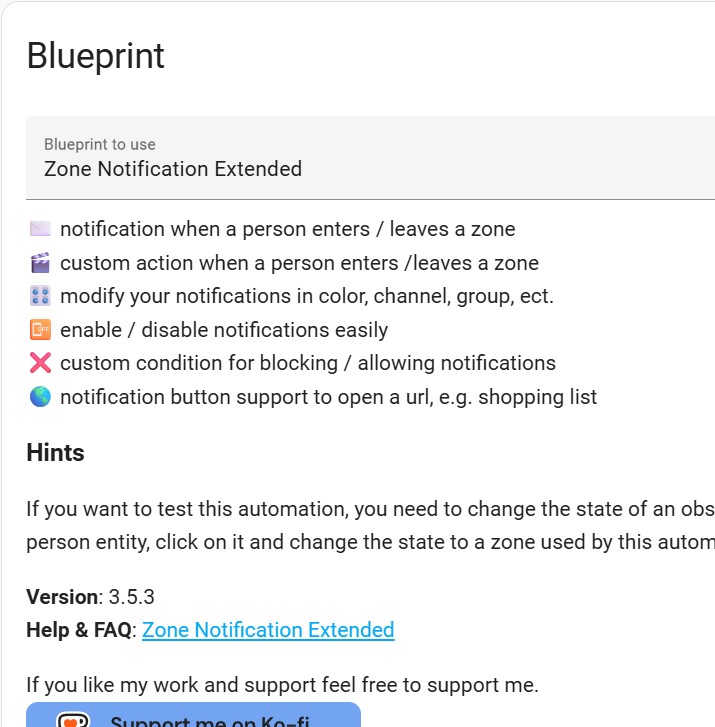
blueprint says to use Group - Home Assistant for more info
I tried setting up a group with the devices as entities, and I just figure out what I’m missing it has to be easier. I reboot HA after each config yaml update as well to make sure its not that.
That is the correct way, though your sample targets the same service twice.
Make sure the YAML has been reloaded by restarting Home Assistant. When it is loaded, the service title you find in automations and script should be “Notifications: Send a notification with parents” and the service/action ID should be notify.parents.
so i thought each device I wanted to add to the group I would put in the list under services is that correct? or am I doing that part wrong?
services:
- service: mobile_app_pixel_1
- service: mobile_app_pixel_2
- service: mobile_app_pixel_3
and so on? and then for the automation I had
notify_group: Parents
It is difficult to know what you are asking when you only post such short snippets… the notify configuration you posted in the first post is correctly constructed, it just named the same service 2 times.
I don’t understand what you are actually saying with the following:
The full action in a script or automation should look like:
action: notify.parents
data:
  message: Hello Parents!
  title: This is the Title
  data:
    #whatever other data you are using
This is my whole section from conifguration.yaml
notify:
  - platform: group
    name: "Parents"
    services:
      - service: mobile_app_pixel_1
      - service: mobile_app_pixel_2
I was using an automation blueprint (zone extended) that has a section for the group notify, here is the whole Config for that.
alias: Work
description: ""
use_blueprint:
  path: panhans/zone_notification_extended.yaml
  input:
    persons:
      - person.jared
    zones:
      - zone.work
    notify_group: Parents
ok this has to do with my device I guess pixel_2 is getting the notification, but pixel_1 is not, no matter how I arrange them in the list its just not getting it. And I was using my device as the test. I guess my device entity had changed at some point, so it was different for the mobile app, corrected and fixed this issue. HUGE oversight.
I’m stuck on this as well and don’t understand the solution. When I use the GUI helper to create a group, then select notify it asks me for members. Drop down showa select entity but when clicked it says no matching entities found. When I add device_tracker.phone_name it gives me an error it expected notify … when I use person.person_name it says expected notify @ date entities 0
I’m lost on this… I’m trying to accomplish the same thing you are sending out notification to multiple phone that a person entered or exited the zone using the zone extended blueprint.
belongs to domain person, expected [‘notify’] @ data[‘entities’][0] this is the error I get when I use person.person_name as the entity, what do I use as the entity to add to the group for the notification?
Check in your Entities menu to make sure you actually have notify entities. Since the Notify building block integration has been recently overhauled, most integrations for notifiers still do not create notify entities.
Instead, they create individual notify actions. These notifiers cannot be grouped using the GUI tool.
So, I do not have any notify entities. How do I add them? What am I adding, my phone, a person that a phone is attached to? Do this in the configuration file? I’ll look around but it would be helpful for the next guy if the solution is here… YAML is new to me and I’m still learning how to use it…
Yes, its the same Blue print. The goal is to setup a group to send the notification for the zone changes, I have everything working properly with the single device notification as far as blue print usage goes. Its the group notification I am struggling with. I think Im looking at it incorrectly as far as creating a group to message.
That’s what I have in the configuration file and the error above is what i get looking at the trace
Ok, so your next step toward creating a group notifier is to access your configuration.yaml file.
I accessed it and added the notify:
how do I verify device ids?
You don’t use Device IDs for Notify Groups you use notify actions…
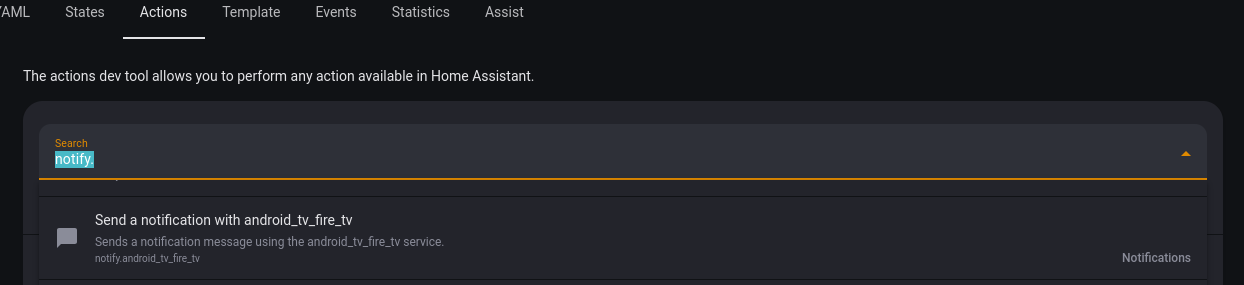
You will need to find all the notify actions you will be grouping. The easiest way to do that is in the Action tool. If you type “notify.” in the field it will give you a dropdown of all the notify actions available to you.
The information you need is the last line. In the following screenshot, “notify.android_tv_fire_tv” is the part you would note down:
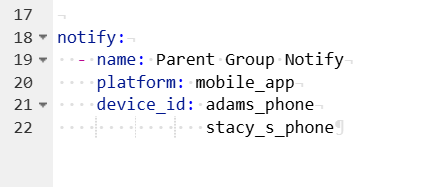
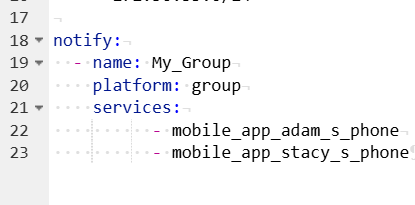
Does this look correct for the configuration.yaml file?
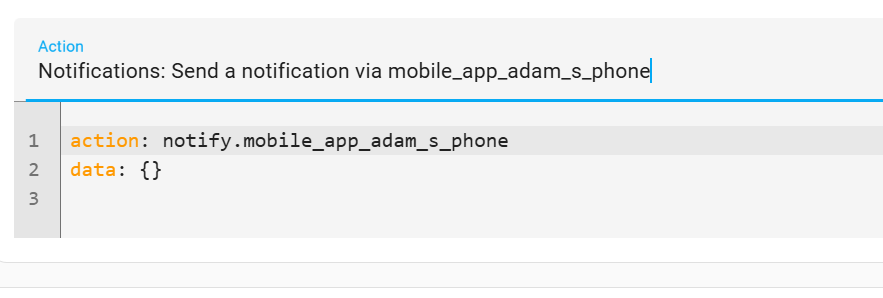
I found the notification via the app to both devices, when i hit test in developer tools it works to a single device now how to group them and use the group?
So the steps ive taken,
Add the code to the config file
go to helpers and create a notify group using the
notify.mobile_app_adam_s_phone
notify.mobile_app_stacy_s_phone as members
then use the name of the helper in the group section of the blue print…
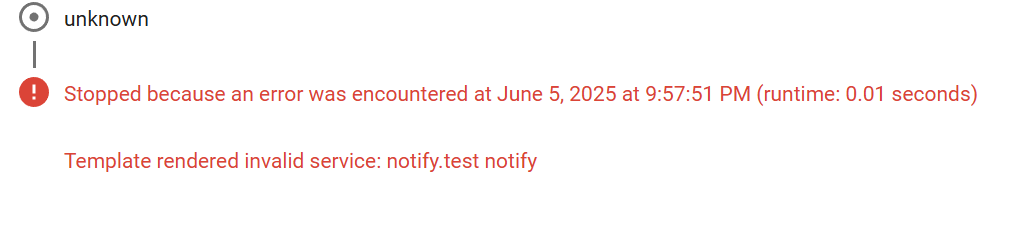
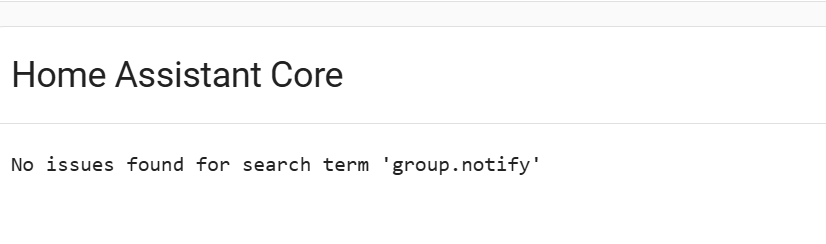
I must be missing something because this is what the trace says:
If you’re frustrated reading this believe me when I say I’m frustrated, this should be simple…
do i add this code somewhere in the config yaml file? with action and data?
The services are over-indented, but that’s not a critical issue.
As stated before, the UI/Helper Group Notify has nothing to do with what you are doing… that’s only for notify entities. Also the Blueprint in question has not been updated to handle notify entities.
The steps should be:
- Add the configuration code to
configuration.yaml, and save the file. (Completed!)
- Restart Home Assistant (This is necessary any time you add a new integration to YAML or a new file to your configuration)
- Go back to the Action tool and check that
notify.my_group is now available.
It looks like the blueprint wants just the last part of the action ID, so for your example you would just type my_group into the text field for the notify_group input.
That’s one of the reasons why the base Notify integration was overhauled…
This is the part that is hanging me up, it does not show up, I restarted again. There was an error on restart that said group.notify couldn’t be set up. could it be the over-indented code?