Ikea Myggspray -- matter over thread -- new motion sensor

Found a box of new MYGGSPRAY motion sensors at ikea tonight, it was $9.99 (vs vallhorn ~$15). They also had in stock the new matter water sensor, I should have, but didn’t grab one.

Both of these devices have a yellow lid on the otherwise white cardboard box, so I assume that will be a quick way to identify the matter stuff vs the legacy zigbee devices.

HA thread about the ikea matter stuff @ IKEA just announced 21 new affordable Matter-over-Thread smart home devices

They are one of the new matter over thread ikea devices. This is my first matter/thread device.

They are very similar physically to the vallhorn, but not quite the same, they are round instead of square and have a white led indicator outside the sensor, instead of the red inside the dome of the vallhorn.

It does not have any visual/led indication of when motion is sensed.

It comes with (what appears to be) a device specific qr code on the booklet, and inked into the side of the device, which will normally be covered by the cover/mount that snaps on the back like the vallhorn. It came with 2 small 3m sticky pads. Like the vallhorn, the battery cover comes off and there is a single physical button, which I assume is to reset it. I did not find any details about that button in the included setup info. it does not have the extra buttons for changing the occupancy delay and luminescence mode that the vallhorn does.

I put 2x ikea aaa batteries in it and it appeared to go into pairing mode automatically, with the led flashing.

I onboarded easily with my old iphone 8+ to home assistant, via home assistant app and the qr code. It was found immediately and took about a minute or so to pair, then prompted for a device name, and was added to HA successfully with no apparent issues.

The motion sensor seemed to work as quick or maybe quicker than the vallhorn, might be dependent on the size and RF cleanliness of your networks of course.

My matter setup had already been setup previously with a HA skyconnect/zbt1 in thread mode, t0bst4r’s matter hub integration/addon, the HA matter server, and the open thread border router addon, but this is my first actual matter/thread device. I have a couple apple mini’s and a google home as other connected matter controllers.

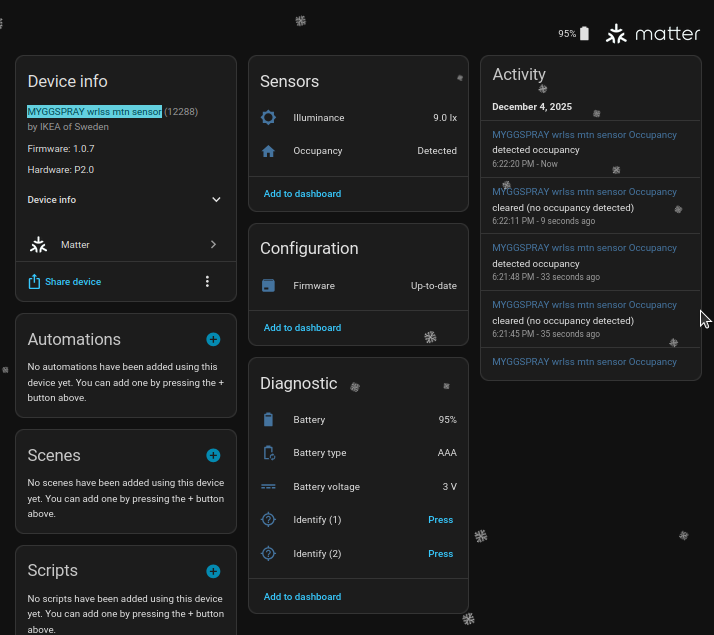
The device name that I entered when I was prompted for, did not seem to make it into, or change the HA device name, the default is apparently MYGGSPRAY wrlss mtn sensor.

I have attached screenshot of the HA device page with default sensors and diagnostics. It has 2 ‘identify’ buttons, but they both appeared to do the same (flash the led for about a few seconds), battery status, type, and voltage.

I will be testing out the reliability over time and post back with any interesting observations. LMK if any questions, I will try to answer.
12 Likes

I have bought the BILRESA and the MYGGSPRAY and I can’t get them to connect at all. I have the new Home Assistant Connect ZBT-2 as my matter thread antenna.

What are you using as your Thread router, how are you getting this to connect?

My matter setup had already been setup previously with a HA skyconnect/zbt1 in thread mode, t0bst4r’s matter hub integration/addon, the HA matter server, and the open thread border router addon, but this is my first actual matter/thread device. I have a couple apple mini’s and a google home as other connected matter controllers/fabrics.

thread/matter is not as simple as it should be, I had some issues getting it set up originally, this thread @ Failed to save thread network credential helped me.

there are lots of other threads with folks having problems and possible solutions Search results for 'matter troubleshooting order:latest' - Home Assistant Community

1 Like

Yeah I echo the sentiment.

thread/matter is not as simple as it should be

Appreciate your help. I will keep trying.

I would start with the hardware, check that the zbt2 shows up the ha hardware section, make sure it shows as thread mode (you can switch between thread/zigbee in the hardware > configure flow

then check logs in the openthread border addon, then the matter server addon, then there is the matte integration which plugs in the lower levels to ha and provides the devices and entities once connected.

don’t forget, matter requires ipv6 so you will need a decent working ipv6 router/network going too

Genuine question: apart from other aspects, has matter/thread a design goal of being friendlier to/easier on the end user?

After much fussing with IPv6 settings at my router (ubiquiti UDM Pro) I got the ZBT-2 to pick up a ULA IPv6 private address and then FINALLY got these two devices to work. Thanks for encouraging me to keep going.

And to chickens**t, if it is a goal, they aren’t meeting it.

2 Likes

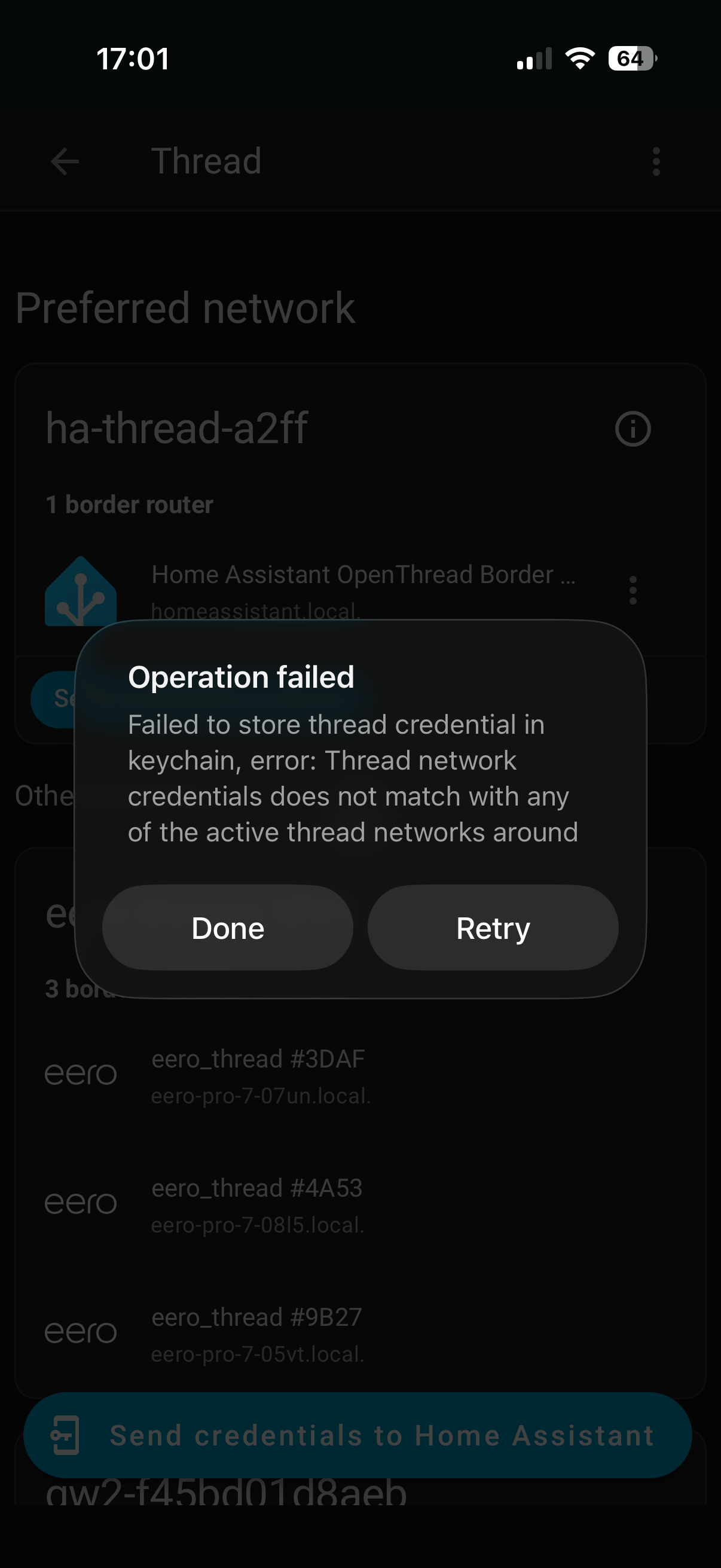
I have no devices to connect yet, but have setup my ZBT-2 and made it the default network. When I try and Send credentials to the phone, I get this error. I assume nothing will work until this is corrected. I am not sure where to start.

I would suggest checking the matter threads linked above, the credentials issues seems to be becoming more common as more folks start using matter.

1 Like

I wondering if your PIR is making triggers itself after sometime?
I do have this one.
PIR
And it is automatic triggering every 2 hours, makes it useless for me.

I did read somewhere it is doing that for keeping alive signal orso

Yes. The trouble is all because of the HA user interfwce. It is “scattered” and makes to do 10 things in 10 different places. Apple is better, just shoot the QR code with a phone and it’s done. Most Apple users don’t hav to know they have a border router.

Seriously. On the Apple side you just buy a device and turn it on and you have a TBR. Running OTBR on a Docker container is a step the average consummer is never going to get past.

2 Likes

I have my motion sensors and door sensors ready to test. Unfortunately they were out of stock of the temperature and humidity sensors. A member of staff said they run out of those in a day.

I have just setup my two new Myggspray motion sensors. It was a bit harder than I expected, but not due to Matter or Home Assistant. I installed my “ready to go” AAA IKEA batteries and got a red light. I assumed this wasn’t good. Turns out they were not ready to go. I then put the other two from the same pack in the Myggspray and got a flashing white light. Still no joy. I decided to charge all four batteries and try again. Both joined the Matter network in around 30 seconds to a minute. I am now off to write some automations.

Merry Christmas everyone.

2 Likes

is there a possibility to change the 30-second cooldown? in Zigbee devices there were some internal settings that could be changed, but I was not able to find something similar for matter devices in HA.

In HA’s world of Matter, the device has to have something in its Matter cluster for this.
For a device like an Aqara FP2 motion sensor, there is such a item in the cluster and HA has a setting in the UI for it. For the Myggspray, I don’t see anything like this in its Matter cluster.

1 Like

Hi everyone, I’ve very new to HA and Matter/Zigbee devices, but I also got a bunch of IKEA devices last weekend and went a little overboard while missing that some devices are zigbee-based and some are matter. I’ve managed to add Matter devices to Apple Home and before that Home Assistant actually showed all devices automatically, but it’s not the case with Myggspray specifically. I’ve got ZBT-2 device today and put it into the zigbee mode and I was able to add all zigbee devices easily, but now I understand that if I also want to control matter devices, I would need another ZBT-2 device that is configured as Matter border router? Is it the only way to go?

If you have added them to Apple Home, then you don’t really need a ZBT-2 for use with HA’s OTBR. All you need to do is to (somehow) use the Apple Home app to “share” the Myggspray device to Home Assistant and it should generate a pairing code, then goto HA, and Add Matter Device and choose the option where the device is already setup and paste this pairing code.

Yeah, I’m trying it, but it always fails to setup the device. I seems to be having similar issue as in Apple TV as Thread Border Router – Not Adding to Preferred Network and my VLAN segregation probably does not help either (IoT network and network where VM with HA is running are different VLANs) :frowning:

If your Apple TV is not on the same VLAN as HA then that’s the problem. HA Matter is not getting mDNS advertisements as they don’t cross VLANs

Well, I’ve removed filters from my mDNS Proxy and they appeared across the VLAN, but the add still fails…I’m gonna continue to investigate for the time being
